Warband Accountant (now includes Savings Goals and Gold Graphs)
- By
Manages your gold and tracks it across all your characters
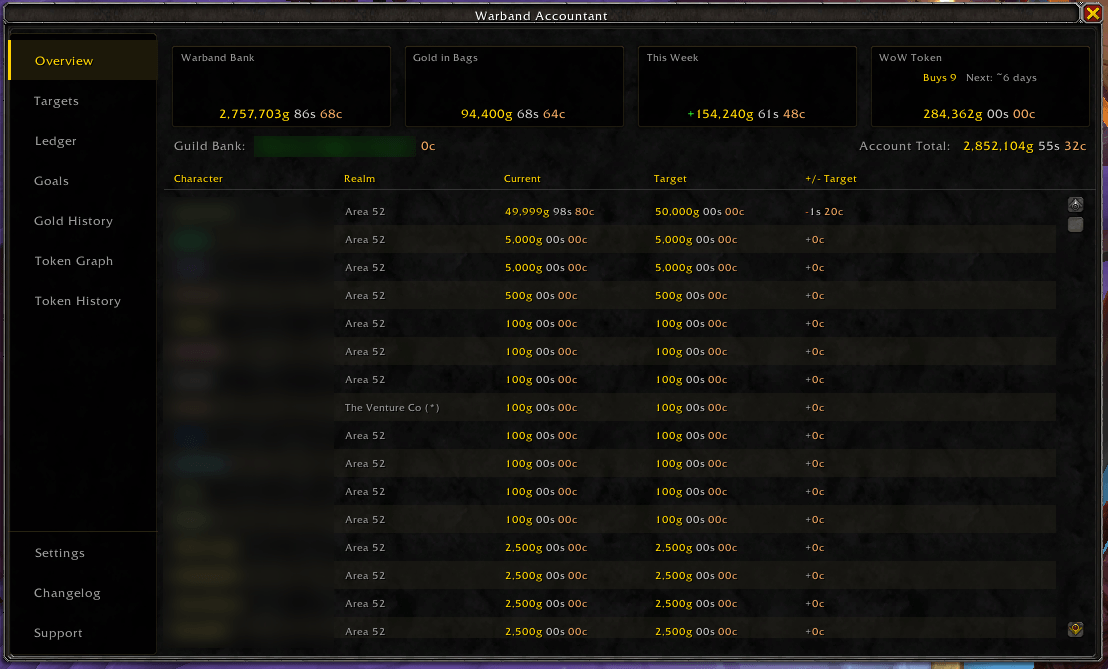
Everything at a glance: Warband Bank, weekly income, token price and affordability, and every character vs. target.
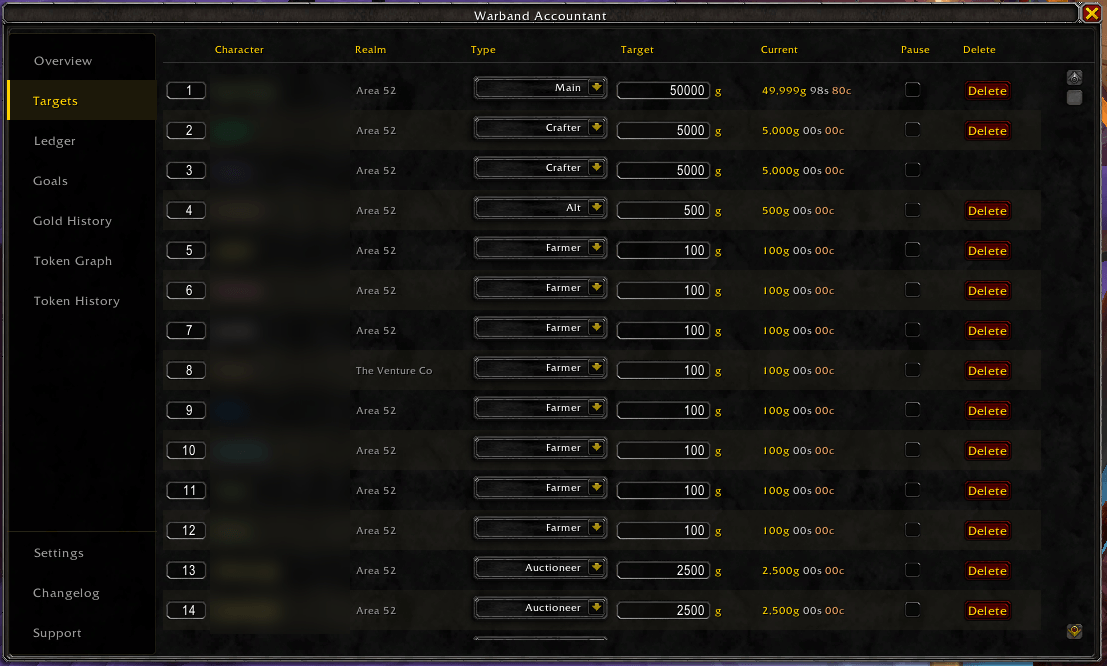
Set a gold target and category for every character, with per-character pause.
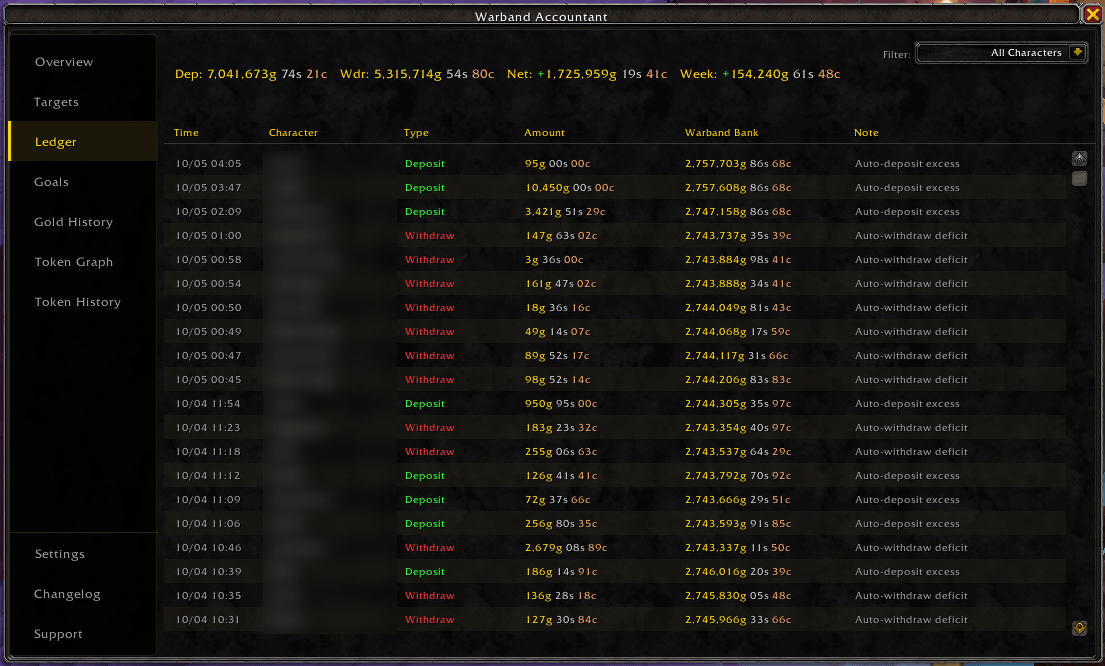
Every deposit and withdrawal logged automatically, with running totals.
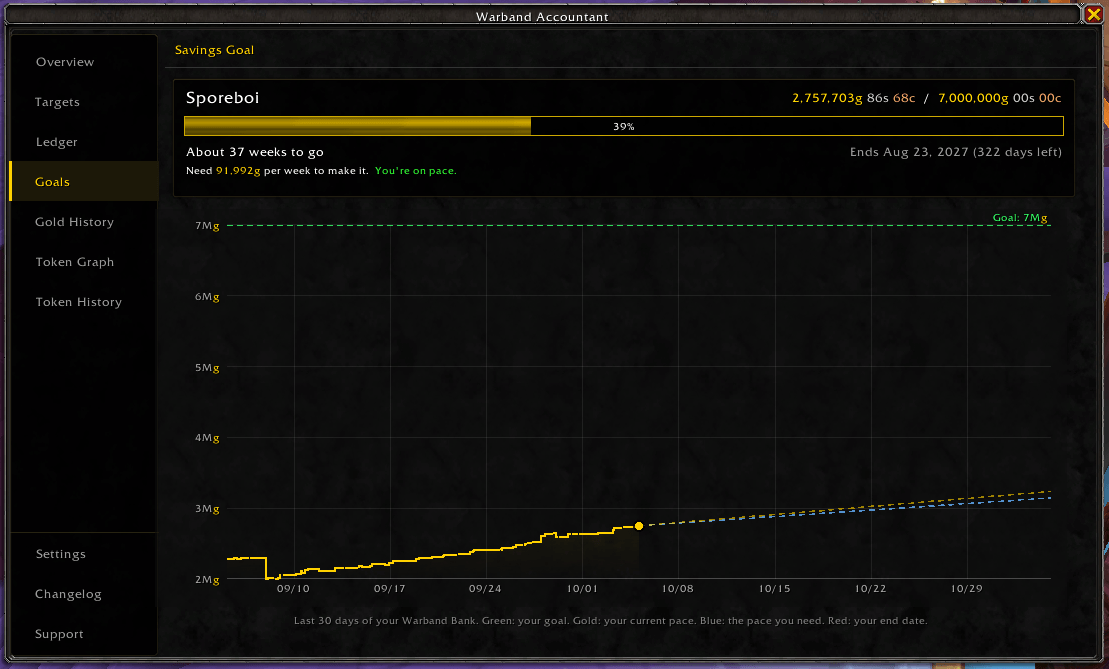
Save toward a goal with a finish estimate, deadline pace, and a graph of where you're headed.
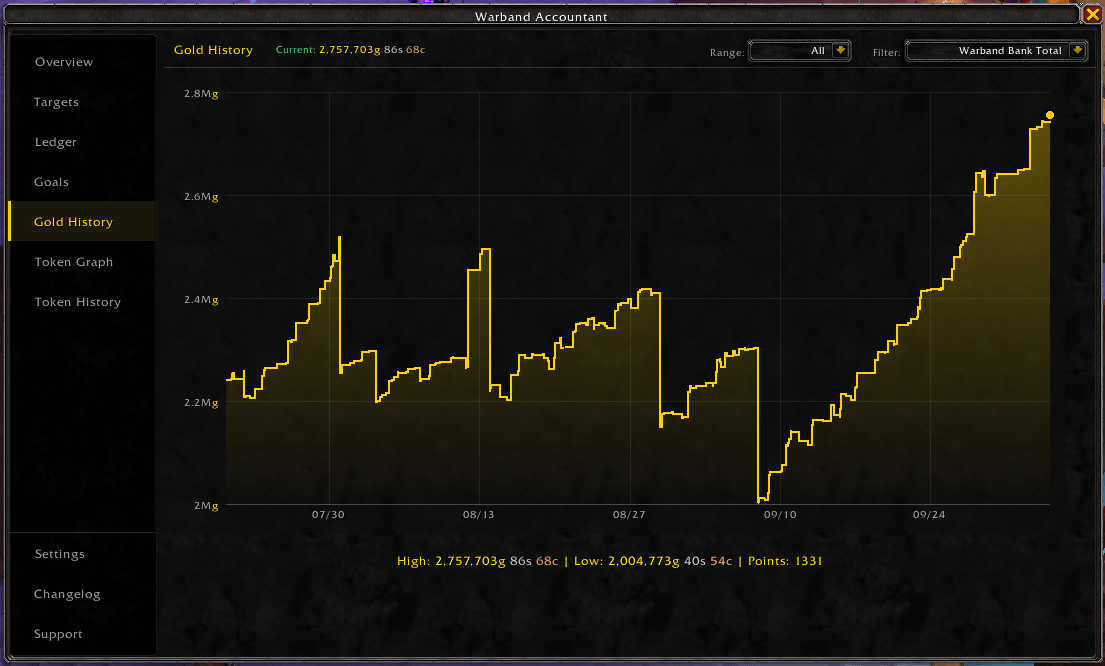
Your Warband Bank over time, with time ranges and a hover crosshair.
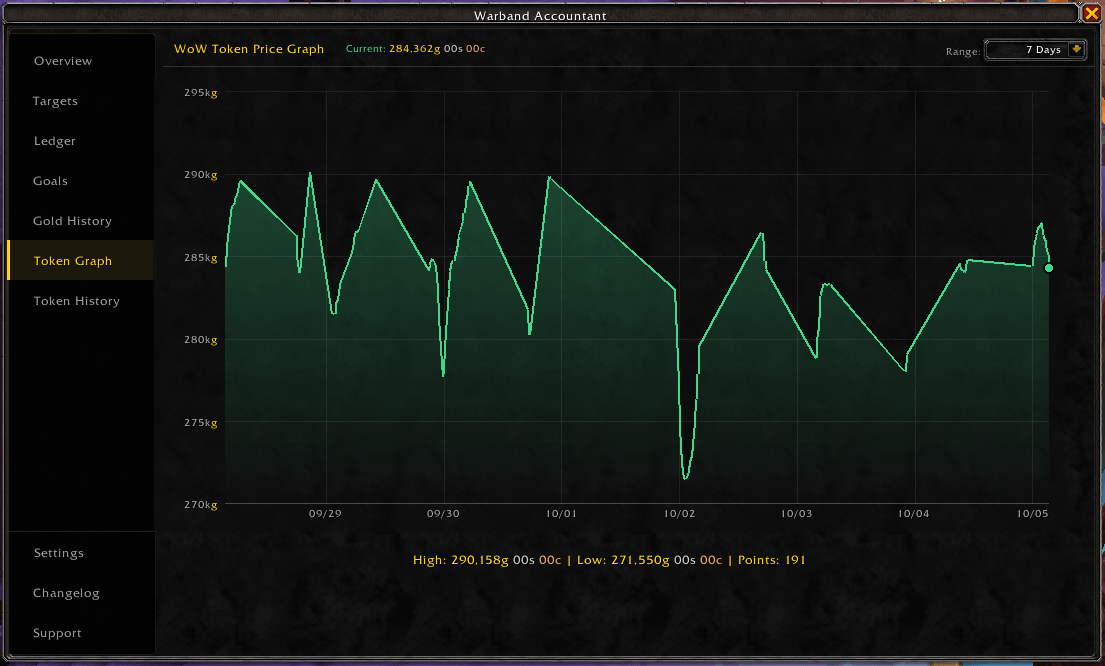
WoW Token price tracked over time, from 24 hours to 7 days.
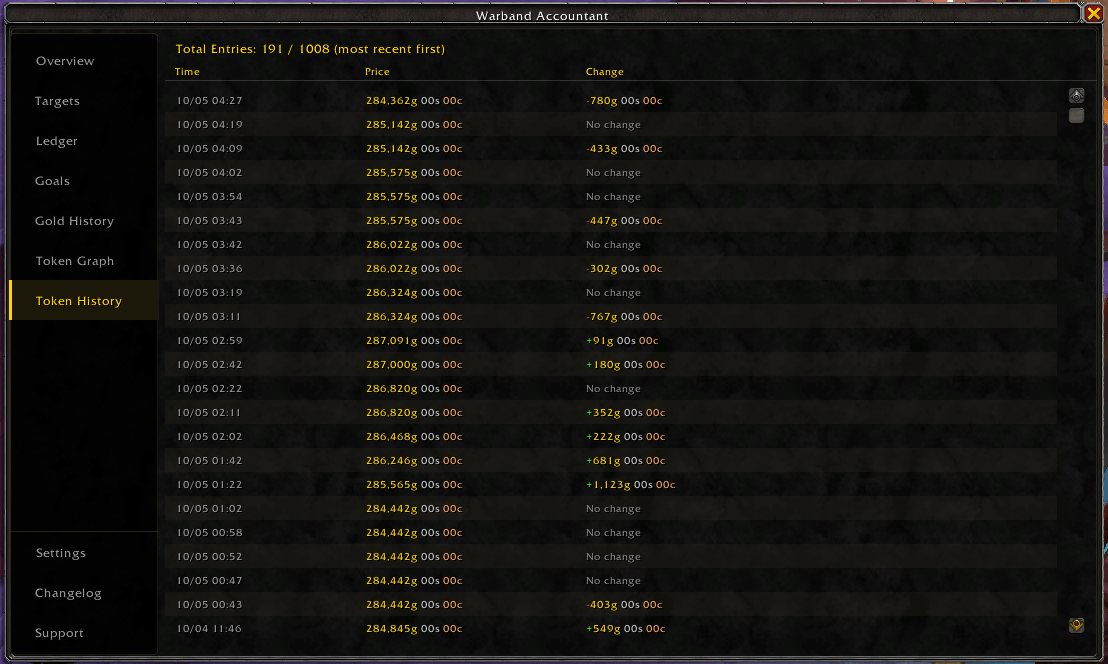
A full log of Token prices and changes.
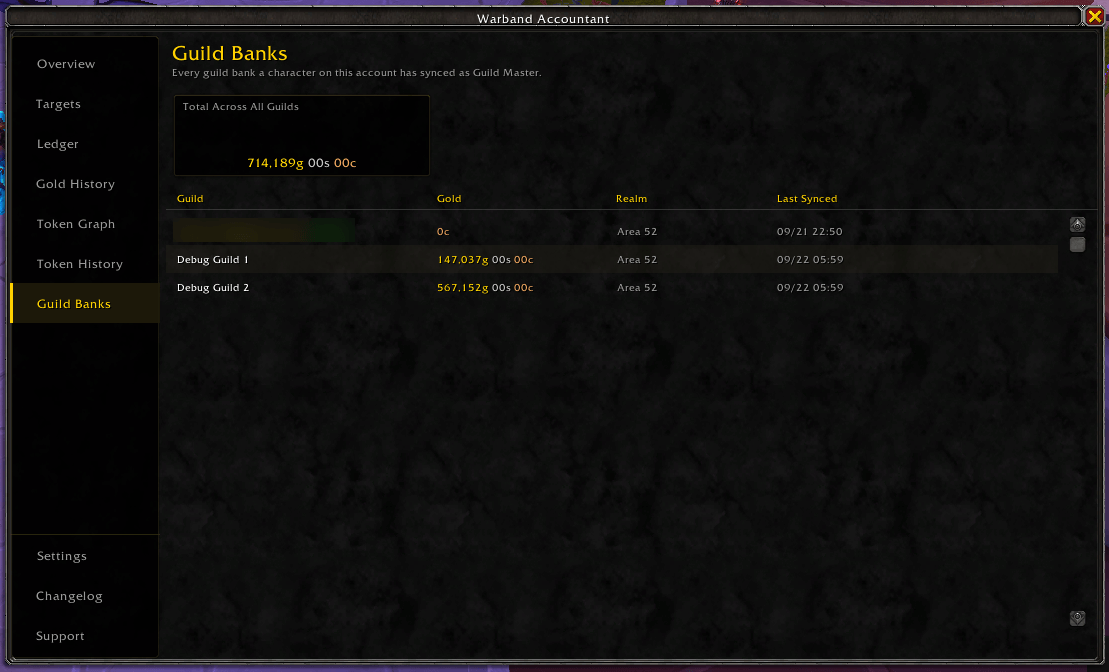
Track more than one guild bank at once, visible from any character.
Description
Warband Accountant helps you manage gold across every character in your Warband. Set a gold target for each alt, and the addon automatically moves excess gold into your Warband Bank or tops characters back up when they're running low, every time you open the bank. It keeps a full record of every transaction, tracks the WoW Token price, helps you save toward a gold goal, and can watch multiple guild banks if you're a Guild Master on more than one.
Bug Reports & Feature Requests
Found a bug or have an idea for the addon? Report it on GitHub or Discord:
👉 https://github.com/I-AM-T3X/WarbandAccountant/issues

What's in the window
Open it with /wba or the minimap button. There's a side nav with these tabs:
- Overview - Warband Bank balance, gold in bags, weekly income, current Token price and how many Tokens you can afford, your guild bank balance, your combined Account Total, and the full character list with current vs. target gold.
- Targets - set gold targets and categories per character, pause automation for specific alts, reorder the list, or delete old entries.
- Ledger - every deposit and withdrawal, filterable by character, with running deposit/withdrawal/net/weekly totals.
- Goals - shows up while you have a savings goal set. Progress bar, finish estimate, and a graph with your projected pace.
- Gold History - graphs your gold over time. Pick Warband Bank Total, your combined Account Total, or a single character's net contribution to the bank. Choose 24 Hours, 7 Days, 30 Days, or All.
- Token Graph / Token History - a price graph (24 Hours, 3 Days, or 7 Days) and full log for the WoW Token, with optional alerts when the price crosses a threshold you set.
- Guild Banks - appears once two or more guild banks are synced. Guild Masters can sync a guild's bank balance so it's visible from any character in that guild, even alts.
- Settings - everything configurable lives here: automation, display, category names and defaults, guild bank tracking, savings goal, Token options, language.
- Changelog - version history, with an optional popup when a new version is detected.
- Support - links to Discord and GitHub.
Notable features
Six character categories come built in (Main, Main Alt, Alt, Crafter, Auctioneer, Bank Alt), and you can rename any of them or leave them as they are. Each category has its own default gold target, so a new alt just needs a category assigned and it inherits a sensible target automatically.
Automation runs the moment you open your Warband Bank. If a character has more gold than their target, the excess deposits automatically. If they're short, the addon tops them up (assuming the funds are in the bank and withdrawals are turned on). You can turn on a confirmation prompt if you'd rather approve transfers manually, and pause automation per character without losing their target or history.
Savings Goals. Set a gold amount you're working toward and the Goals tab tracks it for you. You get a progress bar, an estimate of when you'll get there based on how fast your Warband has actually been earning, and a 30-day graph showing your goal line and projected pace. You can pick whether the estimate shows in days or weeks, and you'll get a one-time chat message when you hit the goal. Only one goal is active at a time.
Want to save for a WoW Token instead? Check "Use WoW Token price" and the goal follows the current Token price.
Goals can also have an end date. Add one and the tab shows how many days are left, how much gold you need to put away per day or per week, and whether you're on pace or behind. The graph adds an end-date marker and a required-pace line so you can see the gap at a glance.
Token affordability. The Token card on the Overview tab shows how many Tokens your Warband Bank gold can buy right now, and roughly how long until you can afford the next one. It only counts Warband Bank gold, not what's sitting on your characters.
Graph time ranges. Gold History and the Token Graph both have a time range dropdown, so you can zoom into the last day or pull back to see the whole picture. Hover the graph for a crosshair readout. The range isn't remembered between sessions: Gold History opens on All and the Token Graph opens on 7 Days.
Floating Token frame. The optional floating Token frame can also show a Weekly Profit line. It's off by default.
Weekly income is pulled straight from the game's own reset timer, so it's correct no matter what region or realm you're on. The Ledger keeps up to 5,000 transactions with a running lifetime total, and the Token tabs track prices the same way, with a graph, a full price log, and optional alerts.
If you're a Guild Master, the addon can track your guild bank balance and make it visible to your other characters, including alts in a different guild. It supports tracking more than one guild if that applies to you.
The UI scales from 50% to 300% for anything from a laptop to a 4K monitor, and you can choose how large numbers get formatted (comma, period, or plain). The addon is available in English and Simplified Chinese, and more languages are welcome if anyone wants to help translate.
New installs get a short guided tour of the tabs, which you can replay anytime with /wba tutorial. The minimap button uses LibDBIcon, so it plays nicely with MinimapButtonBag Reborn, SexyMap, ElvUI, and similar addons.
Getting started
Type /wba to open the window. Every character you log into gets tracked automatically. Head to the Targets tab and assign a category to each character (or set a custom target manually), then turn on automatic deposits/withdrawals in Settings. From there, transfers happen on their own the next time you open your Warband Bank, and everything gets logged to the Ledger.
Saving for something? Open Settings, set a Savings Goal, and the Goals tab will appear in the side nav.
Slash commands
/wba- toggle the main window/wba targets- open Targets/wba ledger- open Ledger/wba token- open Token History/wba settings- open Settings/wba changelog- open Changelog/wba support- open Support (Discord/GitHub)/wba tutorial- replay the first-run tutorial/wba process- force-process transfers now/wba weekly- debug info for weekly income/wba debuginfo- region/realm/time diagnostics, useful for bug reports/wba delete <name>- delete a character/wba resetgm- reset the Guild Master cache/wba clearguild- clear cached guild bank data
Under the hood
Transactions go through Blizzard's secure C_Bank API. Weekly reset timing comes from the game's own reset countdown rather than a hardcoded schedule, so it's accurate everywhere automatically. Data is stored account-wide via SavedVariables, including a 5,000-entry transaction ledger. The graphs are drawn by a small built-in module with no external graphing library. All required libraries (LibDBIcon, LibDataBroker, etc.) are bundled, so no extra downloads are needed.
Installation
Install through the CurseForge app, WowUp, or extract manually into Interface\AddOns\. Works with Midnight and should keep working through future patches.
Warband Accountant (now includes Savings Goals and Gold Graphs) Team