
Walkmap
- By
ingame.jpg
Description
WalkMap
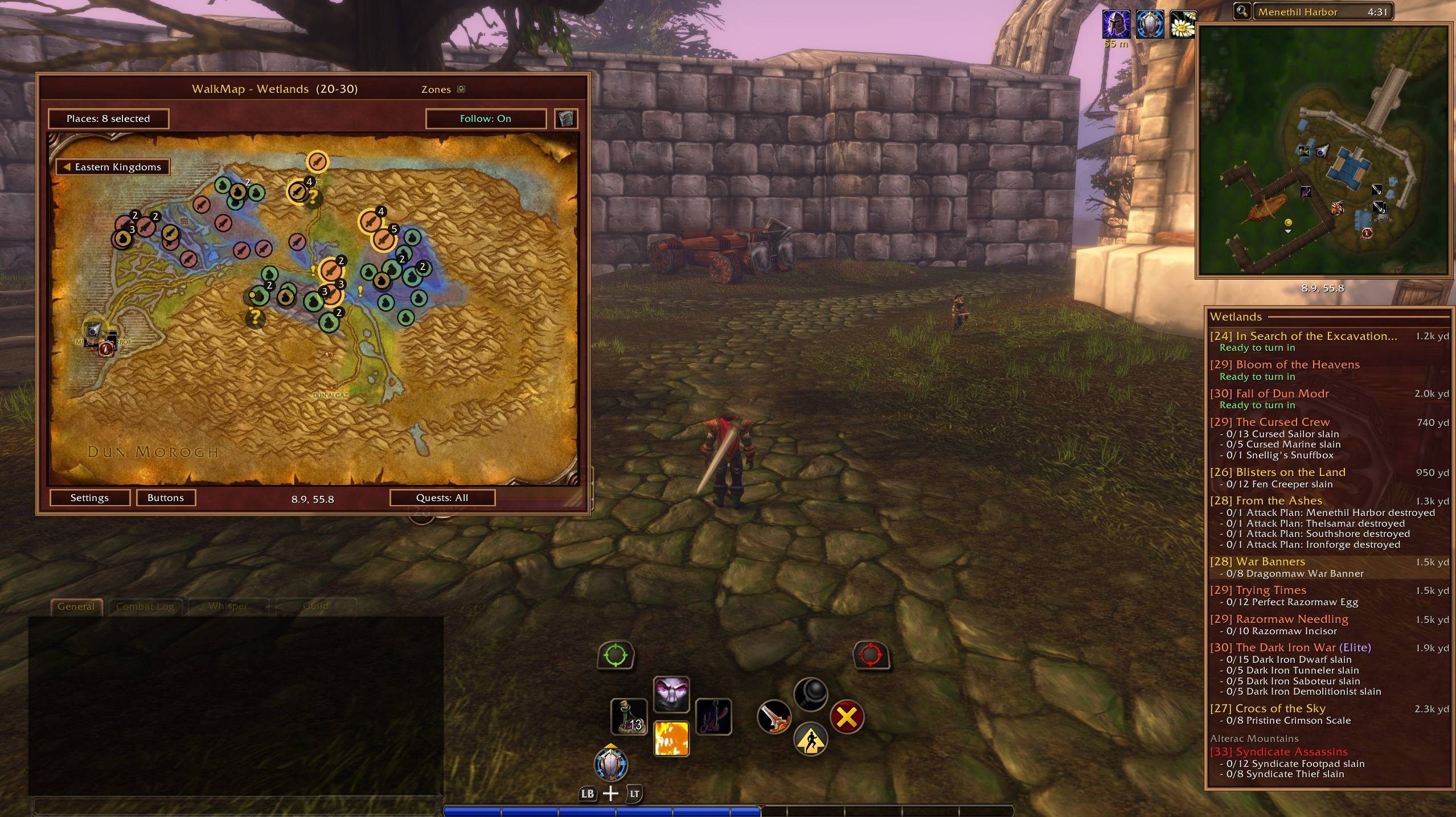
WalkMap is a zone map, quest log and quest tracker for WoW Forever. It works with mouse and keyboard, and fully with the game's native controller support. It shows where to go for your quests, who offers new ones, and where to find trainers, vendors, herbs and ore, on a large map, on the minimap and in an on-screen tracker.
Requires QuestieDB for quest, NPC and object locations. Questie itself can stay disabled.
Why WalkMap?
We were tired of not being able to move freely while the game's map was open. So we built a map you can keep open while you walk, run and ride, and one thing led to another: quest icons, quest givers, a quest log, a tracker, a minimap and full controller support.
Features
The map
- Stays open while you move: walk, run and ride with the map on screen, and Follow keeps you centred.
- Zone, continent, world and dungeon browsing, with zoom, pan, Follow and Clear view.
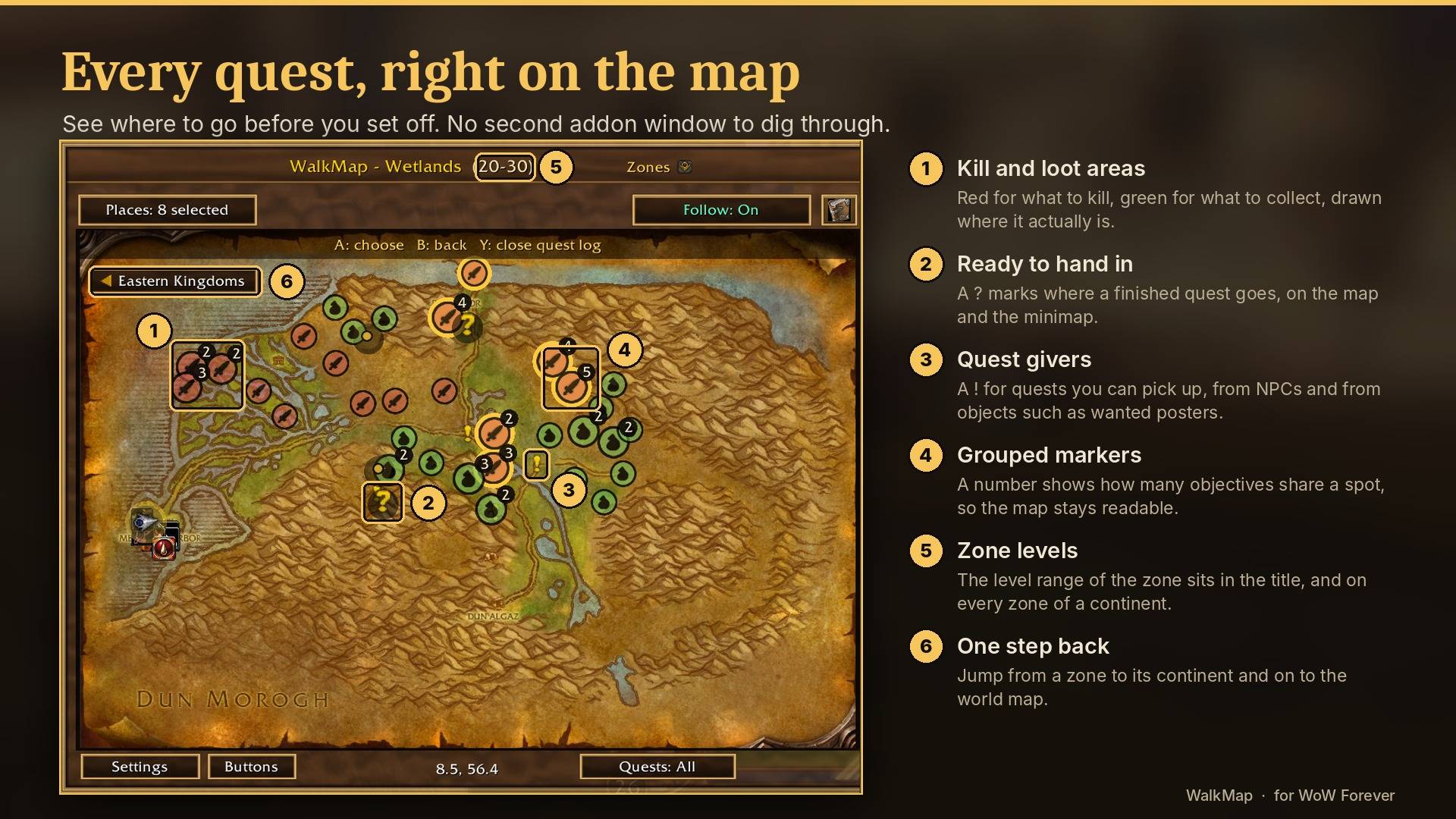
- Click into the map: click a continent on the world map, or a zone on a continent. The zone under the mouse is outlined and shows its level range, coloured for your level. A button in the corner takes you back up.
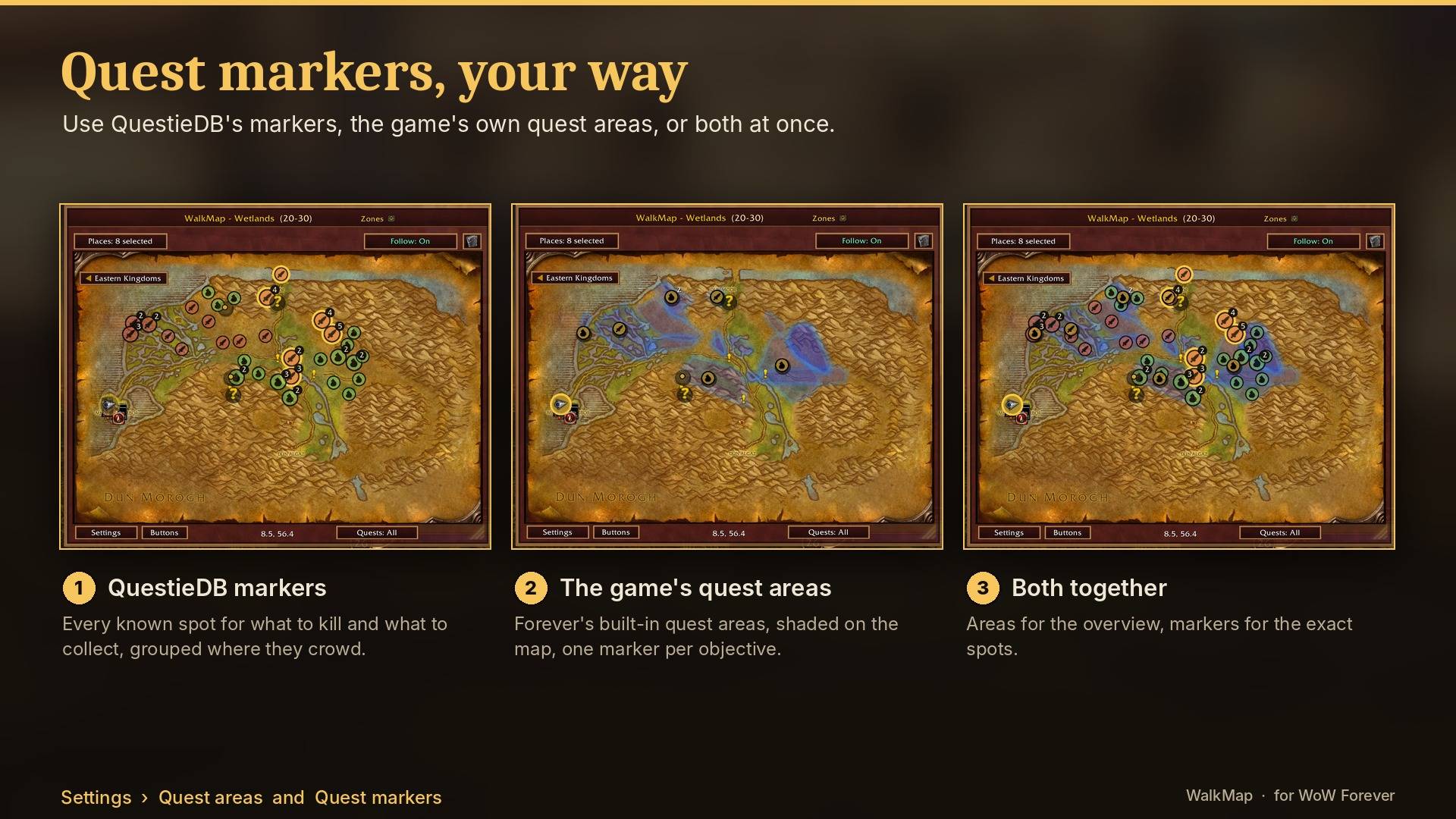
- Quest icons from QuestieDB: kill, object, loot and other objectives, with progress, monster levels, drop rates, elite/rare marks and the next quest in the chain.
- Your choice of quest markers: QuestieDB's icons, the game's own quest areas, or both.
- Quest givers filtered for your faction, class, race, level, professions and quest history, from NPCs and from objects such as wanted posters. Hover a giver to see each quest's level (coloured against yours), the XP it gives, and whether it is a dungeon or raid quest. A red "!" means the giver only offers dungeon or raid quests.
- Turn-ins and your arrow are always drawn on top. Quests the game shows no "?" for get one where QuestieDB says they are handed in.
- Places: trainers, vendors, inns, flight masters, banks, auction houses, stable masters, herbs and ore. Flight paths you have not discovered yet are greyed out.
- Waypoints anywhere: right-click a zone map, Alt-click any map, or press A in map control. A badge shows direction and distance. An optional waypoint can move to the turn-in when a quest is done.
- A skull marks your corpse until you are alive again.
- Escape closes the map, and NPC windows appear above it.
Quest log and tracker
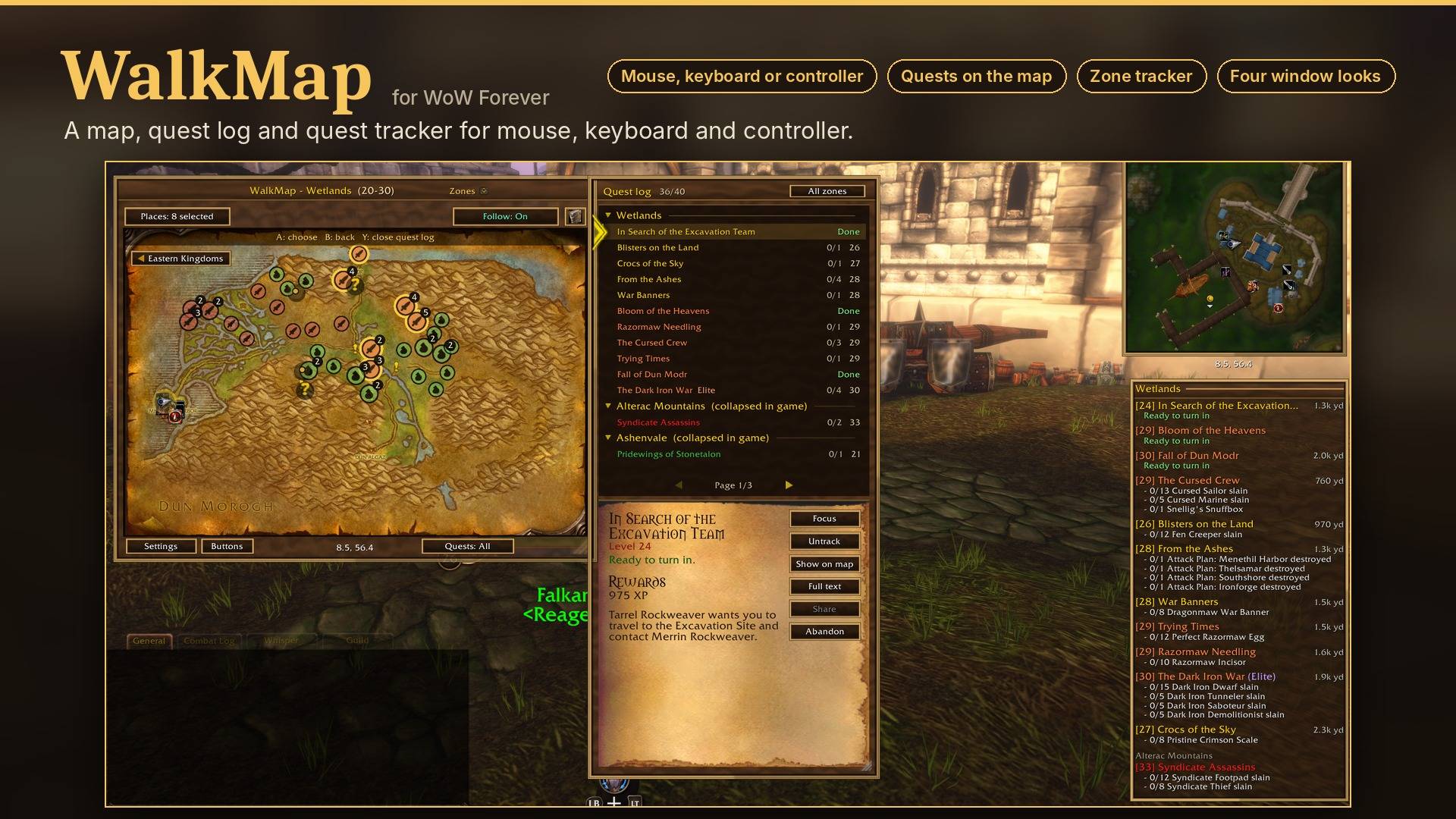
- WalkMap's own quest log with zones, progress, XP, rewards, full text, Focus, Track, Show on map (with pulsing markers), Share and Abandon.
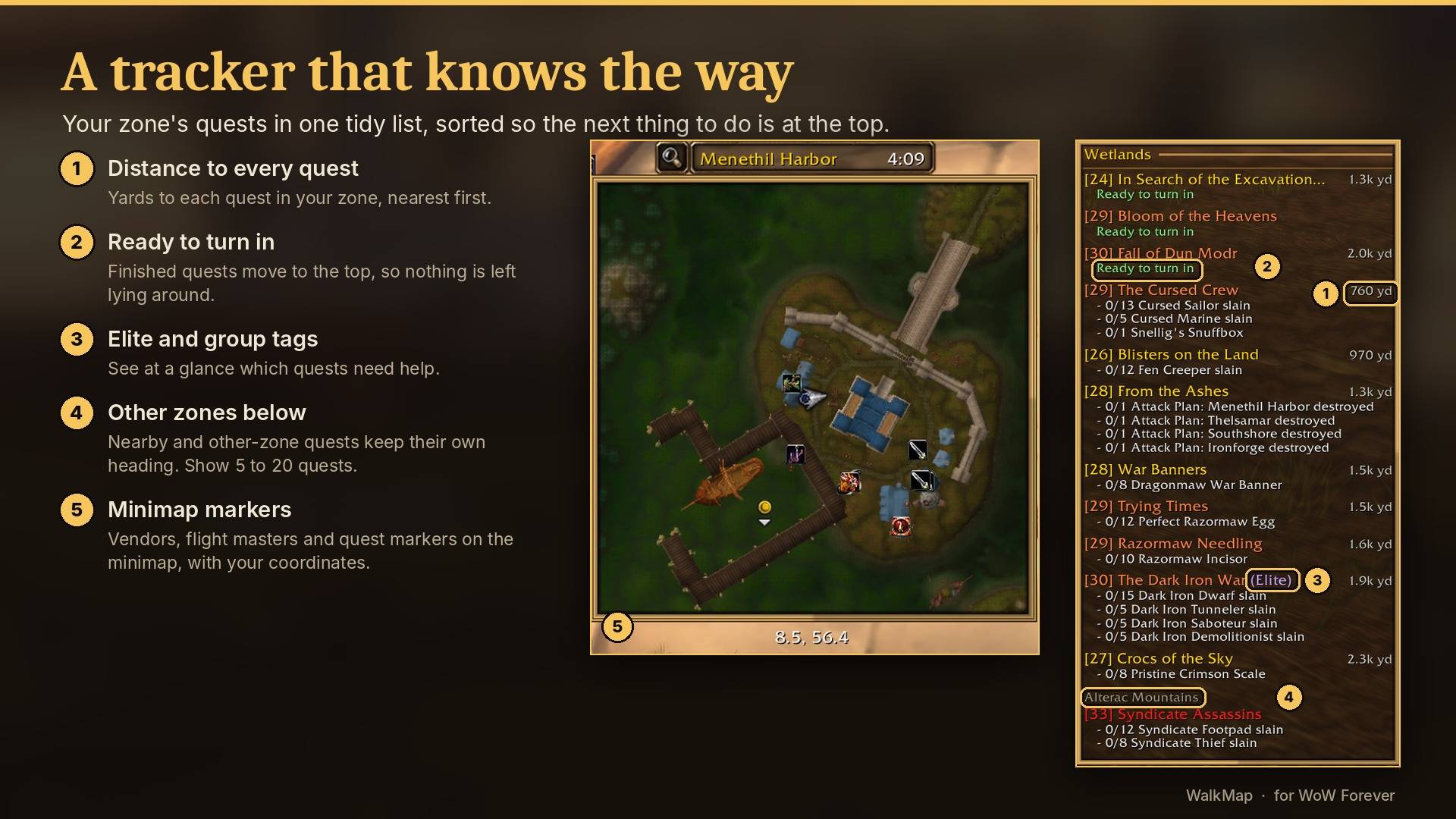
- A zone quest tracker with distances, nearest quests first, the XP each quest gives at your level, tags such as Elite, Group 3 or Dungeon, and the game's own difficulty colours. It can replace Forever's tracker.
- Quests from a neighbouring zone that reach into your map get their own "Nearby" group. Show 5 to 20 quests.
- Optional messages to your party or raid when you finish objectives.
Minimap
- WalkMap's markers on a zone-artwork minimap, on a larger square version of the game's minimap, or on the game's own minimap.
Looks
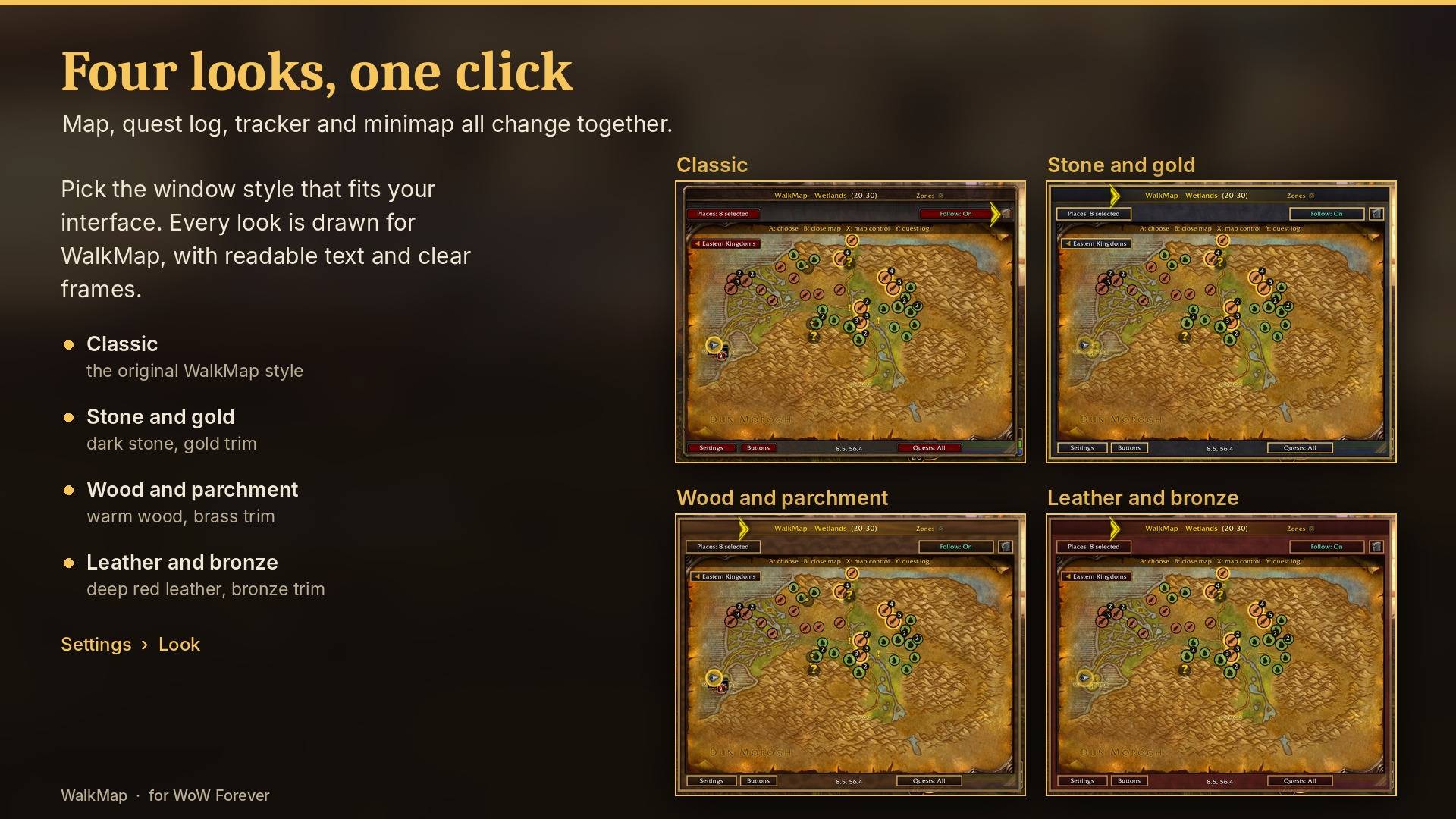
- Four window looks: Classic, Stone and gold, Wood and parchment, Leather and bronze. Map, quest log, tracker and minimap change together.
- Choose which buttons the map shows.
Controller
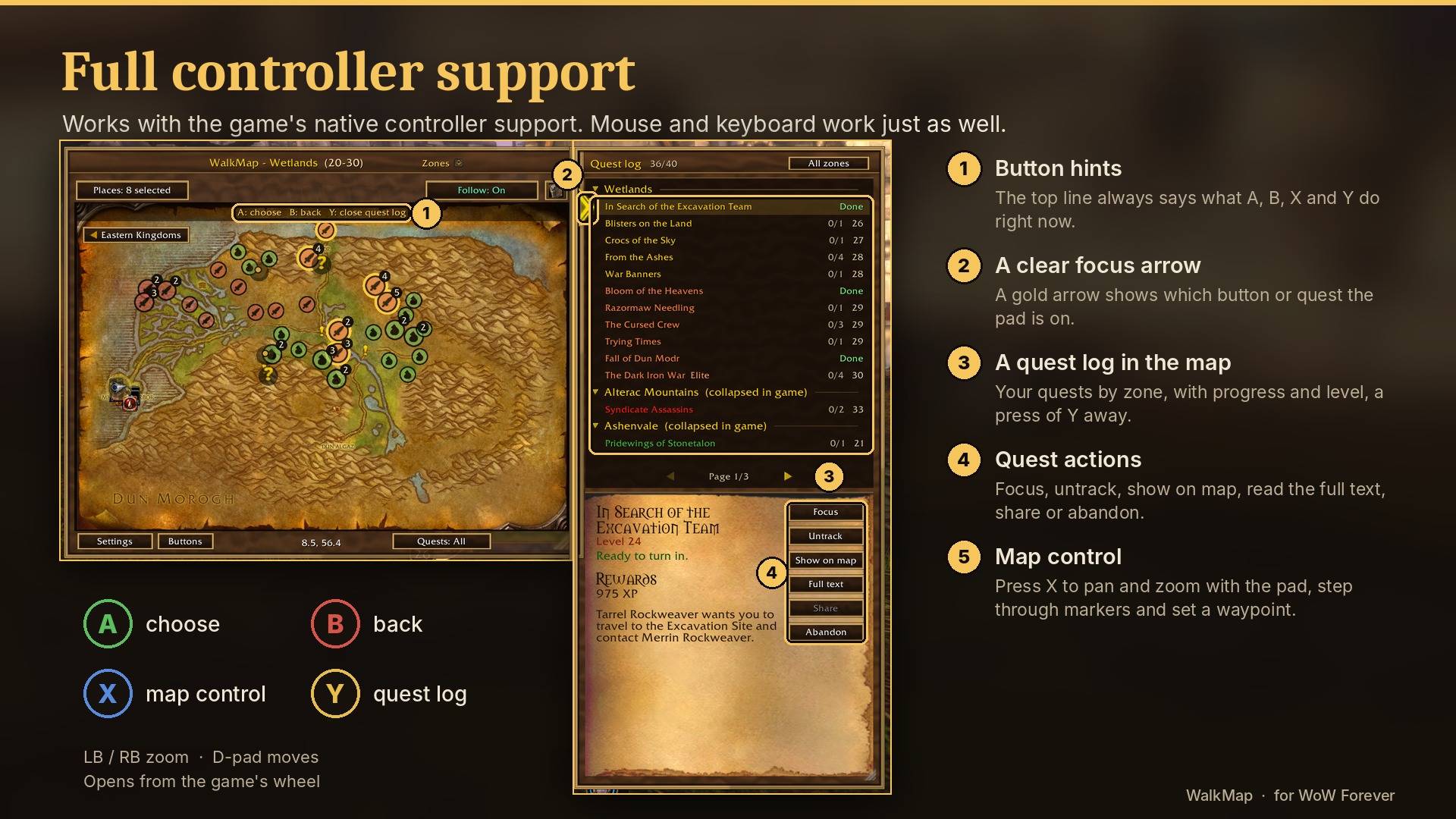
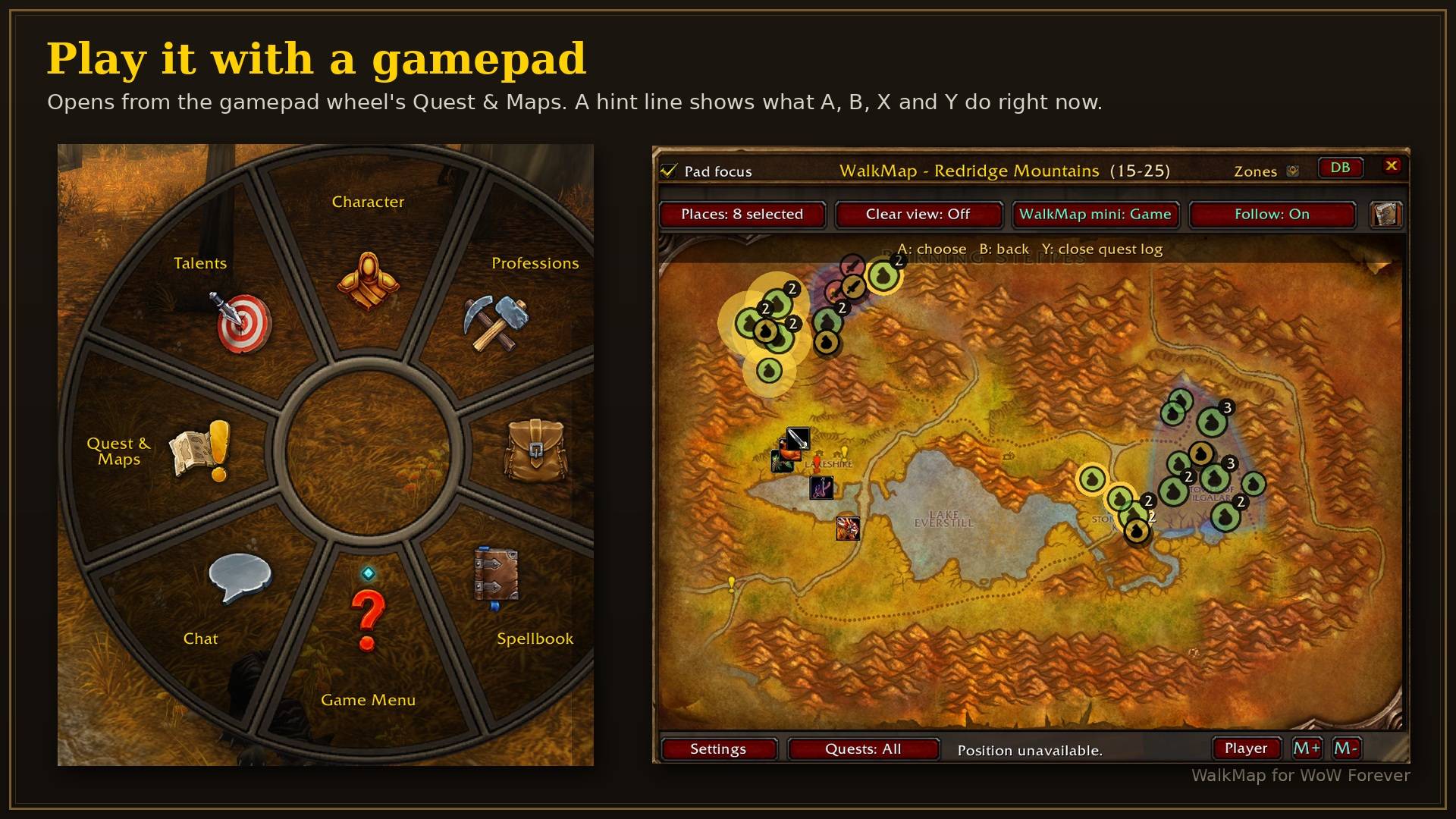
- Uses Forever's native controller navigation: D-pad, A and B work as usual.
- A hint line at the top of the map shows what A, B, X and Y do right now.
- X controls the map directly (pan, zoom, browse markers, set waypoints, open a zone). Y opens the quest log.
- Opens from the gamepad wheel's Quest & Maps.
Combat
- Your WalkMap key opens and closes the map in combat, and the map, zone picker, Places, Clear view, Follow and quest log work with the mouse.
- Optional: close the map when combat starts.
Bags and vendors
- Bag sorting and optional auto-selling of grey items.
Getting started
- Install and enable QuestieDB.
- Log in. A welcome page offers Use recommended settings and a few choices.
- Open the map with the game's map key, the gamepad wheel's Quest & Maps, /walkmap or your WalkMap key binding.
After each update, a short What's new page shows the changes the first time you open the map. /walkmap news shows it again, /walkmap guide prints a short guide in chat, and /walkmap debug makes a report to send along with bug reports.
Credits and license
Made by Anexseus and Underbuks. The bag tools are based on Underbuks' SortPants.
The hidden-quest list is derived from the Questie quest blacklist (GPLv3, the Questie contributors).
Four marker images come from pfQuest by Shagu (MIT).
Quest, NPC, object and quest XP data come from QuestieDB, a separate addon by the Questie contributors.
WalkMap is not made or endorsed by the Questie team.
WalkMap is free software under the GNU General Public License v3.0 or later.
WalkMap was built with the help of AI coding tools. Every feature was designed, tested and refined in game by the authors.
Walkmap Team

