WalkInCloset
- By
Clean, lightweight, basic gear manager. Create and save gear sets, swap gear quickly.
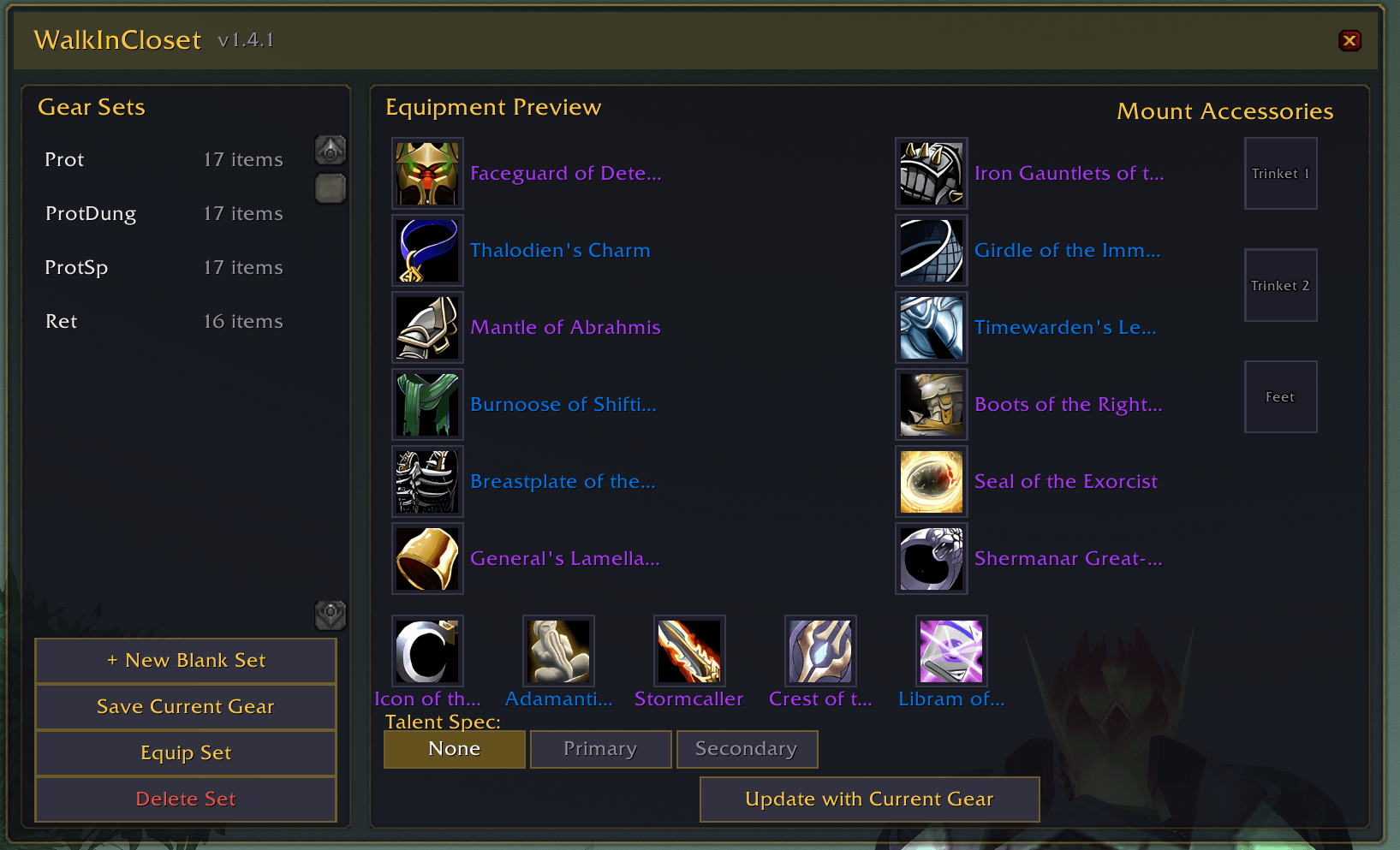
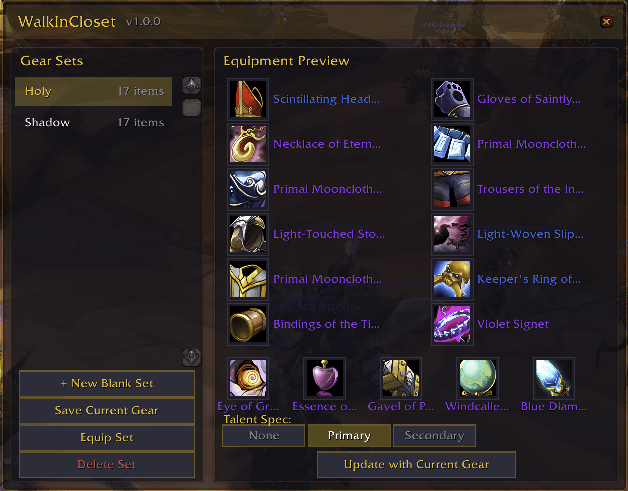
Gear_Panel.png
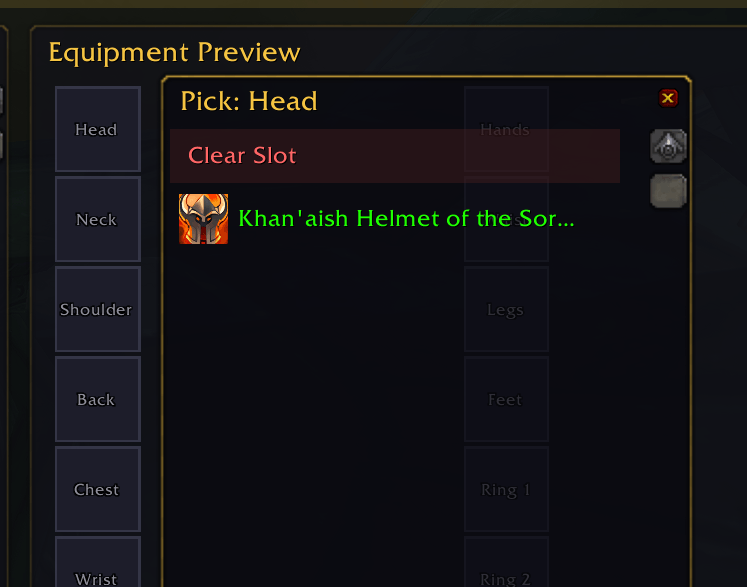
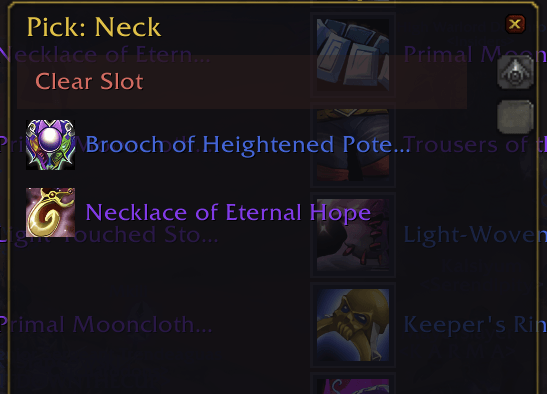
Slot Picker
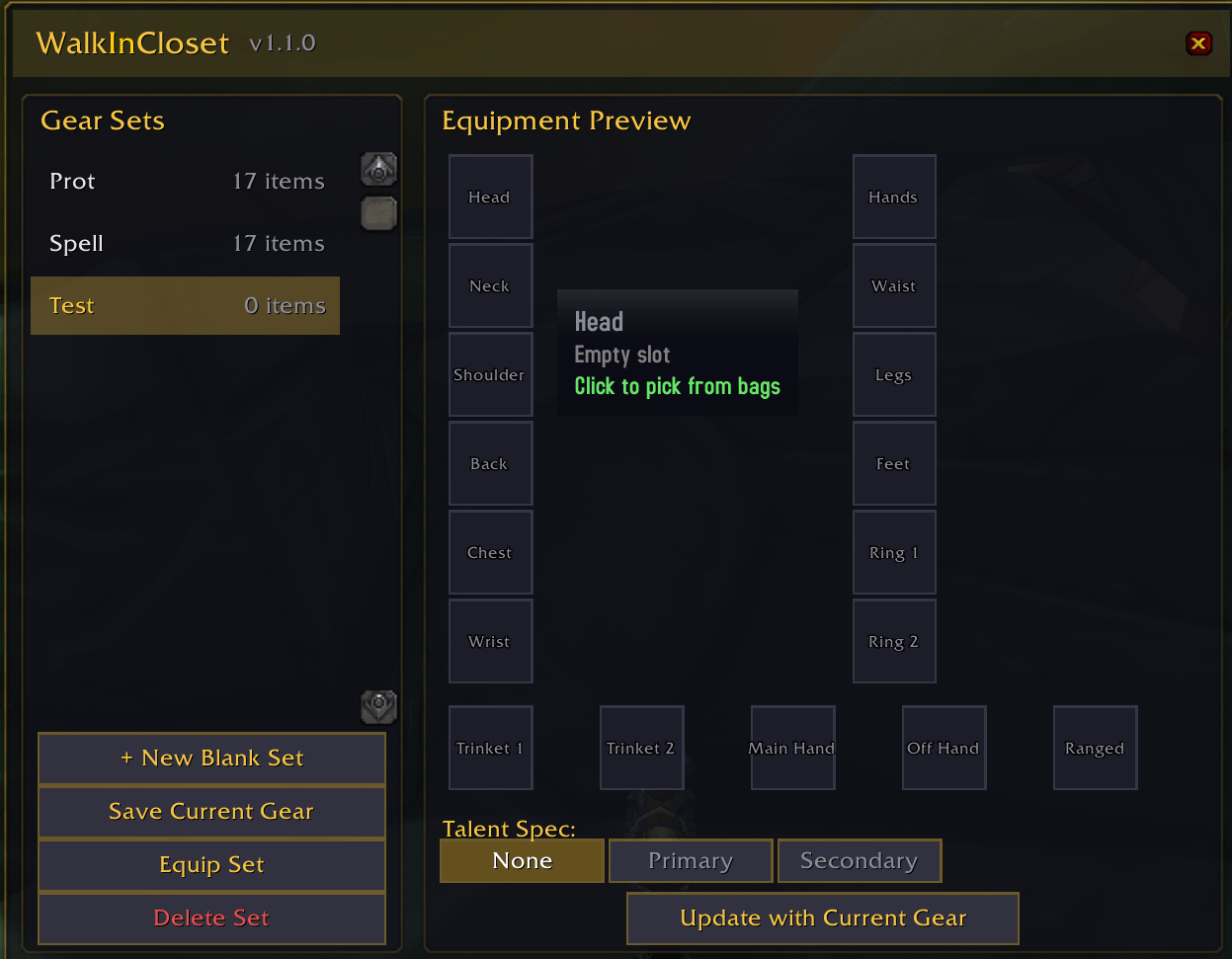
New Set Creation
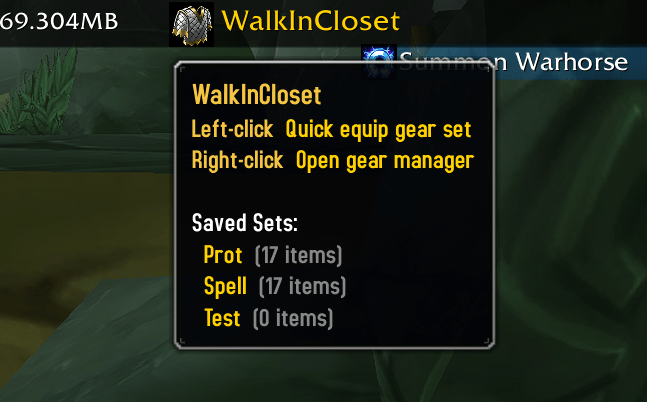
Titan Panel Integration
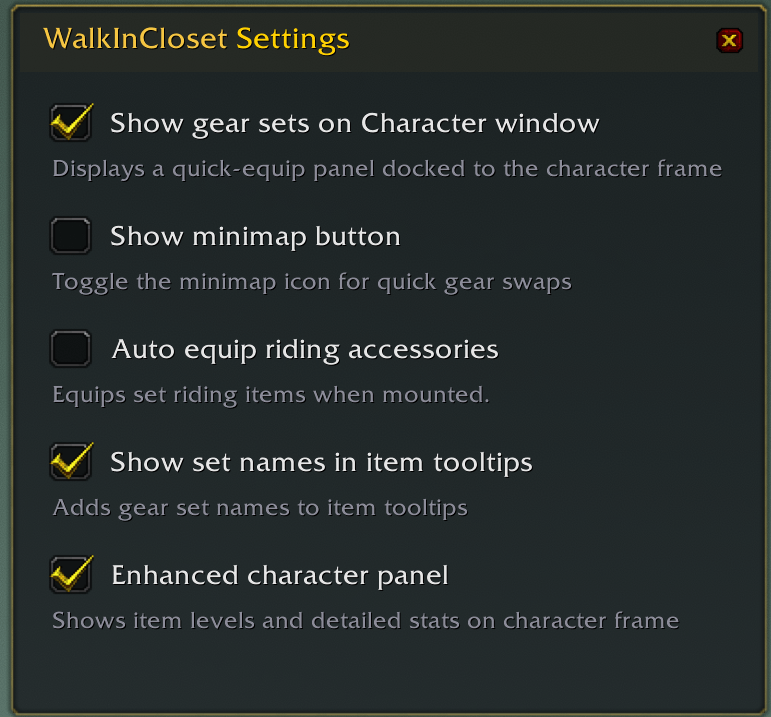
Config_Panel.png
Description
WalkInCloset
A clean, modern gear set manager with enhanced character panel for WoW TBC Classic Anniversary.
Save, manage, and quick-swap full gear sets with a sleek dark UI — no bloat, no dependencies.
Features
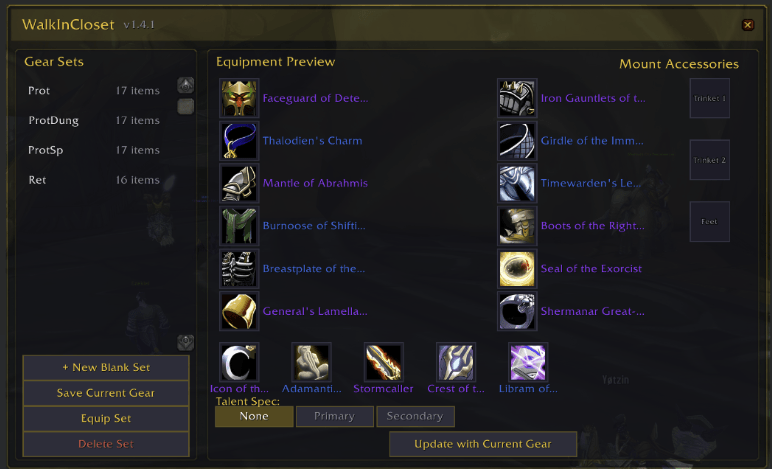
Full Gear Set Management
- Save your current equipped gear as a named set with one click
- Create blank sets and build them piece-by-piece from your bags
- Equip entire gear sets instantly — items swap from bags to slots automatically
- Empty slots are respected — if a slot is left empty in a set, that item will be unequipped when you swap
- Update existing sets with your current gear without recreating them
- Rename and delete sets freely
Paper Doll Equipment Preview
- Visual slot layout showing all 17 equipment slots (Head through Ranged)
- Click any slot to browse bag items filtered to that slot type
- Right-click a slot to clear it
- Item quality coloring and full tooltip support
Talent Spec Switching
- Assign Primary or Secondary talent spec to any gear set
- When you equip a set, your talents automatically switch to match
- Works with TBC Classic Anniversary's UI-driven talent system
Minimap Button
- Left-click to open the gear manager
- Right-click for a quick-equip dropdown
- Draggable around the minimap edge
- Can be hidden via
/wic config
Titan Panel Integration
- Shows on Titan Panel bar (left or right side)
- Left-click for quick-equip dropdown
- Right-click to open the full gear manager
- Tooltip previews all saved sets with item counts
- Gracefully hidden if Titan Panel is not installed
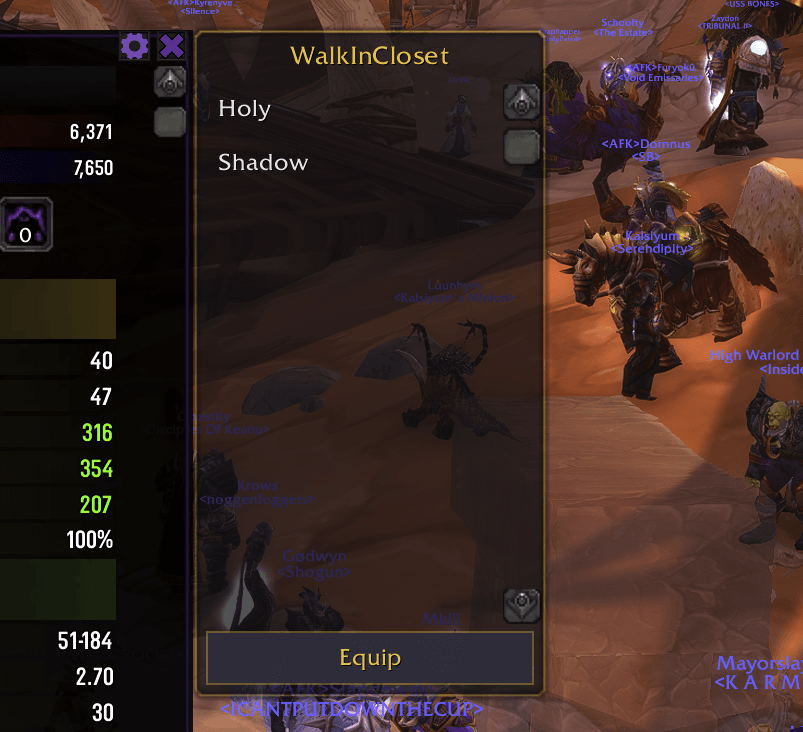
Character Panel Integration
- A gear set list docks to your Character window
- Click to select, double-click to equip
- Can be toggled on/off in settings
- Draggable and remembers its position
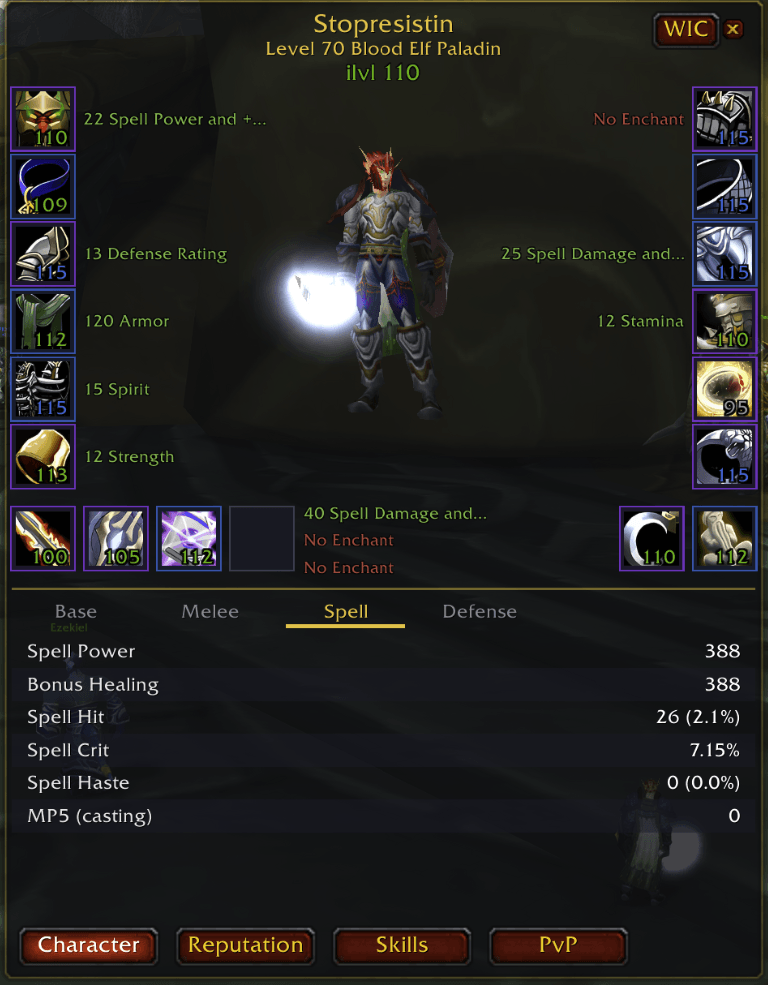
Enhanced Character Panel
- Updated stat panels
- Modern, clean UI with enchant visibility.
Slash Commands
| Command | Action |
|---|---|
/wic |
Toggle the gear manager window |
/wic config |
Open settings |
/wic <set name> |
Quick-equip a set by name |
/wic reset |
Reset character panel position |
Optional Integration
- Titan Panel — Automatically detected. The plugin appears in your Titan Panel plugin list when installed.
- Works alongside SexyMap and other minimap addons — use
/wic configto hide the minimap button if your minimap addon doesn't detect it.
Screenshots
Dark themed gear manager with gold accents, paper doll equipment preview, and integrated bag item picker.
Feedback & Bugs
Found a bug or have a feature request? Leave a comment on the project page!
WalkInCloset Team