WaffleOptions
- By
WaffleOptions automates the tedious parts of World of Warcraft — repairing, selling, collecting mail, accepting summons, turning in quests, and managing dungeon/raid logistics — so you can focus on playing.
Party.png
RepairSell.png
About.png
Description

WaffleOptions
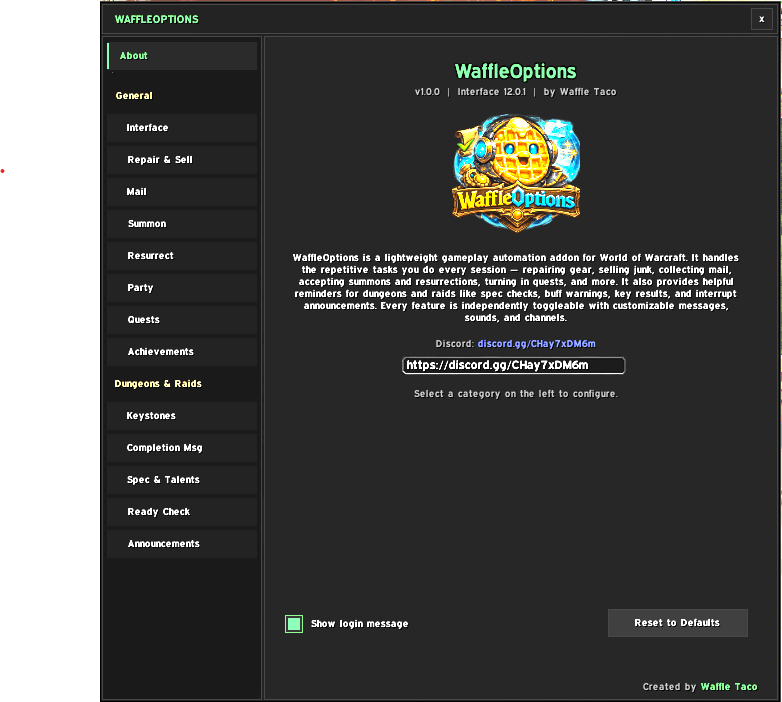
WaffleOptions automates the tedious parts of World of Warcraft — repairing, selling, collecting mail, accepting summons, turning in quests, and managing dungeon/raid logistics — so you can focus on playing.
Every feature is independently toggleable with customizable messages, sounds, and output channels. Type /waffle to configure everything.
Visit our discord for support, bug reports, and feature requests: https://discord.gg/CHay7xDM6m
General
Interface
- Cutscene Skip — Skips previously watched cutscenes automatically
- Hide Talking Head — Suppresses Talking Head popups
- Combat Auto-Hide — Closes the World Map and bags when entering combat
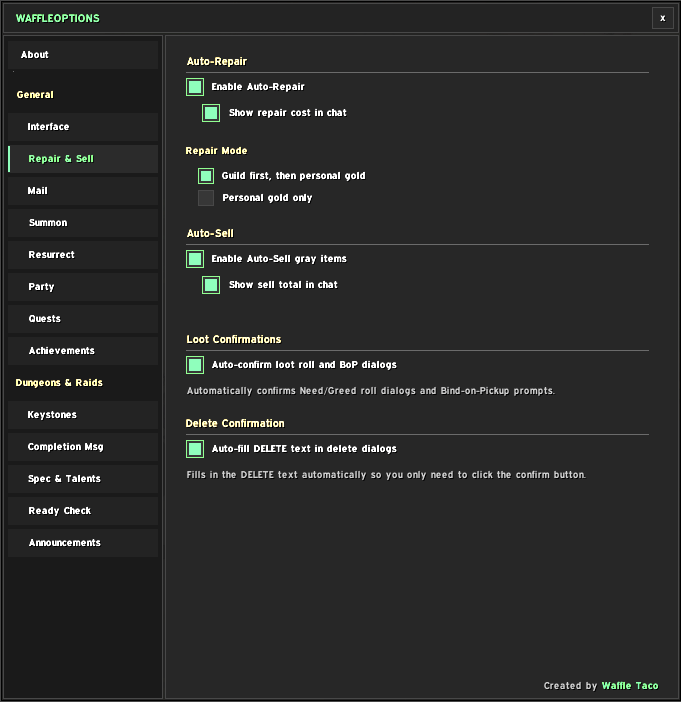
Repair & Sell
- Auto-Repair — Automatically repairs gear at merchants using guild bank funds first, with personal gold fallback
- Auto-Sell — Sells all gray items when visiting a merchant
- Auto-Confirm Loot — Skips Need/Greed and Bind-on-Pickup confirmation dialogs
- Auto-Fill Delete — Pre-fills the "DELETE" text when destroying items (you still click confirm)
- Auto-Collect Mail — Collects all items and gold from your mailbox, optionally deletes empty mail
Summon
- Auto-Summon — Accepts summons automatically with customizable chat announcements using
{summoner}and{location}placeholders
Resurrect
- Auto-Resurrect — Accepts out-of-combat and combat resurrections separately, with chat announcements
- Auto-Release Spirit — Releases spirit on death in the open world with a configurable delay (skips instances)
- Combat Res Tracker — Announces combat resurrections used by group members
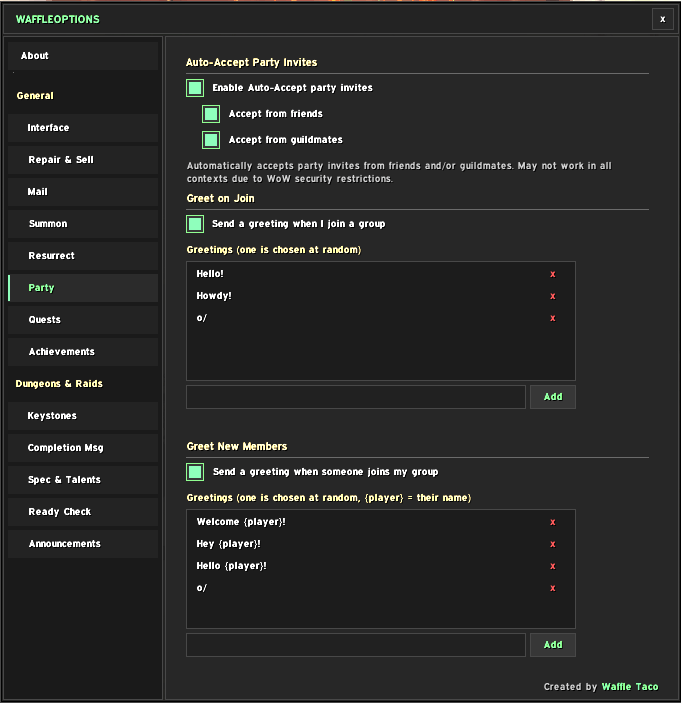
Party
- Auto-Accept Party Invites — Accepts invites from friends and/or guildmates
- Party Greetings — Sends a random greeting when you join a group or when a new member joins, with customizable message lists and
{player}placeholder
Quests
- Auto-Quest — Accepts and completes quests automatically (hold Shift to override); skips multi-reward quests so you can choose
- Gossip Skip — Auto-selects single-option NPC dialogs (hold Shift to override)
Achievements
- Auto-Screenshot — Takes screenshots on achievements, boss kills, and level-ups with a configurable delay
- Achievement Congratulations — Sends a random congratulatory message to party and/or guild members when they earn achievements, with customizable messages
Dungeons & Raids
Keystones
- Key Reminder — Shows your group's listed key level when joining an M+ group
- Auto-Insert Keystone — Automatically slots your keystone at the Font of Power
- Key Swap Reminder — Reminds you to trade keys with your group after M+ completion
- Keystone Change Alert — Notifies you when your keystone changes (after trading or completion)
- Key Result — Reports whether your key upgraded or depleted, with optional alert sound on depletion
Completion Message
- End-of-Dungeon/Raid Message — Sends a customizable message (default: "gg") at the end of M+ runs, regular dungeons, and raid boss kills
- Auto-Leave Instance — Optionally leaves the group after dungeon completion with a cancellable countdown
Spec & Talents
- Spec & Talent Reminder — Shows your current spec and talent loadout when entering a dungeon or raid; warns about unspent talent points with an optional alert sound
- Loot Spec Warning — Warns if your loot spec doesn't match your active spec
Ready Check
- Ready Check Buff Scan — On ready check, scans all group members for missing class buffs, food, and flask/phial, with per-player reporting
- Auto Role Confirm — Automatically confirms your role in LFG/LFR queues
Announcements
- Group Announcements — Announces when someone places a Mage Table, Warlock Summoning Stone, or feast/buffet
- Interrupt Announcements — Announces your successful interrupts with a customizable message using
{spell}placeholder
Slash Commands
| Command | Description |
|---|---|
/waffle |
Open the options panel |
/wafflecancel |
Cancel an auto-leave countdown |
WaffleOptions Team