Volume Sliders
- By
Highly configurable vertical volume sliders and mute toggles for all sound channels via minimap icon with optional automations
slider_window.png
VS_minimap_icon.png
settings_sliders.png
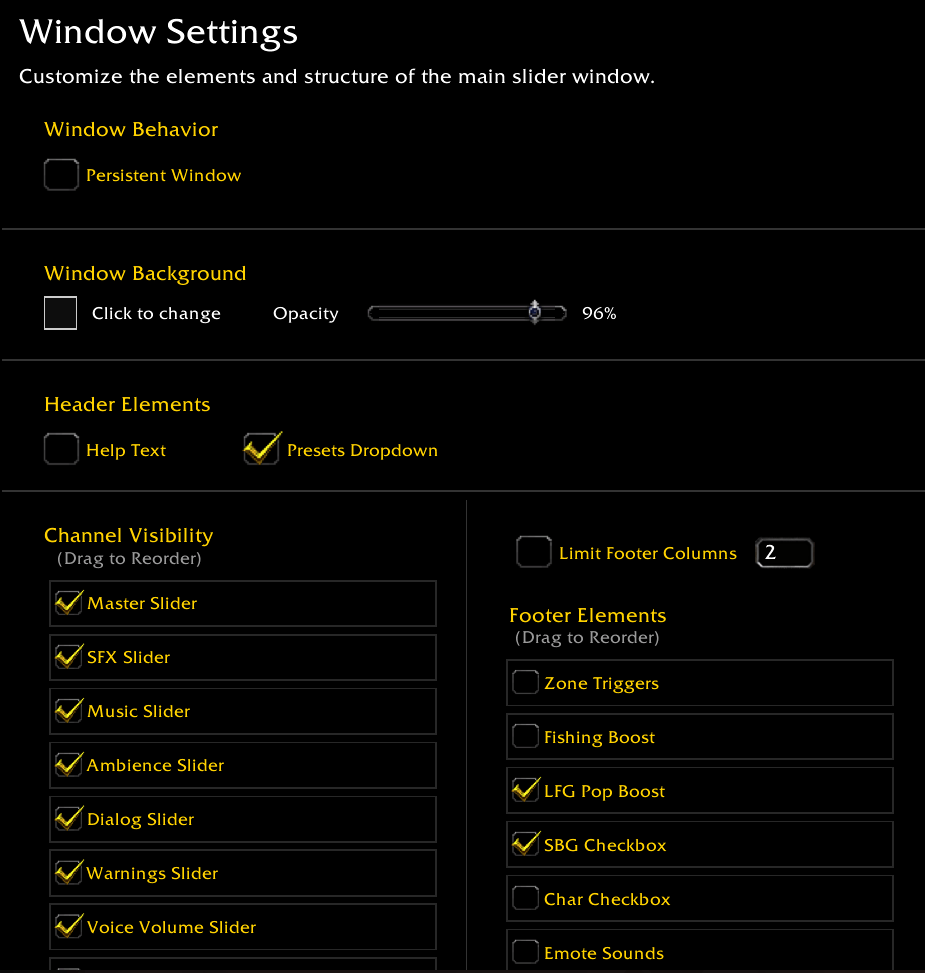
settings_windows.png
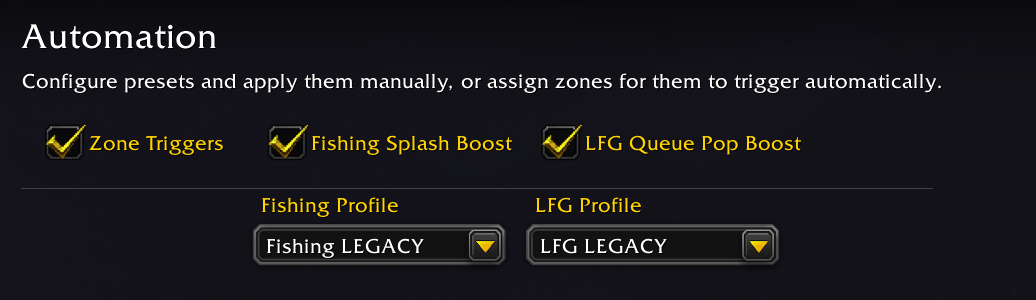
settings_automation.png
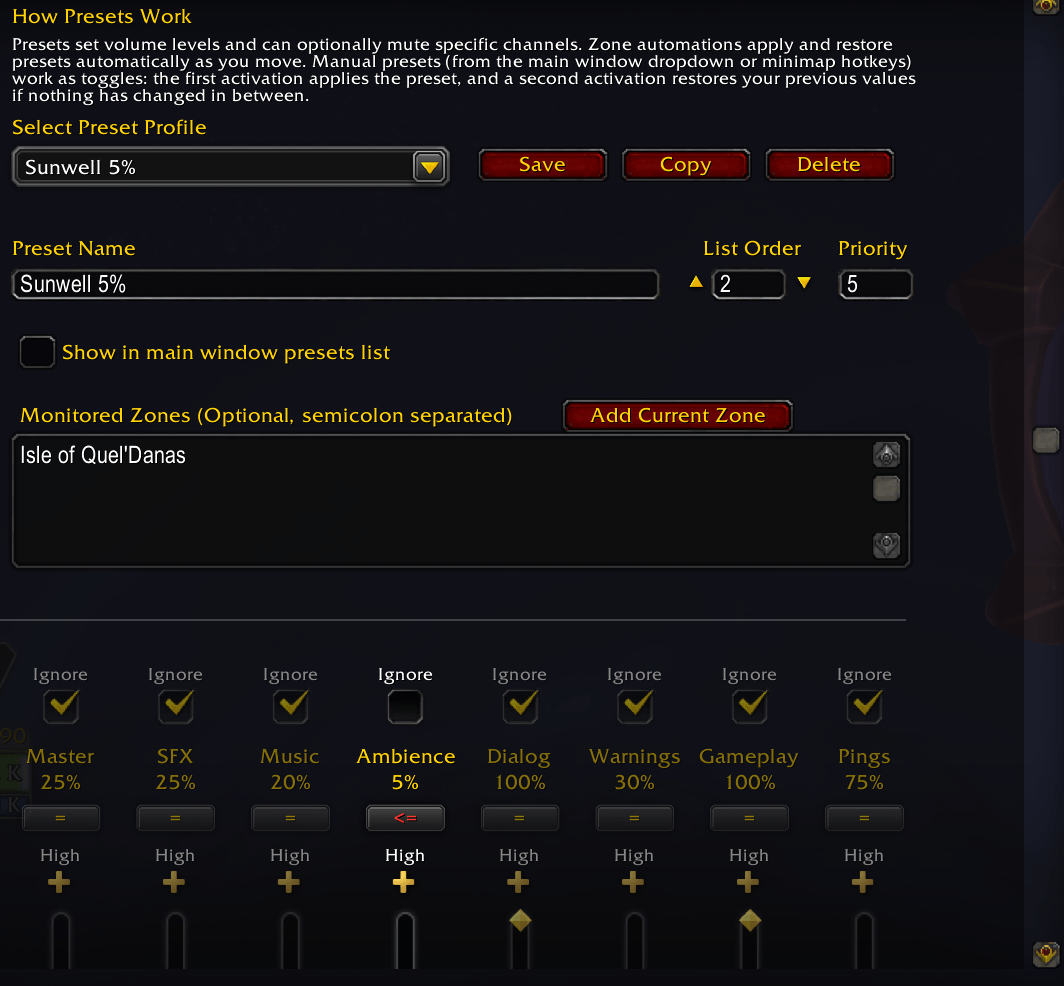
settings_presets.png
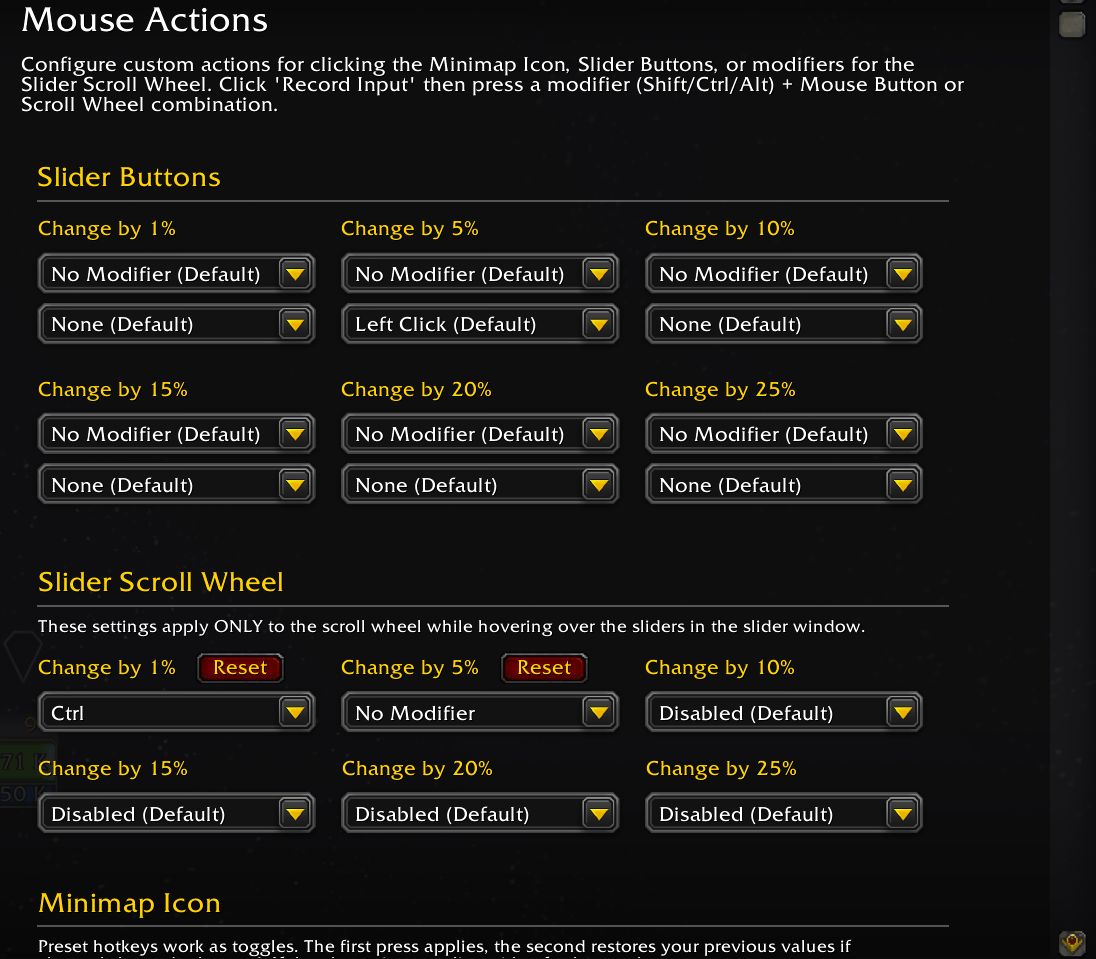
settings_mouse_actions1.png
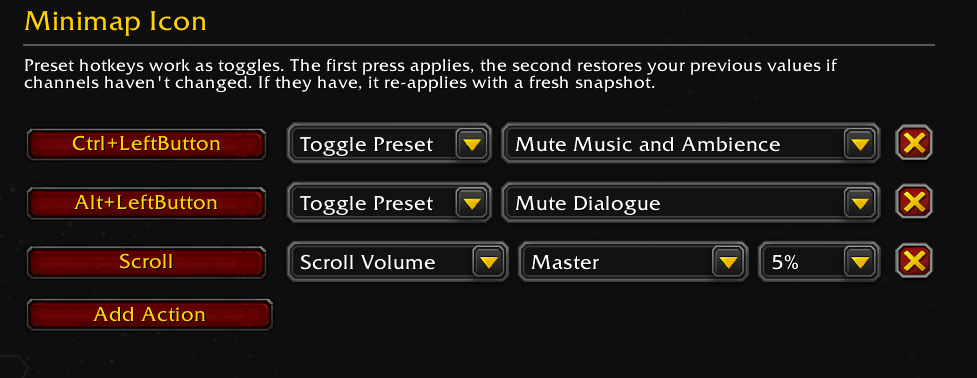
settings_mouse_actions2.png
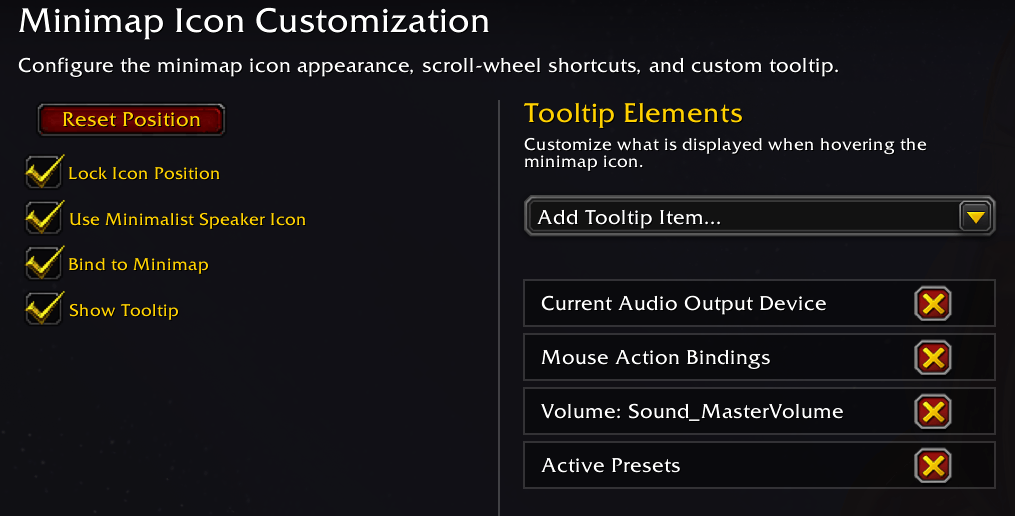
settings_minimap.png
Description

Quick Reference
| Action | Result |
|---|---|
| Left-click minimap icon | Open / close the slider panel |
| Right-click minimap icon | Toggle master mute |
| Scroll wheel on minimap icon | Adjust volume for a mapped channel |
| Hold left-click (minimalist icon) | Push-to-Talk bypass (forces Open Mic) |
| Ctrl + scroll | Fine adjustment (1 % steps) |
| ▲ / ▼ arrows on sliders | Snap to nearest 5 % |
| Click outside or Escape | Close the panel |
Features
Sliders & Sound Control
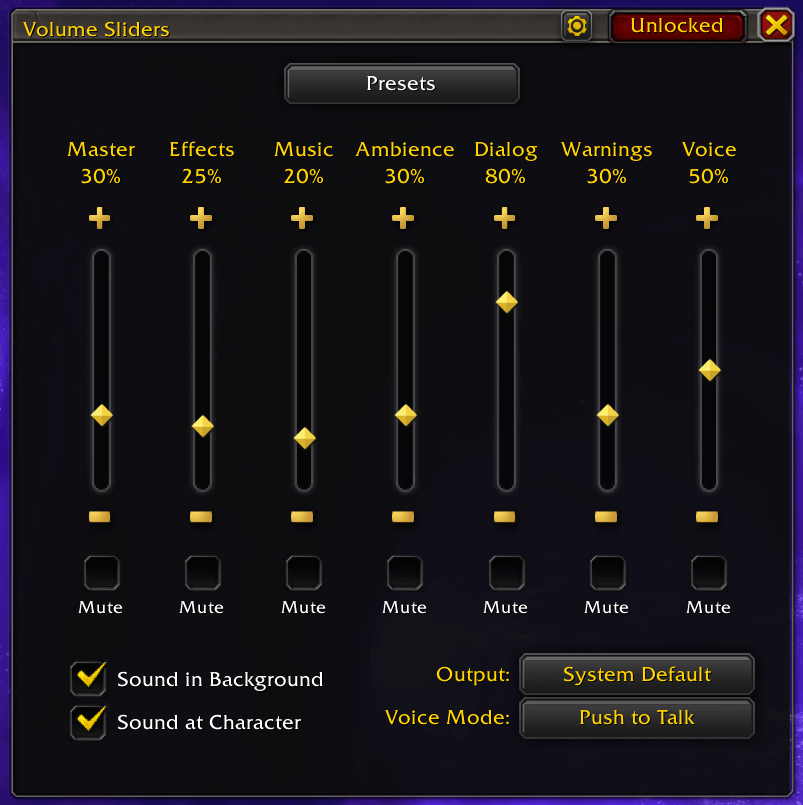
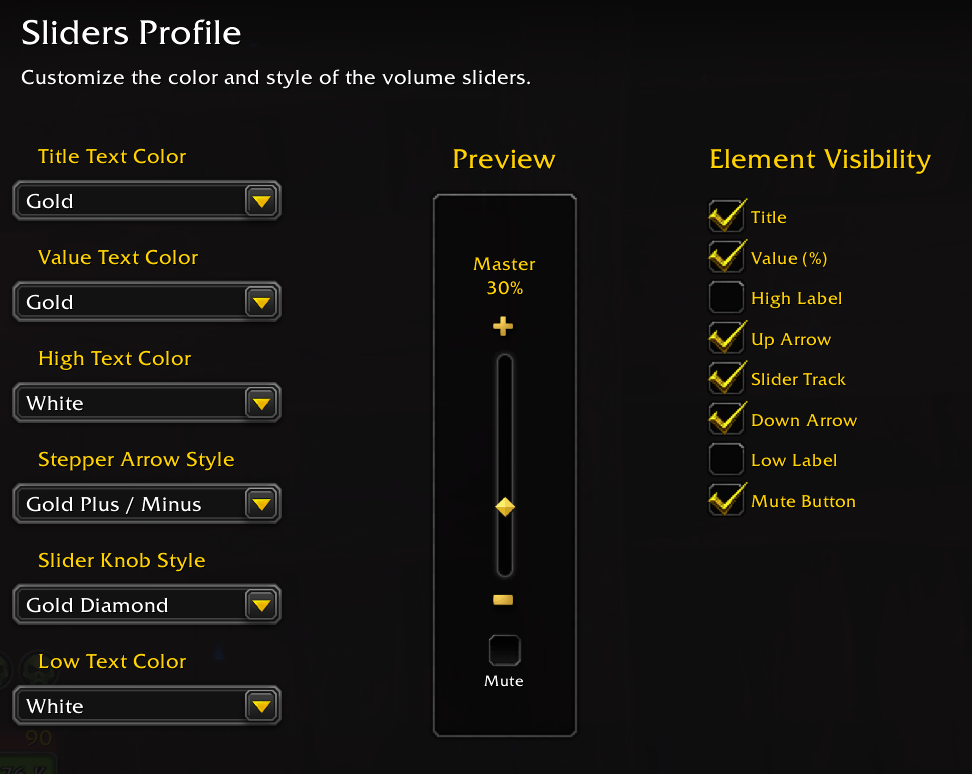
- 12 vertical volume sliders covering Master, Effects, Music, Ambience, Dialog, Warnings, Gameplay, Pings, Voice Chat, Voice Ducking, Mic Volume, and Mic Sensitivity — each with per-channel mute toggles and stepper arrows that snap to the nearest 5 %.
- Output device selector with automatic per-device volume memory, plus a one-click Positional Audio toggle ("Sound at Character").
Minimap Integration
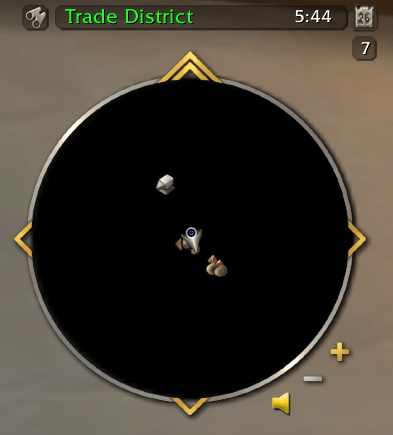
- Two icon styles — classic ringed button or a minimalist speaker that auto-fades when idle.
- Drag-and-drop tooltip builder — choose which data rows appear on hover (volume levels, active presets, output device, etc.) and reorder them freely. Tooltips refresh live as you scroll or click.
- Configurable scroll-wheel channels with
Shift/Ctrl/Altmodifier bindings for quick multi-channel control.
Presets & Automation
- Savable volume presets with Absolute, Floor (minimum), and Ceiling (maximum) modes for granular control over how values are applied.
- Manual toggle presets — apply from the dropdown or minimap hotkey; press again to restore your original volumes. Presets support opt-in per-channel muting.
- Context-aware automation — zone-based presets activate on entry and revert on exit; LFG queue-pop and fishing-cast presets fire automatically and restore when the event ends.
Window & Appearance
- 2D resizable window — drag edges or corners; sliders and footer elements reflow automatically.
- Custom backgrounds — adjust window color and opacity via the native Blizzard color picker.
- Lock, persist, or auto-close — pin the window in place, keep it open across sessions, or let it dismiss on click-away.
Ecosystem
- Fully integrated with the WoW 10.x+ Addon Compartment menu.
- LibDataBroker compatible — works with Titan Panel, ChocolateBar, ElvUI data texts, and similar display addons.
Roadmap
Have an idea or want to see what's planned? Browse the open issues — feature requests and bug reports all live there.
Volume Sliders Team