VoidCalendar
- By
A Void-themed calendar replacement that shows every event in your own time zone.
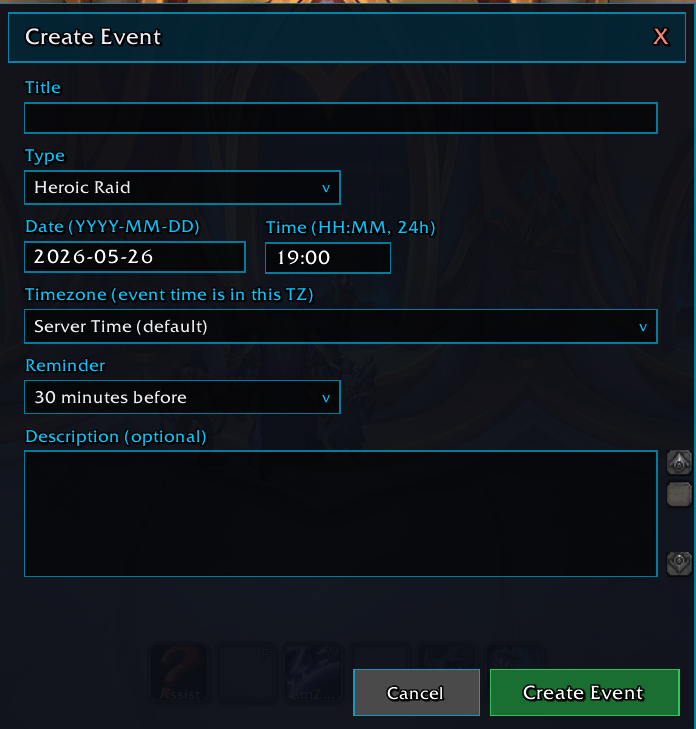
voidcalendar-create-event-form.png
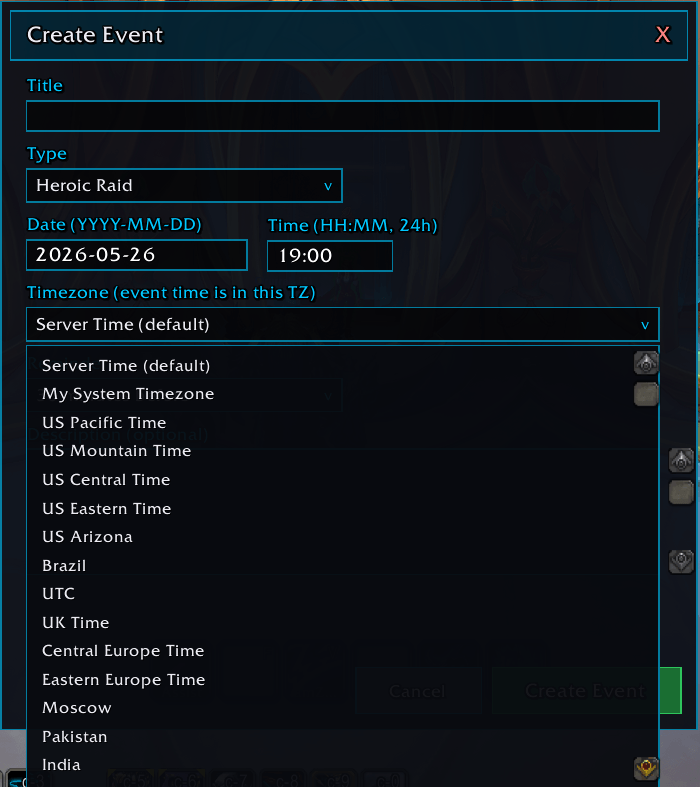
voidcalendar-create-event-timezone-dropdown.png
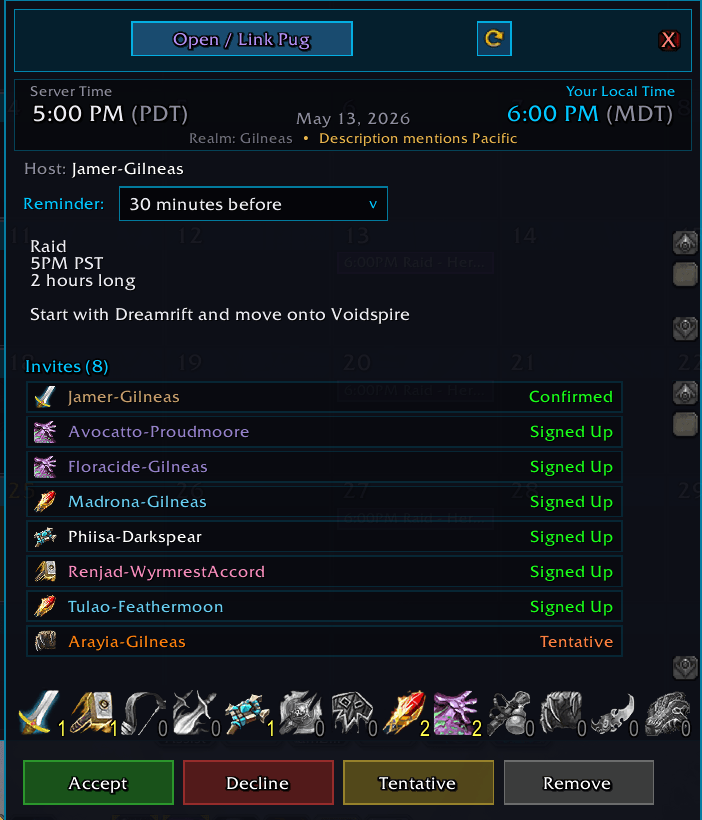
voidcalendar-event-detail-with-rsvp.png
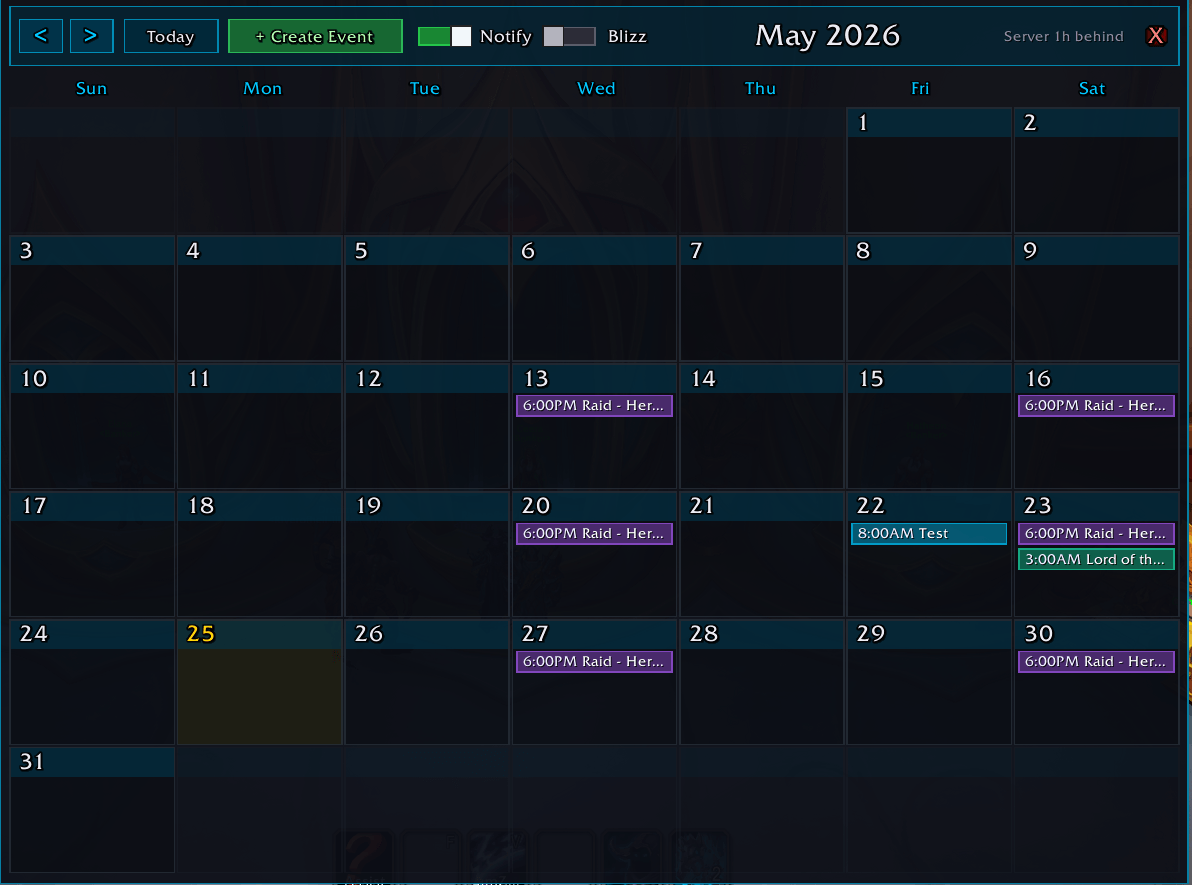
voidcalendar-month-grid-empty.png
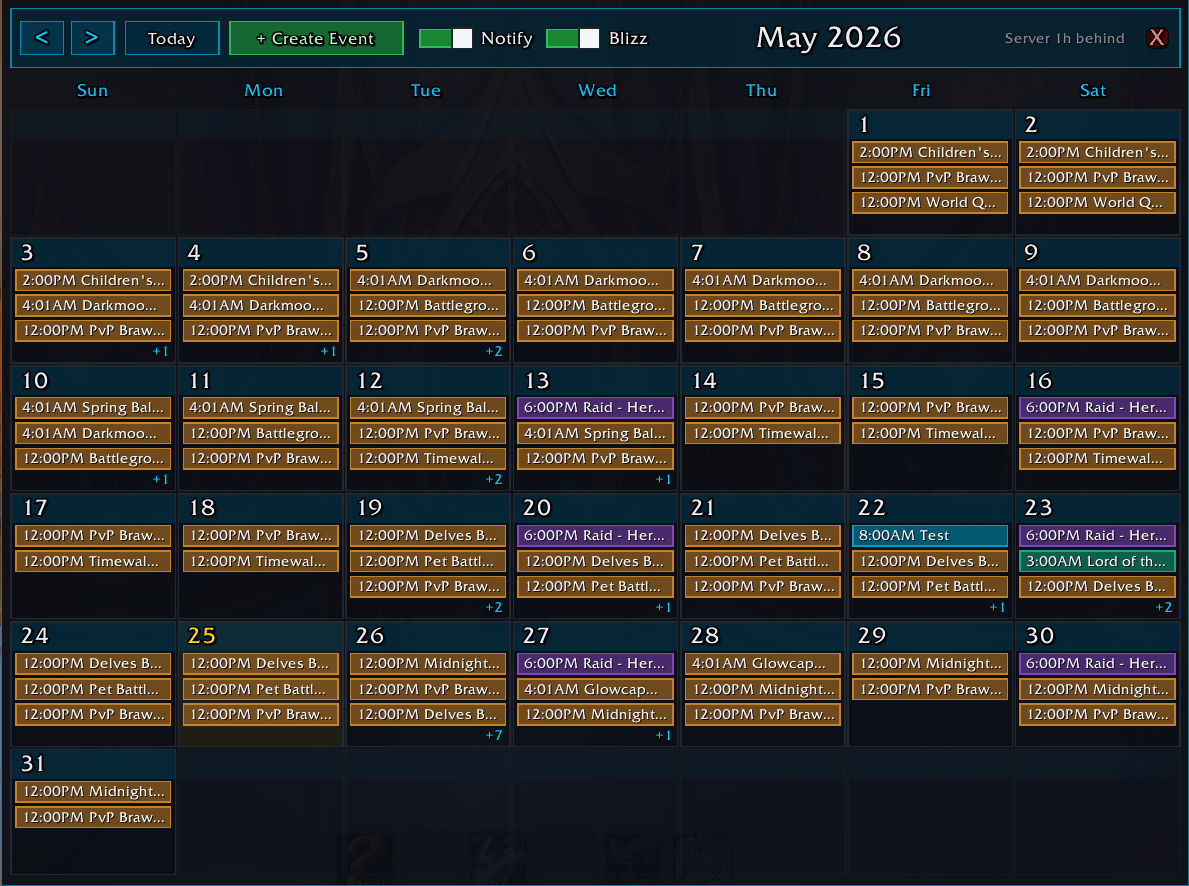
voidcalendar-month-grid-full.png
Description
VoidCalendar
A Void-themed calendar replacement that shows every event in your own time zone.
VoidCalendar replaces Blizzard's calendar with one that shows server time and your local time on every event, handles cross-region raid leaders automatically, reminds you before events start, and shows per-class signup counts at a glance.
Features
Times you don't have to convert
- Your time or server time — your choice: the My time switch shows every event in your computer's time zone (an East Coast player on a West Coast realm sees East Coast times), or turn it off to see server time as scheduled. Hover any event for both
- Knows your realm's real time zone, daylight saving included — the header shows the difference, e.g. "Realm +2h"
- Cross-region aware — events created on Oceanic, EU, or Brazilian realms are converted from their time zone, not yours
- Per-event override — right-click any event and choose a time zone if detection gets one wrong
- Create events in your own time — pick your time zone from a dropdown and VoidCalendar converts it to server time for you
Event reminders
- Chat and on-screen reminders before events you've accepted — from 5 minutes to 1 day before
- Set a default reminder for new events, or choose per event
- Optional reminder sound; one Notify switch turns them all on or off
Signups at a glance
- Per-class signup counts — 13 class icons across the event popup, greyed out until someone of that class signs up
- Sign Up / Tentative / Can't Make It buttons that work correctly on sign-up events
- Withdrawal safety — asks before you withdraw, and keeps a snapshot of the event and roster you left
A cleaner calendar
- Color-coded categories — Mythic, Heroic, and Normal raids, M+, PvP, and Blizzard events at a glance
- Personal, Guild, and Community events from the same right-click menu on any day
- Auto-refresh — new invites and roster changes show up without a reload
- One-click escape hatch — the Blz button opens Blizzard's own calendar
Slash Commands
| Command | What it does |
|---|---|
/vcal |
Open or close the calendar (or press Y) |
/vcal notify |
Turn event reminders on or off |
/vcal notify default <minutes> |
Set the default reminder time for new events |
/vcal notify sound |
Turn the reminder sound on or off |
/vcal swap |
Switch between your time and server time (same as the My time switch) |
/vcal withdrawn |
List events you withdrew from, with their rosters |
/vcal bliz |
Open Blizzard's calendar instead, once |
/vcal intercept |
Choose whether Y opens VoidCalendar or Blizzard's calendar |
/vcal tz |
Print time zone diagnostics |
/vcal tzoverride <hours> |
Override the assumed server time zone (e.g. -7); clear to reset |
/vcal reset |
Reset the window position |
/vcal help |
Show all commands in game |
Getting Started
- Install with the CurseForge app, or copy the
VoidCalendarfolder intoWorld of Warcraft/_retail_/Interface/AddOns/. - Restart WoW or
/reload. - Press Y — VoidCalendar opens instead of the default calendar.
No setup needed on US realms; EU realms are detected automatically.
How Cross-Region Detection Works
When an event is created by Lord-Frostmourne, VoidCalendar:
- Reads the realm name (
Frostmourne) - Looks it up in its built-in realm map — Frostmourne is Oceanic
- Uses Sydney time (with Southern Hemisphere daylight saving) as the event's time zone
- Converts it to your local time for display
The map covers all 12 Oceanic realms, all 5 Brazilian realms, and 50+ EU realms whose names don't clash with US realms. Anything else defaults to your own region.
Good to Know
- Some EU and US realms share a name (e.g. Stormrage, Sargeras). For those, VoidCalendar assumes your own region — use the per-event override if it's wrong.
- Class icons can lag a few seconds on cross-realm invites while Blizzard sends the data; the popup refreshes on its own.
- In-game only — there's no phone or web calendar sync.
Compatibility
- WoW 12.1.5 (Midnight Season 2)
- Standalone — nothing else to install
- Matches the look of the other Void addons
Part of the Void addon family by Vede · MIT licensed · free M+ & raid player lookups at voidscout.io · more addons & apps at tinkerline.io · Discord
VoidCalendar Team