
VoidBox
- By
Screenshot 2026-03-27 181858.png
Screenshot 2026-04-03 164357.png
Screenshot 2026-03-22 153514.png

Screenshot 2026-02-17 113439.png
Screenshot 2026-02-22 104336.png
Screenshot 2026-02-16 084507.png
Description
VoidBox
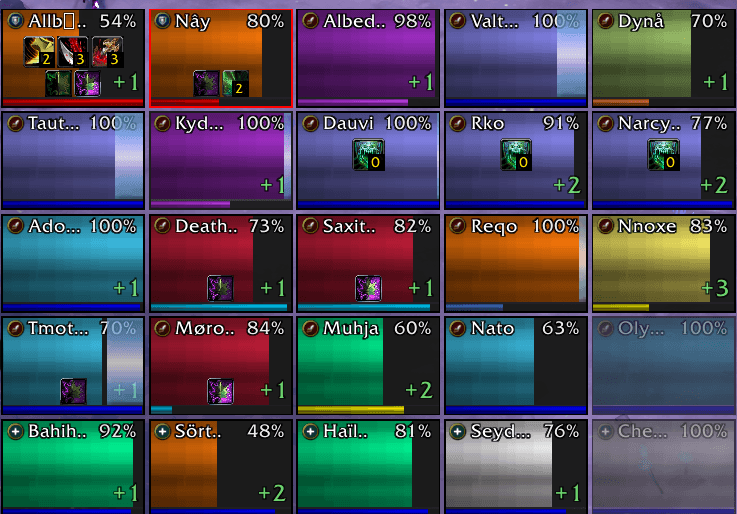
Minimalist solo/party/raid unit frames with click-casting, healing addon, DOT and HOT tracker — Heal, Target, Macro, Resurrect, Dispel, mouse click and/or keyboard bindings — Cell/Healbot/Grid-Click/VuhDo and weakauras style. Drag & drop from spellbook to assign spells.
Compatible with WoW 12.0 Midnight and WoW Forever (secret values, new APIs).
2.0.0 - Screen auras weakauras like: icons and drawings on screen for chosen buffs and debuffs
1.20.0
feat: Add configurable target and focus click-cast frames
Version 1.10.0:
feat: Tuned for WoW forever
Version 1.9.0:
feat: Options to hide sated/bloodlust debuff
Version 1.8.0:
fix: Cyrillic font fix, tooltip bindings, separate pet frame
Version 1.7.9:
fix: cooldown sweep on buff refresh
Version 1.7.8:
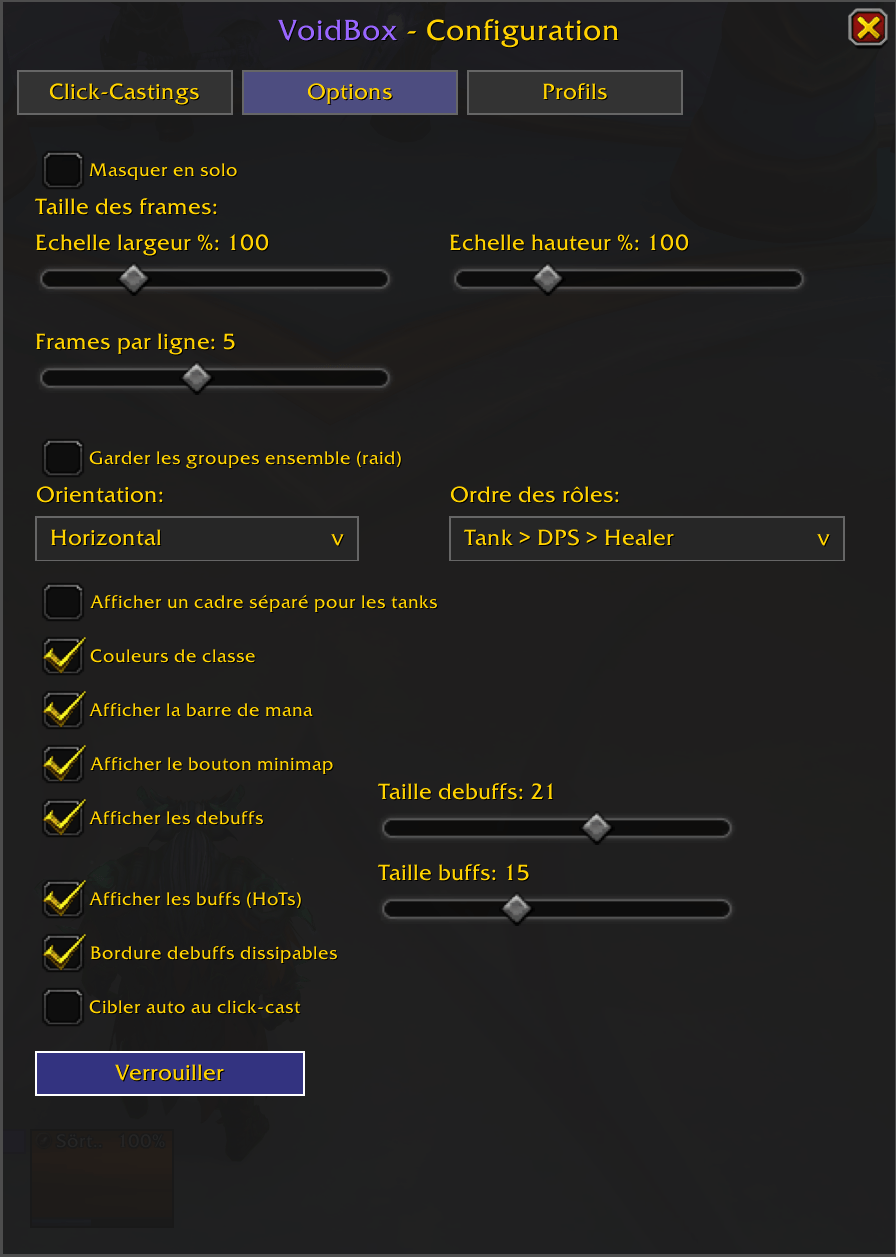
Config UI reorganization + scale slider max increased to 250%
Version 1.7.7:
feat: Hide when solo option
change: rename Appearance tab to Options
Version 1.7.6:
feat: New config option: Keep Groups Together (raid layout by subgroup)
Version 1.7.5:
fix: modifier+scroll wheel bindings (Alt/Ctrl/Shift+ScrollUp/Down)
Version 1.7.4:
fix: tooltip positioning to respect user settings
Version 1.7.3:
change: Class/spec-specific dispel highlight filtering
Version 1.7.2:
feat: Auto-target on click-cast option
Version 1.7.1:
feat: Absorb shields display + heal prediction fix
Version 1.7.0:
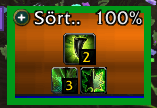
feat: Dispel highlight with pulsing border - Pulsing colored border on frames with dispellable debuffs - Colors: Poison=green, Magic=blue, Curse=purple, Disease=brown, Enrage=red-orange - Checkbox in Appearance tab to toggle dispel highlight
Version 1.6.3:
feat: Added debuffIconSize and buffIconSize sliders in Appearance tab
Version 1.6.2:
feat: Show/Hide debuffs and buffs checkboxes - Two new checkboxes in Appearance tab to toggle debuff/buff display - Localized in all 11 languages
Version 1.6.1:
fix : keyboard hover-casting bindings (voidbox configured bindings)
Version 1.6.0:
feat : cooldown sweeps
fix : buff and debuff stacks
Version 1.5.1:
feat: Range checking, when a group member is out of your healing range (~40 yards), their frame will appear faded. It works for all classes and specs, and automatically adapts when you switch specs.
Version 1.5.0:
feat : optionnal news frame for tanks
change : scaling steps 10% to 5%
Version 1.4.1 :
feat : Added a minimap button. Left-click to toggle frames visibility, right-click to open config.
Version 1.4 :
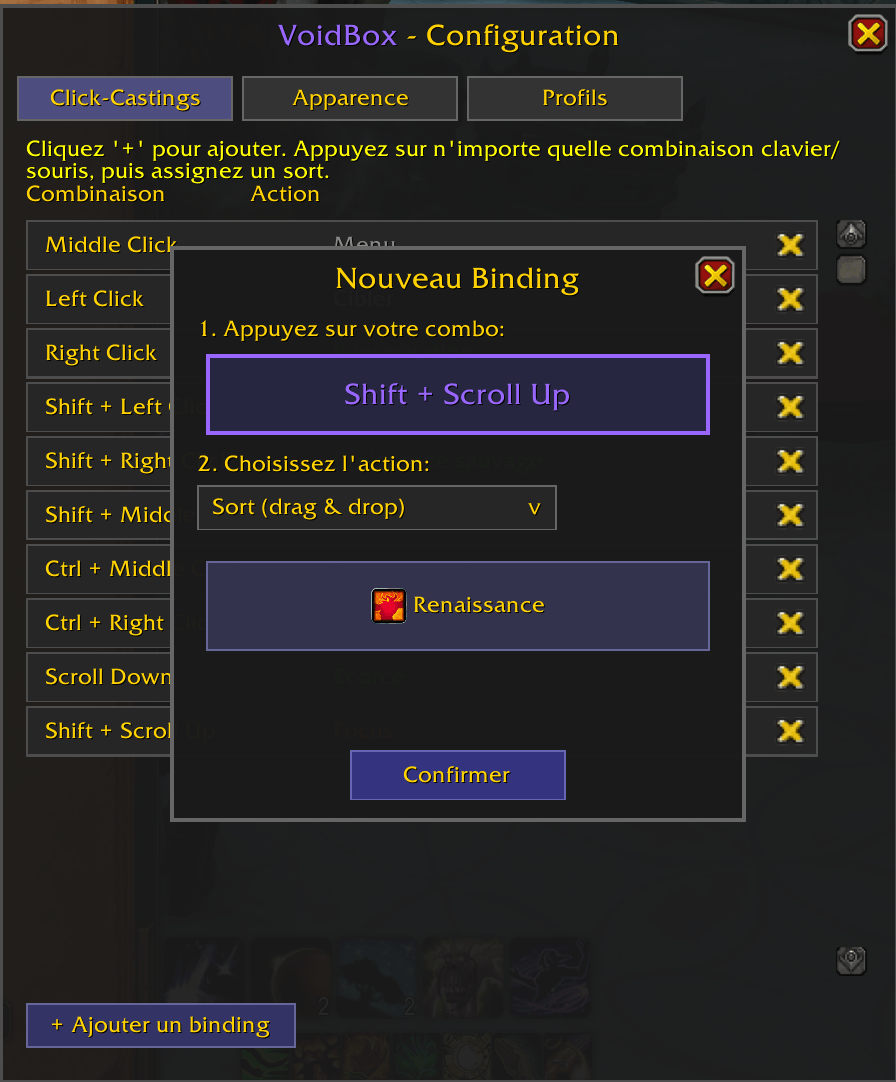
change: "Press to Bind" system — bind any key, mouse button, or scroll combo directly, supports keyboard keys (F1-F12, Numpad, etc.), MMO mouse buttons, and all modifiers
Version 1.3 :
feat: added HOTs and DOTs / Up to 5 DOTs and 5 HOTs can be displayed with Stacks (Will show 0 if only one stack - restriction due to WoW API 12.0)
change: scale on frame size
Version 1.2 :
feat: mousewheel scroll up/down binding support
feat: macro drag & drop support - drag from macro UI to binding slots
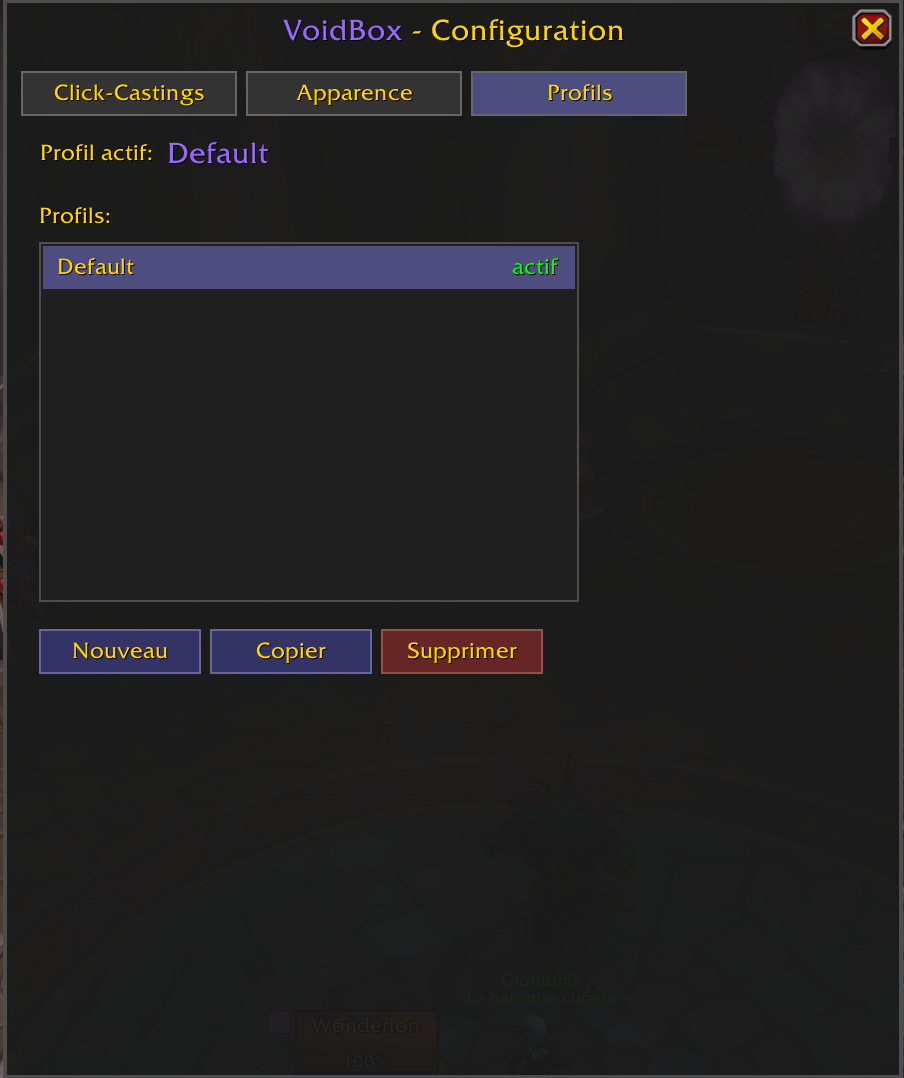
feat: profile system - create, copy, delete, switch profiles for layout/appearance settings
Usage
- The small purple square to the left of the frames lets you drag to reposition
- Right-click the purple square to open configuration
- In config, Click-Castings tab: drag a spell from the spellbook onto a slot
- Bindings are saved per class (not per character)
- Compact raid frames with health and mana bars
- Click-casting
- Health percentage
- Per-class bindings — all your priests share the same bindings
- Drag & drop from the spellbook to assign spells
- Indicators:
- Role (tank/heal/dps) — colored square, top-left
- Active HOTs/shields — green square, bottom-right
- Dispellable debuffs — icons, bottom-left (max 3)
- Threat (red/yellow border)
- Range (reduced opacity when out of range)
- Dead / Disconnected / Incoming resurrection
- Ready check
- Role sorting: Tank > DPS > Healer
- Config UI: frame size, class colors, lock/unlock
- Theme color: purple (
#9966FF) - Fully localized: enUS, frFR, deDE, esES, esMX, ptBR, itIT, ruRU, koKR, zhCN, zhTW
Commands
| Command | Description |
|---|---|
/vb config |
Open configuration |
/vb lock |
Lock frames |
/vb unlock |
Unlock frames |
/vb reset |
Reset position |
License
MIT License
VoidBox Team
