vNotePad 1.1 Paste to chat.png
Description
vNotePad
A lightweight, feature-rich notepad addon. Built to be fast and instant.
Whether you are tracking daily to-do lists, organizing raid assignments, calculating DKP, or saving item links, vNotePad is designed to be a seamless notetaking addon. Built from the ground up with aggressive CPU optimization, sleek UI, and UX—it sits cleanly on your screen with effectively 0.00% idle CPU usage.
✨ Key Features
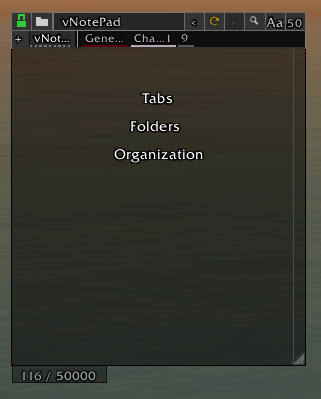
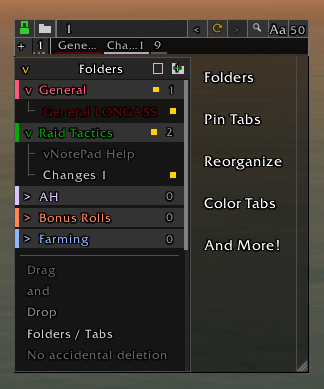
- Sidebar & Folder Organization: Categorize your notes into custom, collapsible folders via a sleek sidebar. Pin your most-used tabs to the top header for quick access while keeping everything else neatly filed away. You can easily drag-and-drop to reorder both folders and tabs effortlessly.
- Advanced Search & Highlight: Instantly find what you're looking for with the in-header search tool. Matches are instantly highlighted within the text and marked with visual tracking ticks directly on the scrollbar.
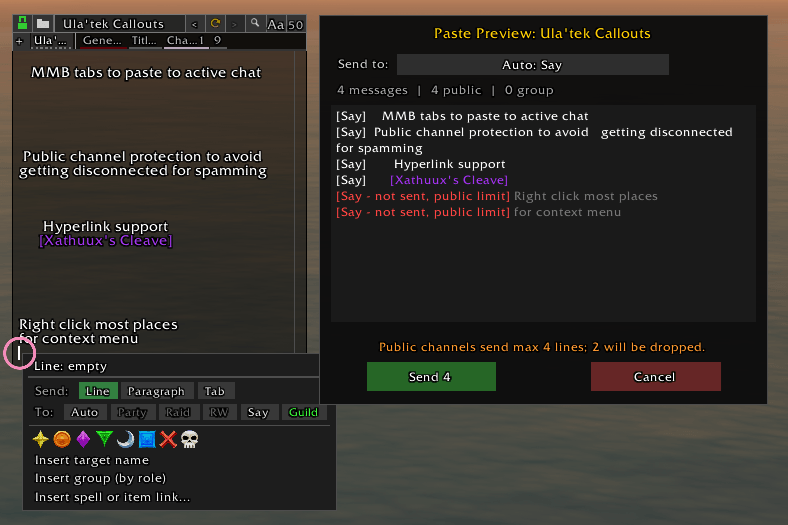
- Smart Chat Integration: Need to share raid assignments?
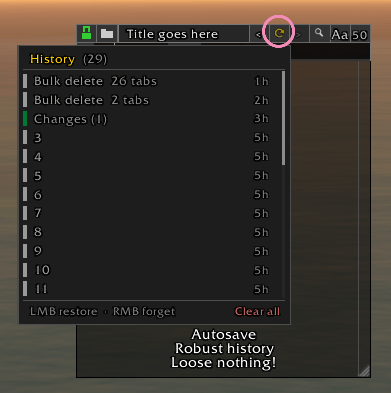
Middle-Clickany tab to intelligently spool and paste its contents directly into your active chat channel (Party, Raid, Guild, or Whisper). Massive text dumps feature a dedicated Paste Manager UI, letting you safely monitor progress or cancel mid-paste. - Deletion Recovery: Accidentally deleted a crucial note or folder? The soft-delete History safely caches your recent deletions. Simply click the header's arrow icons or type
/vnp restoreto instantly recover your lost data. - Item & Spell Link Caching: Drag and drop or
Shift+Clickitems and spells straight into the notepad. vNotePad natively supports hyperlink clicks and caches data in the background so your tooltips never break. - Zero-Lag Undo/Redo: A highly optimized memory-ring history system lets you seamlessly Undo and Redo across your entire notepad using the
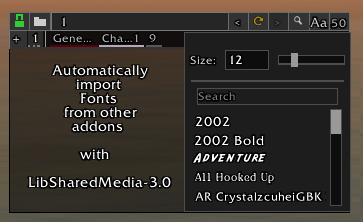
<and>header buttons without generating UI stutter. - Customization: Fully scale and lock the window. Select custom fonts using LibSharedMedia-3.0 to automatically import fonts from ElvUI, WeakAuras, etc.
🧠 Design Philosophy
vNotePad was born out of a genuine frustration with the current state of World of Warcraft note-taking tools. For years, the only available addons have been abandonware—clunky, aesthetically outdated, and weighed down by bloated scripts. I set out to build a modern alternative from scratch, anchored entirely by three core pillars:
- Pristine UI: A pixel-perfect, minimalist workspace. The visual design strips away unnecessary borders and heavy textures to provide a sleek, highly customizable interface that naturally blends into your screen without adding clutter.
- Frictionless UX: I eliminated endless settings panels, ugly borders and menu after menu. Every interaction—from color-coding folders to pinning tabs—is designed to feel instantaneous, effortless, and integrated into your gameplay.
- Uncompromising Performance: Because World of Warcraft processes all UI elements and addon code through a single CPU core, bloated addons can quickly throttle your framerate. Every single line of vNotePad has been optimized. By utilizing smart buffer history and dynamic event hooks, the addon demands exactly 0.00% idle CPU. It only consumes resources at the exact millisecond you interact with it, fiercely protecting your game's performance.
🔌 Compatibility & Addon Support
vNotePad is completely standalone and requires no dependencies to function perfectly. However, it natively hooks into LibSharedMedia-3.0. If you use popular UI overhauls (like ElvUI, Tukui, Plater, or WeakAuras), vNotePad will automatically detect and import your entire custom font library into its own dropdown menu.
🐛 Feedback & Bug Reports
Since World of Warcraft is constantly updating, UI elements can sometimes shift. If you run into a Lua error, notice a bug, or have a QoL feature request, please leave a comment on my CurseForge page.
💬 Slash Commands
/vnp or /vnotepad - show/hide the notepad.
/vnp help or /vnotepad help - in-game to view the help manual.
/vnp restore - to instantly recover your last deleted tab or folder.
/vnp reset - to safely snap the notepad back to the center of your screen if you ever lose it off-monitor.
vNotePad Team