


Visual Hammer Repair
Tracks and visually alerts when gear durability drops below a threshold, allowing blacksmiths to repair specific items with blacksmithing hammers directly from their UI.
Visual Hammer Repair
Visual Hammer Repair is an addon for characters with the Blacksmithing profession. It displays a frame with icons of your damaged gear slots on the screen when their durability falls below a set threshold. You can click on these icons to repair the corresponding items using blacksmithing hammers from your bags.
Features
- One-Click Repairs: Click on the slot icon to repair that specific item using available hammers.
- Hammer Detection: Automatically searches your bags and uses:
- Thalassian Master Repair Hammer (reusable)
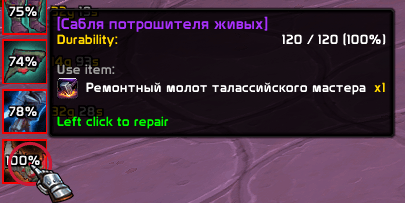
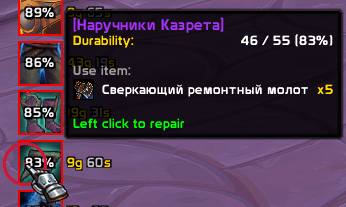
- Refulgent Repair Hammer (consumable)
- Fallback for Master Repair Hammer specialisation after first repair attempt on the slot
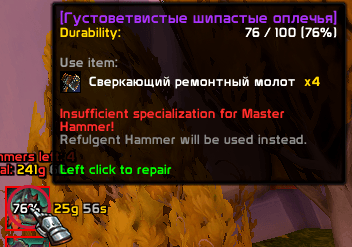
- Thalassian Master Repair Hammer (reusable)
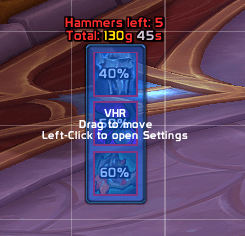
- Durability & Cost Tracking: Displays the current durability percentage and the calculated repair cost for each slot (and the total sum), working anywhere in the game world without a vendor.
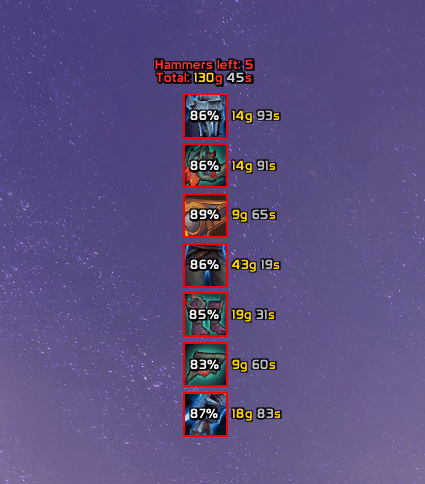
- Edit Mode Support: Integrates into WoW's Edit Mode. You can drag the frame to any location on your screen. Left-clicking the drag frame opens the configuration panel.
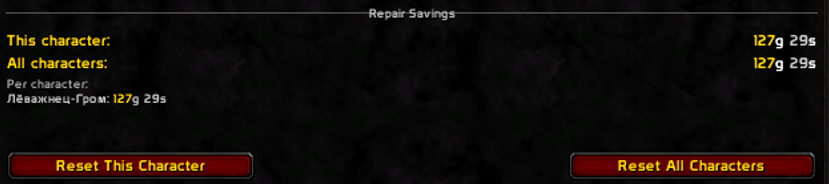
- Savings History: Tracks and displays saved gold (calculated from vendor repair costs) on the current character and account-wide.
Customization Options (/vhr & Left click in edit mode)
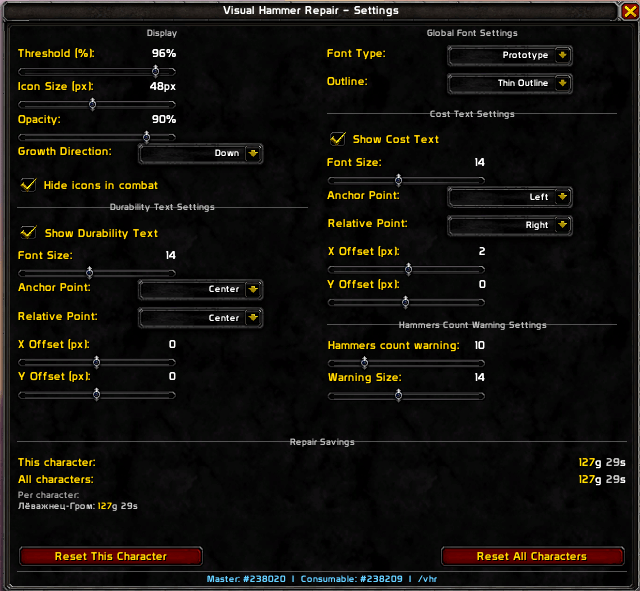
The configuration window (/vhr) allows you to adjust the layout and text:
- Growth Direction: Change how icons stack (Down, Up, Left, or Right).
- Visibility: Hide the addon icons automatically when entering combat.
- Global Fonts: Apply a single font type and outline style (None, Thin, or Thick) to all texts in the addon. Supports fonts registered via LibSharedMedia-3.0.
- Durability Text Settings: Toggle visibility, change font size, and set custom anchor points (Anchor Point & Relative Point) with manual X and Y offsets. By default, durability is centered on the icon.
- Cost Text Settings: Toggle visibility, change font size, and set custom anchor points. By default, the cost is displayed to the right of the icon.
- Hammers count warning: Adjust the font size and the threshold of remaining consumable hammers that triggers a low count warning.
- Multi-line Warnings: The warning and total repair cost texts are separated into two lines to prevent overlap.
Visual Hammer Repair Team
