
Vendor+
- By
Screenshot 2026-11-16 at 13.33.15.png
Screenshot 2026-11-16 at 13.27.36.png
Screenshot 2026-11-16 at 13.27.22.png
Screenshot 2026-11-16 at 13.26.53.png
Screenshot 2026-11-16 at 13.26.30.png
Description
Vendor+
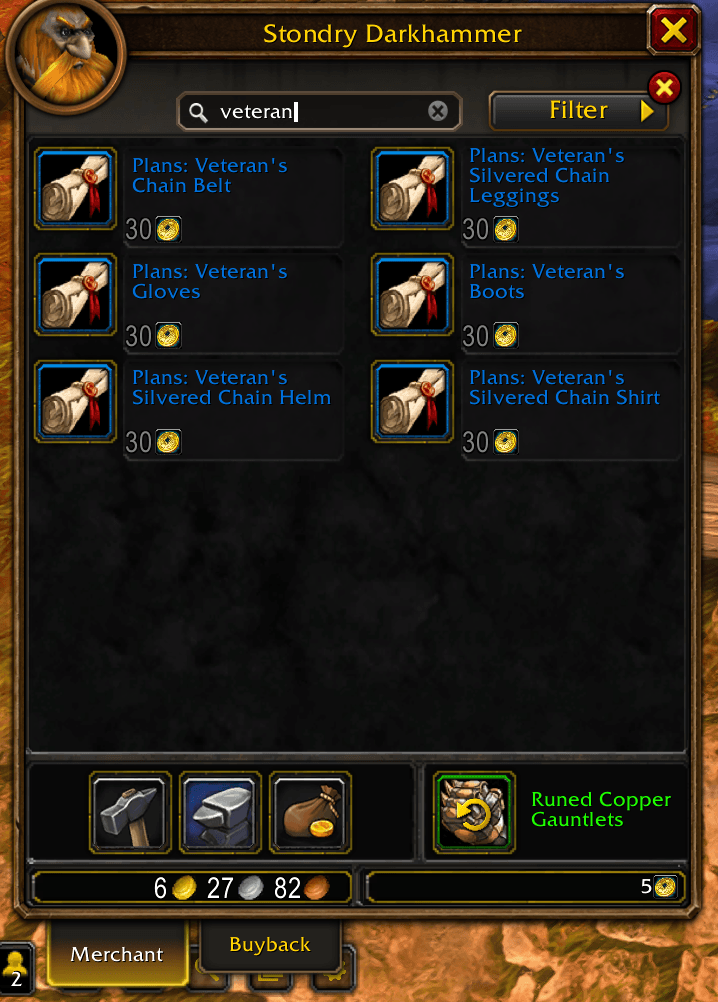
A vendor window upgrade for WoW Forever, with instant search, smart filters, bulk buying, and customizable selling.
Search and filter
Find items across all vendor pages. Matching items appear together without empty slots.
- Show unusable — include items your character cannot currently use and recipes already learned.
- Show collected — include known recipes and collected appearances.
- Show best consumables — show the highest usable food and drink tier available from the vendor.
- Show mana drinks — include or hide mana-restoring drinks.
- Sort by price — group gold purchases first, followed by separate currency groups.
Buy multiple items
Shift-click a vendor item to choose a different amount, including unstackable items.
- Buy more than one full stack in a single operation.
- Items sold in bundles show both the bundle count and total quantity.
- See the price per item or bundle and the total purchase cost.
- Purchases are split into smaller transactions automatically.
Customizable selling
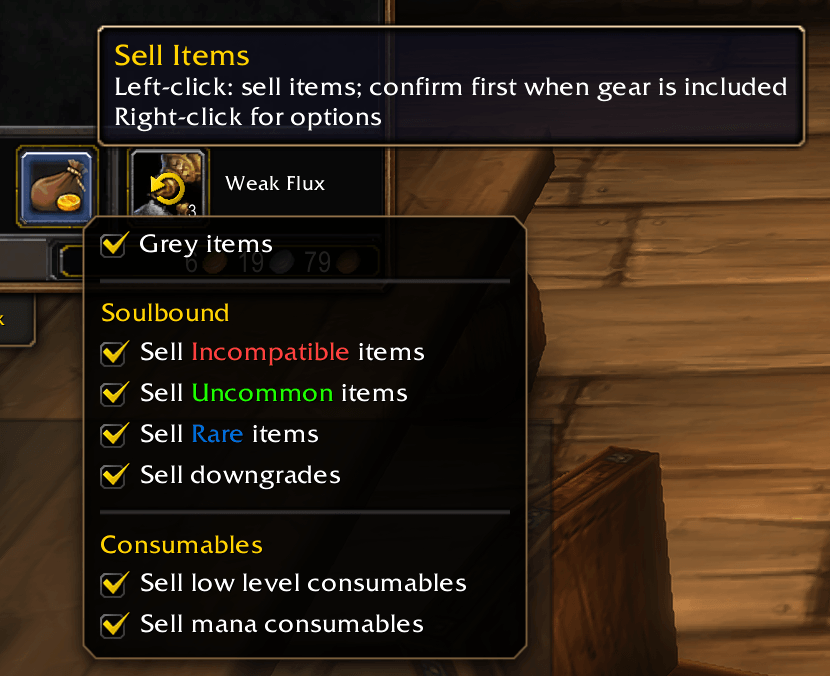
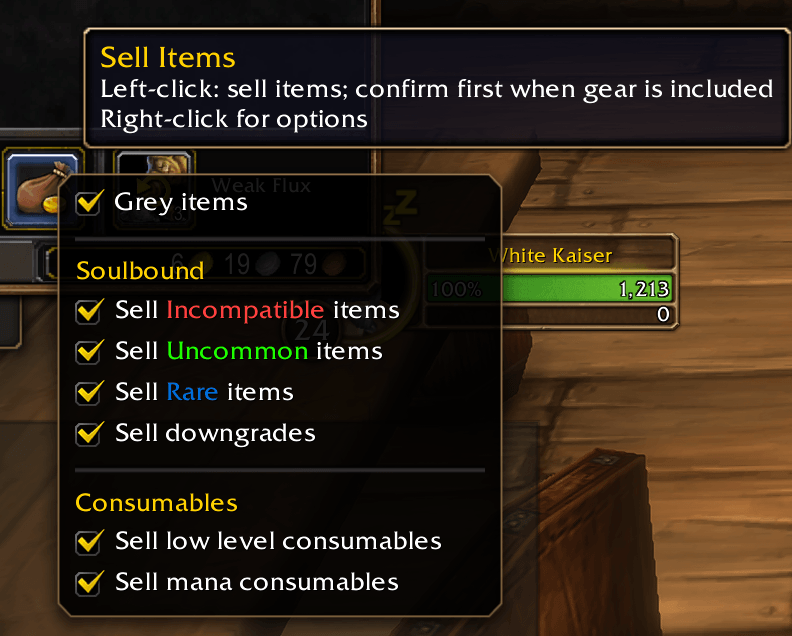
Right-click the vendor’s Sell All Junk button to configure what to sell.
Soulbound items
- Sell Incompatible items — include gear your class can never equip, regardless of quality, level, or slot.
- Sell Uncommon items and Sell Rare items — choose eligible gear qualities.
- Sell downgrades — filter for lower-item-level gear, armor below your current proficiency, or caster-only gear on Warriors and Rogues.
Gear your class can use later is protected from sale when its required character level is too high.
Consumables
- Sell low level consumables — sell lower-tier white food, drinks, and health/mana potions while keeping the highest usable tier and items above your level.
- Sell mana consumables — sell all eligible white mana consumables, regardless of level.
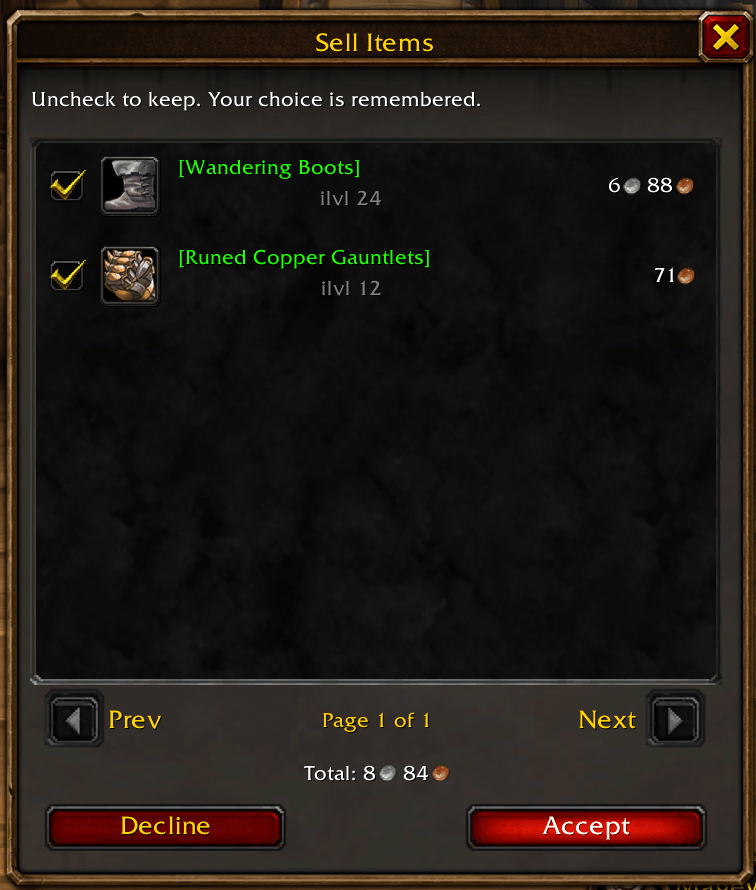
Review before selling gear
Eligible gear appears in a centered preview with six items per page, item tooltips, and a combined Total.
- Uncheck an item to blacklist its item ID.
- Blacklisted items remain visible but unchecked in future previews.
- Check the item again to remove it from the blacklist.
- Class-incompatible gear is marked in red.
When a confirmation window is needed, nothing sells before Accept. Accept sells junk and consumables first, then confirmed gear last to prioritize it in Buyback. Decline cancels the entire sale.
If there is no gear to review, eligible junk and consumables sell without a confirmation window.
Sell all copies of an item
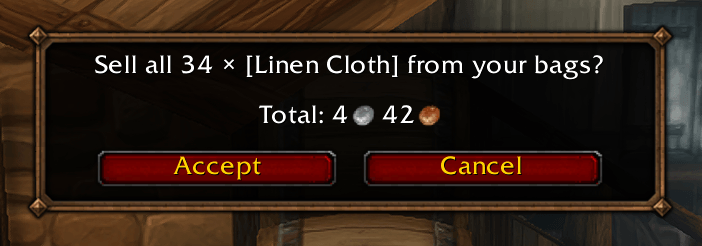
While a vendor is open, Shift-click an item in your bags to sell all eligible copies of that item.
A confirmation shows the total quantity and sale value before anything is sold. This works with stacks and multiple unstackable items, including items in the reagent bag.
Settings and localization
- Settings and blacklists are saved per character.
- The interface automatically follows your game language.
- Localization includes English, German, French, Spanish, Brazilian Portuguese, Russian, Korean, Italian, Simplified Chinese, and Traditional Chinese.
Smart selling uses rules, not a full gear simulator. A lower item level or different armor type does not always mean an item is worse for your build. Review the gear list before accepting.
Vendor+ Team
