VendorEdge
- By
Identifies items worth more at vendors than on the auction house and helps you sell them quickly.
VendorEdgeGallery1.png
VendorEdgeGallery2.png
Description
VendorEdge
VendorEdge compares each item’s vendor sell price to recent auction house scan prices and marks items worth more when sold to a vendor.
Item Markers
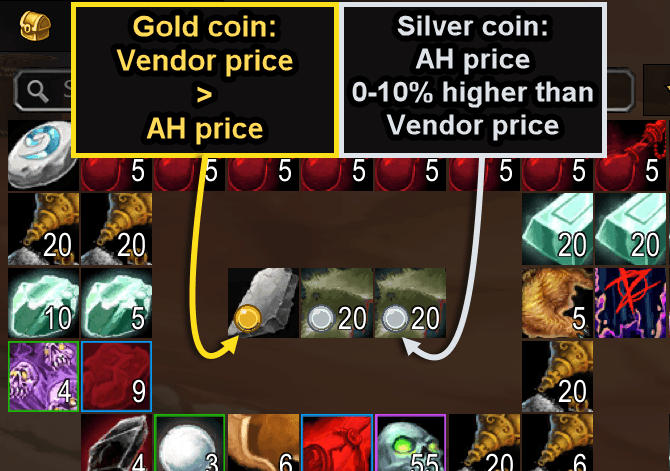
- Gold coin: The vendor price is higher than the auction house price.
- Silver coin: The auction house price is higher, but by less than 10% and less than 1 gold per item.
- Items priced 1 gold or more above vendor value are not marked.
Markers appear directly on supported bag, bank, guild bank, and auction house item icons.
Vendor Sell Window
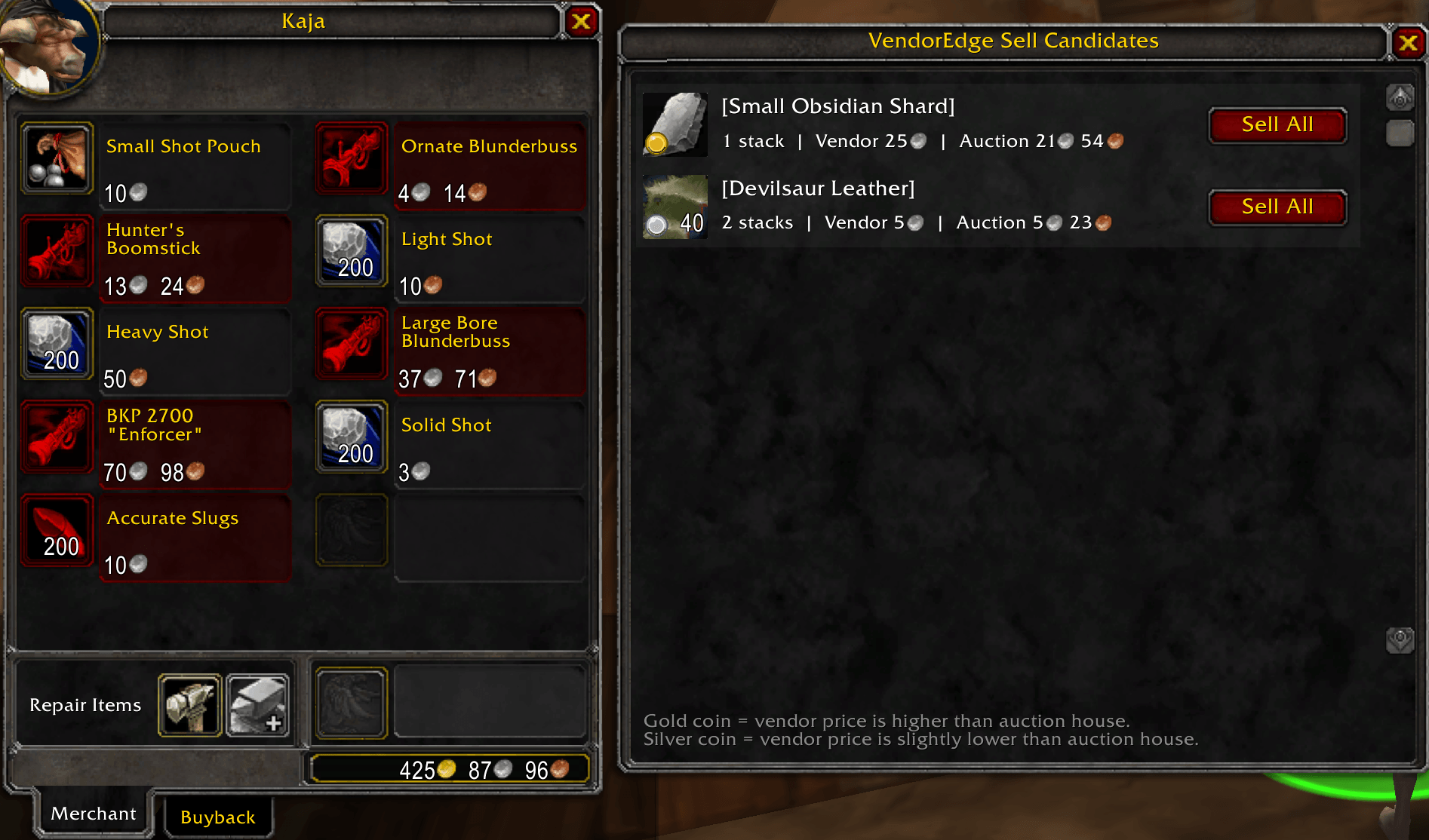
When you open a merchant who buys items, VendorEdge displays a list of qualifying items in your bags.
The window allows you to:
- View each item’s icon, quantity, vendor price, and auction price.
- Hover over an item to view its normal tooltip.
- Sell every matching stack of a specific item using its Sell All button.
Auction Price Data
VendorEdge reads saved price data from supported auction house addons. It does not perform auction house scans itself, so auction prices depend on the data available from your installed auction addon.
Supported price sources include:
- Auctionator
- TradeSkillMaster
- Auctioneer
- aux
- Guild Found AH
Inventory Compatibility
VendorEdge supports the default Blizzard inventory interface and is designed to work with common inventory addons, including:
- Baganator
- Bagnon and BagBrother
- ArkInventory
- AdiBags
- Inventorian
- BaudBag
- OneBag3
Compatibility with third-party addons may depend on the APIs and item information exposed by each addon.
Commands
/ve refresh
Refresh all visible item markers.
/ve status
Display the current VendorEdge status and detected price sources.
/ve source auto
Automatically use the first available auction price source.
/ve vendor on
Enable the vendor sell-candidate window.
/ve vendor off
Disable the vendor sell-candidate window.
/ve debug
Display diagnostic information for troubleshooting.
VendorEdge Team