Wow_2026-01-23_21-24-22.png
Description
VendorCost
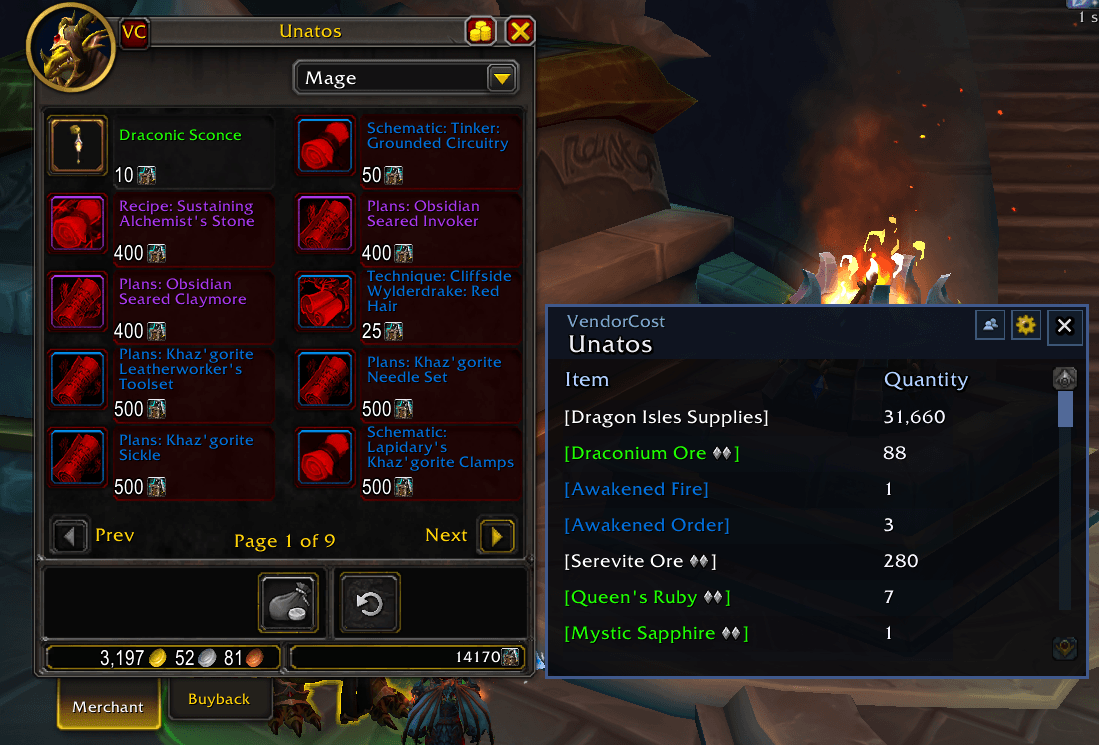
Quickly calculate the total cost to purchase all items from any vendor!
Features
📊 Total Cost Calculation
- Instantly see the total cost of all vendor items with a single click
- Supports gold and alternative currency costs (badges, tokens, etc.)
🎯 Visual Indicators on Vendors
- Green dots = Items included in calculations
- Red dots = Items excluded from calculations
- Real-time updates as you change filters across all vendor pages
⚙️ Smart Filtering Options
- Include/Exclude Non-Purchaseable Items - Filter out items you can't buy due to reputation, achievements, etc.
- Include/Exclude Non-Usable Items - Hide items your character can't use
- Include/Exclude Already Learned Items - Skip recipes, toys, mounts, pets, and transmog you already own
🐾 Advanced Pet Collection Settings
- Exclude if Any Owned - Exclude battle pets if you have at least one
- Exclude if Max Owned - Only exclude battle pets when you've reached the maximum (3/3)
Shopping List
- Create a Shopping List - Track items you want to buy across multiple vendors
- Alt+Right-click any vendor item to add it to your shopping list
- View all shopping list items in one organized list
- See which vendors sell each item
- Track quantities needed for each item
- Adjust quantities with +/- buttons or remove items with delete button
- Cost Calculator - Calculate total cost of all items in your shopping list
- Click "Calculate Costs" to see breakdown by currency type
- Supports gold and alternative currencies (badges, tokens, etc.)
- Accounts for item quantities automatically
- Multi-Vendor Support - One shopping list tracks items from all vendors
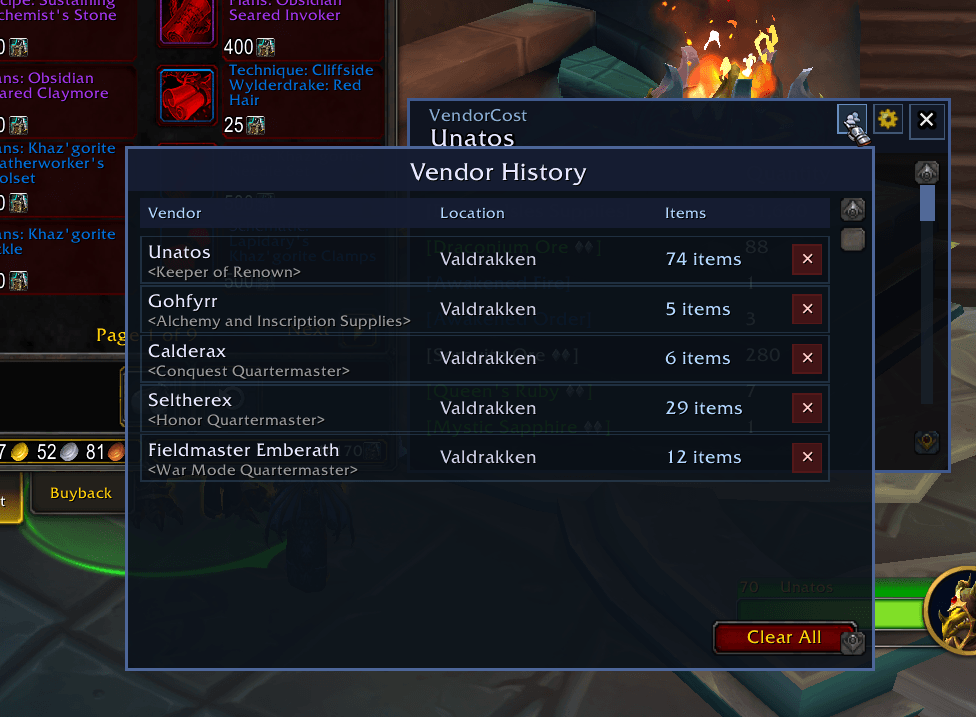
📚 Vendor History with Advanced Search
- Automatically saves every vendor you visit with timestamp and location
- Search Bar - Find vendors by name, title, or location instantly
- Sort Options - Sort by date (newest first), name (A-Z), zone, or number of items
- Zone Filter - Show vendors from specific zones only
- Favourite System - Star your frequently visited vendors (★)
- Favourites always appear at the top of the list
- Click the star to add/remove favourites
- Vendor Notes - Add personal notes/comments to any vendor
- Multi-line text input supporting up to 500 characters
- Notes highlighted in yellow when present
- View notes in tooltip on hover over notes button
- Perfect for tracking anything specific about that vendor
- Delete individual entries or clear all history
🛒 Vendor Items Browser
- Merchant-Style Window - View all items a vendor sells without visiting them
- Left-click any vendor in history to open the items window
- Shows item icons, names, and costs with quality colouring
- Red overlay on unusable/unpurchasable items (matches merchant window)
- Hover over icons for full item tooltips
- Hover over currency icons to see currency details
- Shift+click items to link in chat
- Click "+" button to add items directly to shopping list
- Resizable window with dynamic grid layout
🗺️ Waypoint & Map Navigation
- Set Waypoint - Left-click the waypoint button to create a map pin at the vendor's location
- Toggle Waypoint - Click again to remove the waypoint
- Open Map - Right-click the waypoint button to open the world map to the vendor's zone
- Find vendors easily even after you've left them
🎮 Convenient Features
- Auto-open option - Automatically show calculations when opening a vendor
- Quick access button on the merchant frame
- Clean, intuitive settings menu with gear icon
- All settings persist between sessions
How to Use
- Open any vendor
- Click the "VC" button on the merchant frame
- View the total costs organized by currency type
- Adjust filters in the settings menu (gear icon) to customize what's included
- Access vendor history to reload previous calculations
Visual Guide
- Green indicator dots show items that will be included in the total cost
- Red indicator dots show items that will be excluded based on your current filter settings
- Indicators update instantly when you change pages or adjust settings
Perfect For
✅ Planning large purchases from reputation vendors
✅ Calculating total costs for complete mount/pet collections
✅ Budgeting for recipe shopping across multiple profession vendors
✅ Tracking what you've already learned before buying duplicates
Need help or found a bug? Leave a comment or open an issue on the project page!
The VendorCost Team