VeevHUD
- By
A smart heads-up display for tracking cooldowns, buffs, debuffs, and resources — works out-of-the-box for every class and spec.
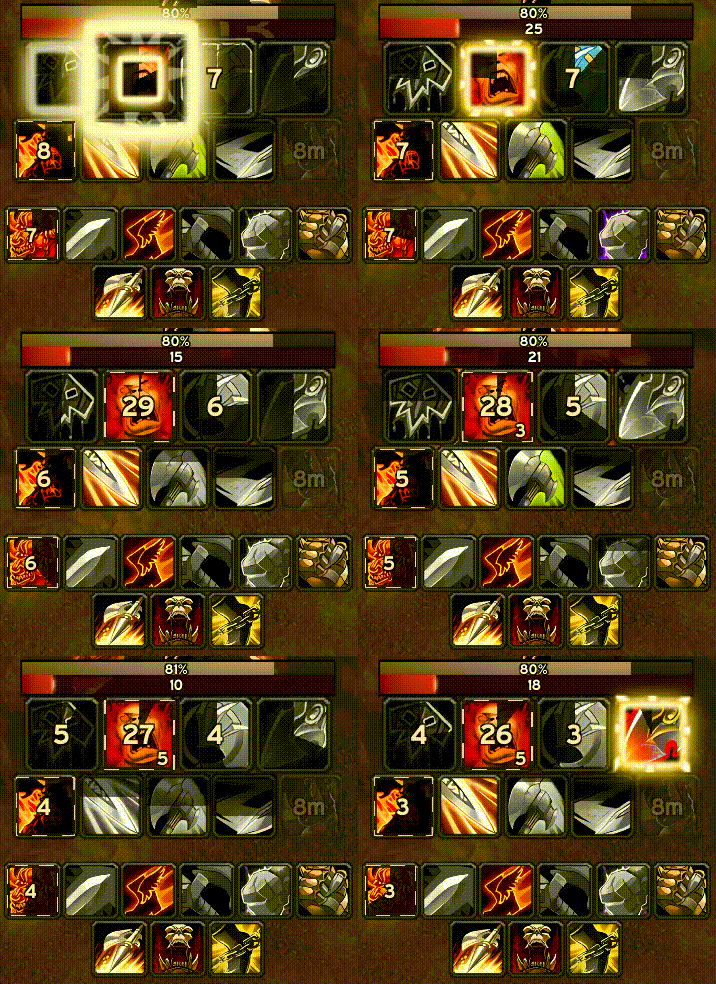
Demo
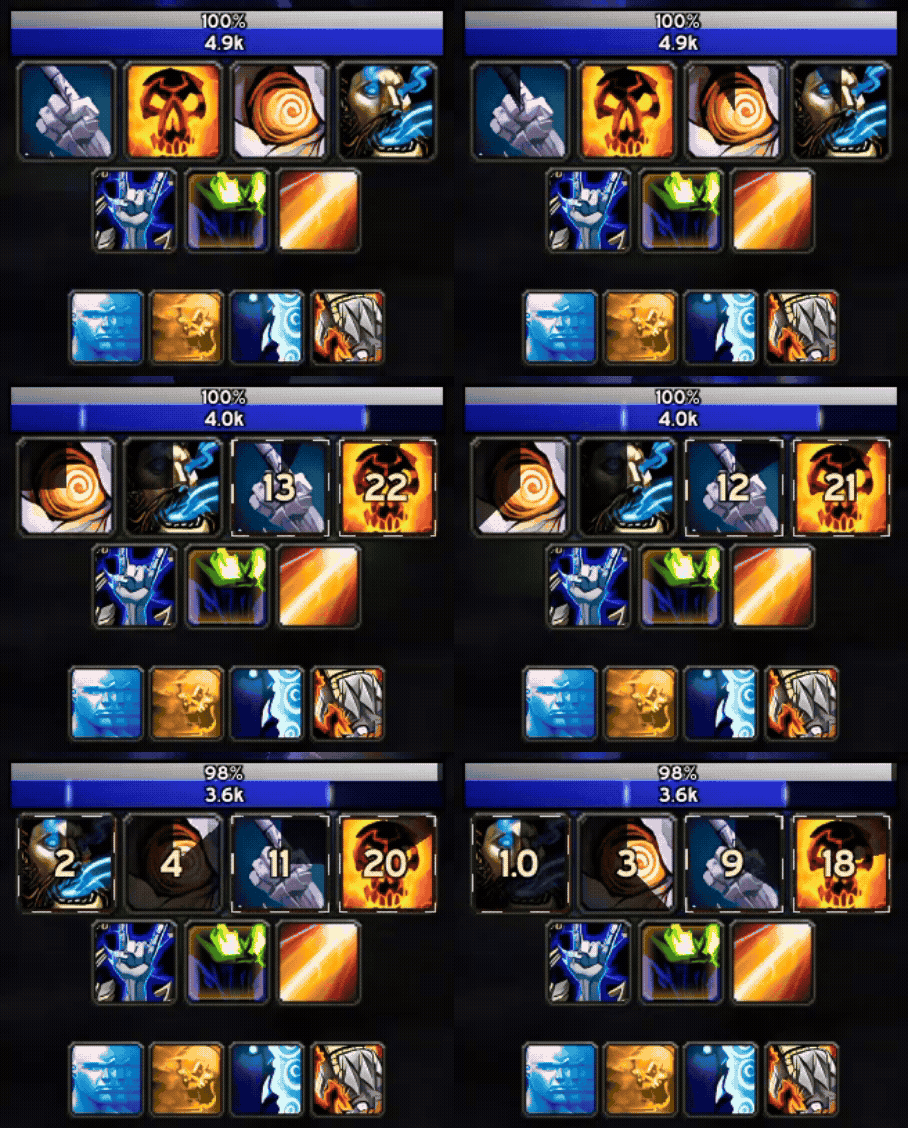
Dynamic Sorting
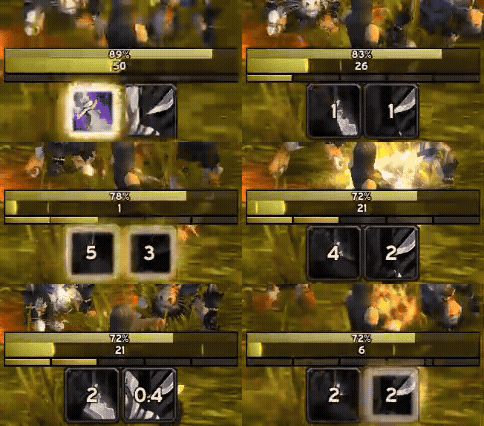
Resource Cost Timer
Description
VeevHUD
A WeakAuras-inspired heads-up display for tracking cooldowns, buffs, debuffs, and resources.
Works out of the box with intelligent defaults for every class and spec — no configuration required.
Why VeevHUD?
- One addon, every class — Tailored HUDs for all classes and specs, automatically
- Rotation-based layouts — Spells organized by actual rotations, not arbitrary groupings
- Zero setup required — Install and play; tweak later if you want
- Auto-updates — Updates through your addon manager, no re-importing WeakAura strings
- Minimal, aesthetic design — Maximum information with minimum clutter
How It Works
VeevHUD displays your abilities in organized rows below your character:
- Primary Row — Core rotation abilities you use on cooldown
- Secondary Row — Throughput cooldowns, maintenance buffs/debuffs, AoE, and external cooldowns
- Utility Section — Interrupts, CC, defensives, movement, and other situational abilities
Above the ability rows, you'll find Health & Resource Bars and an Aura Tracker for important buffs.
Key Features
Smart Icon Display
Icons don't just show cooldowns — they show your applied effects. Cast a stun? The icon displays the stun duration on your target, then transitions to the cooldown after it expires. DoTs track your enemy, heals track your friendly target, and single-target effects like Polymorph and Earth Shield are tracked regardless of your current target.
Lockout awareness — Abilities with restrictions (like Weakened Soul after Power Word: Shield, or Forbearance after a Paladin immunity) show whichever lockout is longer, so you always know when you can cast again.
Trinket tracking — Equipped trinkets automatically appear in your ability rows with on-use cooldowns, proc buff durations, internal cooldown tracking, and stack counts.
Consumable tracking — Track combat potions, runes, and other mid-fight consumables on your HUD. Each icon shows the item cooldown, buff duration, and your current bag count. Consumable lists are per-spec, and items can be dragged between rows just like abilities.
Every visual detail is designed for instant feedback: icons glow when usable, grey out when you can't afford them, show a red overlay when out of range, and fade when on cooldown.
Resource Prediction
A unique feature that extends the cooldown spiral to show when you'll actually be able to cast — factoring in both the cooldown AND resource regeneration.
Instead of seeing an ability go "ready" when you can't afford it, the icon shows a unified countdown to when you'll have enough resources. This transforms resource management from mental math into visual intuition.
Dynamic Sort
Enable dynamic sorting to have icons reorder by time remaining — the ability needing attention soonest is always on the left.
- DoT classes — See which debuff is closest to expiring
- Cooldown-heavy rotations — See which ability comes off cooldown next
Arrange your row as a priority order and the leftmost icon is always the next best spell to cast.
Aura Tracker
Small icons above the health bar for important buffs — class procs (Enrage, Flurry, Clearcasting), external buffs from other players (Bloodlust, Power Infusion, Innervate, Drums), and any custom auras you add. They appear only when active, with glows, animations, and duration text.
Cooldown Pulse
Flashes a large ability icon in the center of your screen when it comes off cooldown — so you never miss a ready ability, even while focused on the action.
Sound Notifications
Optional sound alerts for proc activation, ability ready, and missing buff reminders — with per-spell overrides.
Buff Reminders
Large, semi-transparent icons that nudge you to rebuff when missing important long-duration buffs. Pre-configured per class, with awareness of buff equivalents (Fortitude / Prayer of Fortitude) and weapon enchants.
Swing Timer
A swing timer bar that adapts to your class and spec:
- Hunter — Color-coded clip zones show when it's safe to weave shots versus when you'd clip your next Auto Shot
- Fury Warrior — Dual-wield bars colored by swing desynchronization for Heroic Strike queue optimization
- Enhancement Shaman — Dual-wield bars colored by swing synchronization for Flurry and Windfury optimization
- Retribution Paladin — Highlights the twist window at the end of each swing for seal twisting
Health & Resource Bars
Compact bars show health and mana/rage/energy at a glance, with combo point tracking for Rogues and Feral Druids, energy tick indicators for powershifting, and mana tick indicators for spirit regen timing.
Configuration
Nearly everything is configurable — icon appearance, bar styles, per-spell overrides, element ordering, and more. Profiles with automatic per-spec switching are supported for dual spec users.
Access settings via /vh in chat, or ESC → Options → AddOns → VeevHUD.
Current Status
VeevHUD supports both Classic Era and TBC Anniversary. It pulls all spell data from LibSpellDB, so the same HUD engine works across both — the right spells simply load for whichever version you're playing. Support for future Classic-era releases is just a matter of extending the database.
Note: Due to recent addon restrictions in Retail (addons can no longer read most in-combat information), a Retail version is unlikely without substantial changes by Blizzard.
Feedback & Contributions
VeevHUD is actively developed and your feedback helps improve it. If you find missing spells, miscategorized abilities, or edge cases, please report them — or just drop by to share suggestions.
Join the Veev Addons Discord: https://discord.gg/HuSXTa5XNq
Tip: HD Icons
For crisp, high-resolution spell icons, install Clean Icons - Mechagnome Edition. This texture replacement pack works at the game level, so VeevHUD displays the sharper versions automatically.
VeevHUD Team