


Vanilla Varnish
- By
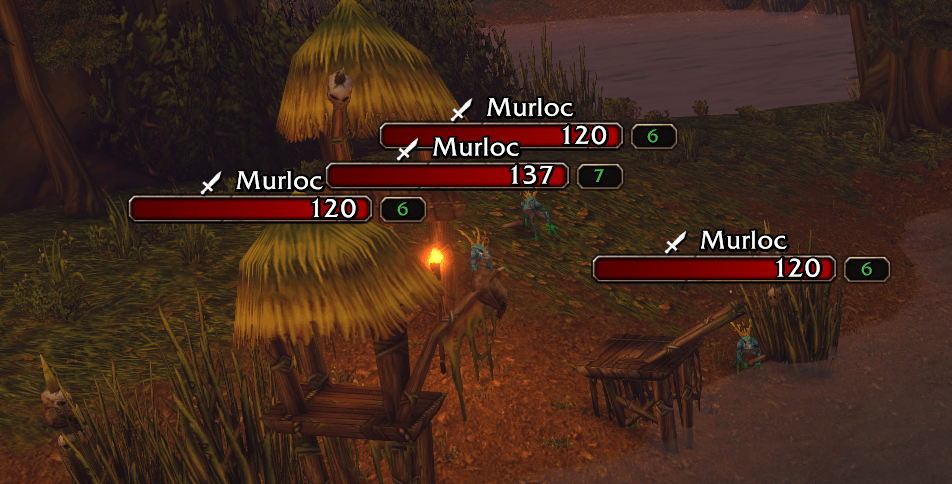
Quest markers are displayed on mobs for kill and gather quests. An optional Questie (or standalone Questie DB) integration can extend the native WoW client's quest knowledge for mob marking purposes, but is not strictly necessary.
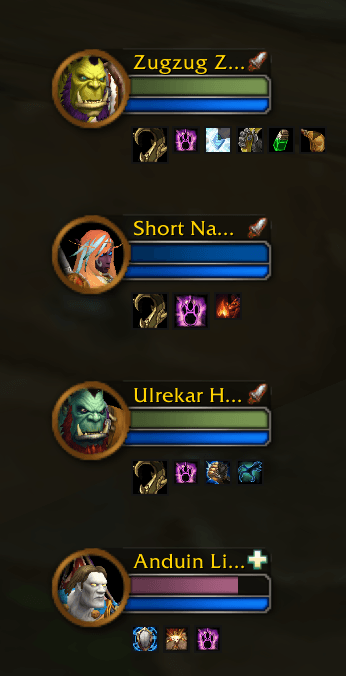
Default party frames can have player class color health bars and up to 16 buffs/dispellable debuffs.
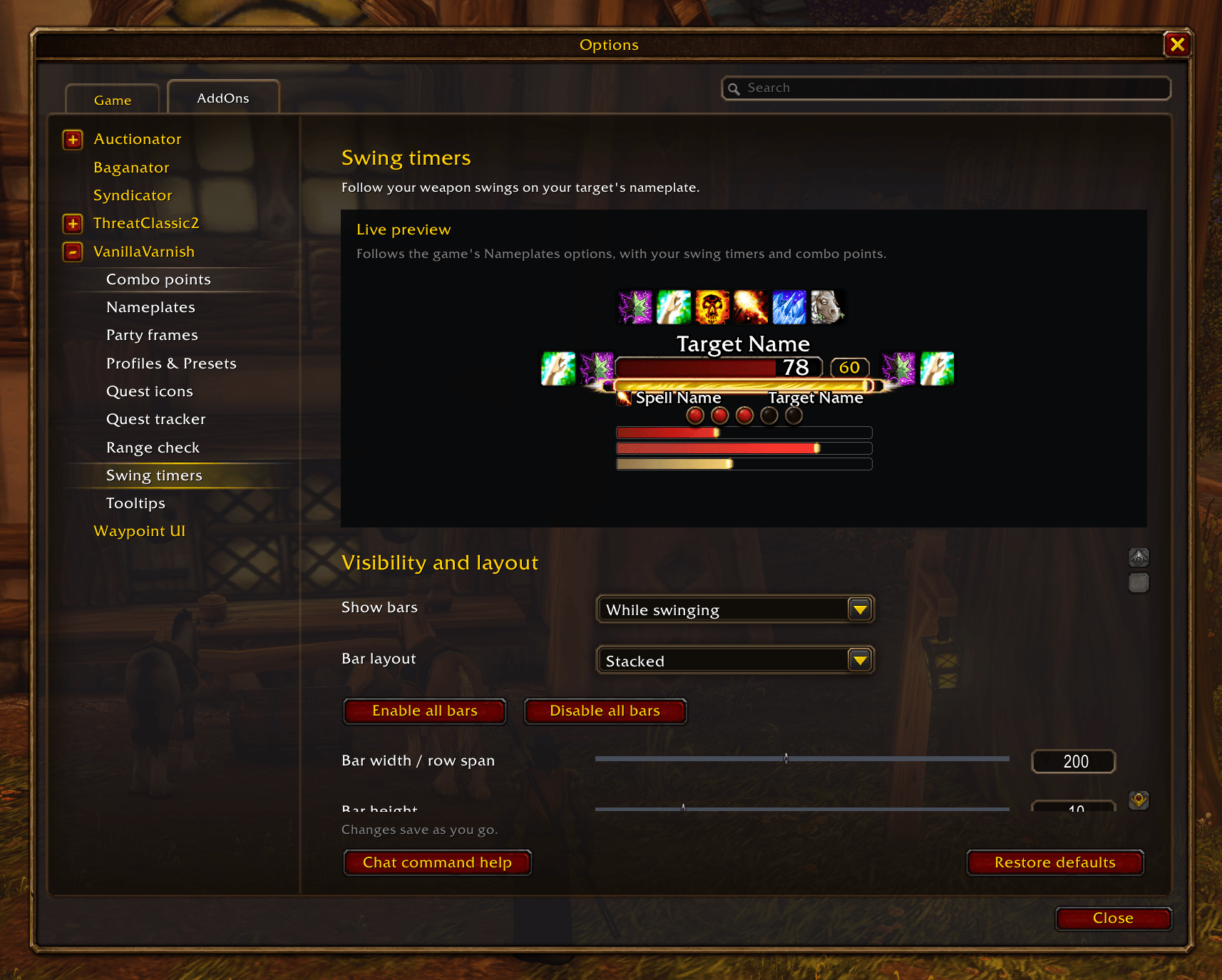
Preview your nameplate adjustments with a live preview for features like swing timers and combo points.
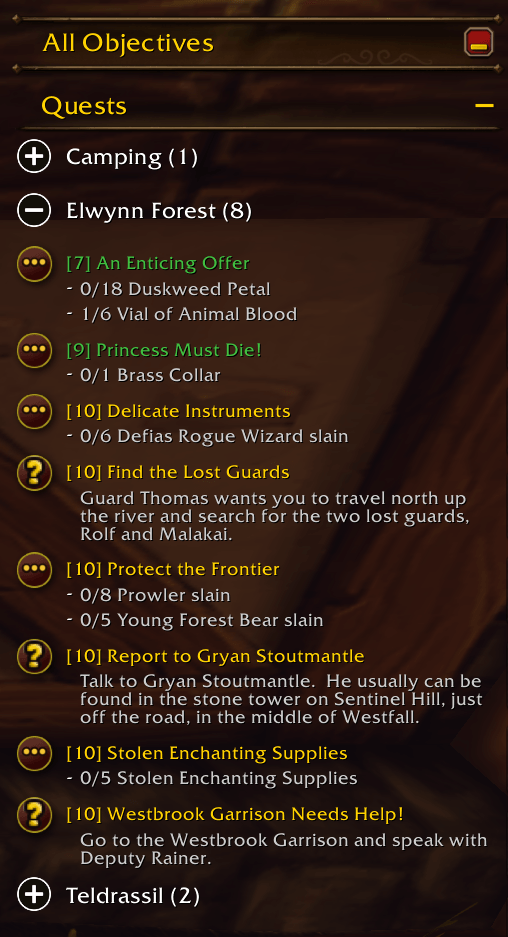
Quests in the tracker are automatically sorted by level into collapsible groups by zone. Optionally display completed quests at the top or the bottom of the zone list.
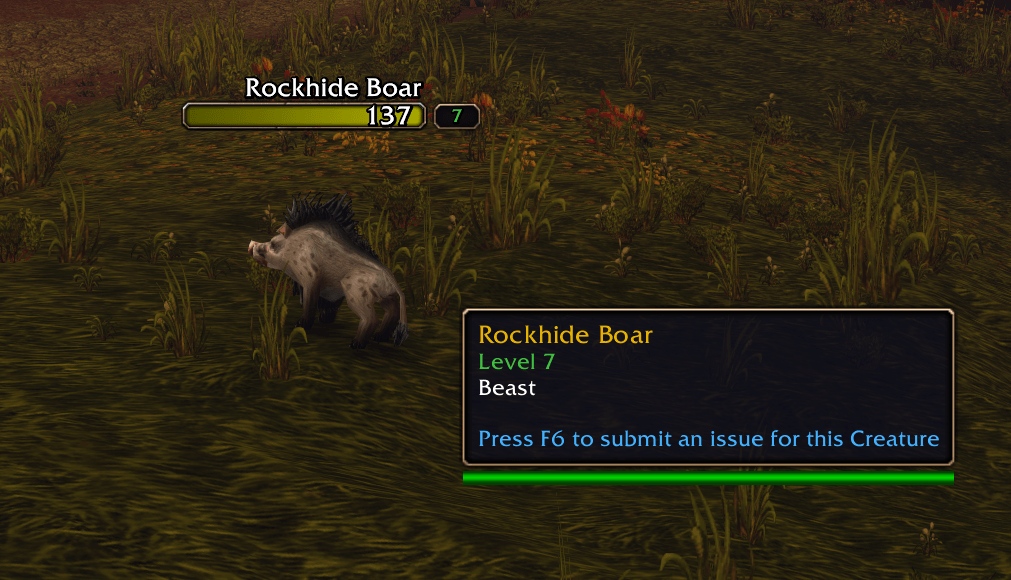
The tooltip follows the mouse, and can be set to stop following during combat. Enemy levels are color coded by hostile difficulty.
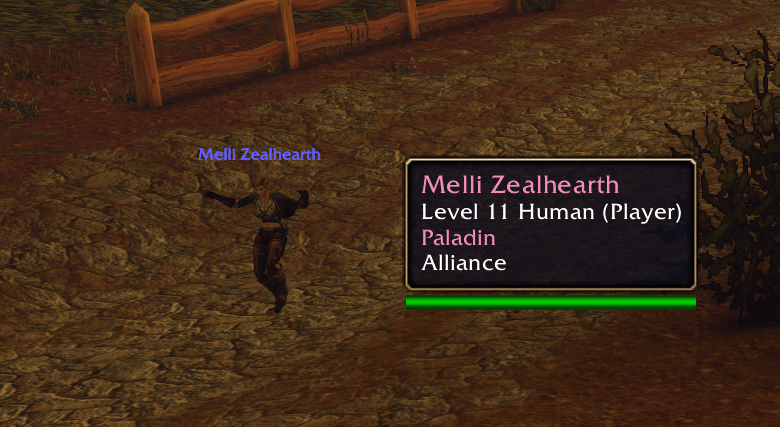
Player names and classes displayed in class colors.
Description
Vanilla Varnish is under active development; if you find bugs, or if you have suggestions for further ways to improve upon the vanilla Blizzard UI without rewriting it from scratch, share them for consideration!
Create issues on Github ·-·-·-· Leave a comment
CONFIGURATION
Open Settings → AddOns → VanillaVarnish, or type /vv, to configure the addon. Settings save per character.
OVERVIEW
VanillaVarnish adds a few finishing touches to Blizzard’s UI while keeping its familiar look. My goal is not to replace any existing piece of the UI, but rather improve upon them with minor quality of life features. For example, why are quests in the quest tracker not in numerical order by level, and wouldn't it be nice to be able to expand and collapse them by zone like Questie, but without Questie? I'm here to fix/improve upon that sort of thing.
Customize nameplates, quest tracking, party frames, and tooltips. Each piece of functionality may be disabled so you can have as much or as little as you want.
Built for WoW Forever 1.60.x / Interface 16001.
NAMEPLATES
- Improved threat display. As tank, enemies aggroed on you will have blue nameplates instead of red. As DPS or heals, enemies aggroed on you will have red nameplates.
- Fade out-of-range units using a damage or friendly spell of your choice.
- Mark quest targets with icons, with optional Questie support for additional quest information.
- Display customizable main-hand, off-hand, and ranged swing timers beneath your target’s nameplate.
- Track combo points on enemy nameplates.
- Arrange swing timers and combo points together using a live settings preview.
QUEST TRACKER
- Group tracked quests by zone.
- Expand or collapse individual zones, or all zones at once.
- Sort your completed quests, by choosing whether completed quests appear first, last, or in normal level order.
- Right-click a zone heading to track or untrack its quests.
- Modifies the existing Blizzard quest tracker, not a complete replacement mod.
PARTY FRAMES
- Show up to 16 buffs beneath your party member's frames in default style (ie. not raid style party frames), with your buffs displayed first and larger.
- Enlarge debuffs you can dispel and color their borders by debuff type.
- Apply class-colored health bars to standard or raid-style party frames.
TOOLTIPS
- Tooltips can optionally track your cursor with adjustable offsets.
- Color tooltip player names and class text by class, and hostile levels by difficulty.
- Optionally pause mouse following during combat.
PROFILES & PRESETS
- Apply one of several nameplate presets including a specialized preset for combo point classes. Presets are designed to work with the default WoW Forever nameplate style and prioritize compactness.
- Save your changes to a persistent profile that can be shared across characters.
Vanilla Varnish Team
