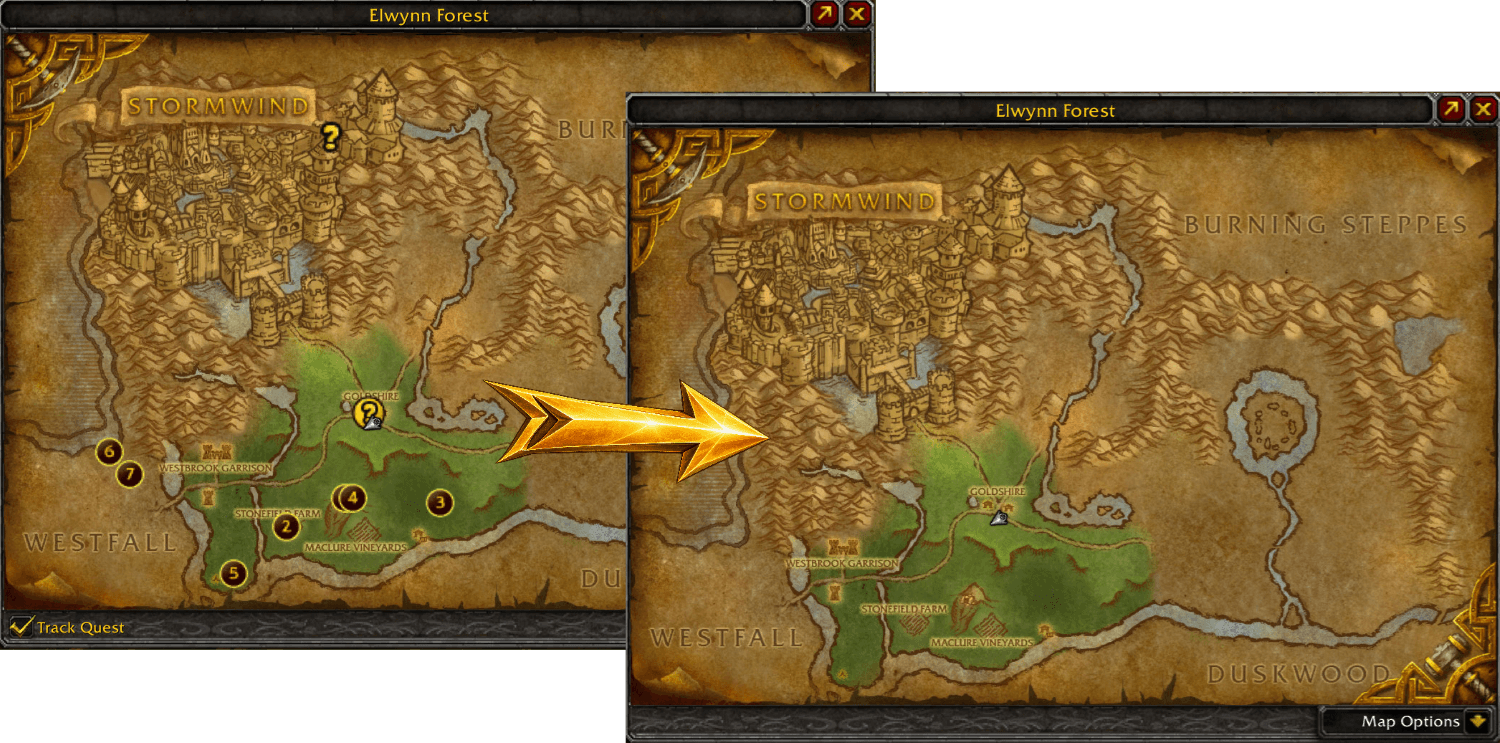
Map quest helper removed
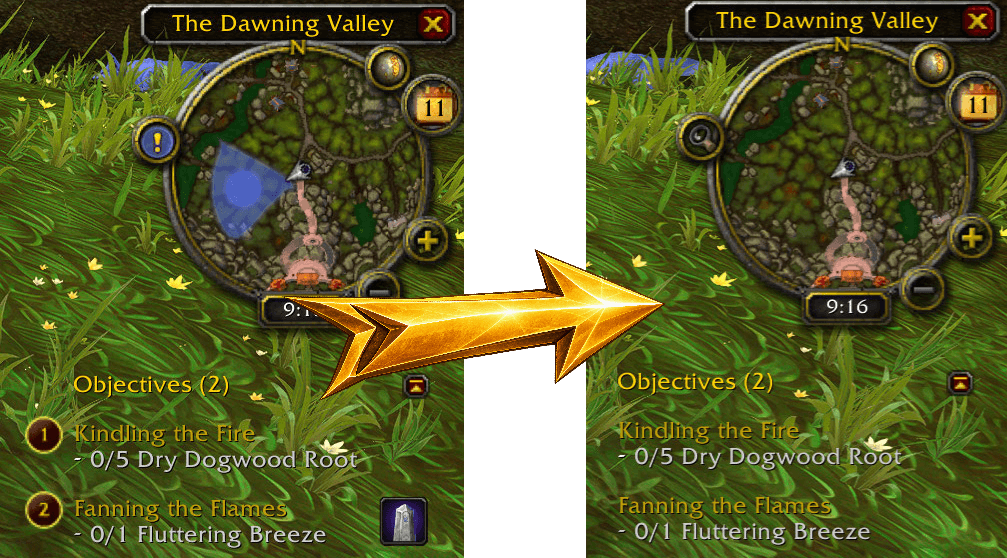
Mini-map and quest tracker cleared
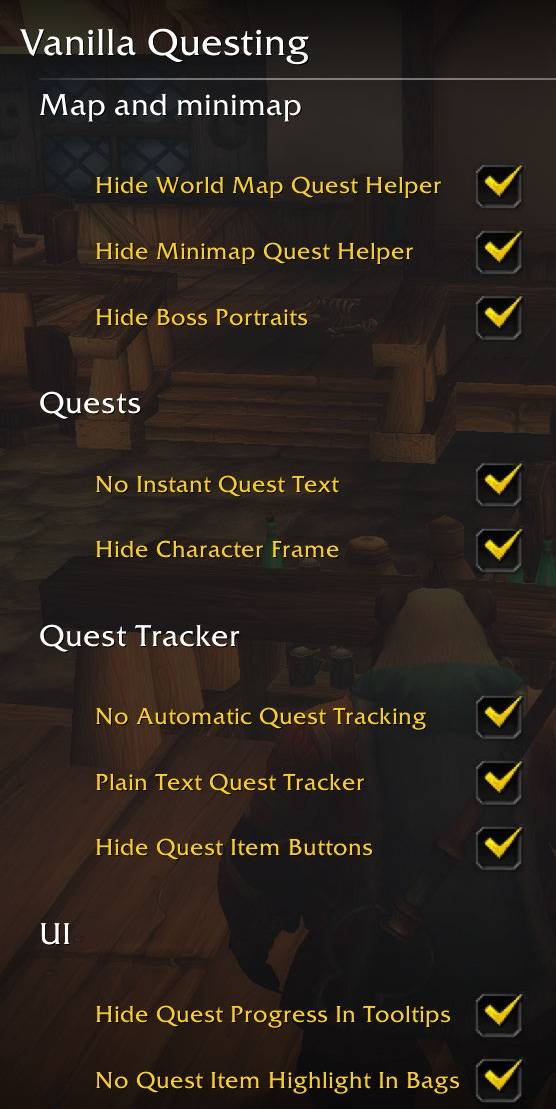
Options menu, some of the settings
Description

Questing, the way it used to be
Nowadays you are told where to go: markers on the map, your progress in hover tooltip, and QoL improvements to make questing easy. You can finish a quest without reading a word of it.
Vanilla Questing turns that layer off. You read the quest, you work out what it means, and you go explore the World of Warcraft. The world stops being a checklist and goes back to being, well… a world.
What it changes
You have full control, disable as much or as little as you like.
🗺️ Map and minimap
- Removes quest markers, the shaded objective areas, the Track Quest checkbox and the quest list inside the full-screen map
- Removes quest markers from the minimap
- Hides boss portrait markers on zone maps
📜 Quests
- Instant Quest Text off, so quest text appears slowly a line at a time
- Removes the framed questgiver portrait beside the quest text
🎯 Quest Tracker
- Non-clickable quest titles: no click-to-open-map, no right-click menu, just plain text
- Removes the quest item use buttons beside tracked quests
- Disables automatic tracking of quests you accept
🔍 UI
- Quest progress removed from tooltips — mousing over a mob no longer tells you which quest it belongs to or how many you still need
- Removes the highlight on quest items in your bags, and the
!on items that start a quest
🧪 Experimental
- Removes the Complete Quest popups
- Show either loot sparkles or outlines on quest objects
Known limitations
Achievement tracker lines also stop being clickable in the quest tracker. The tracker draws quest and achievement titles from one shared pool of buttons, and this version switches the clicks off across the whole pool. If you track achievements and want them clickable, leave that one option off, everything else still works.
Quest objects show either an outline or loot sparkles, never neither. The two are alternatives in the engine, so the sparkles cannot simply be taken away. Outline Mode asks for the outline instead; where a client fails to render it, loot sparkles come back on their own.
Compatibility
Built and tested against Mists of Pandaria Classic, 5.5.4 (build 69585), interface 50504.
Support for other versions is in the research pipeline.
Install / Uninstall
Install
- Download and extract the zip into:
World of Warcraft\_classic_\Interface\AddOns\ - Restart the game.
Uninstall
- Run
/vq offto restore the game's settings. - Delete the
VanillaQuestingfolder fromWorld of Warcraft\_classic_\Interface\AddOns\
Bugs and requests
Found a bug, or want to request a feature? Open an issue on GitHub
Bug reports and feature requests are genuinely welcome.
❤️ Support the project
If this addon is making your adventures more enjoyable, you can support development. It helps pay for the time spent maintaining and keeping it working in the future.
The Vanilla Questing Team