Vangouf Tools
All-in-one quality of life toolkit: automation, chat, waypoints, Mythic+ timer, Midnight weekly summary, gold value, drawer macros and more.
Description
Vangouf Tools
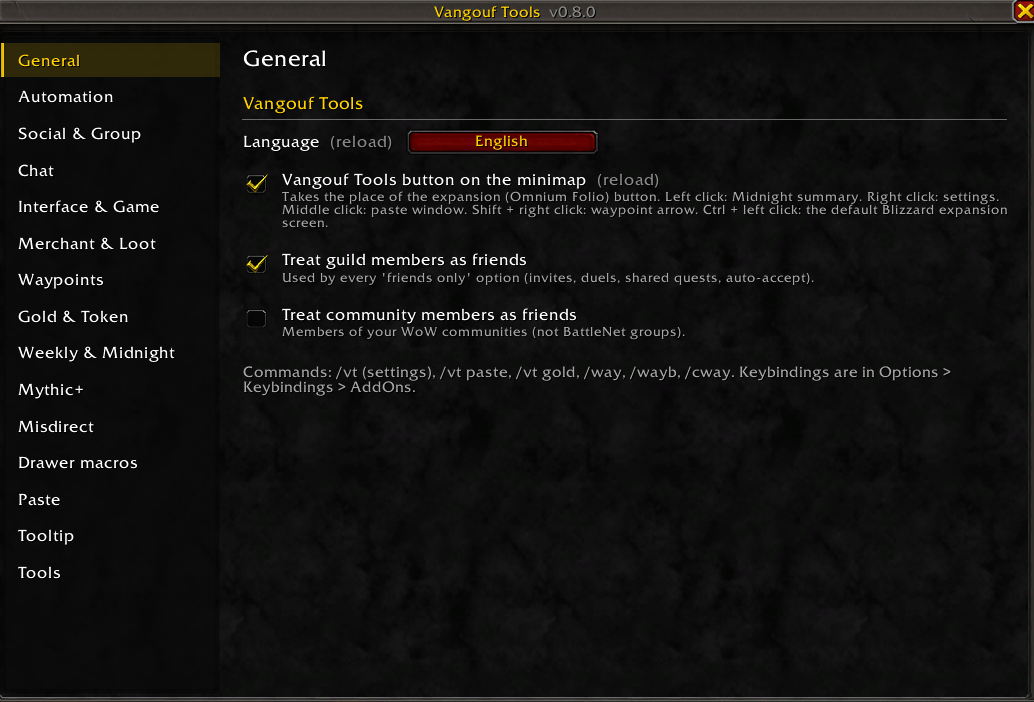
An all-in-one quality of life toolkit for World of Warcraft: Midnight. Every feature can be turned on or off on its own in the settings (/vt). The interface follows the default Blizzard UI style and works in English and Turkish.
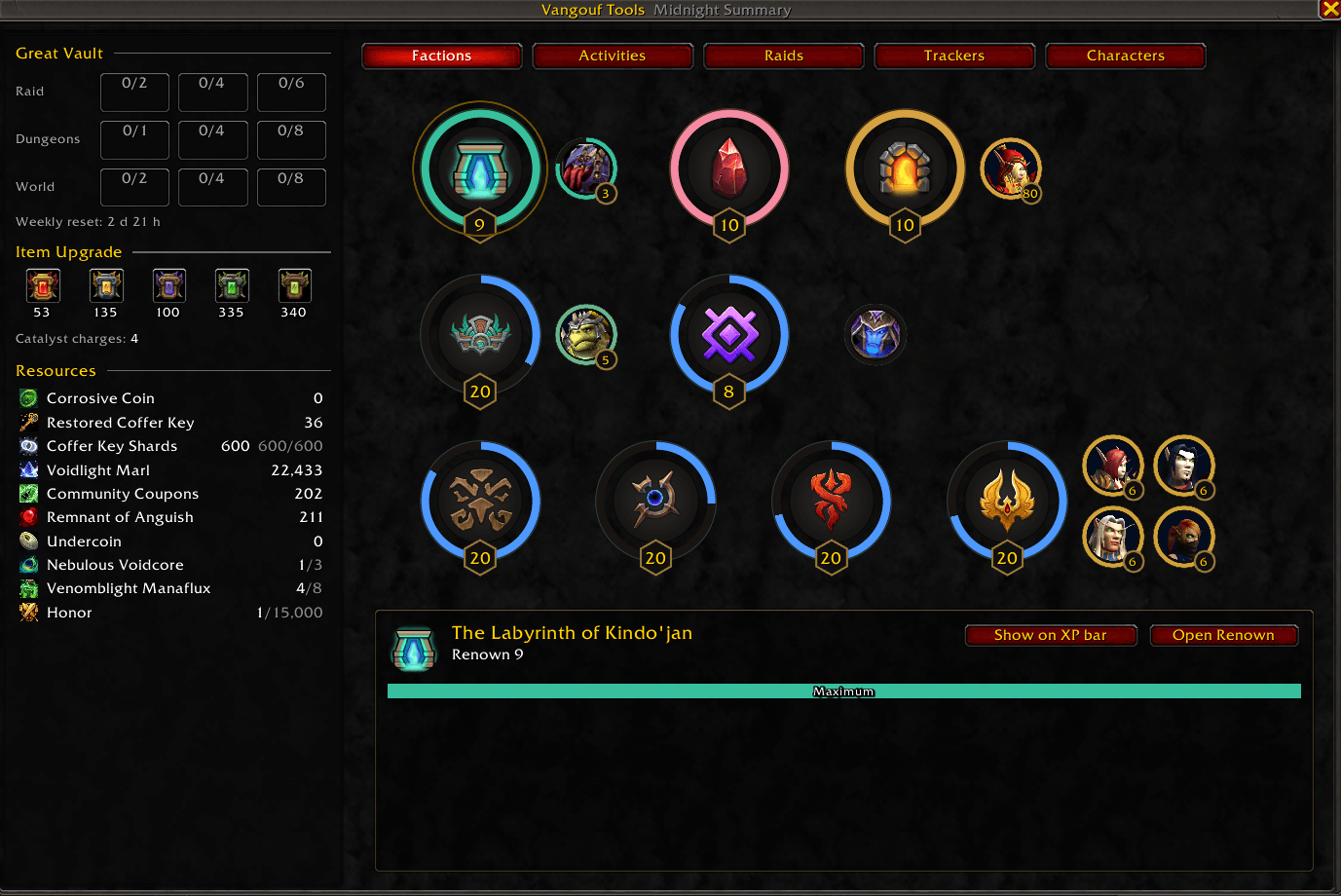
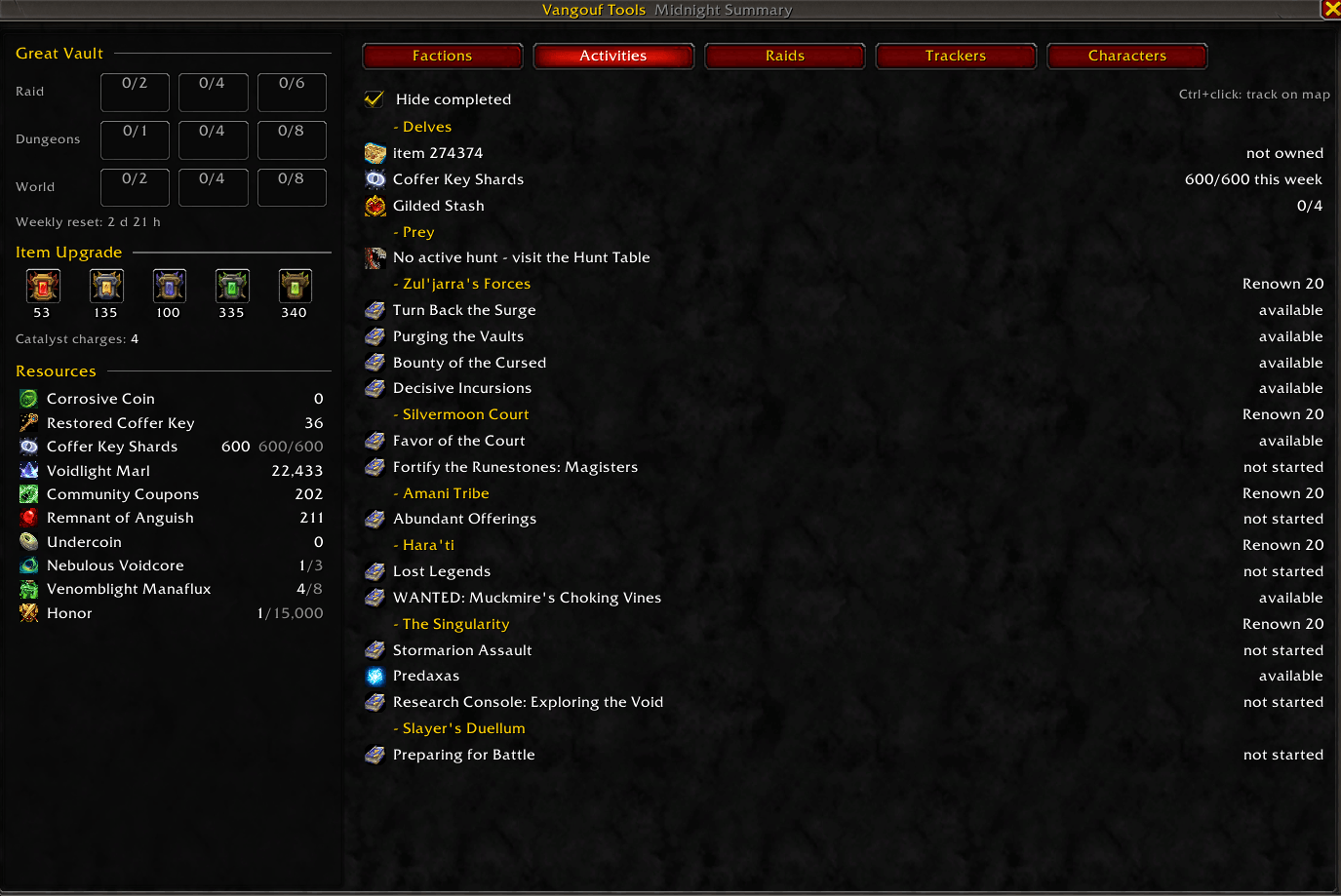
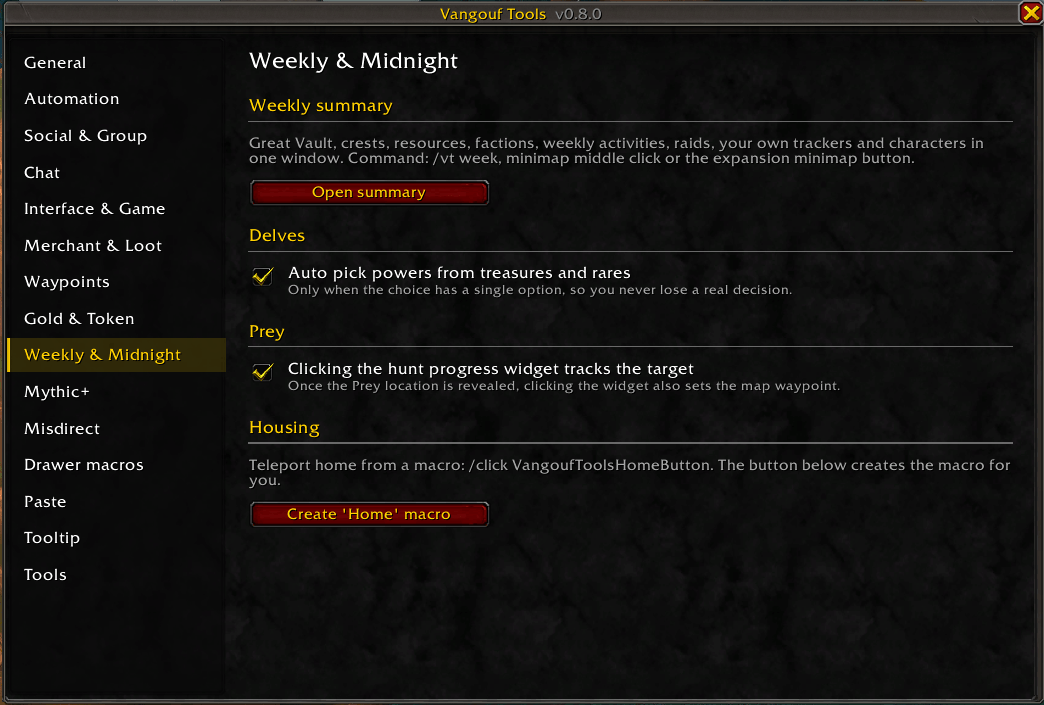
Midnight summary
Opened from the minimap button (it replaces the expansion button):
- Great Vault with item levels, crests and upgrade track, Catalyst charges and resources
- Factions as progress rings with renown badges and sub-factions, upcoming renown rewards
- Activities: weekly Delves quest, bounty, coffer key shards, Prey, world bosses and more
- Raids: lockouts per difficulty and boss loot filtered by your spec
- Trackers for your own quest IDs and a Characters overview (item level, vault, keystone)
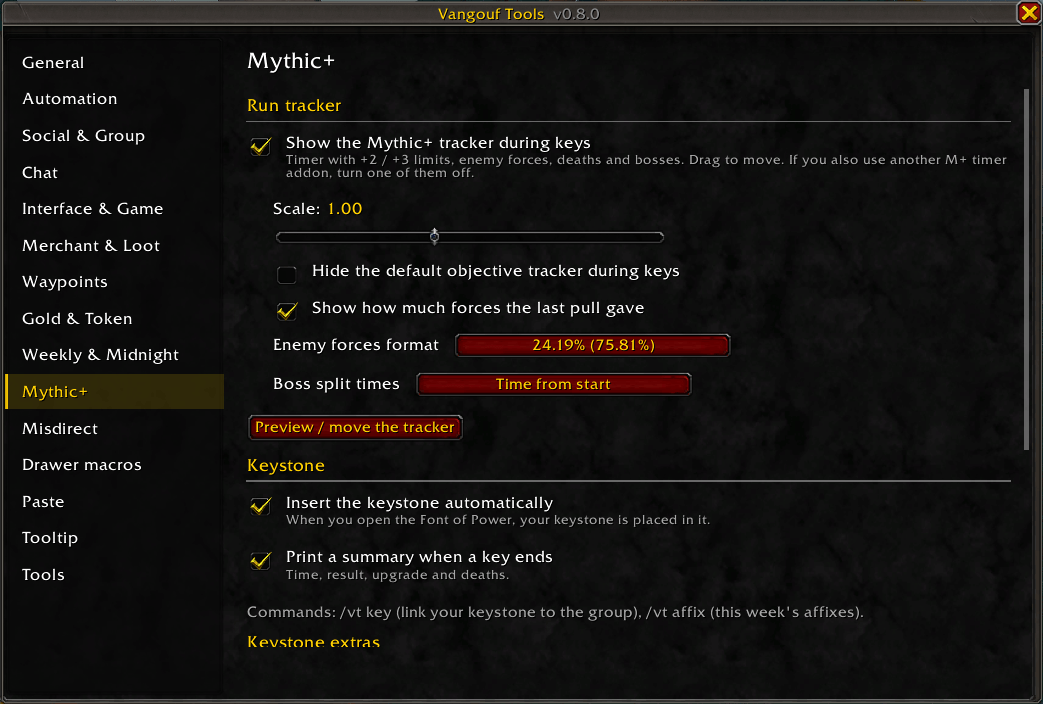
Mythic+
- Timer with +2 / +3 limits, enemy forces (6 formats), last pull value, deaths per player, boss split times
- Enemy forces on mob tooltips, run summary with splits
- Party keystones and weekly affixes next to the Mythic+ window, new keystone announce
- Automatic keystone insert, single-option gossip in keys, talking head hidden in keys, reset instance offer
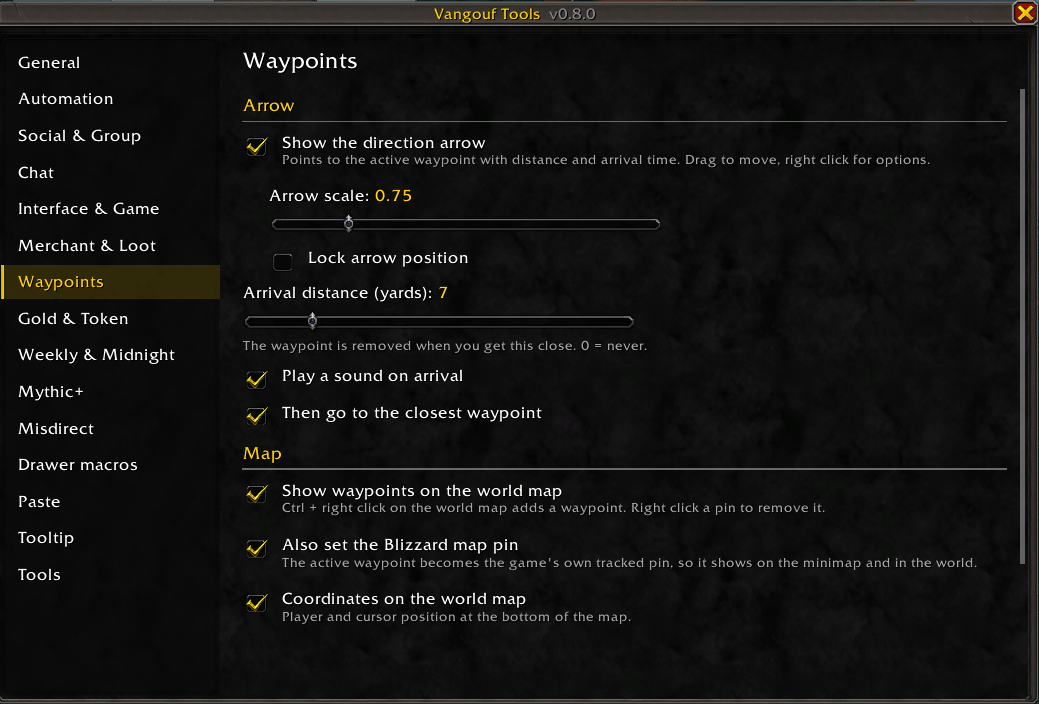
Waypoints
- /way, /wayb, /cway (also /vway, /vwayb, /vcway)
- Direction arrow with distance and arrival time, world map pins, Ctrl + right click on the map to add, Blizzard pin, map and screen coordinates
Drawer macros
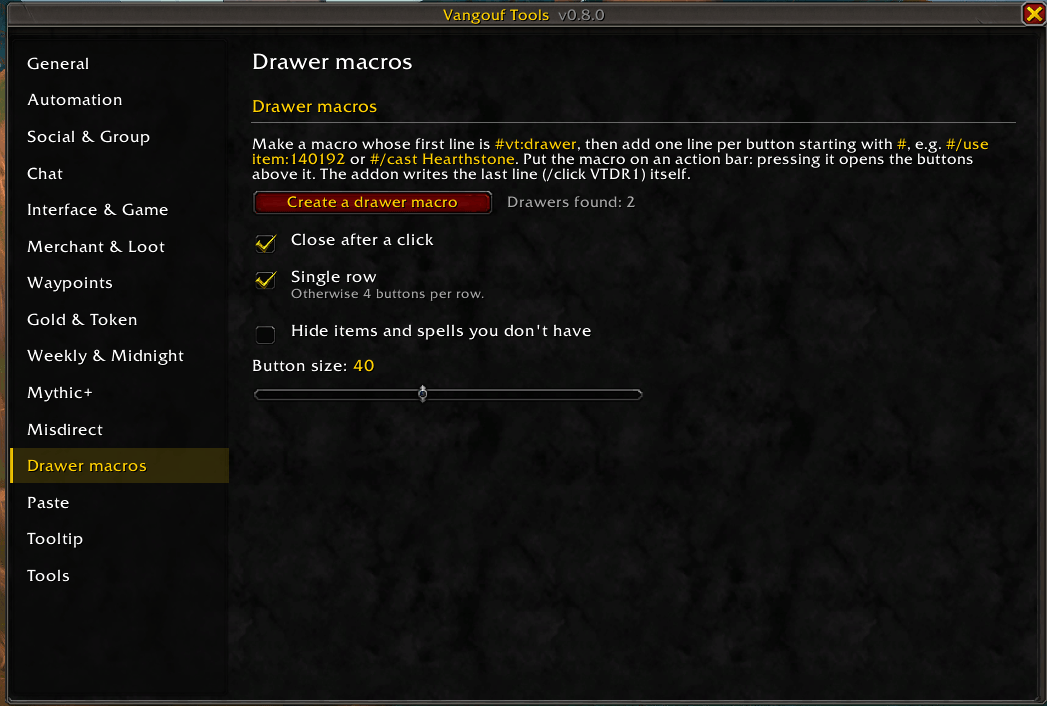
Write a macro with #vt:drawer as the first line and one #/use or #/cast line per button. Put it on an action bar: pressing it opens a row of buttons above it, also in combat.
Misdirect
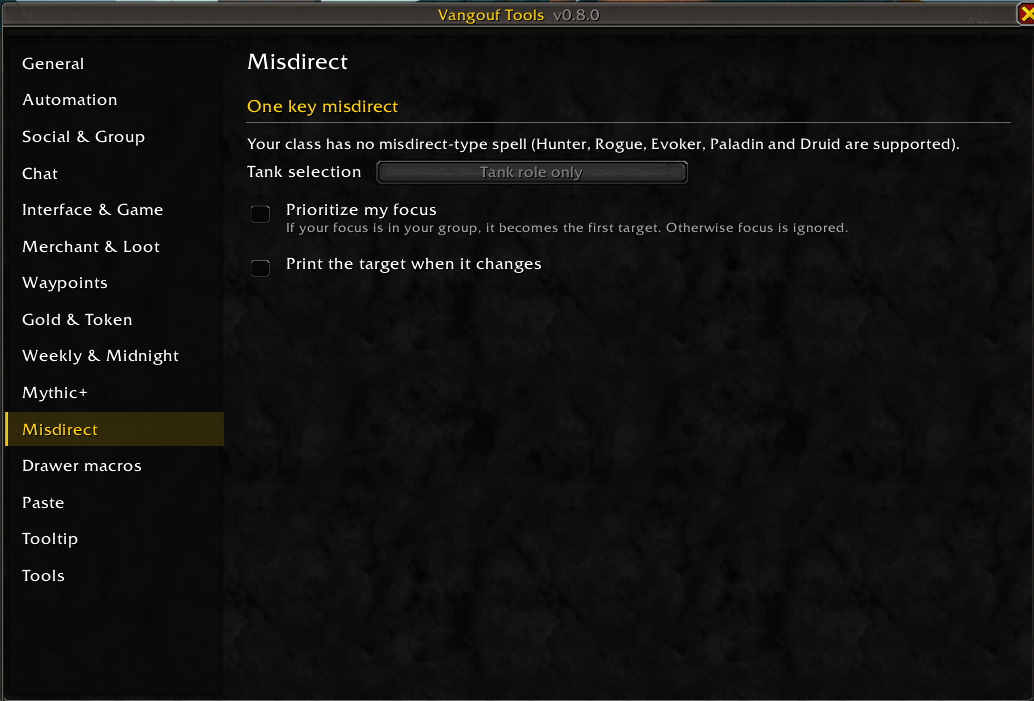
One key Misdirection / Tricks of the Trade / Blistering Scales to your tank, Innervate to your healer, with five secure buttons and keybindings.
Automation and social
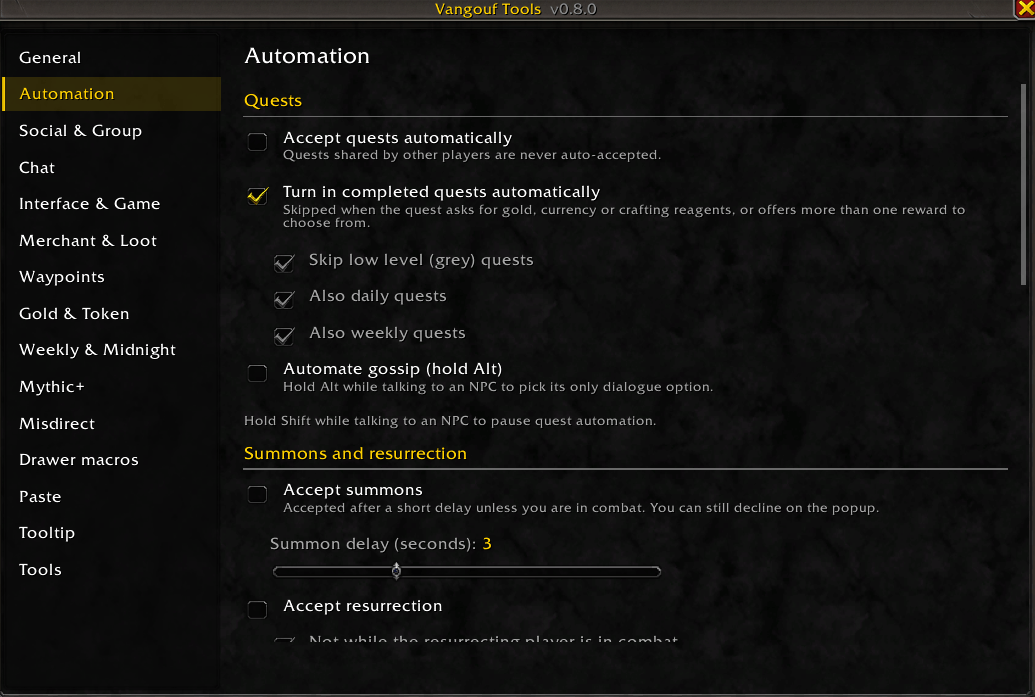
- Quest accept and turn-in (daily / weekly options), gossip, summons, resurrection, release in PvP, role checks
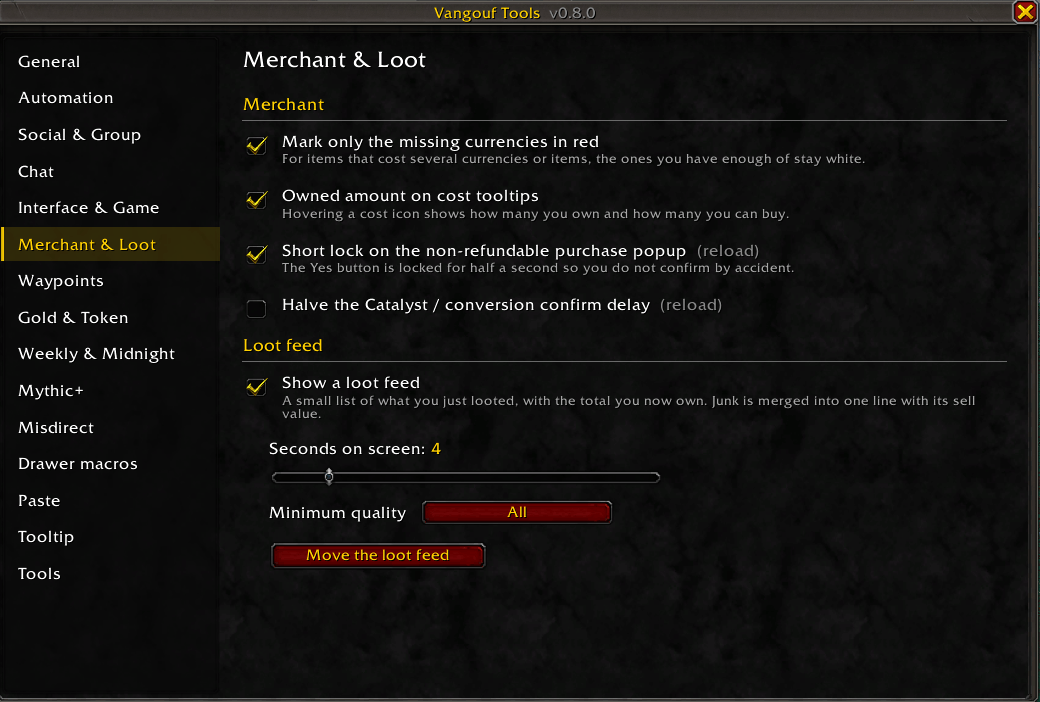
- Sell junk with keep lists, repair with guild funds, bind-on-pickup loot confirmations
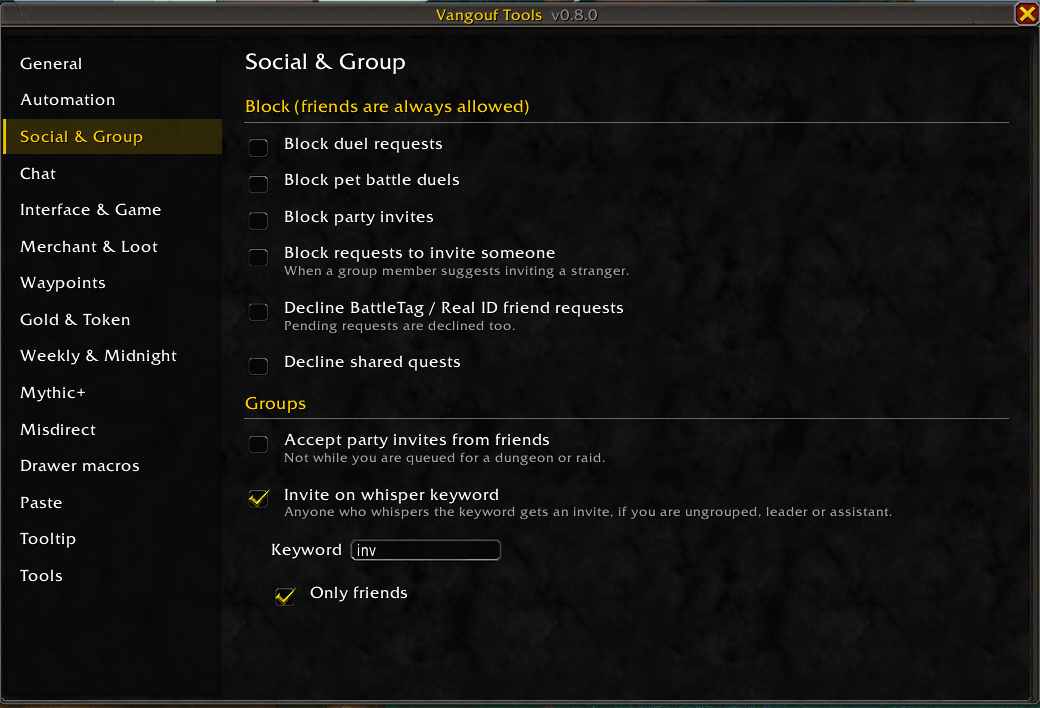
- Block duels, pet duels, invites, friend requests and shared quests; accept invites from friends, guild or community; invite on whisper keyword
Chat
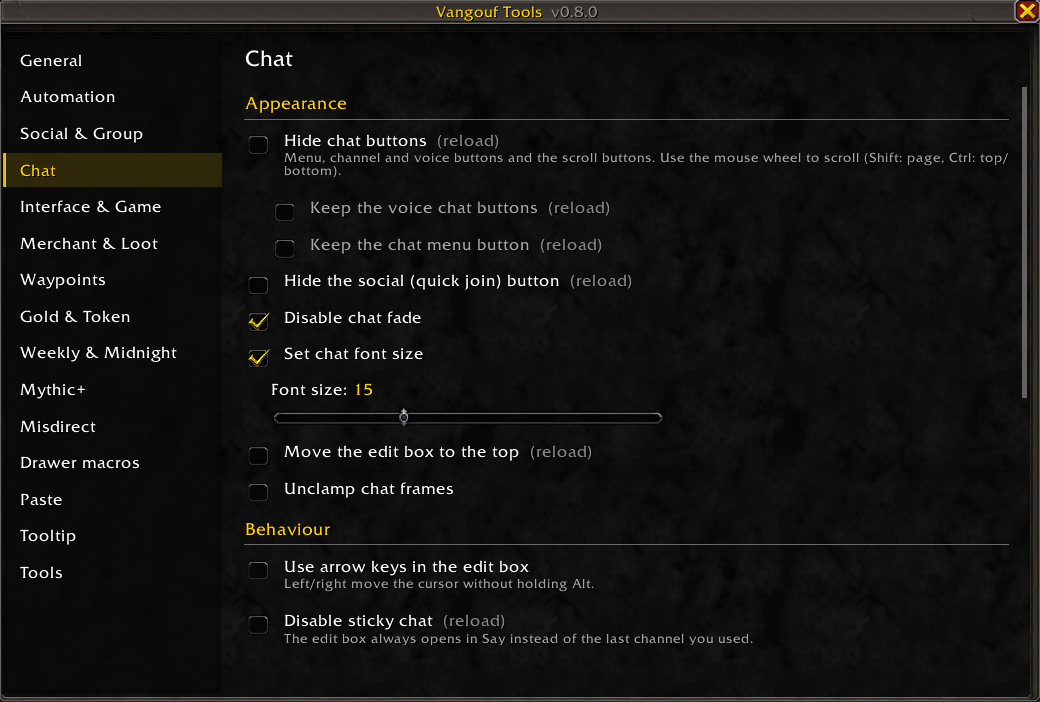
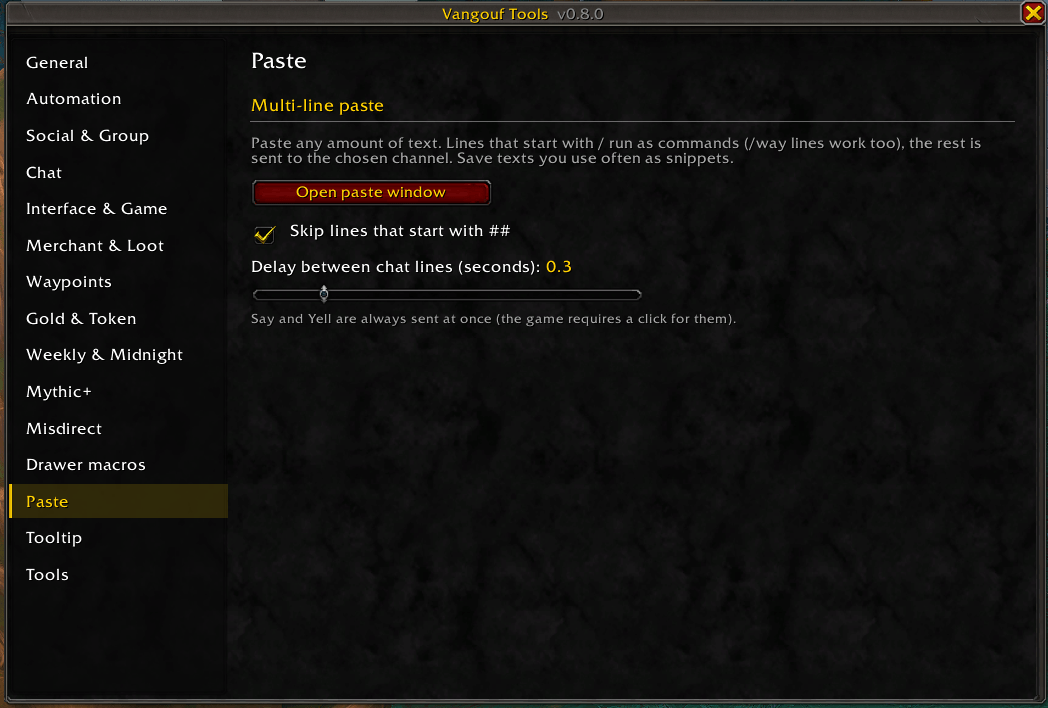
Hide buttons, no fade, font size, edit box on top, arrow keys, no sticky channels, copy chat, restore chat after reload, spam filters, resize with Shift + drag, channel options in the tab menu, multi-line paste window with snippets.
Interface
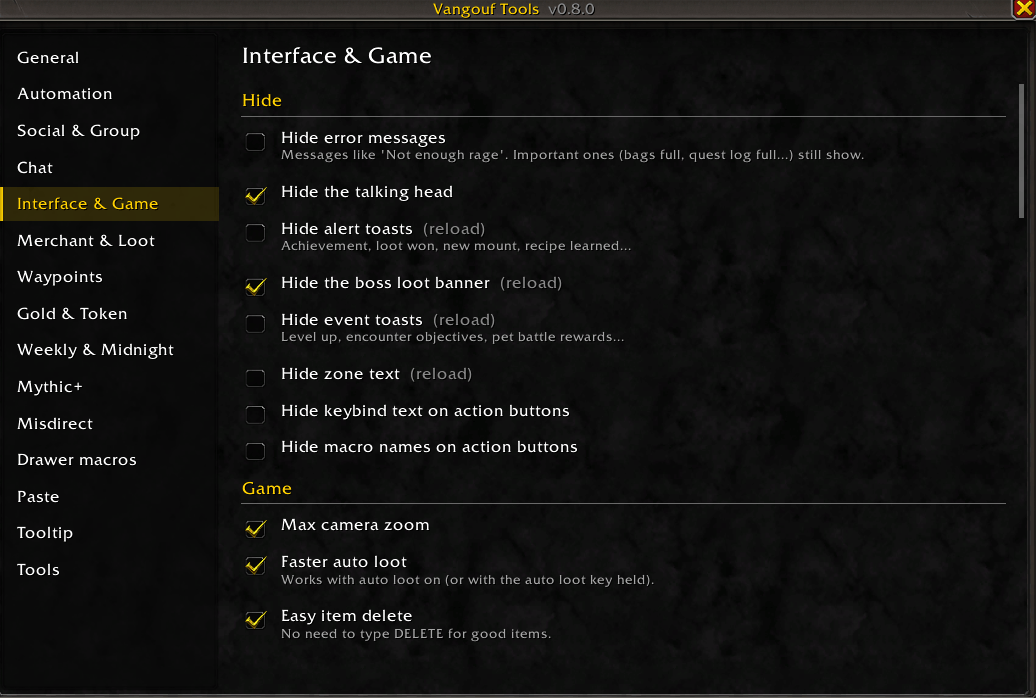
Hide error messages, alerts, banners, zone text and keybind text; max camera zoom, faster loot, easy delete; class colours, range colouring, square minimap, screen borders, quest text size, dressing room tools, pet team save, Wowhead links, per-character Edit Mode layout and more.
Tooltips and tools
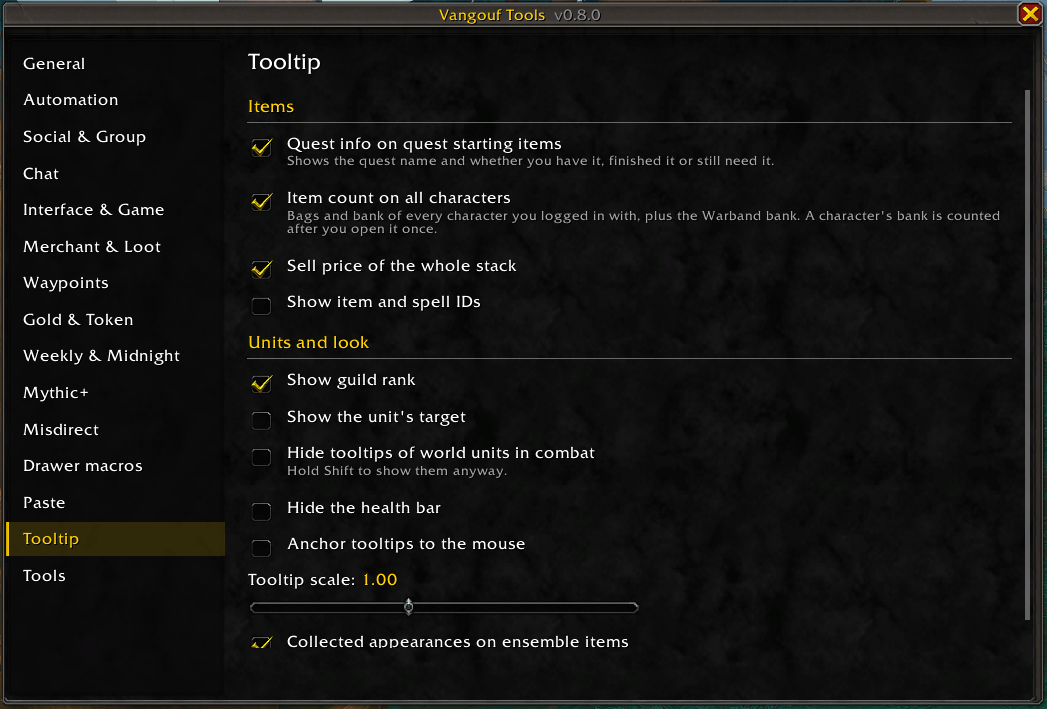
- Item counts on all characters, stack sell price, quest starting items, item and spell IDs, guild rank, unit target, ensemble progress
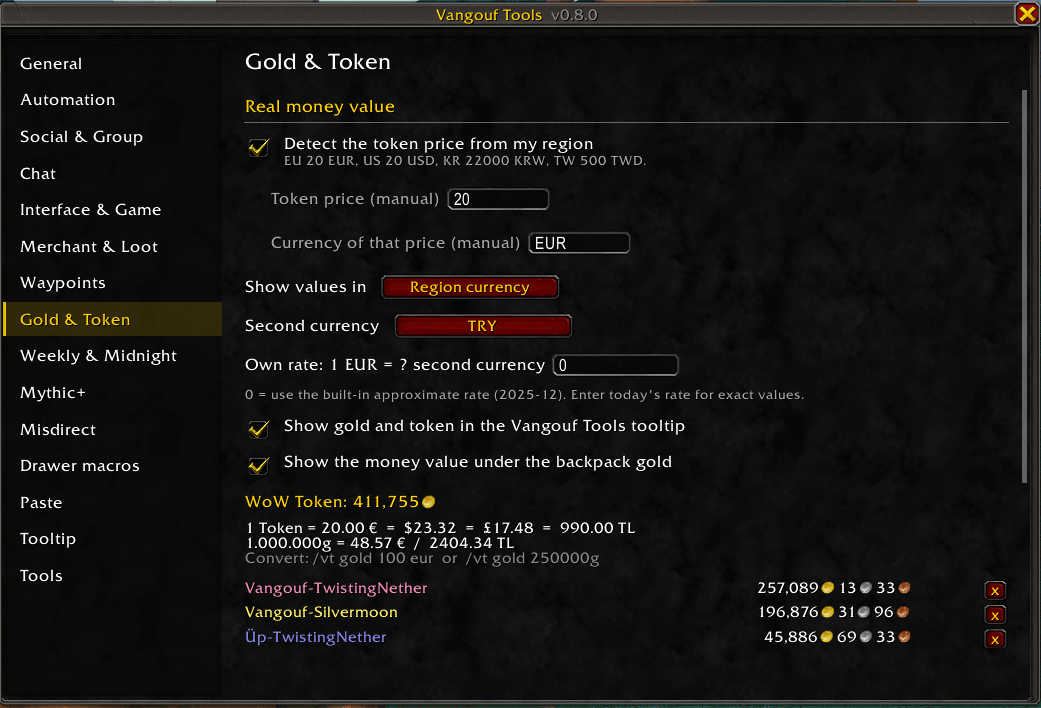
- Gold on all characters with WoW Token value in your currency, conversion commands (/vt gold 100 eur)
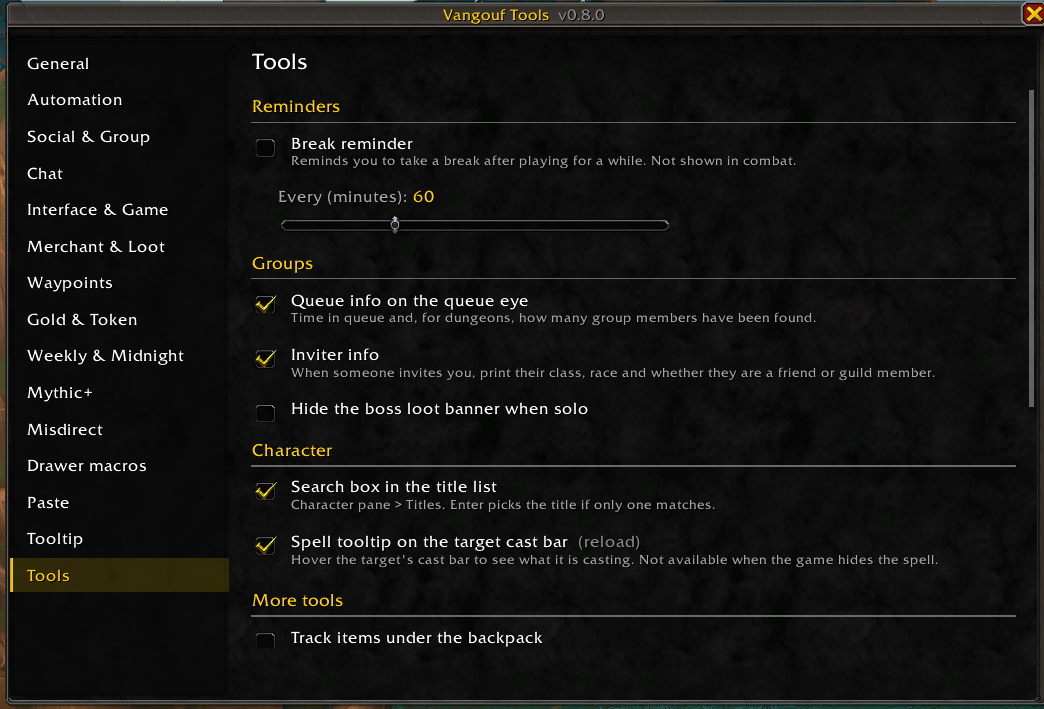
- Break reminder, queue info, inviter info, title search, item tracker under your bags, rogue lockpick on right click, difficulty selector (/vt diff) and more
Commands
/vt settings, /vt week summary, /vt paste, /vt gold, /vt key, /vt keys, /vt affix, /vt md, /vt drawer, /vt diff, /vt outfit, /vt pets, /vt raid.
A Umofam product
Vangouf Tools is a Umofam product, made with care by Umofam.
Privacy
Vangouf Tools collects no personal data, has no analytics or ads and does not connect to the internet. Your settings and character summaries stay on your own computer, in World of Warcraft's SavedVariables. The only thing it shares is your Mythic+ keystone (dungeon and level), sent to your party members through the in-game addon channel for the party keystone list.
Privacy policy for all Umofam products: umofam.com/privacy.html
Vangouf Tools Team