
Valorian's Combo Points
- By
A clearer read on every point
Valorian's
Combo Points
A customizable combo point display for your target's nameplate or a movable spot on your screen. Build a look that belongs in your UI, then save it as a profile.
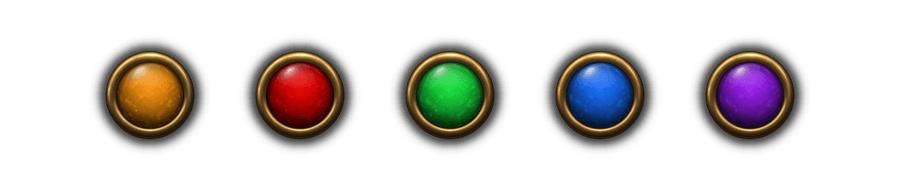
Up to five points Round and square artwork Quick profile switching
Point artwork
Choose a glass-like finish or defined facets. Round and square stones share the same color choices, with one color for all points or a different color for each. The examples below show a few distinct styles.
Round styles
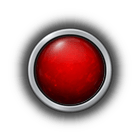
Textured
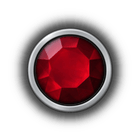
Faceted

Highlights
Square styles
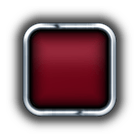
Smooth
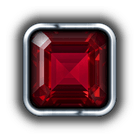
Faceted
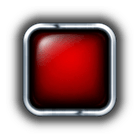
Highlights
Metal rims
Pair stones with round or square metalwork. Square rims include Classic, Slim, Thick, and Smooth; the round Classic rims have shorter stone clasps. Choose from several metal colors. These examples show the main shapes without repeating every color.
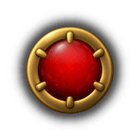
Round Thick
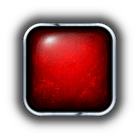
Square Slim
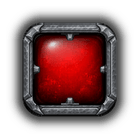
Square Thick
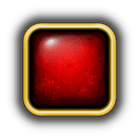
Square Smooth
Place it where you play
Attach points above or below the target nameplate, or move them freely on your screen.
Effects with restraint
Choose separate gain and full-point effects, from subtle glints to animated bursts and slashes.
Profiles at hand
Save favorite setups and switch them from the settings window or the optional minimap button.
Rimless styles
For a cleaner silhouette, use simple circles, colored rune glyphs, crystals, or the five stones of Runeword: Grief.

Minimalist

Runes

Crystals
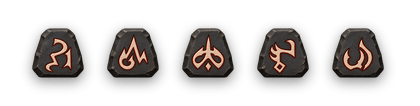
D2 - Runeword: Grief
Open settings with /vcp or /vcp window.
If you enjoy the addon and would like to support my work, you can make a donation.
Valorian's Combo Points Team
