Screenshot_1.png
Screenshot_2.png
Screenshot_3.png
Screenshot_4.png
Description
UtilityHub is an AddOn designed to provide additional functionalities and quality-of-life improvements for trade, mail, profession cooldowns, dailies and more.
Tooltip: Change tooltip texts to something more direct, like "Equip: +23 Spell Power", "Equip: +4 MP5", "Equip: +9 Defense Rating".
Trade: Add new frame at the right side of the trade window that shows information about the person your trading, like name, guild, class, level, race and last whisper to you, so you can more easily know what the person want from you in the trade (or prevent getting scammed by people with similar names).
Trade: Add new frame at the right side of the trade window that shows information about the person your trading, like name, guild, class, level, race and last whisper to you, so you can more easily know what the person want from you in the trade (or prevent getting scammed by people with similar names).
Autobuy: Add items by ID or itemLink and every time you interact with a vendor, it will try to buy the item with the quantity configured the list. If the price is too high for the expansions standards, it will not be bought (like Haris Pilton "Gigantique" Bag - 1.200g). Now can selected quantity and if the character will buy the item (specific character, all characters or per class).
Mail: I could say its the core feature that made me create this addon.
Mail: I could say its the core feature that made me create this addon.
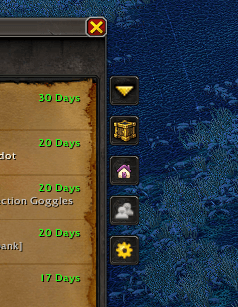
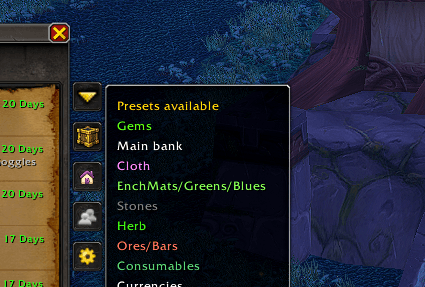
The first button, Presets, enables you to use the presets that can be configured by clicking the last of the buttons, by opening the options from the menu, left click in the minimap icon or typing /UH options. By clicking in the preset, all items not soulbound in your bag will be added to the mail slots until no slots are free, filling the To and Subject fields so you only need to click send!
You have a button with your characters that can be organized by type (Mail/Alt - Bank - Ungrouped) and by clicking the name it changes to the "Send Mail" tab and set the "To" field as the name you clicked.
In the same way as the characters, there is the guild characters button, but its sorted by name and grouped by the first letter. Some special characters are changed to its "similar" form, like Ð is considered like a D, but it will always be in the bottom of the group.
The presets can be created in the options as said earlier and you can configure one by adding items by their "group" using the Item groups list, adding each item manually and excluding them manually. Ex: you can add "Potions: Health" group but you don't want the strongest potion in your back to be deposited because you use, so you add that pot itemLink/id to the Manual exclusions list. Dont forget to click "Save" at the end.
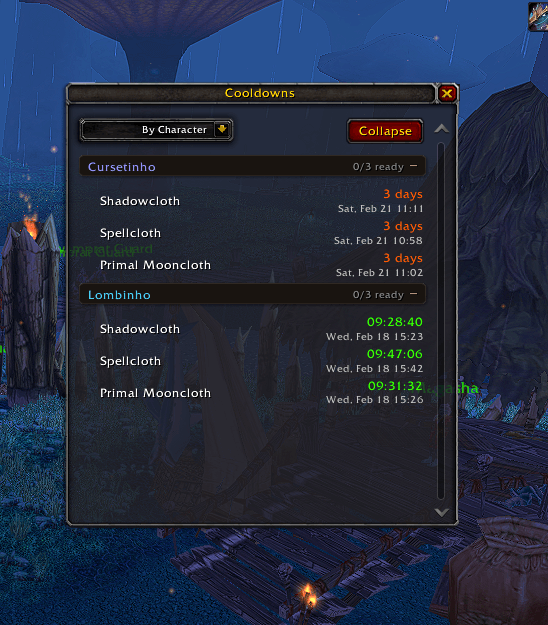
Cooldowns: It tracks the cooldowns of all you characters and change the minimap icon when one cooldown is ready. By right clicking the icon, a frame will open with a list of all your cooldowns (need to log into every character for them to be tracked), with a remaining timer or the word Ready.
The presets can be created in the options as said earlier and you can configure one by adding items by their "group" using the Item groups list, adding each item manually and excluding them manually. Ex: you can add "Potions: Health" group but you don't want the strongest potion in your back to be deposited because you use, so you add that pot itemLink/id to the Manual exclusions list. Dont forget to click "Save" at the end.
Cooldowns: It tracks the cooldowns of all you characters and change the minimap icon when one cooldown is ready. By right clicking the icon, a frame will open with a list of all your cooldowns (need to log into every character for them to be tracked), with a remaining timer or the word Ready.
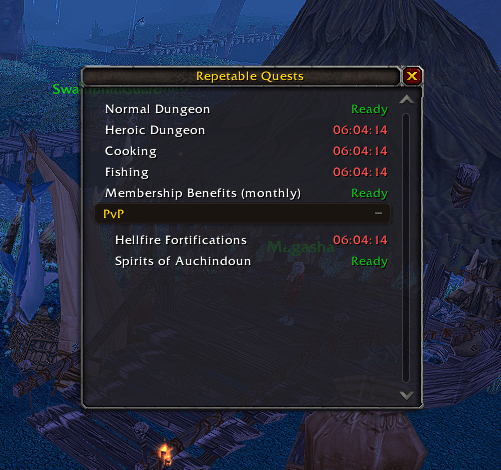
DailyQuests: If you have the requirements for the quest, it should show in the list by Shift+Right Click the minimap button. For example, it will only show Ogri'la dailies if you have completed the requirements.
Integrations: Add new features to other addons.
- Baganator + Dejunk: Create a new junk detection that can be selected in the Baganator config that will consider conjured items as junk, so when sorting, the conjured items will not be grouped with permanent items. The trash icon will show, for me, it doesn't matter.
- Baganator + Dejunk: Create a new junk detection that can be selected in the Baganator config that will consider conjured items as junk, so when sorting, the conjured items will not be grouped with permanent items. The trash icon will show, for me, it doesn't matter.
- TSM: Mail buttons show with the TSM Mail.
UtilityHub Team