Uprank Forever
- By
Marks action bar buttons that still hold an old spell rank with an orange badge. Click to upgrade one, Shift-click for all, or use the window with an ignore list for downranked spells. No auto-replace, combat safe. For WoW Forever.
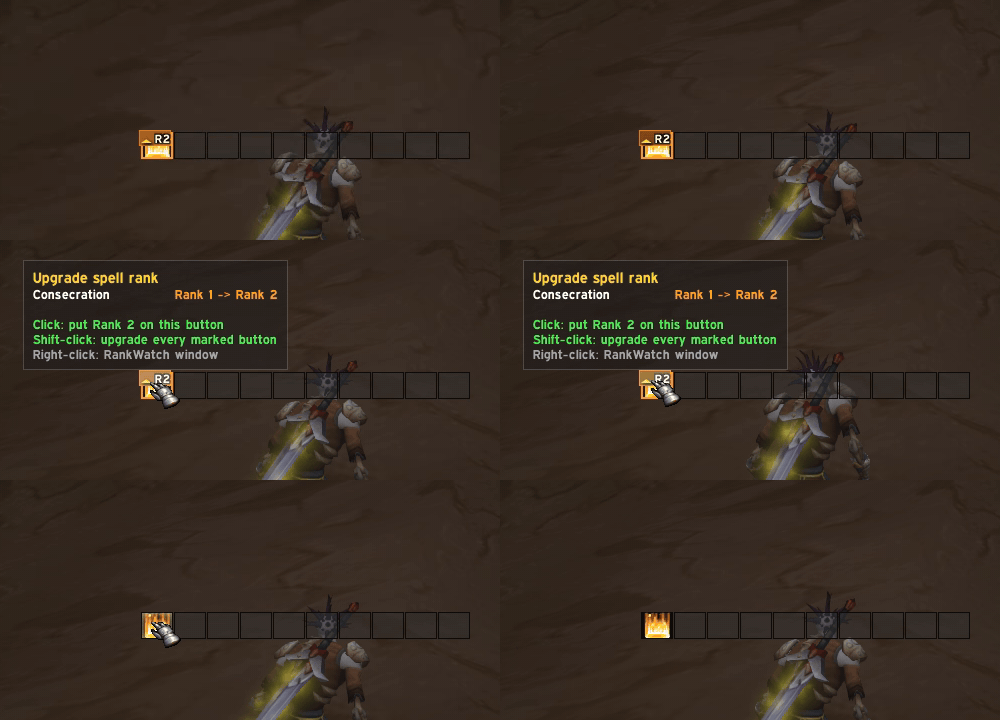
image-1791294344655.gif
Description
Never cast Rank 1 by accident again
You trained a new rank, but your action bar still holds the old one, and you only notice when your Consecration hits like a wet noodle. Uprank watches your action bars and shows you which buttons are out of date. You can fix them with a single click.
Features
• Orange outline on outdated buttons. Any button that holds a lower rank than the highest one you know gets an orange border and a small pulsing upgrade badge showing the new rank (e.g. ↑ R3).
• One click to upgrade.
– Click the badge: that button gets your highest rank.
– Shift-click the badge: every marked button is upgraded at once.
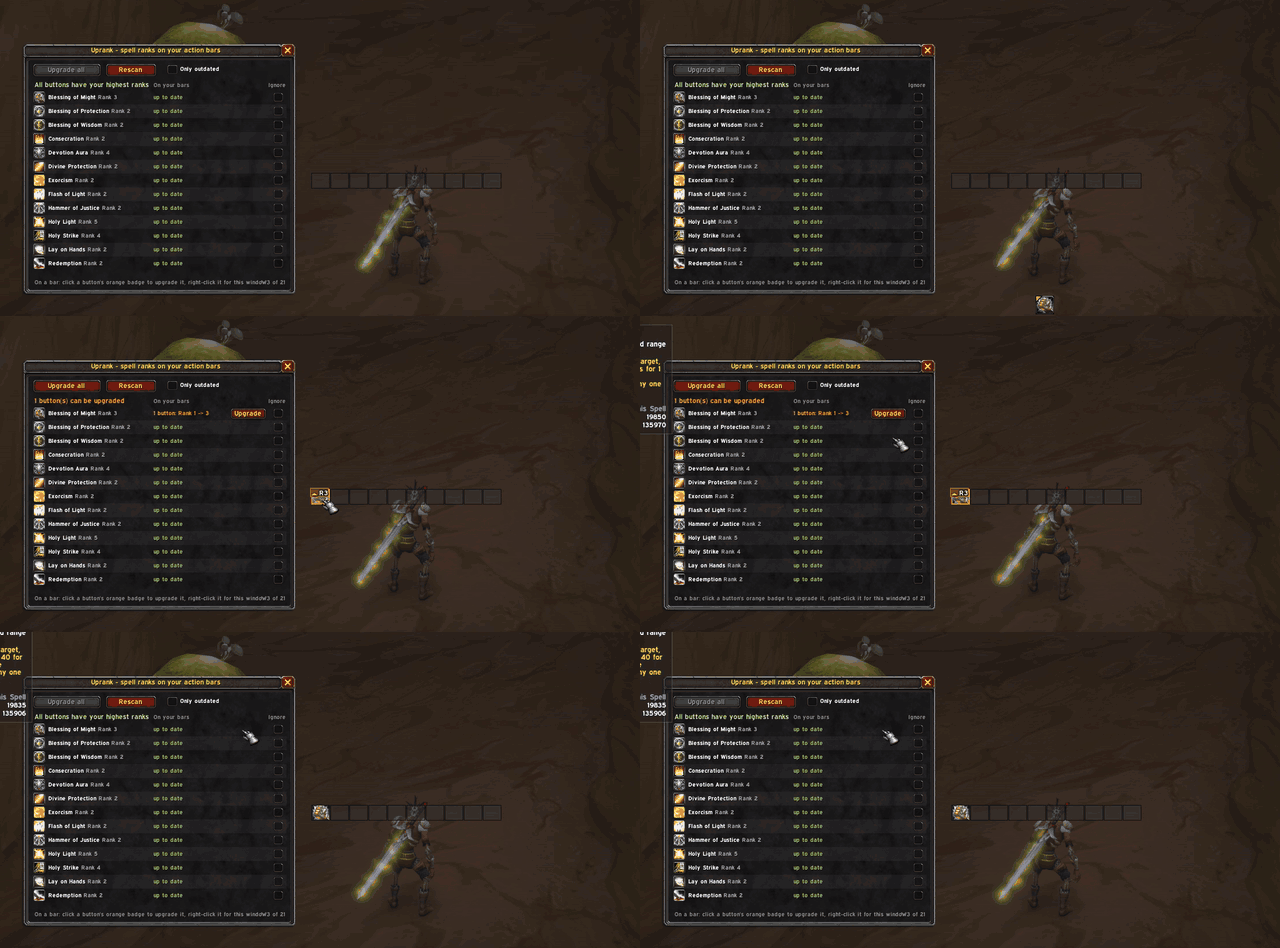
– Right-click the badge: opens the Uprank window.
– The button itself still casts as usual. Only the small badge in the corner is clickable.
• You stay in control. Nothing is ever replaced automatically. You decide when to upgrade.
• Uprank window. One overview of every ranked spell in your spellbook:
– the icon, name and highest rank you know,
– how many buttons still hold an older rank (e.g. 2 buttons: Rank 1 -> 3),
– an Upgrade button per spell, plus Upgrade all and Rescan,
– an Only outdated filter.
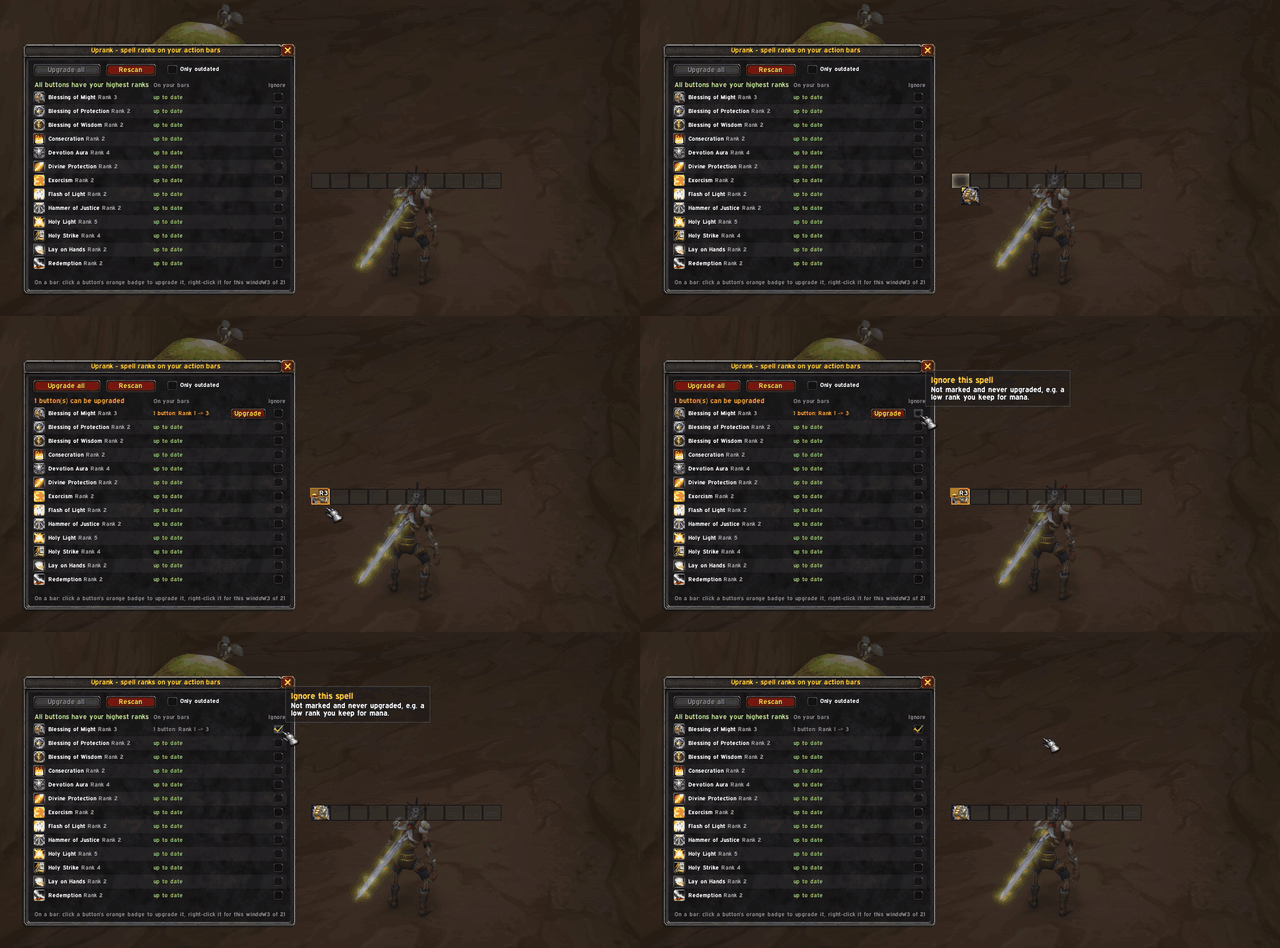
• Ignore list for downranking. Keeping a low rank on purpose to save mana? Tick Ignore next to the spell. It won't be marked or touched by Upgrade all.
• Tooltip hint. Hovering an outdated button adds a line like Rank 3 learned - this button has Rank 1.
• Updates on its own. Re-checks when you learn a new rank, change your bars, switch pages or change forms/stances.
• Combat safe. Action bars can't be changed in combat, so Uprank tells you to click again after combat instead of throwing errors.
Supported action bars
- Default Blizzard action bars, including the extra bars (Bottom Left/Right, Right, Left, bars 5-7)
- Bartender4
- Dominos
How to open
/uprank- Right-click any orange upgrade badge
- Esc → Options → AddOns → Uprank → Open Uprank
The window can be dragged by its title bar and closes with Esc.
Slash commands
| Command | What it does |
|---|---|
/uprank |
Open / close the window |
/uprank fix |
Upgrade every outdated button |
/uprank list |
List outdated buttons in chat |
/uprank ignore <Spell Name> |
Toggle ignoring a spell (e.g. /uprank ignore Holy Light) |
Notes
- Made for WoW Forever, where spells still have ranks.
- Upgrading only works out of combat and with an empty cursor, the same rules as dragging a spell yourself.
- Found a bug or a bar addon that isn't supported? Leave a comment with the addon name and I'll take a look.
Uprank Forever Team