
Upgrades Made Easy
- By
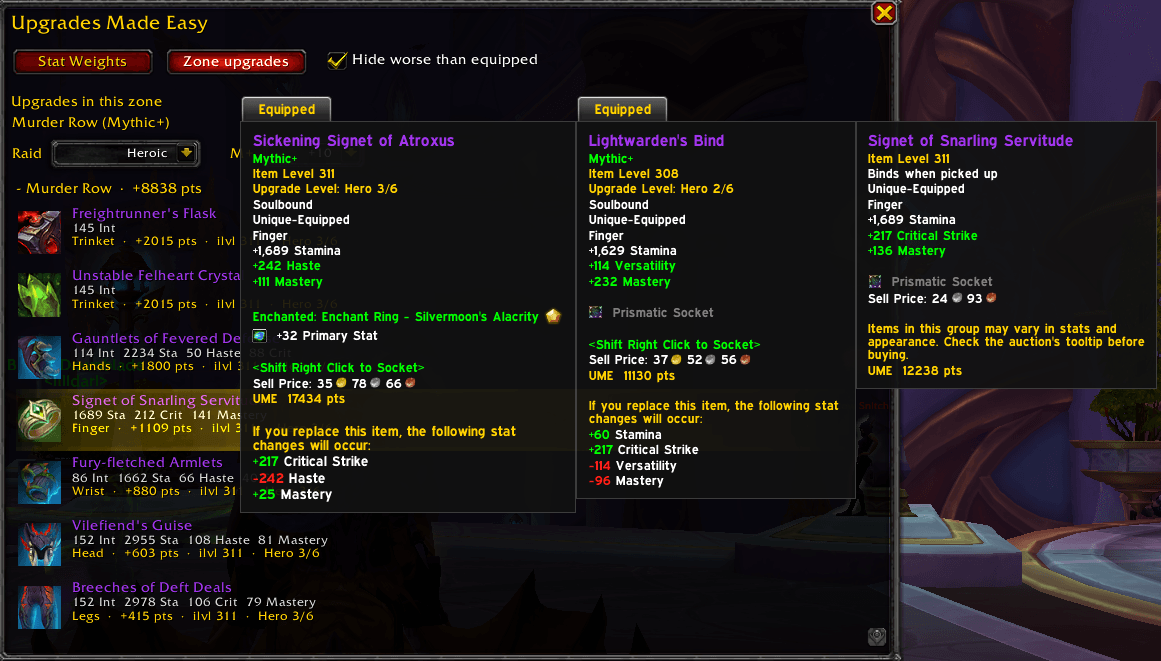
View upgrades for your specific spec by dungeon
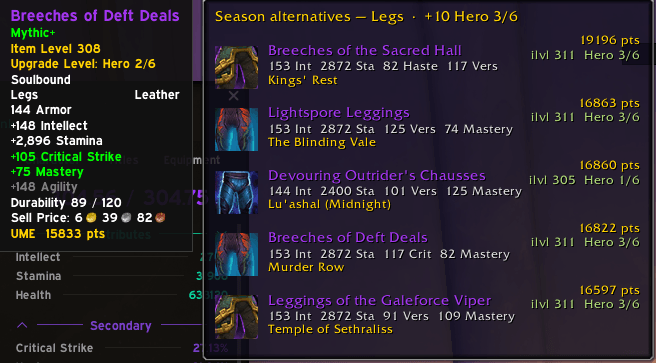
View possible upgrades per-slot by hovering over an equipped item or an item in your bags, where they drop from and their stats.
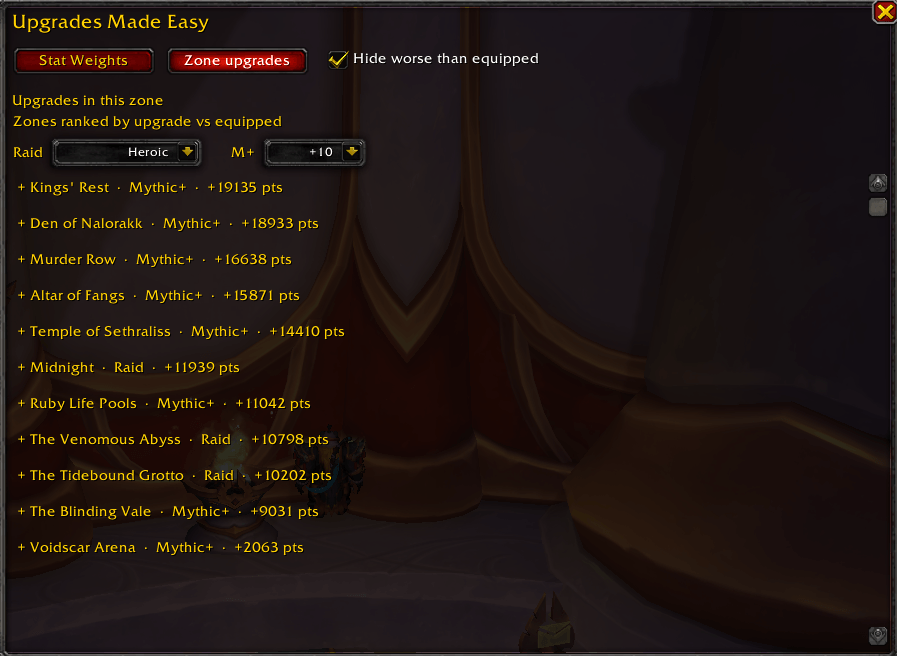
View Potential Gains by Dungeon/Raid
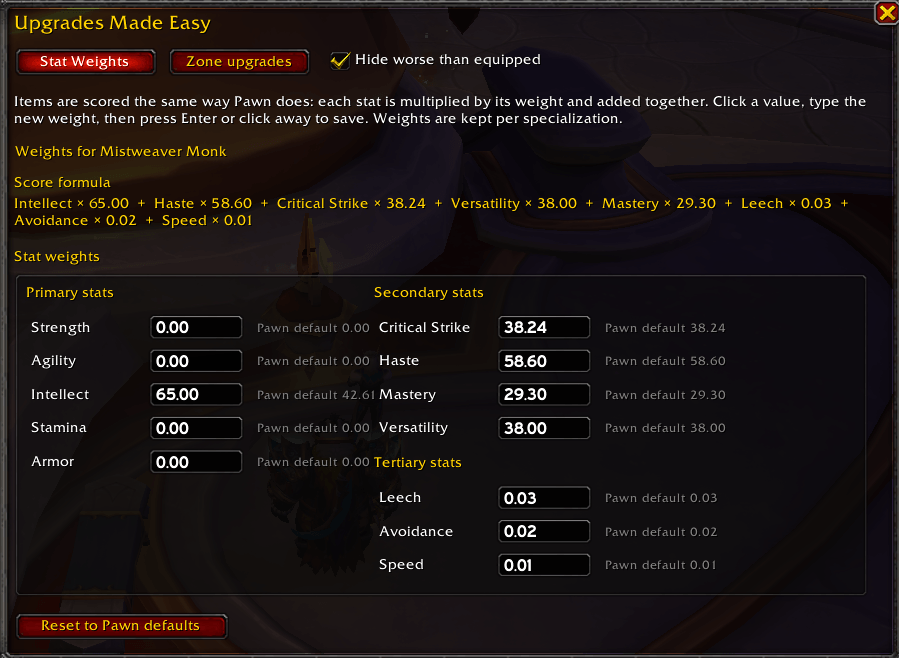
Set Custom Weights for Each Stat
Description
Upgrades Made Easy scores equippable gear the same way a stat-weight addon does: each stat is multiplied by the weight you set, and those values are added together. Weights are saved per character and per specialization. The window opens with Pawn-style defaults for your spec. Change any weight and the scores update immediately. You can reset a spec back to those defaults at any time.
Hover a piece of gear in your bags and the tooltip shows that item’s score. Equipped pieces show their score too. A season-alternatives panel lists current-season raid and Mythic+ options for that slot, sorted by score. Turn on Hide worse than equipped to keep the list to pieces that beat what you are wearing. The same filter applies on the Zone upgrades tab.
Zone upgrades ranks the season’s raids and dungeons by how much they can improve your current gear. Open it inside a raid or dungeon and it narrows to loot from that place. Raid difficulty (LFG, Normal, Heroic, Mythic) and Mythic+ level (+2 through +10) are dropdowns. Until you pick one, raid difficulty starts from the raid you are in, or Heroic if you are not in a raid. Mythic+ level starts from your current rating, capped at +10. Changing either dropdown updates item levels, upgrade tracks, and points.
Item names are colored by upgrade track: Champion, Hero, and Myth in purple, Veteran and below in blue. A drop of an item you already have equipped stays hidden, unless the drop is on a better track than the one you are wearing.
Open the window with /ume, the minimap button, or the addon-compartment button. Drag the window to move it. Drag the minimap button to place it. Press Escape or run /ume again to close it.
Upgrades Made Easy Team
