Upgrade Scout - Auction House Gear Upgrades
- By
Finds gear upgrades on the auction house that you can equip and afford.
v2-6-0-cover.png
v2-6-0-1-scan.png
v2-6-0-2-buy.png
v2-6-0-3-consumables.png
v2-6-0-4-tooltip.png
v2-6-0-11-pawn.png
Description
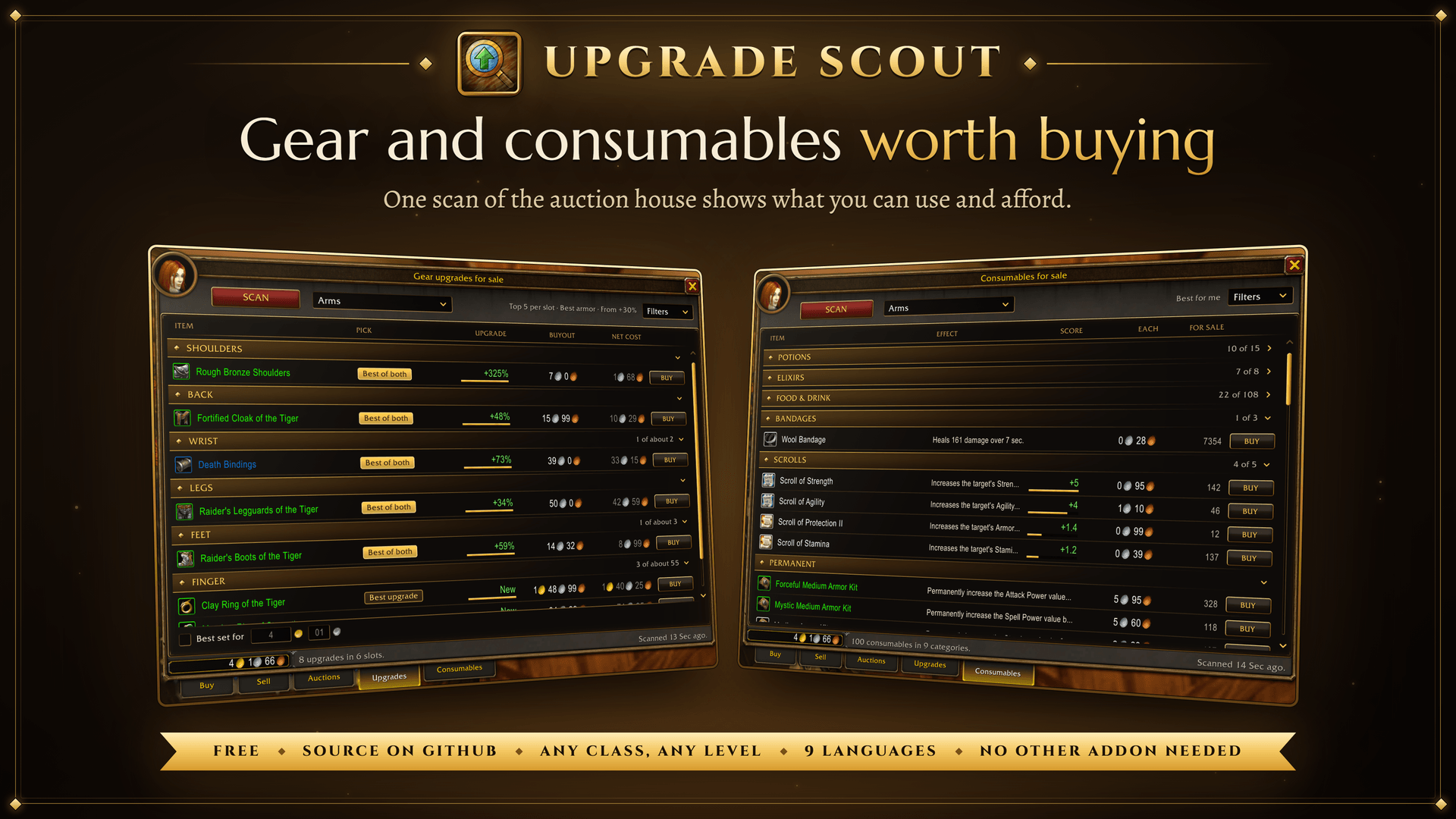
Finds the gear upgrades and consumables on the auction house that you can use and afford.
Open the auction house, press Scan and see what is worth buying. It works right after you install it. No other addon is needed.
All the details
Gear: the Upgrades tab
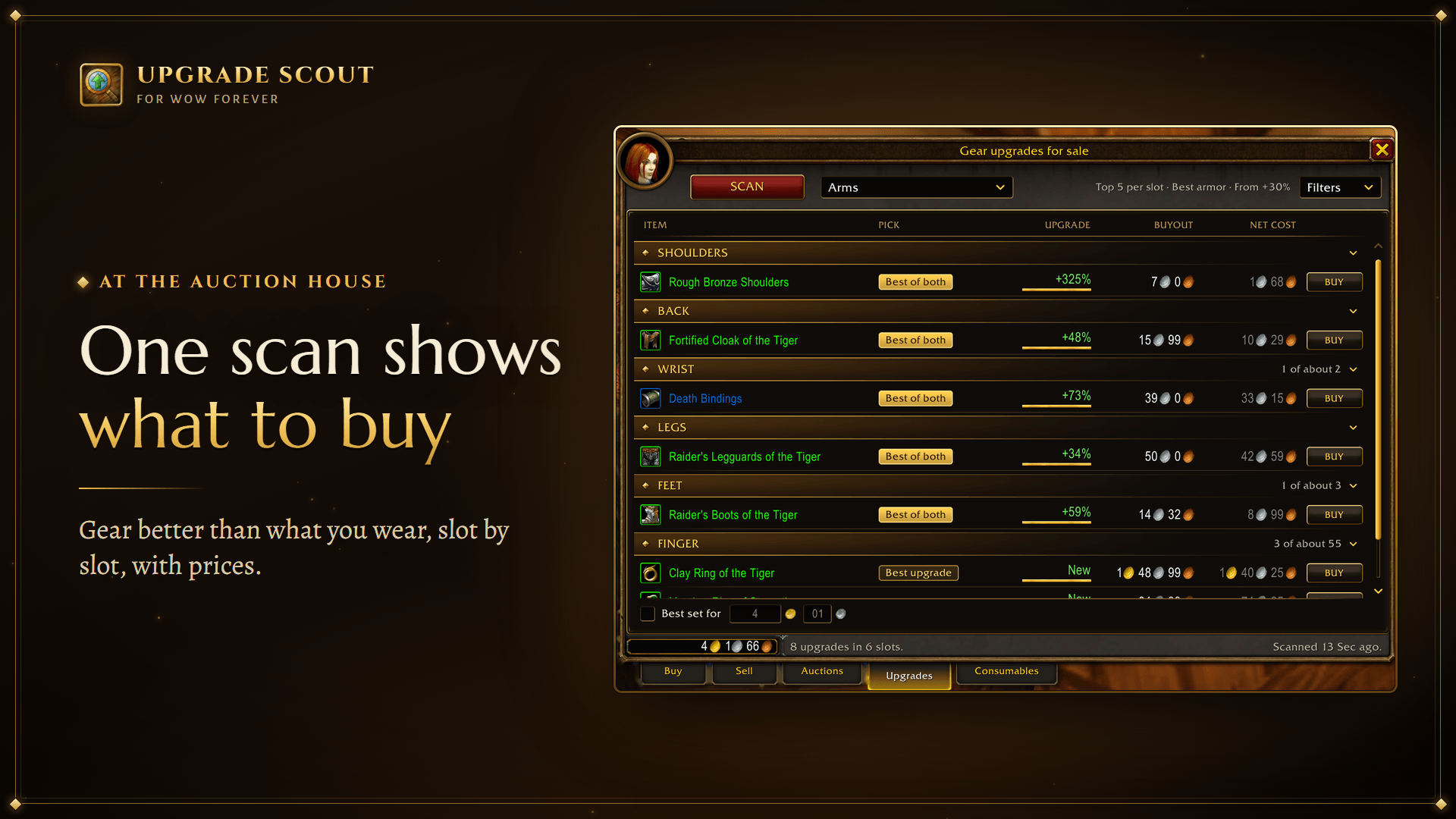
- Open the auction house, click the Upgrades tab and press Scan. You get a list of gear that is better than what you wear, slot by slot, with prices. Press Buy on the one you want.
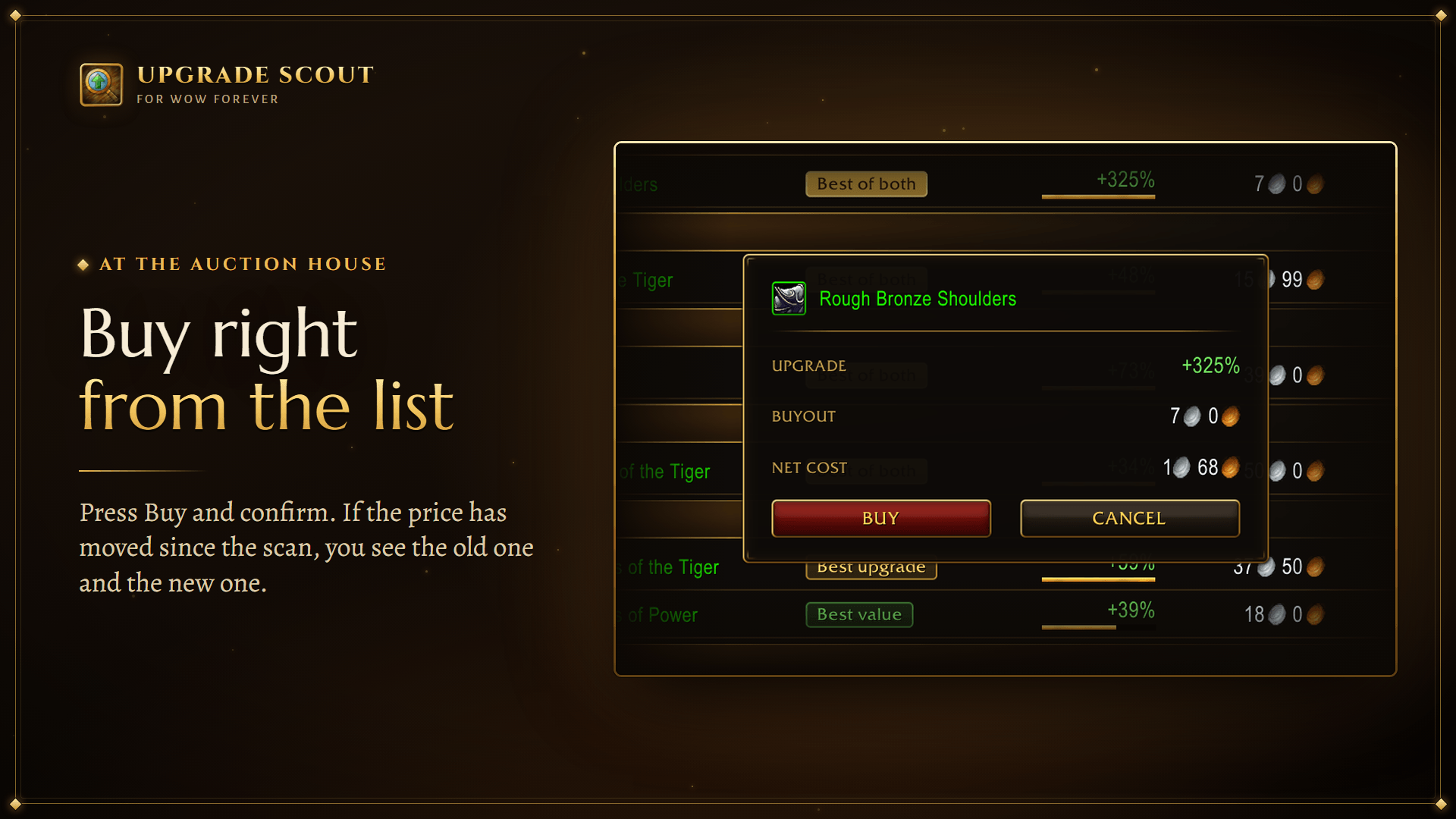
- Buy asks before it pays: a box shows the gain, the buyout and the net cost. If the price has changed since the scan, the box shows the old price and the new price. If someone else bought the item, the box shows the next price, or says that it is no longer for sale.
- The scan shows only what you can equip right now.
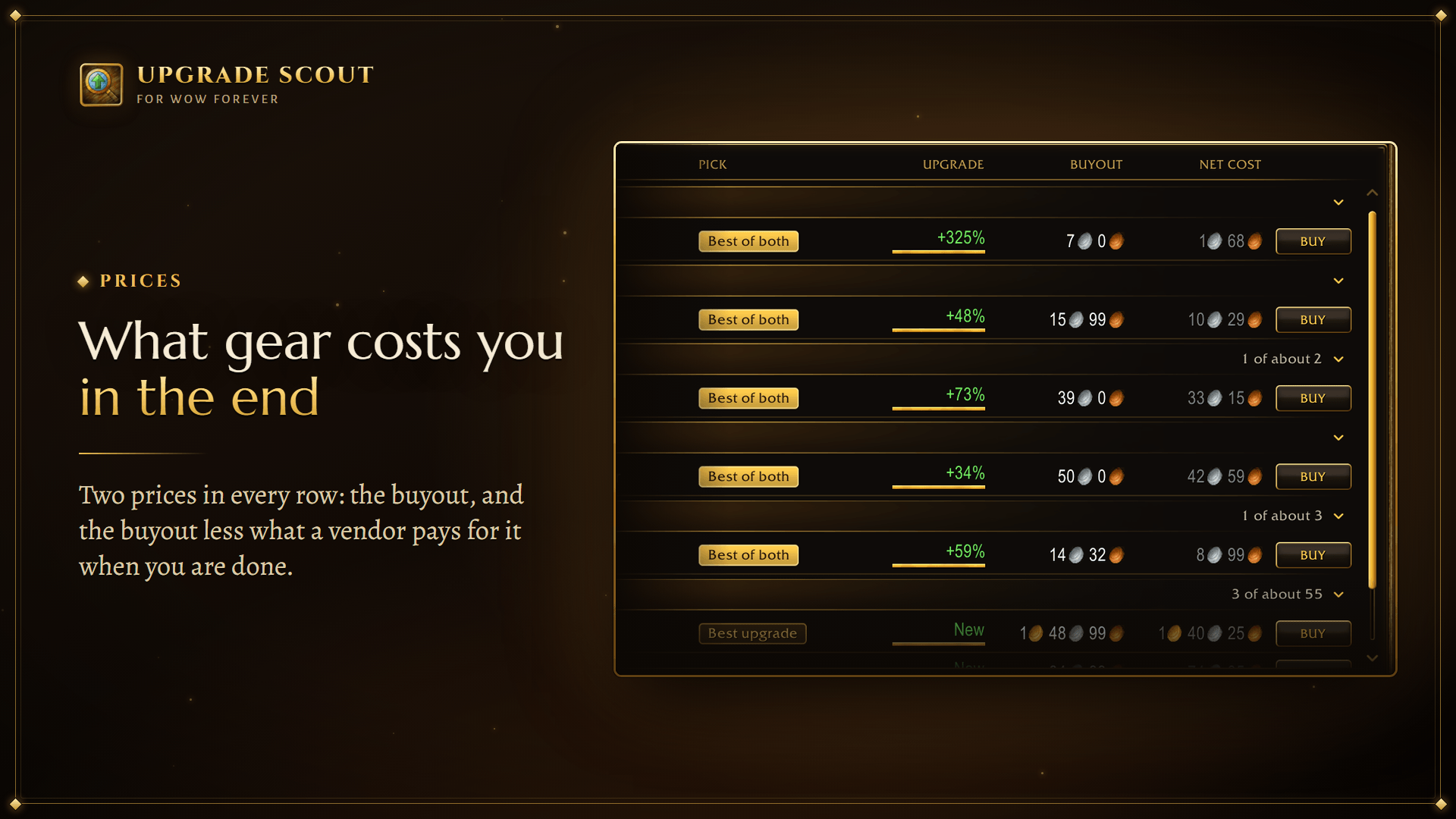
- Upgrade is how much better an item is than the one it replaces, in percent. New means the slot is empty.
- Marks two items in every slot: the Best upgrade is the strongest, the Best value is the cheapest per point of improvement. One item can be both.
- Every row has two prices: the Buyout and the Net cost, what the item costs you in the end. That is the buyout less what a vendor pays for it when you are done with it. Bought for 4 silver and sold for 3, it cost you 1.
- Best set for picks the upgrades that give the most together for your gold, or for a sum you type.
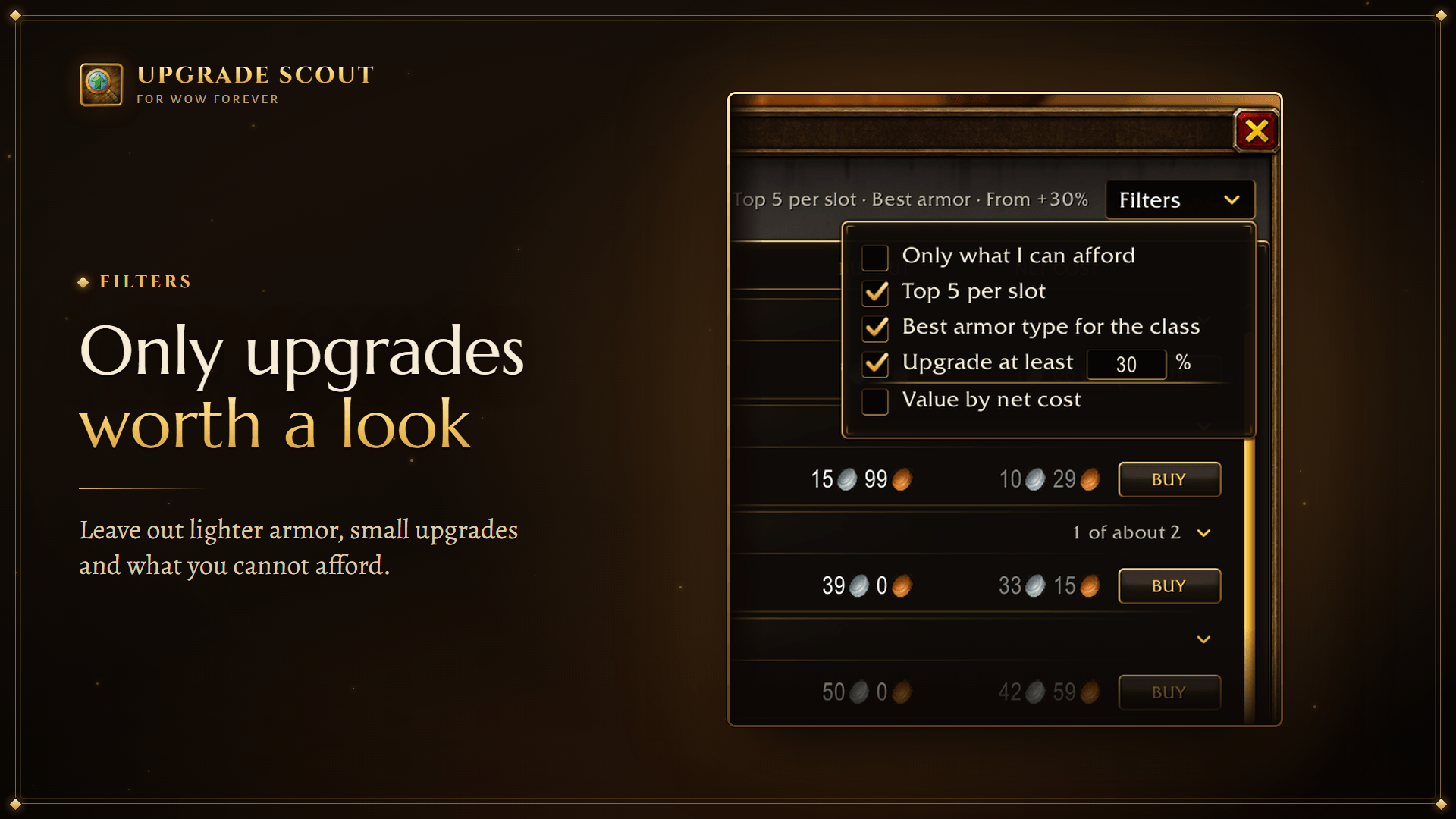
- The Filters menu narrows the list. Only what I can afford leaves out what costs more than your gold.
- Buyout up to leaves out items that cost more than the sum you type: the Best upgrade in each slot is then the best one for that price. Each character has its own sum.
- Top 5 per slot keeps the list short. Turn it off to see every upgrade; checking all their prices then takes longer, up to a few minutes on a busy auction house.
- Best armor type for the class leaves out armor lighter than the heaviest your character wears. Cloaks, rings, weapons and shields stay.
- Upgrade at least leaves out upgrades smaller than the percent you type. An item for an empty slot always stays. Each character has its own box and its own number.
- Value by net cost has Best value go by the net cost, not the buyout. What you can afford, and Best set for, still go by the buyout: that is what you pay.
- Prices are buyouts. Auctions that only take bids are skipped.
- The list appears before the prices are checked. A dimmed price is the lowest among the item's auctions and may turn out to be a bid: once checked, it turns bright. You can buy right away: the price is checked before any purchase.
- A yellow
*after a name means the item has effects the score does not count, such as procs.
Consumables: the Consumables tab
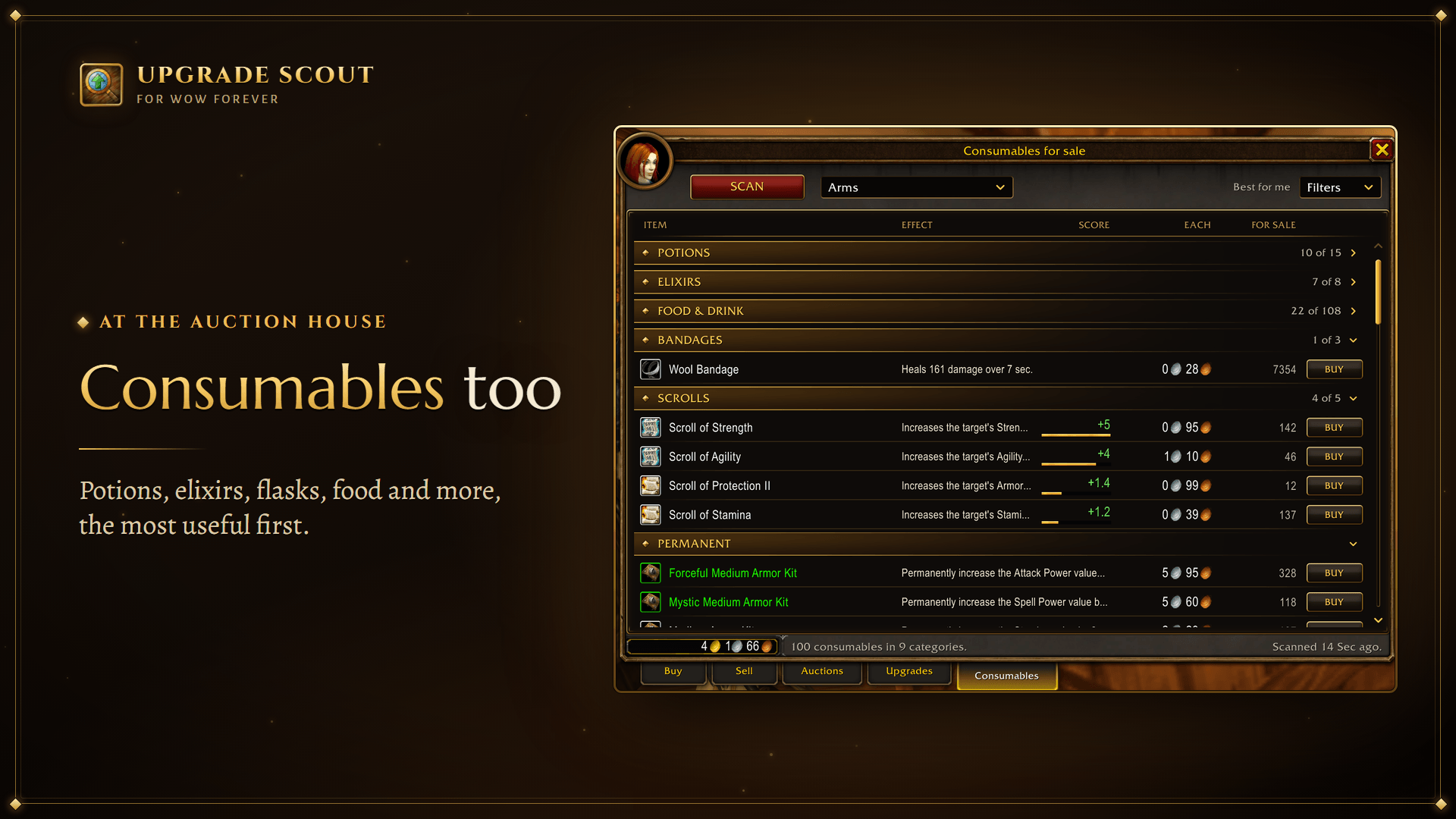
- Lists the potions, elixirs, flasks, food and oils that add to your character, the most useful first.
- The score is what a consumable adds on your profile. Best for me keeps one of each kind: the one that gives you the most, at its lowest price.
- Everything I can use in the Filters menu adds what has no score: plain food and drink, healing and mana potions, bandages. No weight puts a number on "restores 700 health".
Tooltips and bags
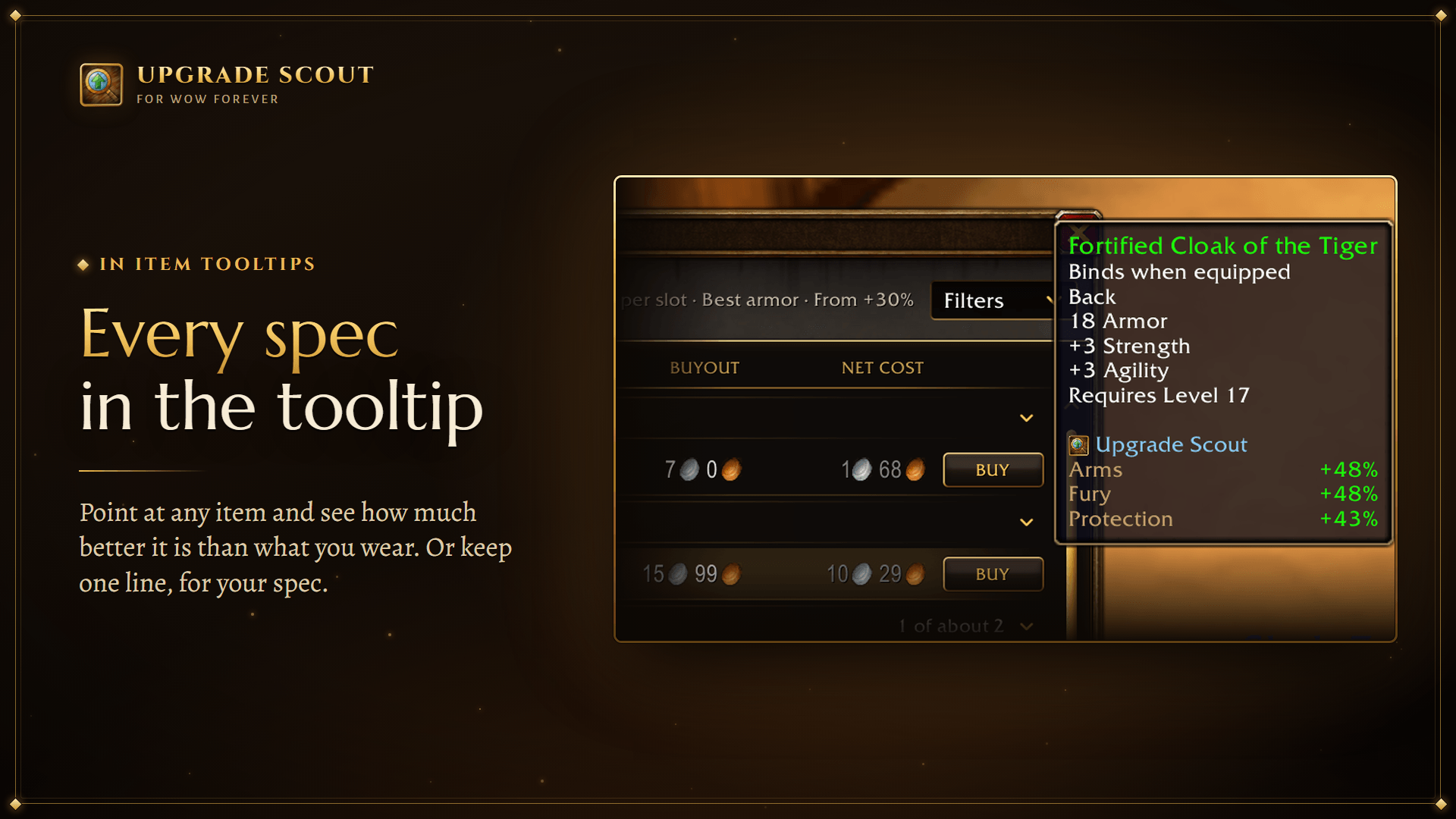
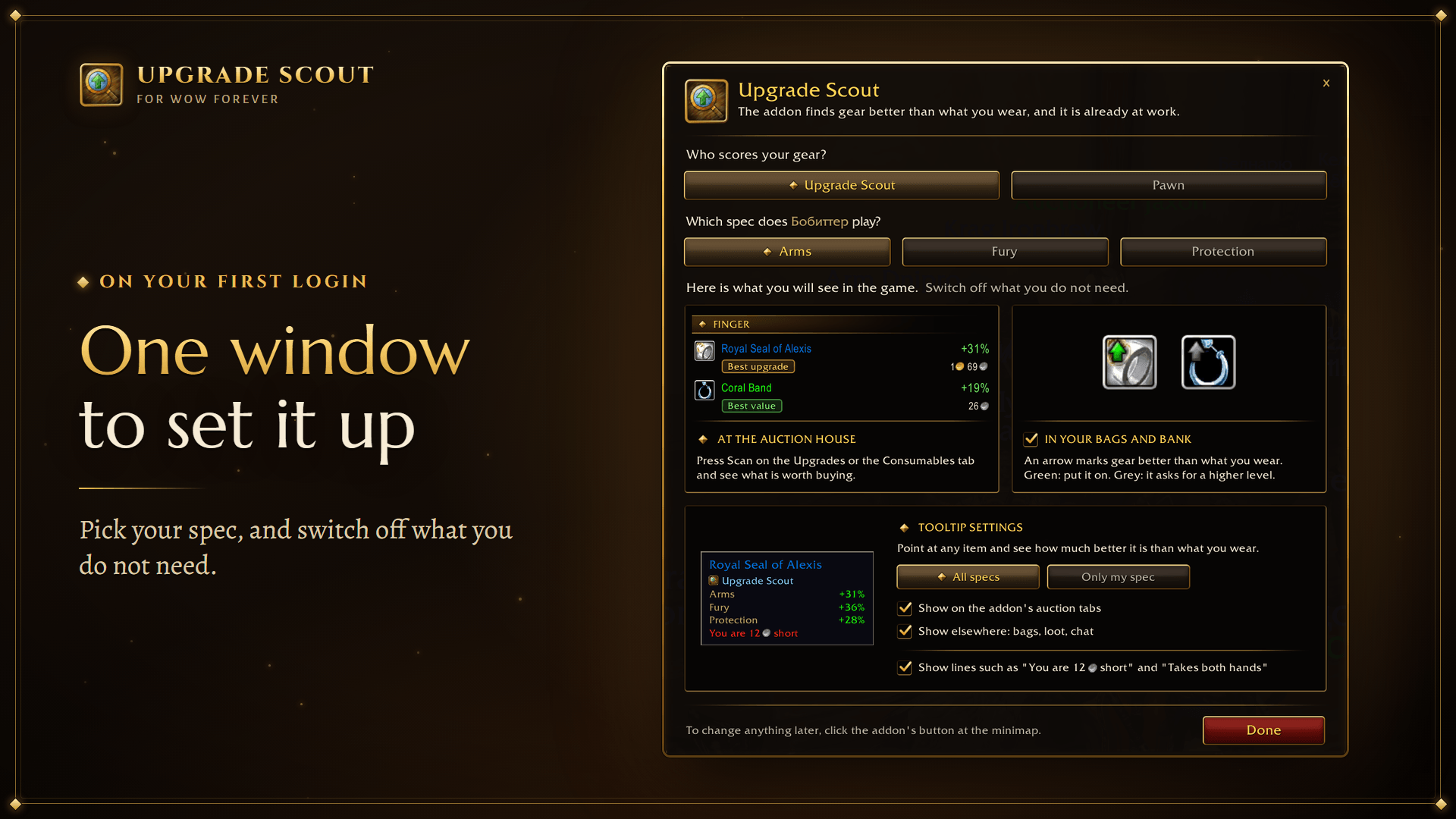
- Any item's tooltip shows how much better it is than what you wear, for every spec of your class, such as Arms, Fury and Protection for a warrior: in your bags, in loot, in a quest reward and in a chat link.
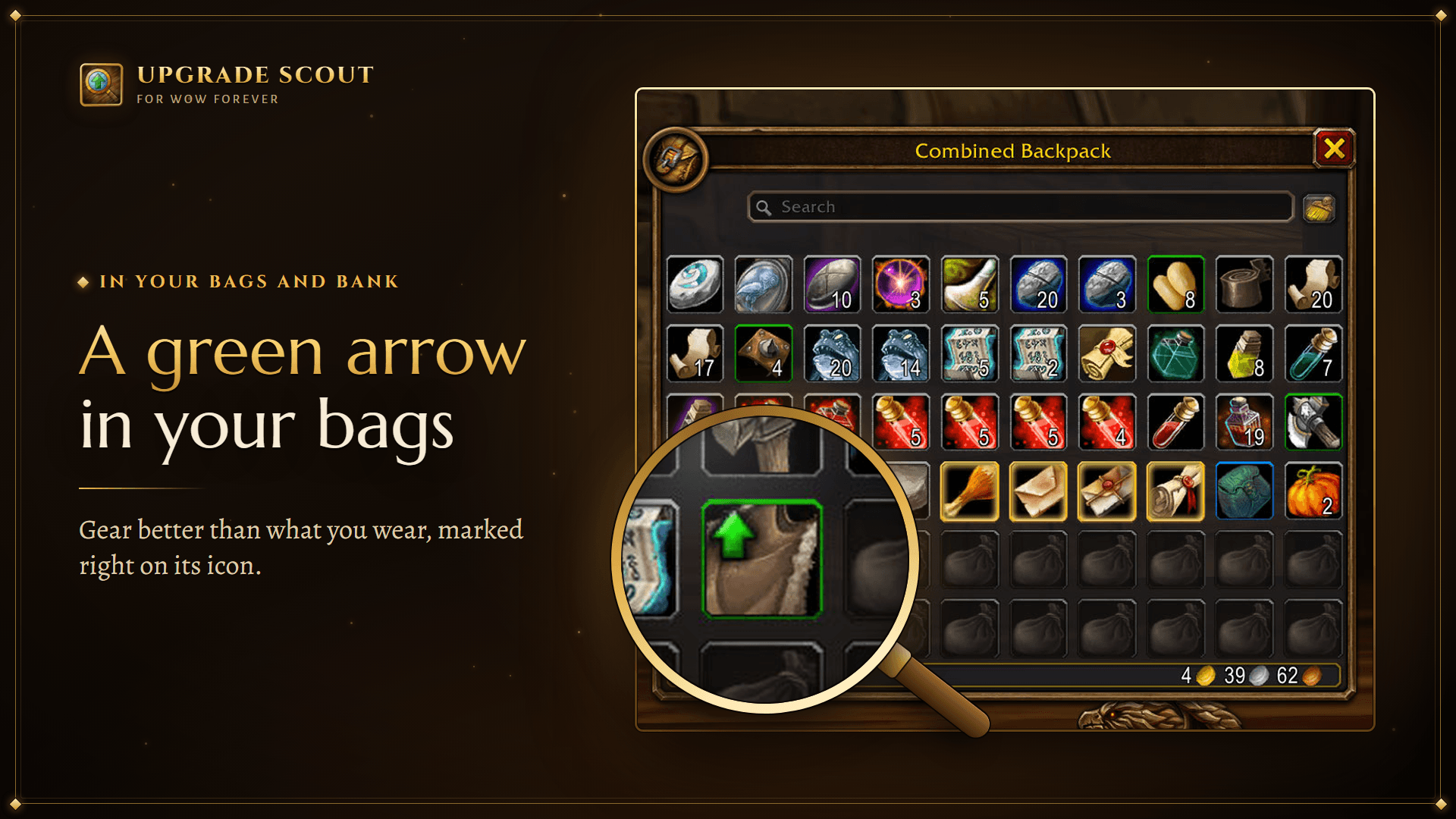
- A green arrow on the icon of an item in your bags or bank means it is an upgrade you can put on now. A grey one: an upgrade once you reach its level.
- In the addon's window, Only my spec keeps one line in the tooltip: the one for the spec you play.
- Two boxes there say where the lines show: on the addon's tabs at the auction house, and elsewhere in the game. Untick both and the addon writes nothing into tooltips.
- The bag arrows can be switched off as well.
Other characters
- Log in to the other character once with the addon installed. The addon saves its gear, level and skills.
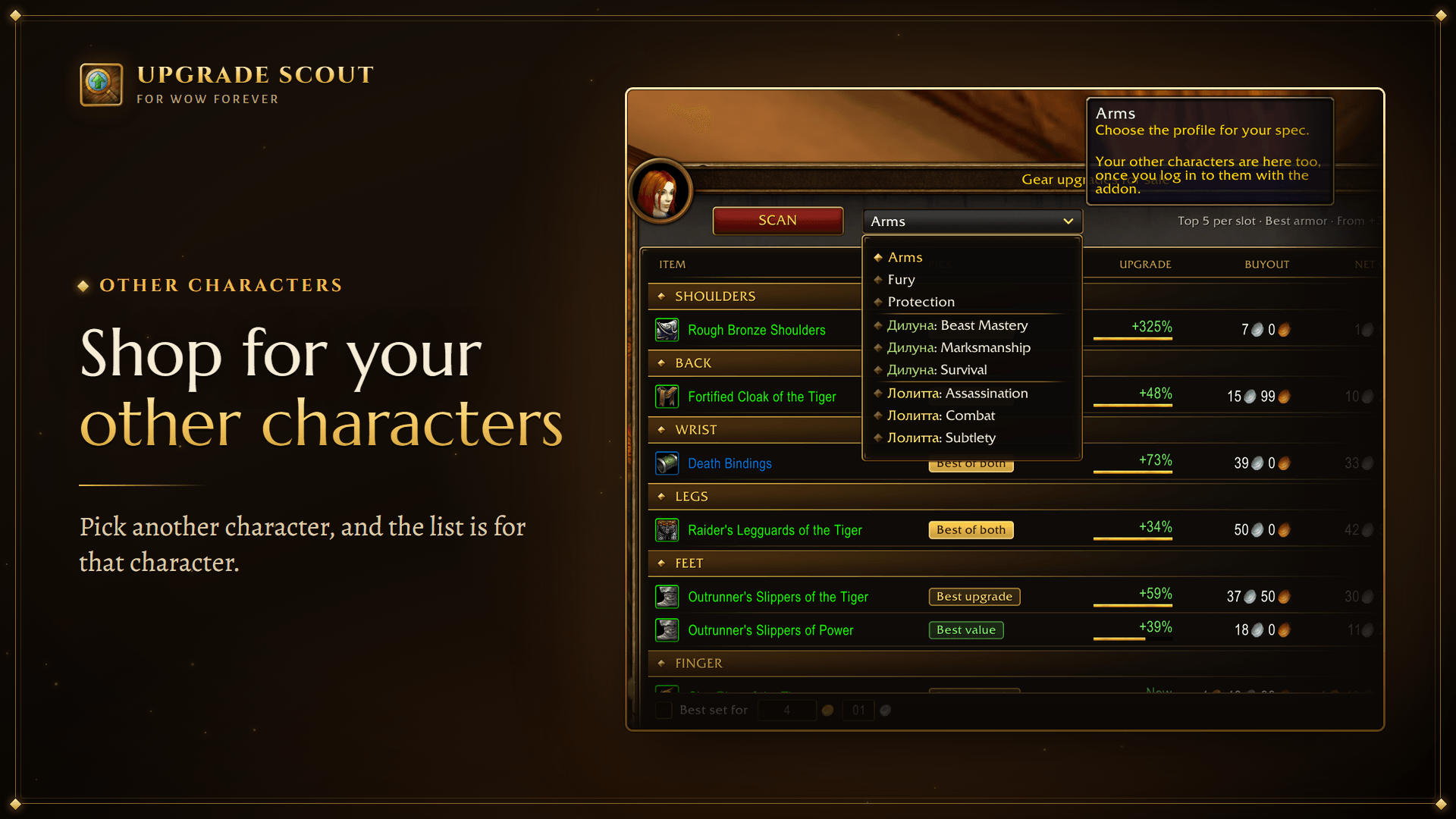
- On the character at the auction house, pick the other character's profile in the Profile dropdown and press Scan. The list is now for that character. The one you are playing still pays.
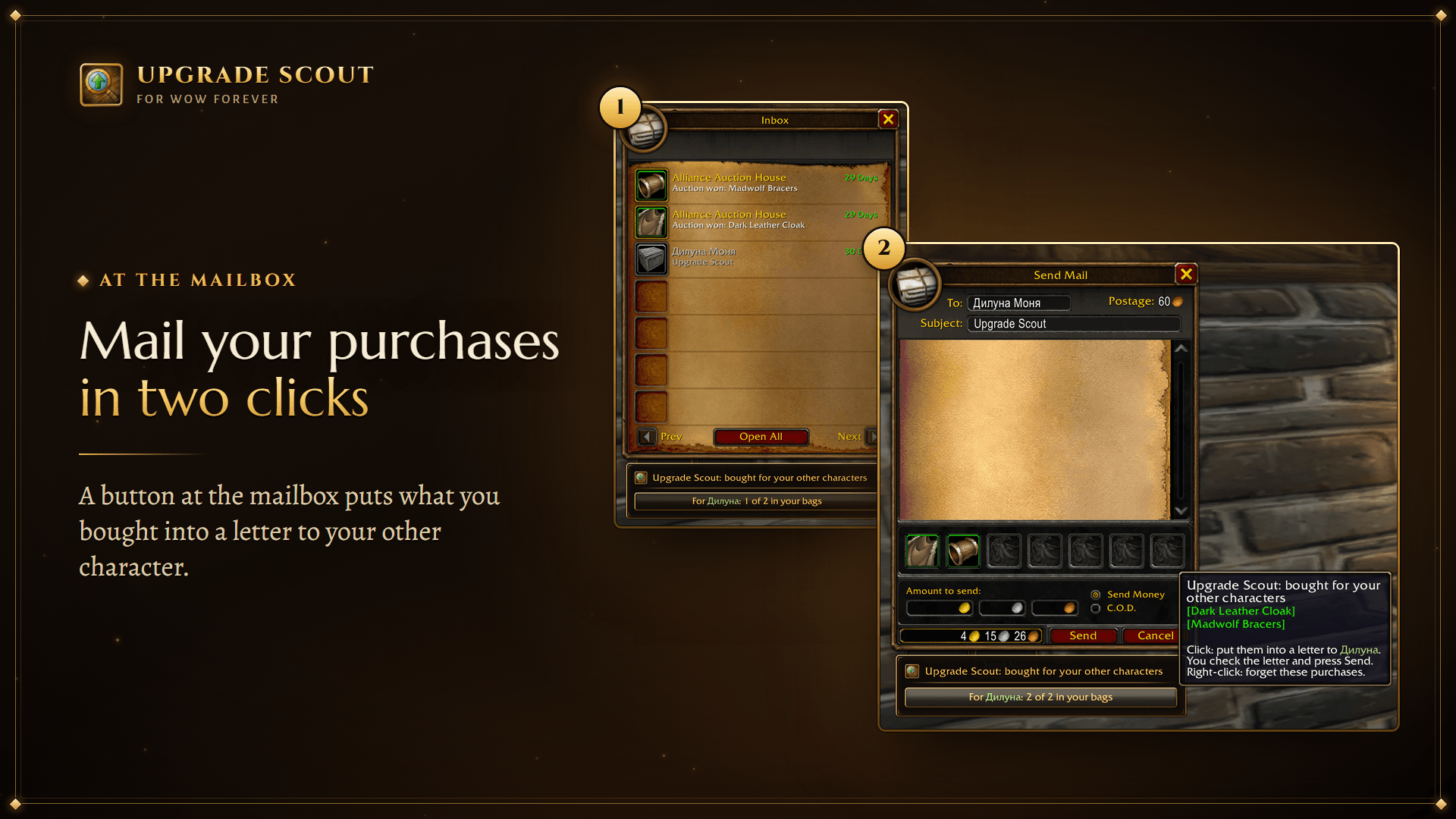
- At a mailbox, take the gear you bought out of the mail. A button under the mail window then puts it into a letter to that character. Consumables you send yourself.
Profiles and scores
- The addon scores gear with its own stat weights for every spec, worked out with the wowsims/forever simulator. No other addon is needed.
- A profile says what each stat is worth for one spec. An item's score is the sum of its stats, each times its weight in the profile.
- The addon starts on the talent tree you have the most points in; you can pick another in the Profile dropdown.
- The weights are for a level 60 character, so they are an approximation. Below 60, hit, crit, haste and expertise count for less, as simulations of leveling characters show. Stamina (except for tanks), and a healer's Intellect, Spirit and mana regeneration, are set by hand. Armor, shield block, defense, dodge and parry count on every profile: against Stamina, as much as they help the simulator's tank. A
~marks a profile whose weights are estimated because no simulation covers its tree yet. /upscout statsand an item shows how the item gets its score, stat by stat.
Settings and commands
- A window on your first login shows what the addon does. There you choose your spec and can switch off the tooltip lines and the bag arrows. The addon's button at the minimap opens it again, and so does
/upscout. /upscout statsshows how long the last scan took./upscout forget Nameremoves a deleted character from the dropdown.
For Pawn users
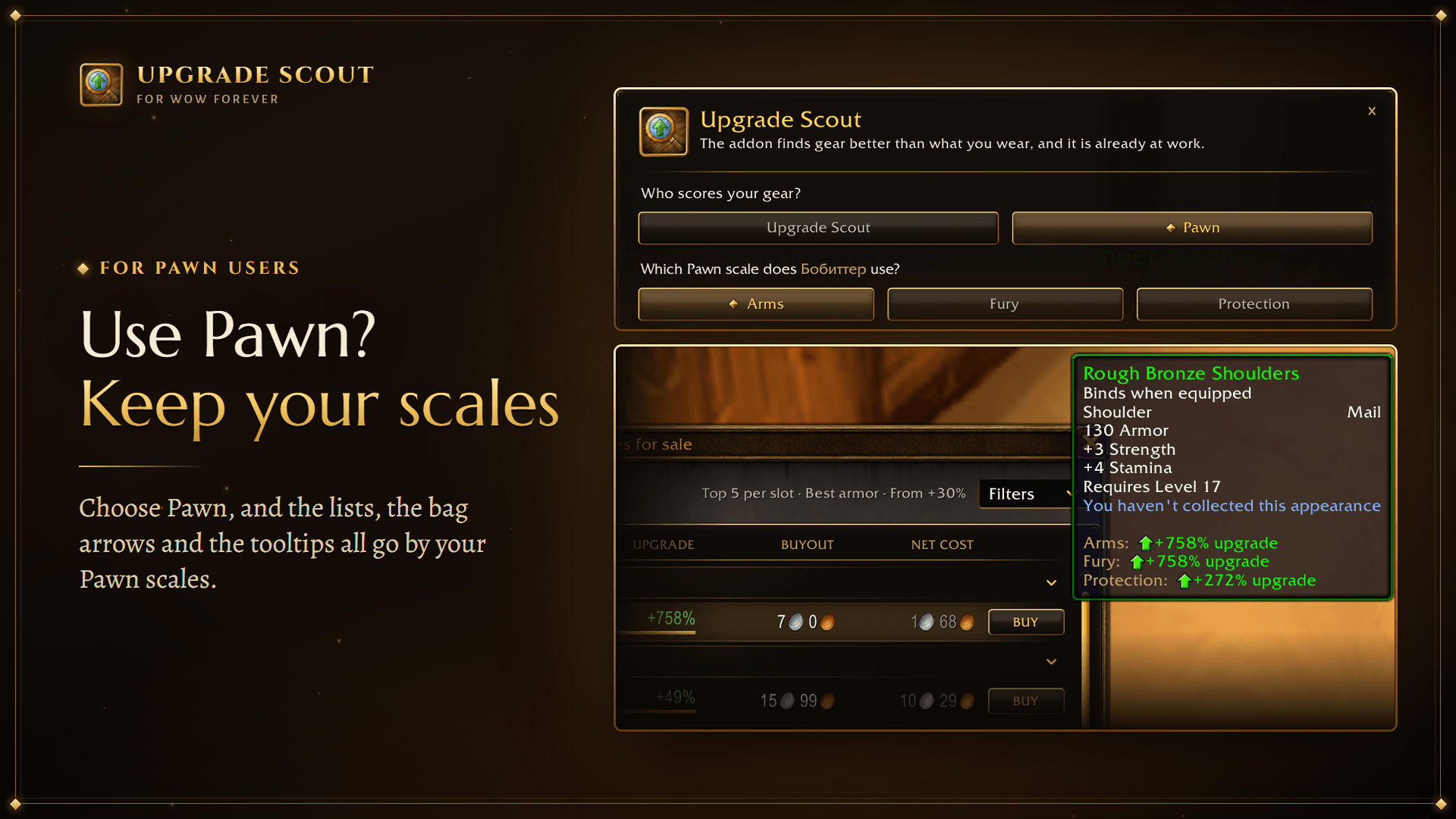
- Use Pawn? In the addon's window, under Who scores your gear?, choose Pawn. Gear is then scored on your Pawn scales, not on the addon's weights.
- Everything goes by them: the lists at the auction house, the bag arrows and the tooltips, where the lines are Pawn's own. The Profile dropdown lists your scales, for your other characters too.
- A list made for another of your characters goes by that character's Pawn scales. Its tooltips have the addon's lines, and they say so: Upgrade Scout (Pawn score).
- The choice is for the whole account. Without Pawn, or with Pawn switched off, the addon scores by its own weights.
For Forever Companion users
- Use Forever Companion? In the addon's window, under Who scores your gear?, choose Forever Companion. Gear is then scored on its gear scales, not on the addon's weights.
- The lists at the auction house go by the scale Forever Companion has in use. The Profile dropdown lists its scales, for your other characters too. Choose another there, and it is chosen in Forever Companion as well.
- The tooltip line and the arrows in your bags are Forever Companion's own, so the addon leaves its own out. Switch either off in Forever Companion's options, and the addon's come back, on its scales.
- A list made for another of your characters has the addon's lines, and they say so: Upgrade Scout (Forever Companion score).
Requirements
- World of Warcraft Forever. No other addon.
- Any class, any level.
- English, Chinese (Simplified and Traditional), German, Russian, French, Spanish, Brazilian Portuguese and Korean.
Upgrade Scout - Auction House Gear Upgrades Team