
UnitFramesLite
- By
A lightweight World of Warcraft addon that provides clean, modern, fully configurable player, target, focus, and pet unit frames including auras, class resources and conditionals.
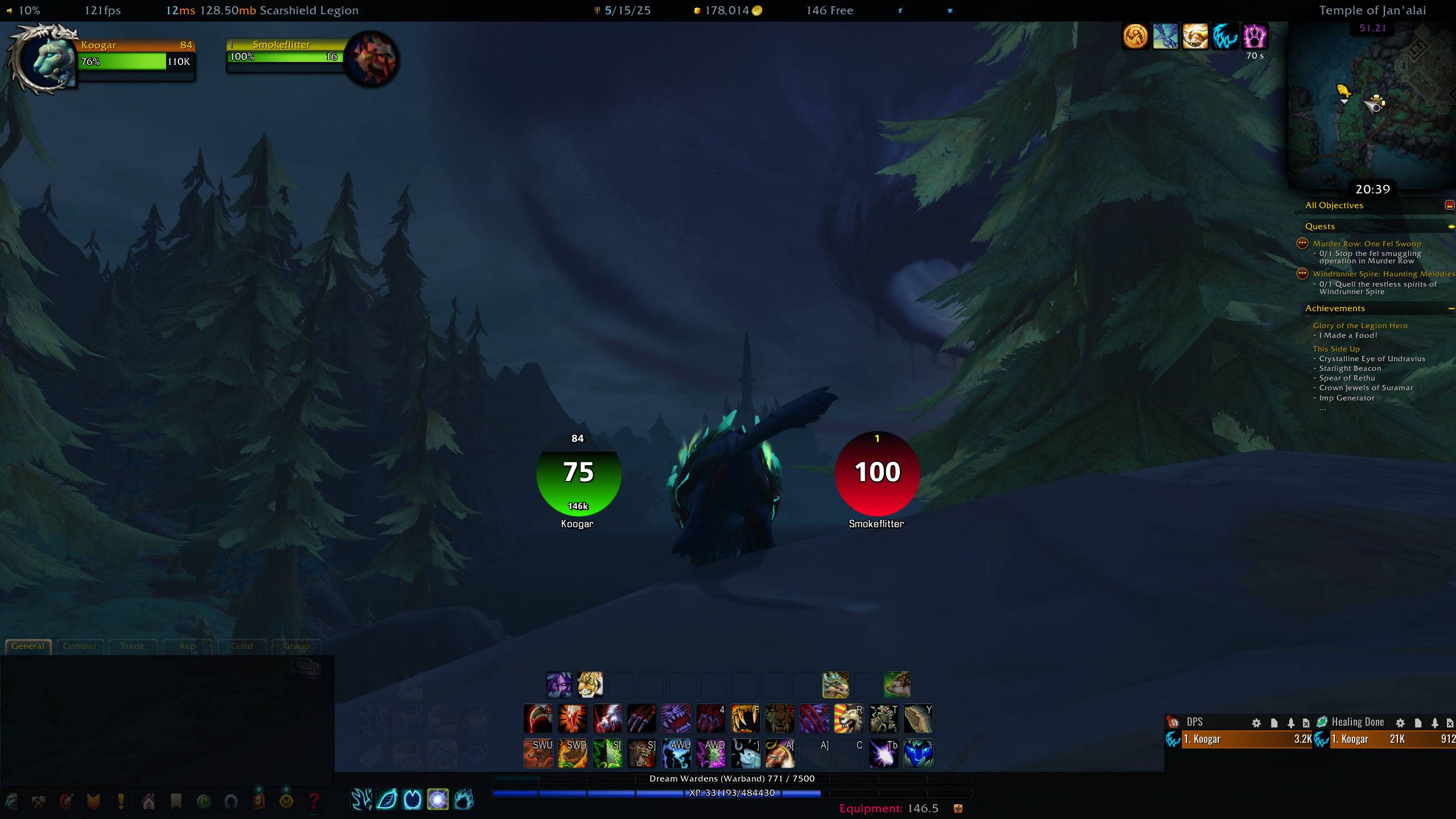
WoWScrnShot_042926_203942.jpg
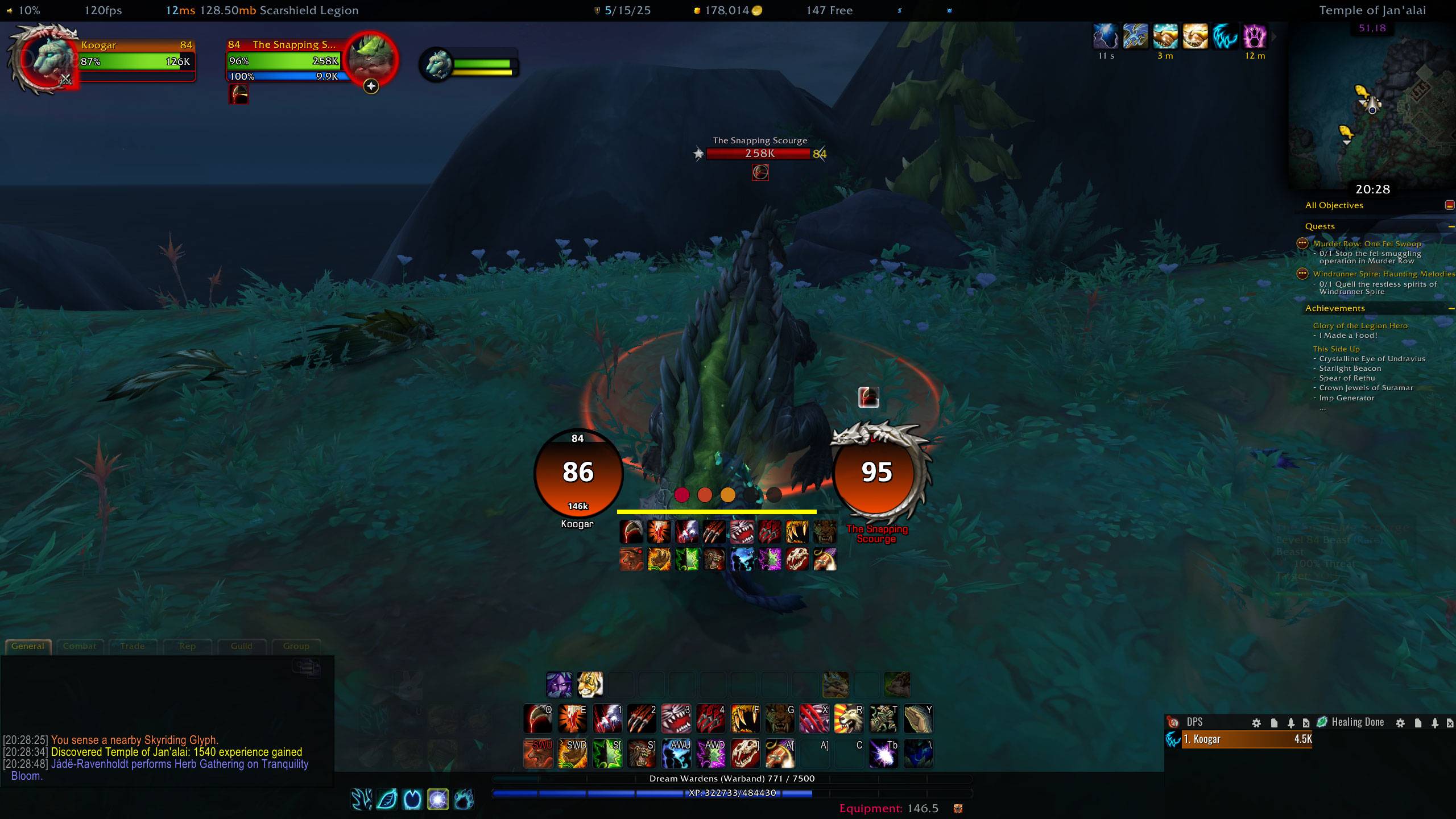
WoWScrnShot_042926_202853.jpg
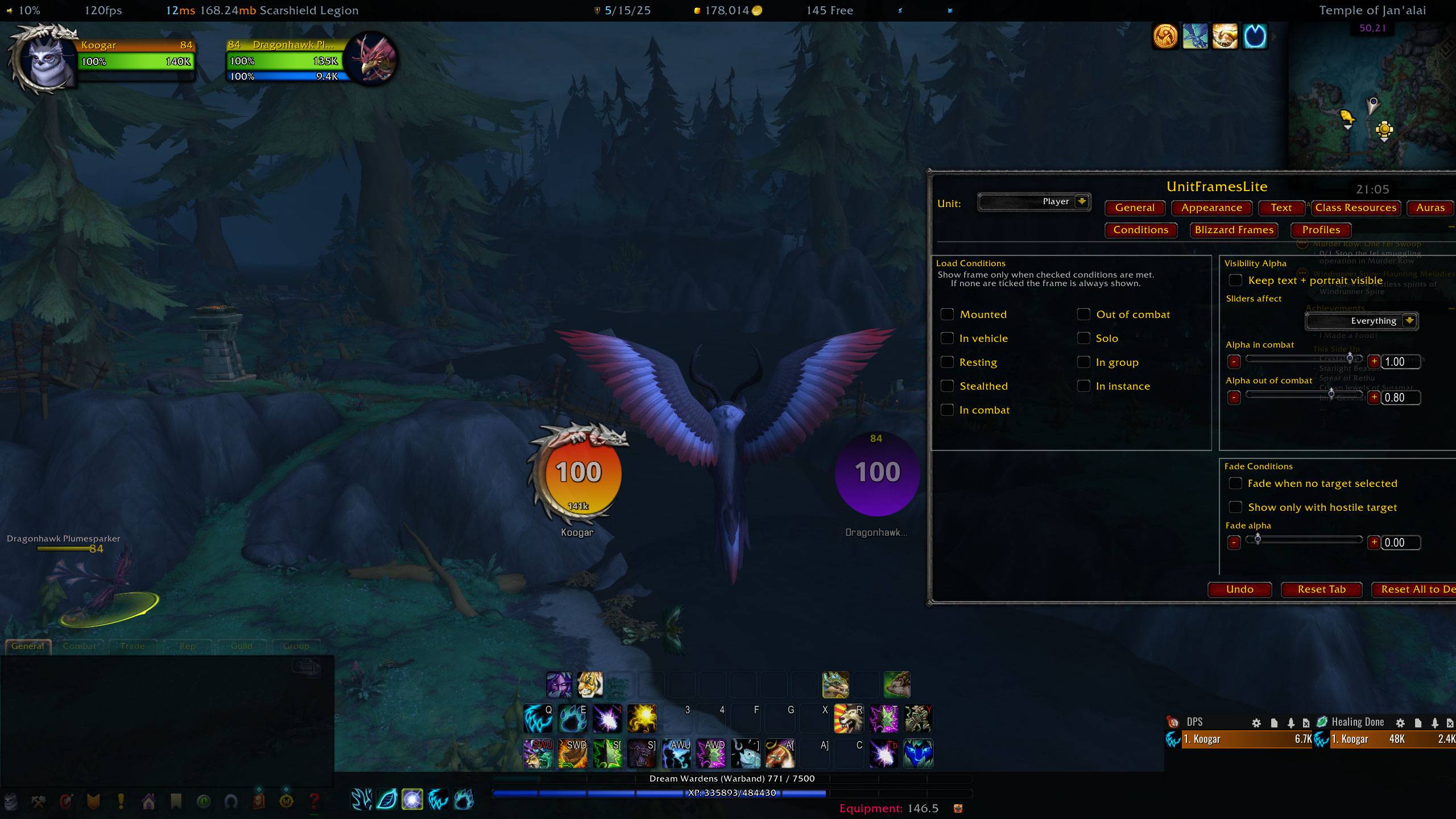
WoWScrnShot_042926_210537.jpg
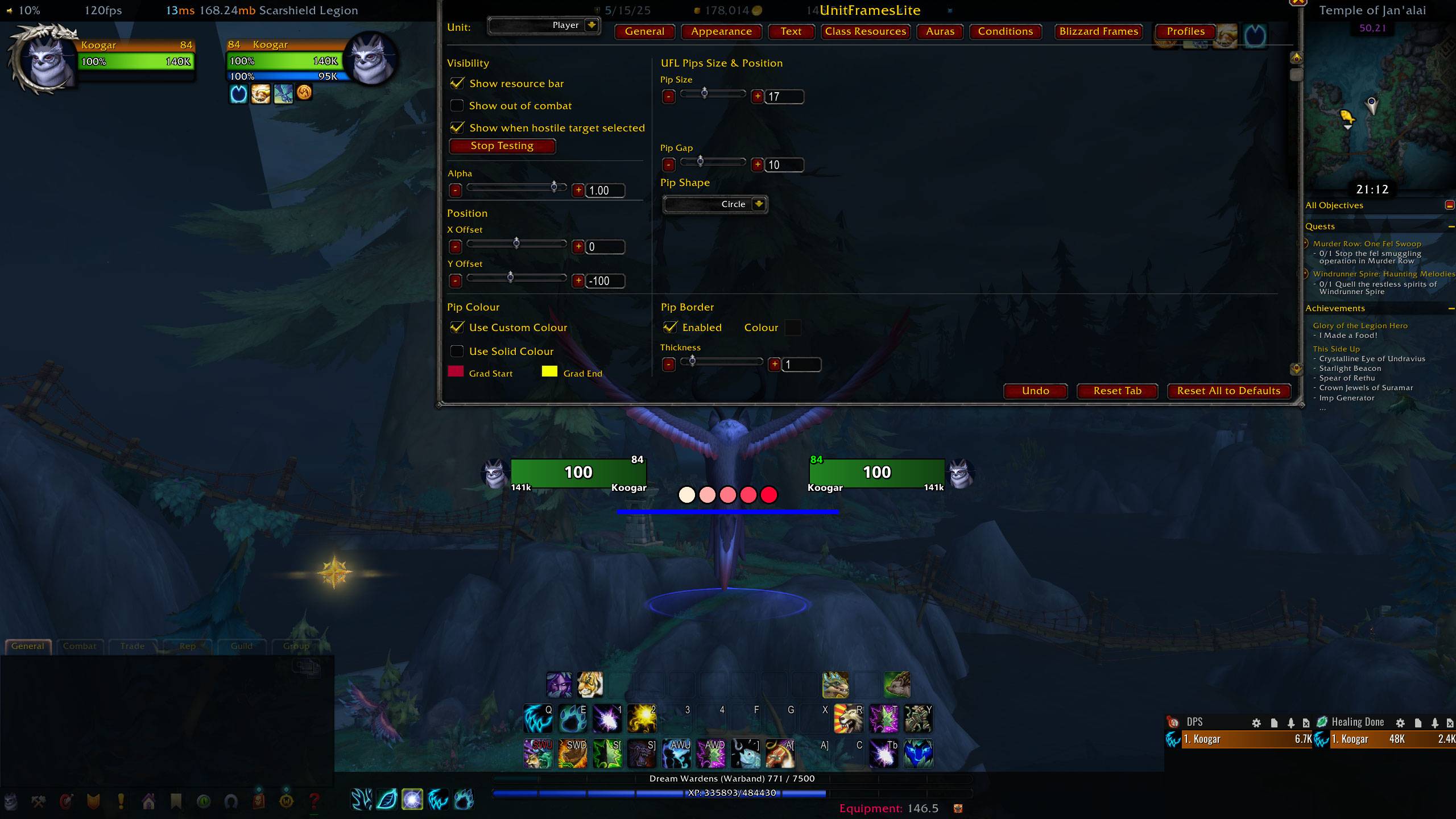
WoWScrnShot_042926_211227.jpg
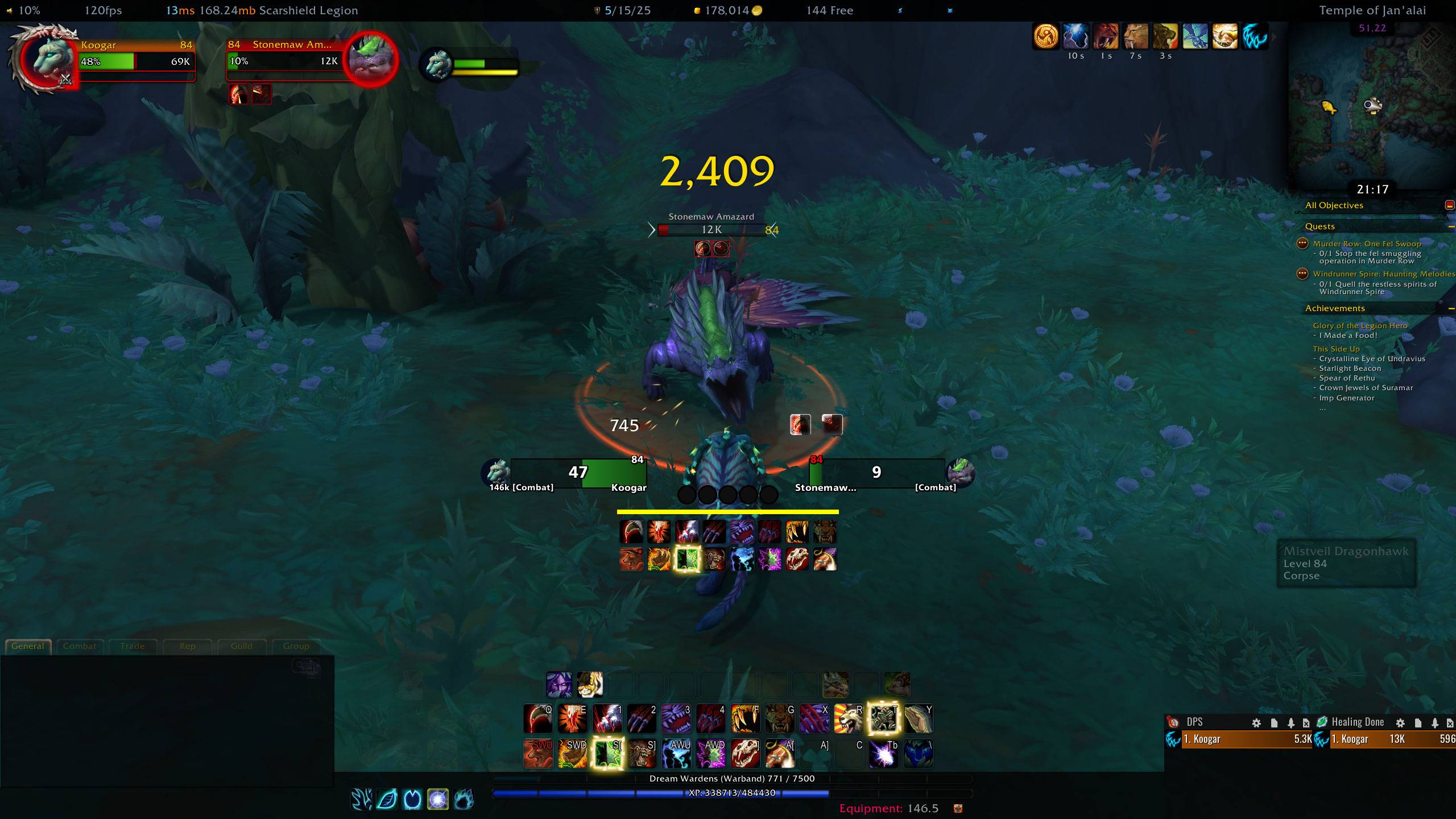
WoWScrnShot_042926_211717.jpg
Description
# UnitFramesLite
A lightweight World of Warcraft addon that provides clean, modern, fully configurable player, target, focus, and pet unit frames alongside or in place of the default Blizzard frames.
## Features
### Unit Frames
- **Four independent frames**: Player, Target, Focus, and Pet — each fully configurable or disabled individually
- **Two display modes per frame**:
- **Bar mode** — traditional horizontal health bar
- **Orb/Sphere mode** — circular health orb with configurable fill direction, gradient, and solid colour options
- **Portrait support** — 2D, 3D, or unit-type-based portraits, attachable to either side of the frame
- **Elite/Rare-Elite dragon border** — automatically shows the appropriate dragon texture for elite, rare-elite, rare, and world boss targets; auto-fits to orb size
- **Blizzard frame integration** — optionally hide the default Blizzard unit frames per unit
### Health Bar
- Configurable width, height, and bar texture (via LibSharedMedia)
- Solid colour or two-stop gradient (horizontal or vertical), with reverse fill option
- Customisable background colour and bar border (colour, thickness)
- Health text: current, max, or current/max; full or abbreviated (e.g. "142k")
- Health percentage display — independent font, size, position, and colour
- Colour-by-reaction support: friendly / neutral / enemy colours (custom or Blizzard defaults)
### Power Bar / Orb Power Ring
- **Bar mode**: detachable power bar with custom size, position, fill direction, and colour
- **Ring mode**: circular power ring around the health orb with configurable thickness, direction (CW/CCW), and colour
- Per-power-type colours (Mana, Rage, Energy, Focus, Runic Power, etc.) — individually customisable with a reset-to-defaults button
- Option to hide power display when out of combat
### Class Resources
- Displays class resource pips (combo points, Holy Power, Soul Shards, Runes, etc.) for the player
- **Three pip shapes**: Rectangle, Circle, Diamond
- Configurable pip size, gap, X/Y position, and alpha
- **Pip colour modes**: solid colour or horizontal/vertical gradient; gradient can be applied per-pip individually
- Optional pip border with configurable thickness and colour
- Optional pip background colour
- Visibility controls: show in combat only, show out of combat, show when hostile target is selected
- Test button to preview resource display in the options panel
### Buffs & Debuffs
- **Three display modes**: Icons, Bars, or Rings — independently selectable for buffs and debuffs
- Configurable icon size, icons per row, max shown, and grow direction (up/down/left/right)
- Buff/debuff bars: custom width, height, and position
- Buff/debuff rings: configurable radius and gap
- Timer text on auras: font, size, colour — all customisable
- Option to filter out long-duration auras (hide auras over N seconds total duration)
- Debuff filtering: player-cast only, curable only
- Tooltip support with configurable delay
- Optional Masque skinning support for aura icons
### Text & Fonts
- Per-element font selection for: name, HP text, HP percentage, level, and power text
- Full LibSharedMedia font support — use any registered font
- Per-element font size, X/Y position offsets, and alignment (Left/Center/Right)
- Name text wrapping with configurable wrap width and grow direction
### Alpha & Visibility
- Combat alpha and out-of-combat alpha — set independently per frame
- Fade when no target is selected (configurable target alpha)
- Fade when target is non-hostile (out of combat)
- Alpha can affect everything, foreground only, or background only
- "Keep text visible" option ignores alpha fading for text elements
- Sync alpha: non-player frames can mirror the player frame's alpha settings
- Conditional visibility: show frame only when mounted, in vehicle, resting, stealthed, in combat, out of combat, solo, in group, or in instance
### Layout & Positioning
- Freely drag each frame to any screen position (or lock to prevent accidental movement)
- Nudge sliders with +/− buttons and direct text input for precise X/Y positioning and frame dimensions
- Copy settings from one unit frame to another (player↔target automatically mirrors X positions)
### Interface Integration
- Minimap button toggle (via LibDBIcon)
- Bazooka data broker plugin support
- Full in-game options panel under Interface Options → AddOns → UnitFramesLite
- Settings reset to defaults per unit via `/ufl reset`
## Optional Dependencies
- **LibSharedMedia-3.0** — unlocks additional fonts and statusbar textures
- **LibDataBroker-1.1 + LibDBIcon-1.0** — enables minimap button
- **Masque** — enables button skinning for aura icons
## In-game configuration
- Open the Blizzard Interface Options: AddOns → UnitFramesLite → Player/Target/Focus/Pet.
- Or use slash commands:
- `/ufl options` → opens options panel
- `/ufl reset` → resets settings to defaults
- `/ufl` → command help
## Files
- `UnitFramesLite.toc`
- `UnitFramesLite.lua`
- `UnitFramesLite.xml`
- `UnitFramesLite_Options.lua`
UnitFramesLite Team
