UM - Reticle
- By
A crisp, customizable combat crosshair with focus highlighting, focus-cast and instant target/focus swap.
UM - Reticle
A lightweight, fully customizable combat crosshair Addon. It keeps a crisp reticle on your screen, highlights your focus target, and makes focus-casting and target/focus swaps effortless — all from one compact options panel.
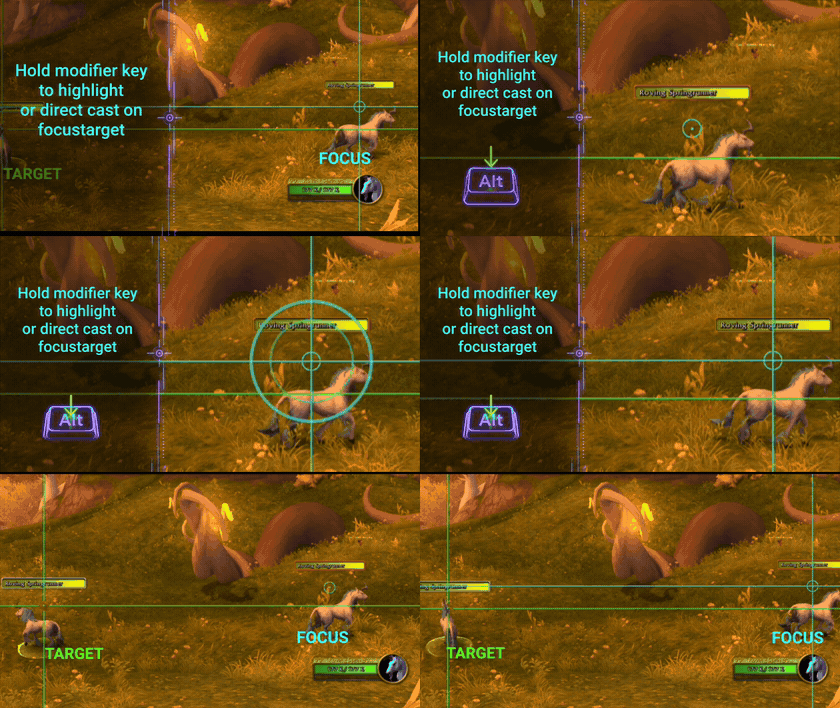
Features
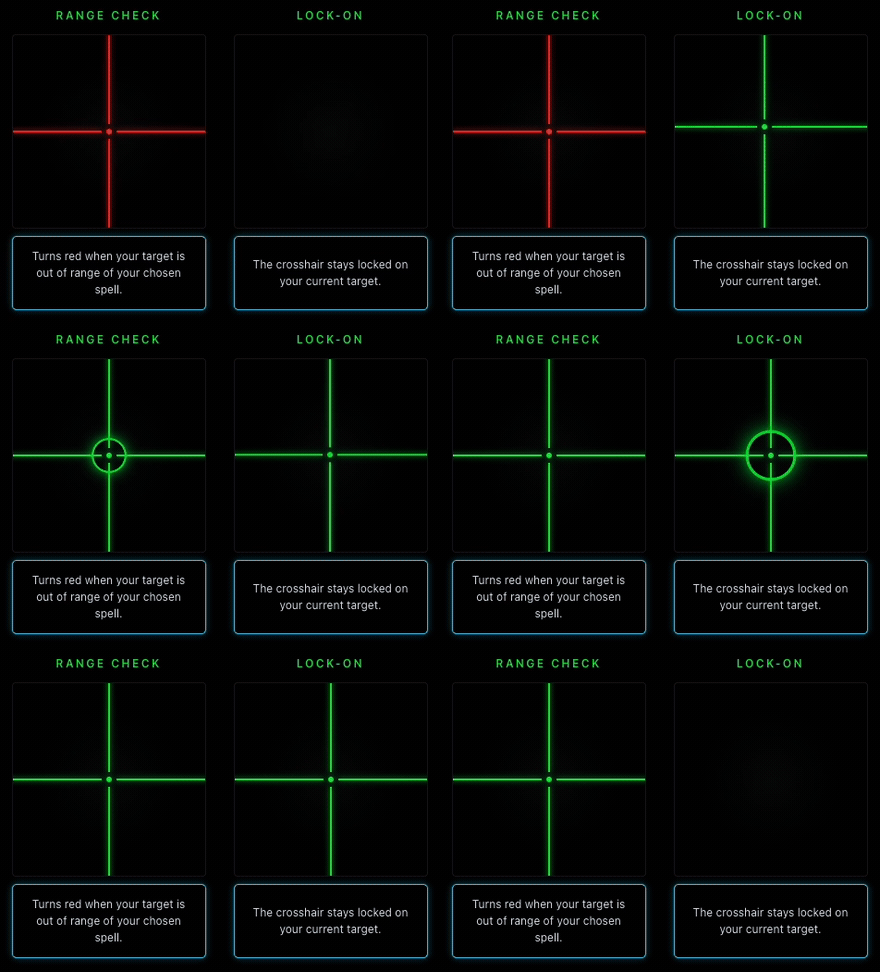
- Crosshair — three styles (Lines, Dot, Circle), customizable color, with an optional acquire animation (Ping or Lock).
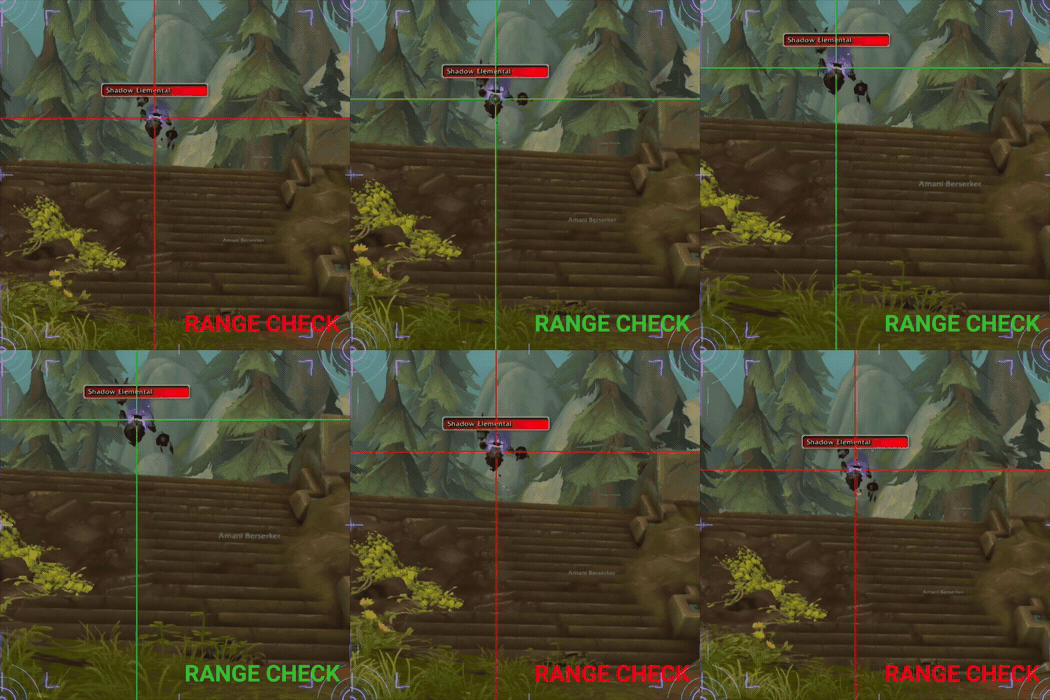
- Range check — the crosshair turns red (customizable) when your target is out of range of a spell you choose.
- Focus highlight — a turquoise reticle marks your focus target so you never lose track of it.
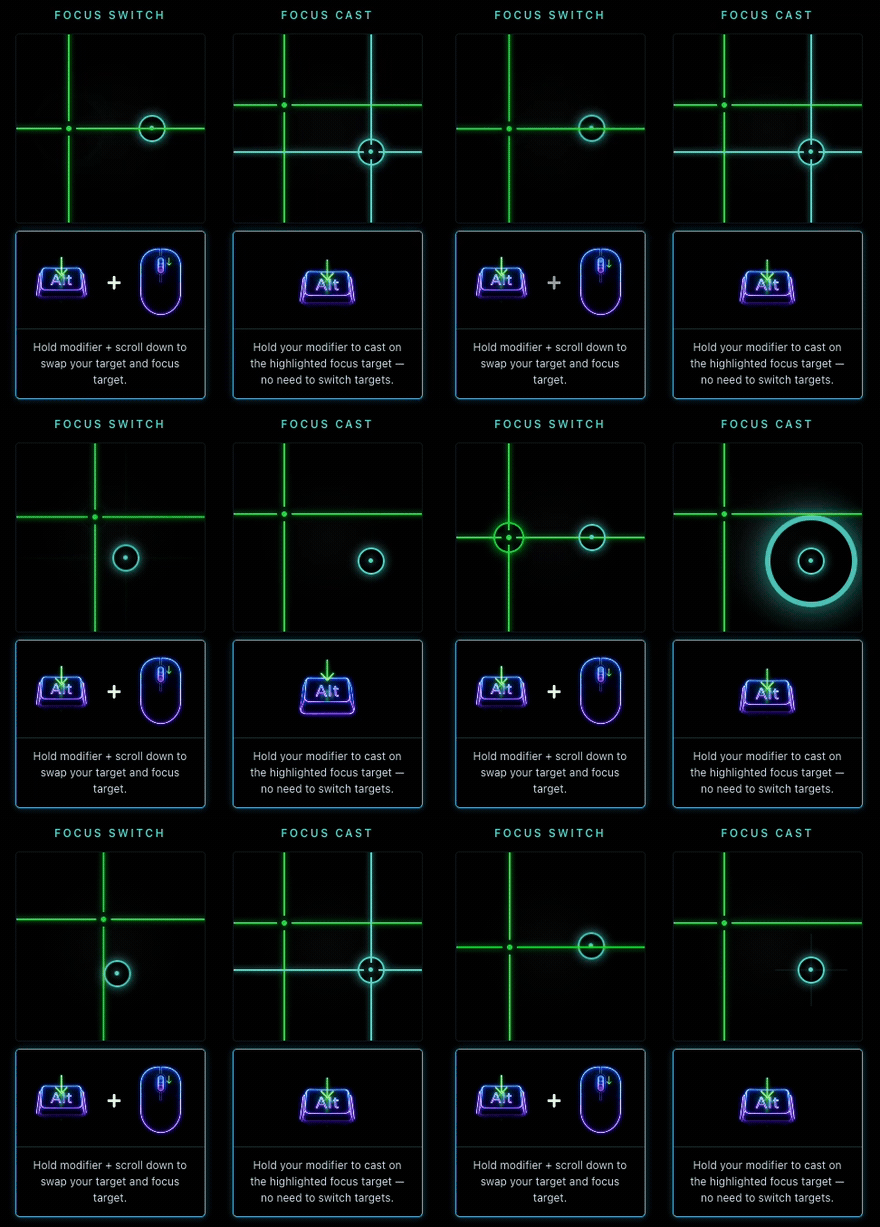
- Focus Cast — hold a modifier (Shift / Ctrl / Alt) to cast on your focus without switching targets.
- Target / Focus swap — hold the modifier and scroll down to swap your target and focus instantly.
- Lightweight — no dependencies, no libraries, minimal overhead.
Range check in action
The crosshair turns red the moment your target leaves your chosen spell's range, then snaps back when you're in range again.
Focus Target casting and swapping
Hold modifier key to directly cast onto your highlighted focustarget, or scroll down to swap your current target and focustarget instantly.
Getting started
- Type /ur (or /umbralreticle) to open the options panel.
- Choose your crosshair style, color, and target animation.
- Drag a spell into the range slot.
- Pick your modifier key for Focustarget Cast and the target/focus swap.

UM - Reticle Team