
Ultra Cursor FX
- By
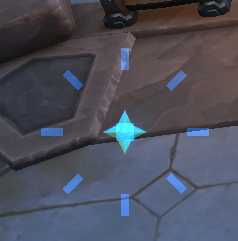
circle-dot.png
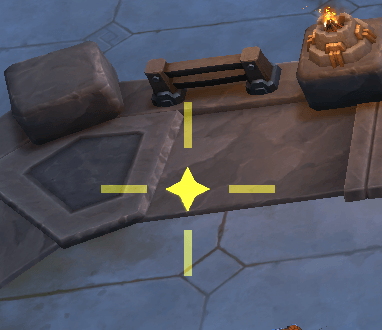
crosshair.png
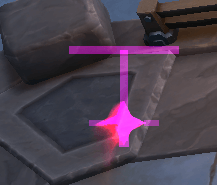
t-shape.png
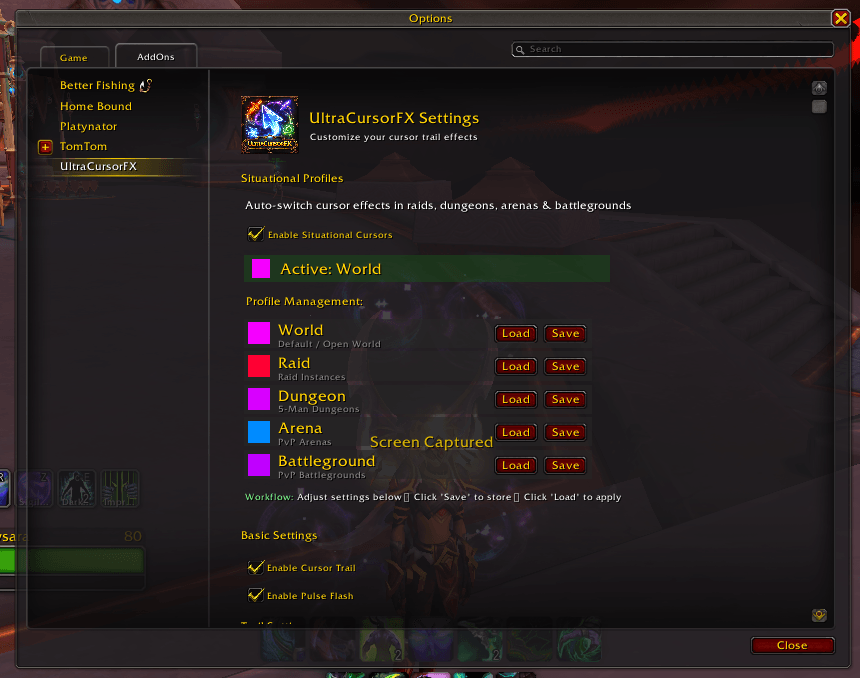
UltraCustorFX.png
ScreenShot.png
Description
UltraCursorFX – High-Visibility Cursor Effects & Accessibility Addon
Buy Me A Coffee Me A Coffee-Support Development-orange?style=for-the-badge&logo=buy-me-a-coffee)
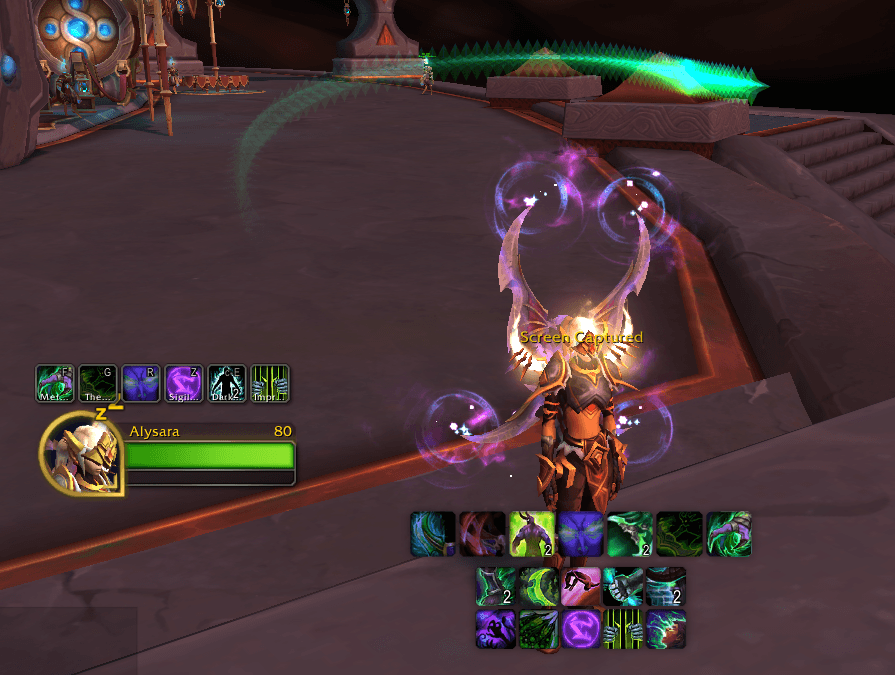
Never lose your cursor again. UltraCursorFX is an accessibility-focused addon that adds brilliant particle trails, glow effects, and customizable visual enhancements to make your mouse cursor impossible to lose during gameplay. Perfect for players with vision challenges, large monitors, or intense combat situations.
Core Features
- Particle Trails – Customizable trailing effects that follow your cursor
- Smart Reticle System – Dynamic crosshair that changes color based on targets (NEW!)
- Red for enemies, green for friendlies, gold for objects/NPCs
- 6 authentic reticle styles: Crosshair, Circle Dot, T-Shape, Military, Cyberpunk, Minimal
- Target-aware animations (rotation for enemies, pulse for friendlies)
- Multiple Shapes – Star, Skull, Spark, or Circle particles
- Rainbow Mode – Automatic color cycling with adjustable speed
- Click Effects – Explosive particle bursts when clicking
- Comet Mode – Elongated, stretched-out comet tail effect
- Pulse Animation – Smooth pulsing glow effect
- Combat Only Mode – Show trail only during combat to reduce clutter
Situational Profiles
Automatic profile switching based on your location. Configure different cursor effects for different content and let the addon automatically apply them:
- World, Raid, Dungeon, Arena, Battleground – Each with optimized defaults
- Auto-switching when entering different game modes
- Easy workflow: Adjust settings → Save to profile → Auto-apply when needed
Customization Options
Visual Controls
- Trail Settings – Length (10-100 particles), particle size, glow size, smoothness, pulse speed
- Color Control – Custom color picker, 6 high-contrast presets (Cyan, Purple, Green, Red, Gold, White)
- Particle Shapes – Star, Skull, Spark, Circle
- Rainbow Mode – Automatic color cycling with adjustable speed
Effects (NEW in v0.5.0)
- Opacity & Fade Control – Fine-tune overall trail visibility (10-100%)
- Fade Mode – Smooth gradual fading from head to tail for ethereal effects
- Fade Strength – Adjust how quickly particles fade along the trail
- Combat Opacity Boost – Auto-increase visibility by 30% during combat
Smart Reticle (NEW!)
- Target-Aware Colors – Automatically changes reticle color:
- Red for attackable enemies (with fast rotation)
- Green for friendly players (with pulse effect)
- Gold for interactive objects/NPCs
- Custom matches your trail color when hovering nothing
- 6 Authentic Reticle Styles:
- Crosshair - Classic + shape with center dot (FPS standard)
- Circle Dot - Circle ring with center dot (Red Dot Sight style)
- T-Shape - Rangefinder reticle (sniper scope aesthetic)
- Military - Corner brackets with rotating segments
- Cyberpunk - Neon ring segments
- Minimal - Simple corner markers
- Full Customization – Size (40-150), brightness (0.5-2.0x), opacity (20-100%), rotation speed
- Functional & Beautiful – Enhances target acquisition in PvP/PvE while looking amazing
Click & Comet Effects
- Click Effects – Particle count, burst size, duration
- Comet Mode – Stretched "comet tail" effect with adjustable length
Accessibility Design
Especially useful for:
- Players with reduced vision or visual impairments
- Large, high-resolution, or ultrawide display users
- Older players needing stronger visual contrast
- Chaotic raid/PvP encounters where cursor gets lost
- Night or low-light gameplay
- Players needing different settings for different content types
Quality & Features
- 167 automated tests with 98.8% code coverage ensuring reliability
- Zero linter warnings – clean, maintainable code
- Import/Export settings – Share configurations with compact text codes
- Keybindings & slash commands –
/ucfxfor settings, quick toggles for all features - Optimized performance – Lightweight visual effects with minimal impact
- Works immediately – Smart defaults, no setup required
Installation & Usage
Install and enable the addon – it works immediately with high-visibility defaults. Access settings via ESC > Interface > AddOns > UltraCursorFX or type /ucfx in chat.
Slash Commands:
/ucfx              # Open settings
/ucfx on | off     # Toggle addon
/ucfx rainbow      # Toggle rainbow mode
/ucfx click        # Toggle click effects
/ucfx comet        # Toggle comet mode
/ucfx combat       # Toggle combat-only mode
/ucfx fade         # Toggle fade mode
/ucfx boost        # Toggle combat opacity boost
/ucfx reticle      # Toggle smart reticle system
Compatibility
- World of Warcraft: The War Within
- World of Warcraft: Midnight (ready)
- Works alongside other addons without conflicts
UltraCursorFX is a visual and accessibility enhancement only. It does not automate gameplay, provide combat advantages, or alter player input. Its sole purpose is to help players clearly see and track their mouse cursor.
Ultra Cursor FX Team
