


UI Fade Forever
- By
WoWScrnShot_092426_103055.jpg
WoWScrnShot_092426_103107.jpg
UIFadeForeverPresets.png
UIFadeForeverElements.png

UIFadeForeverBetaReporter.png
Description
UI Fade Forever
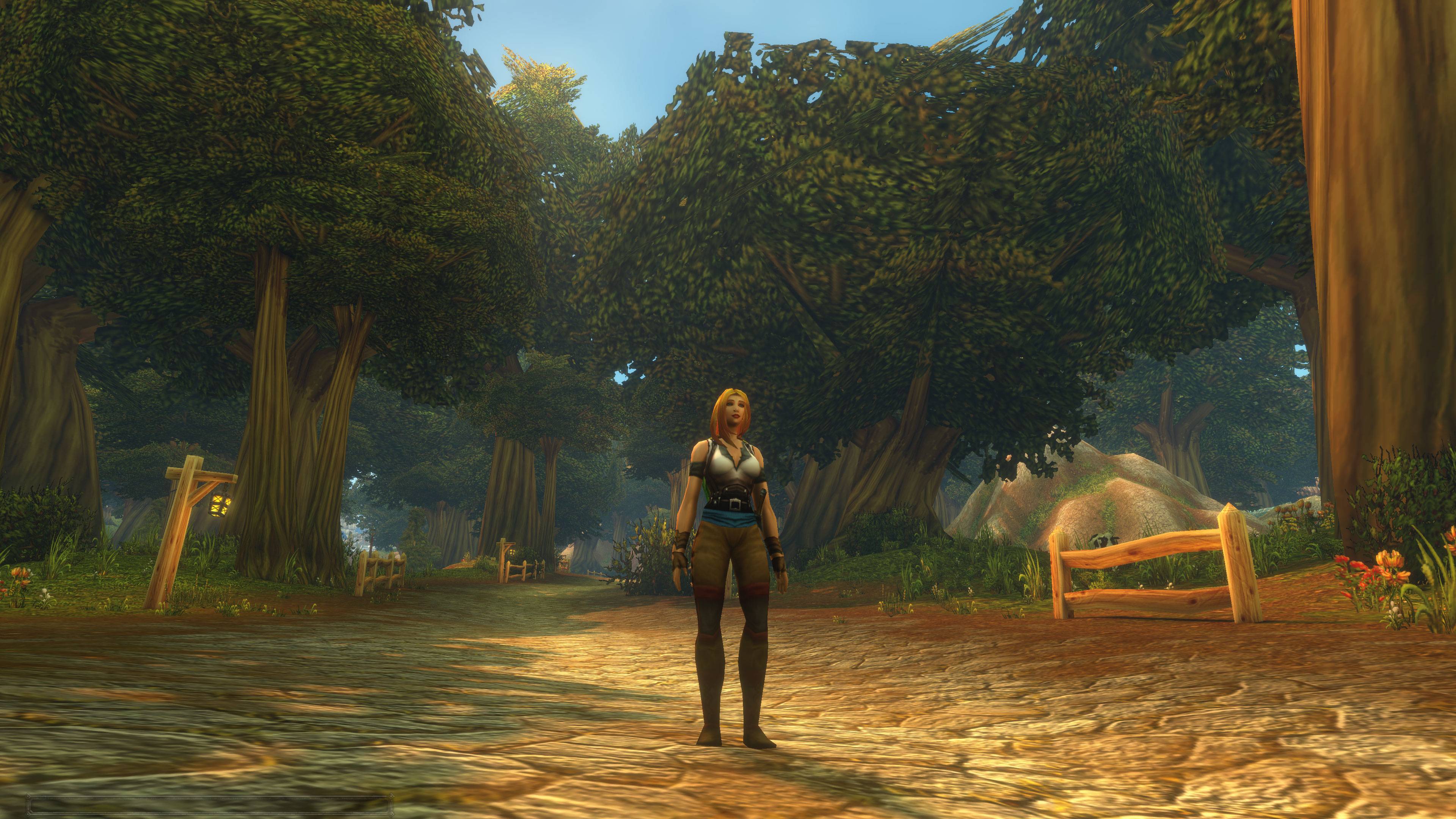
See the world, not the interface.
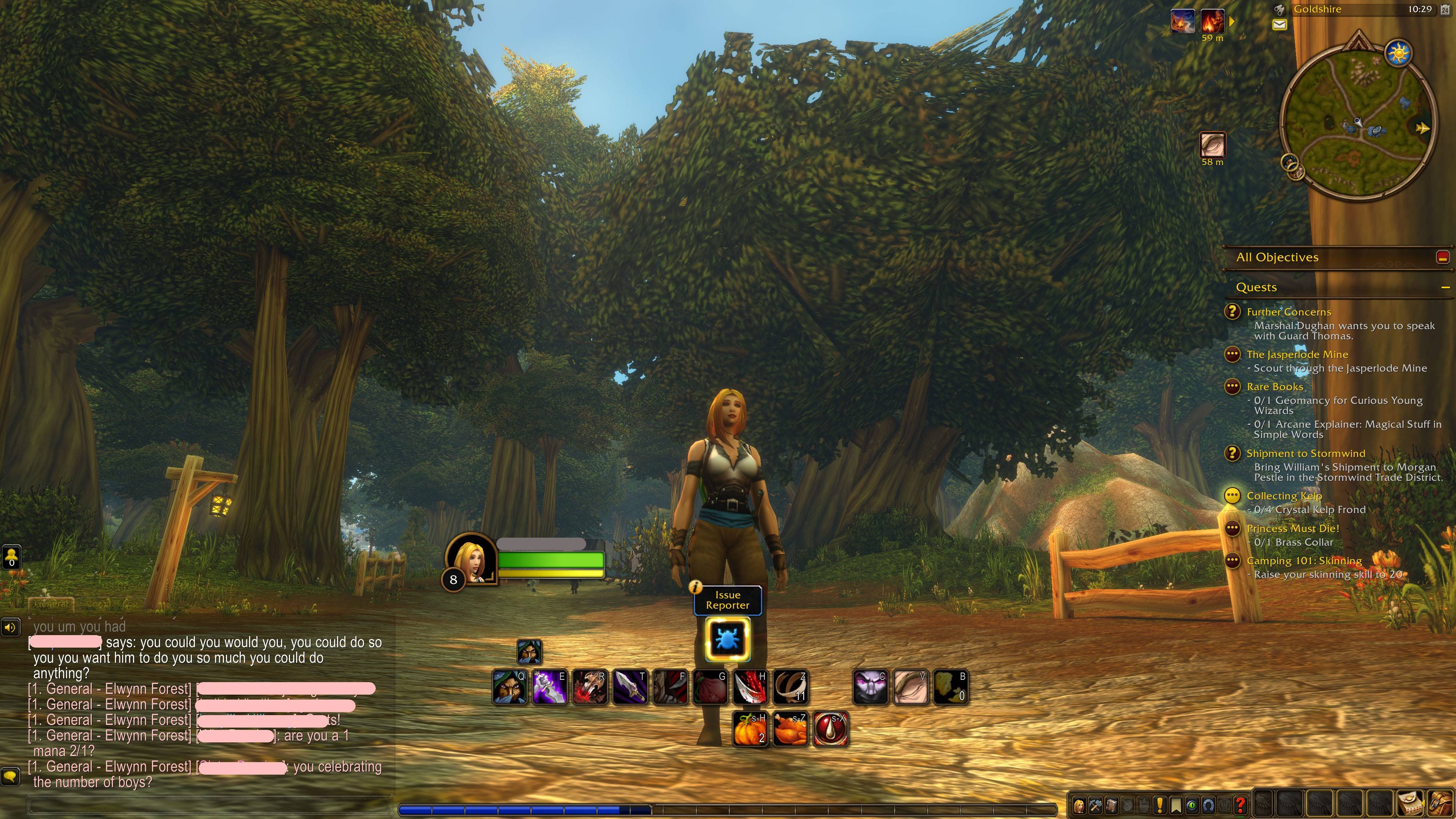
UI Fade Forever quietly fades away the parts of your interface you aren't using, and brings each one back the instant you need it. Take a hit, pull a mob, get a quest update or move your mouse over something, and it's there. When things calm down, it fades away again.
No setup, no profiles, no learning curve. Install it and play.
Core features
- Works out of the box. The recommended setup is on the moment you log in. You never have to open the options.
- Simple on purpose. It does one thing: fade the interface smoothly. No bloat, no hundred-page settings menu.
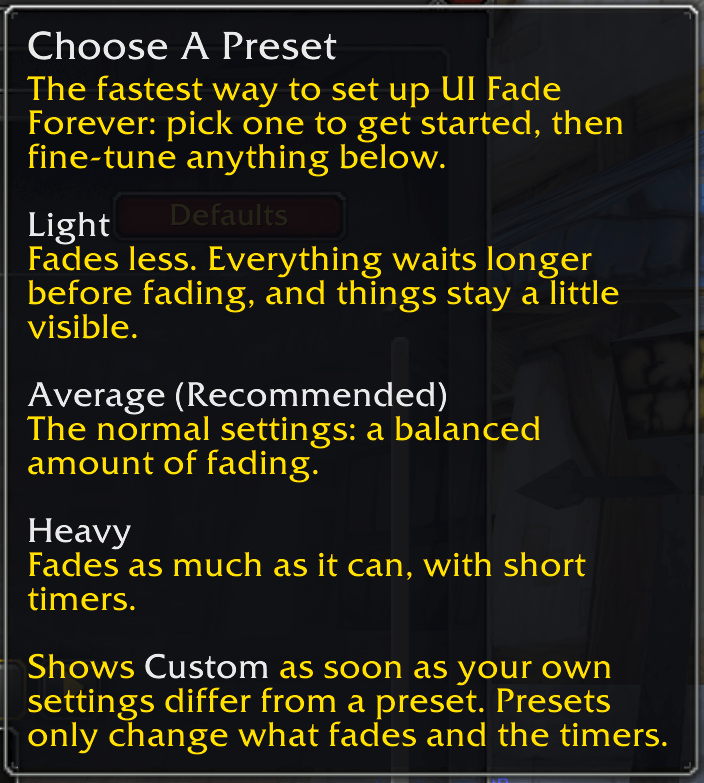
- Three presets, one click. Pick Light, Average or Heavy and you're done.
- It knows when you need things. Every element comes back on its own when it matters.
- Smooth, not jarring. Elements glide in quickly and fade out slowly, so nothing pops.
- Light on your game. It only changes how see-through things are, and it measures at well under a tenth of a millisecond per frame.
Presets
| Preset | For you if... |
|---|---|
| Light | You want a cleaner screen but like to keep everything faintly visible. |
| Average (Recommended) | You want the full effect with sensible timing. This is the default. |
| Heavy | You want the purest, emptiest screen possible. |
Change it any time with the Choose A Preset dropdown at the top of the options, or type /uif preset heavy.
What fades, and when it comes back
| Element | Comes back when... |
|---|---|
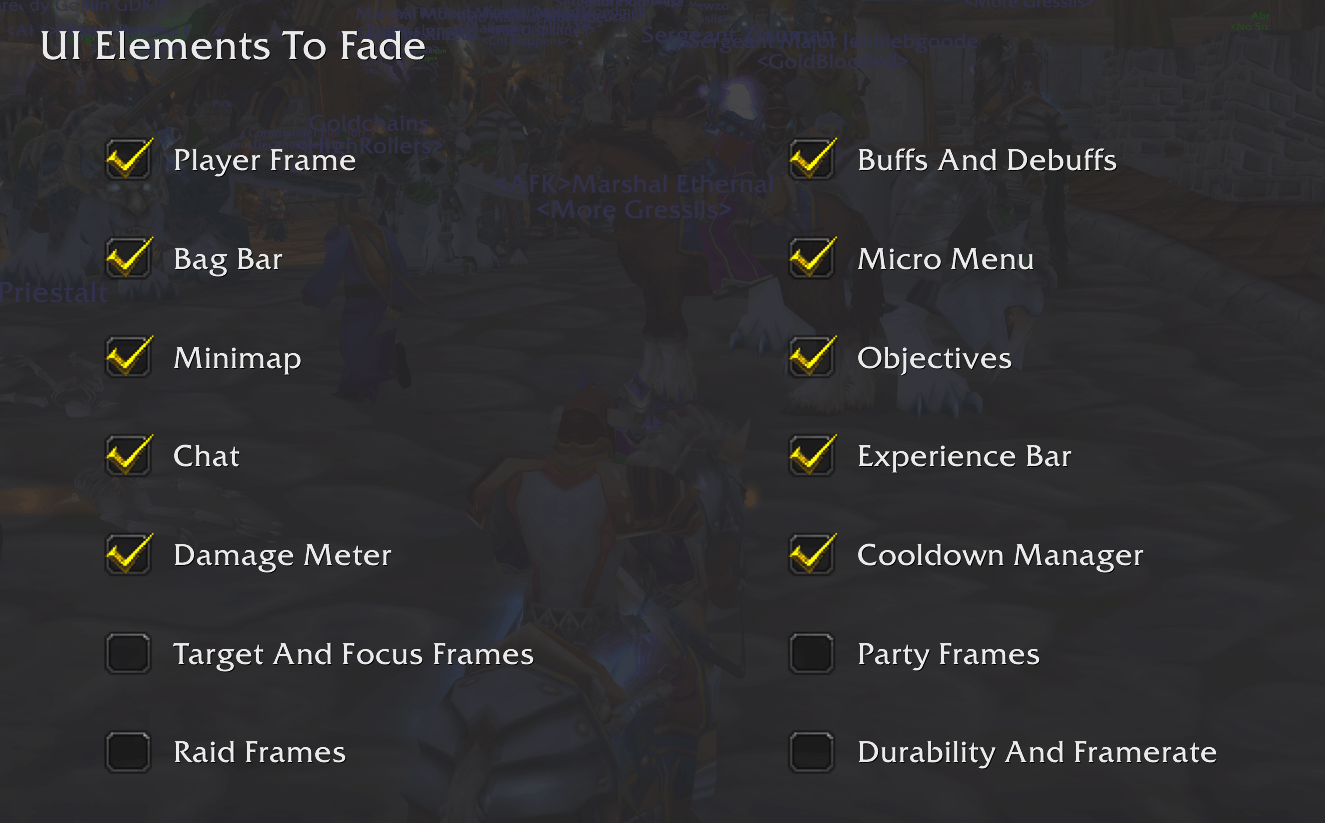
| Player frame | You take damage, run low on mana or energy, enter combat, or pick a target |
| Action bars | They follow the player frame, or you hover them |
| Buffs and debuffs | They follow the player frame |
| Chat | A new message arrives, you start typing, or you hover it |
| Objectives | A quest updates, or you hover it |
| Minimap | You start moving, or you hover it |
| Experience bar | You gain experience or reputation, or you hover it |
| Damage meter | Combat starts. It fades a while after combat ends |
| Cooldown Manager | You're in combat, have a target, or hover it |
| Bag bar and micro menu | You hover them |
Optional: party frames, raid frames, target and focus frames, and the durability and framerate displays can fade too. They're off until you turn them on.
Fair where it counts
- Dungeons, raids, battlegrounds and arenas: everything is shown as normal by default. You can change that with one checkbox each.
- Boss and arena frames are never touched.
- One master switch (or
/uif off) puts everything back exactly as Blizzard made it. Your settings are kept.
Want more control? It's there, but only if you look
The Advanced tab lets you fine-tune each element:
- How long it waits before fading (or fade instantly)
- How faded it gets (fully invisible or just dimmed)
- Whether hovering it brings it back
You can also back up your settings as text and paste them onto another character.
Plays nicely with other addons
If you use Bartender4, ElvUI, Shadowed Unit Frames, Perl, Details! or Kaliel's Tracker, their frames fade along with Blizzard's.
If another addon is also fading the same element, UI Fade Forever steps back from that one element and tells you once, instead of fighting over it.
Commands
| Command | What it does |
|---|---|
/uif |
Open the options |
/uif on and /uif off |
Turn everything on or off |
/uif preset light, average or heavy |
Switch preset |
/uif export, import and reset |
Back up, restore or reset your settings |
/uif welcome |
Show the quick-start window again |
You can also left-click the minimap icon to open the options, or right-click it to turn the addon on or off.
For beta testers
UI Fade Forever also hides the BETA Issue Reporter button and its pop-ups after boss kills. It keeps them hidden everywhere, including dungeons and raids. You can turn this off on the Advanced tab.
Found a bug or have an idea?
Leave a comment. If something looks wrong, type /uif debug and include a screenshot of what it prints.
The UI Fade Forever Team
