TypeToMe
- By
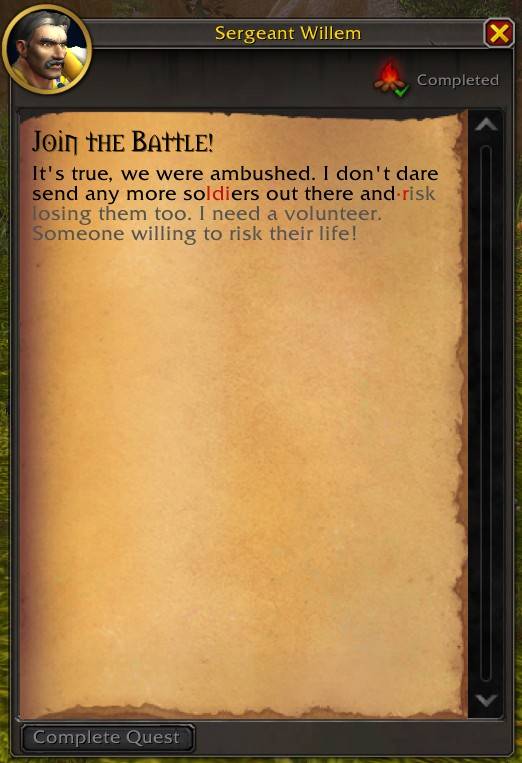
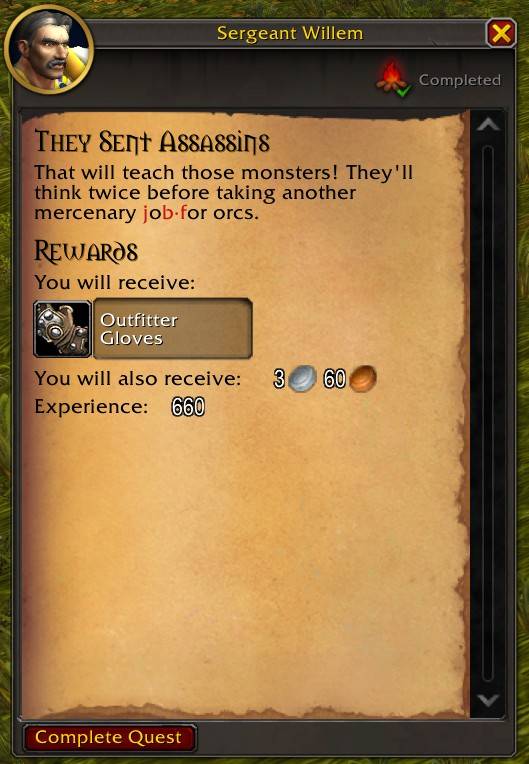
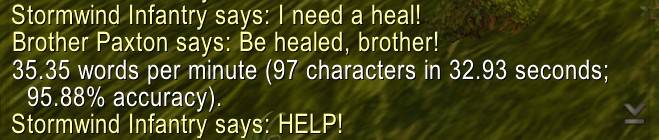
Turn questing into touch typing practice. Unlock quests by typing their descriptions and practice on books and letters you find throughout the world.
ttm1.JPG
ttm2.JPG
ttm6.JPG
ttm3.JPG
ttm5.JPG
ttm4.JPG
Description
TypeToMe
Turn questing into touch typing practice. Unlock quests by typing their descriptions and practice on books and letters you find throughout the world.
Features
- Type quest descriptions to accept and complete quests.
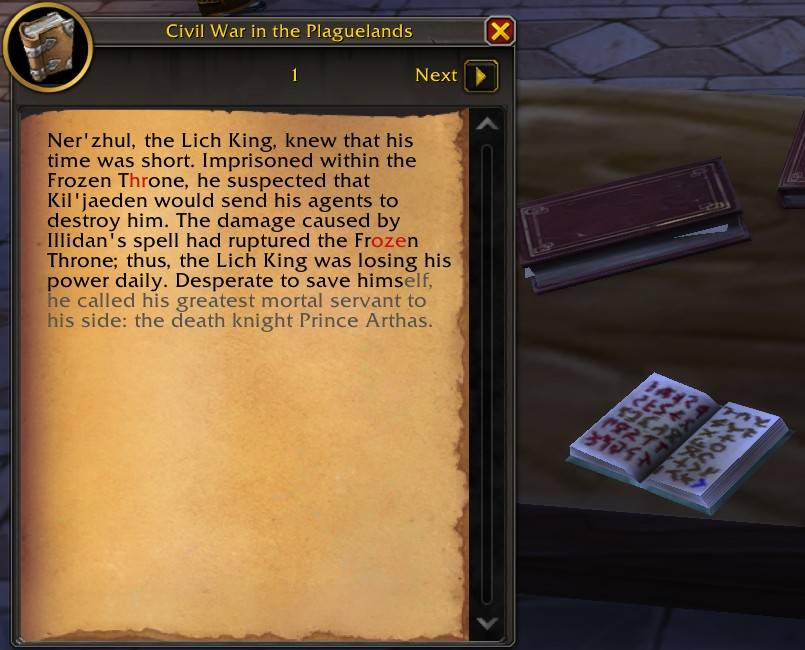
- Practice on books, letters and other readable items.
- Multilingual. Should work in other languages, but this was not extensively tested.
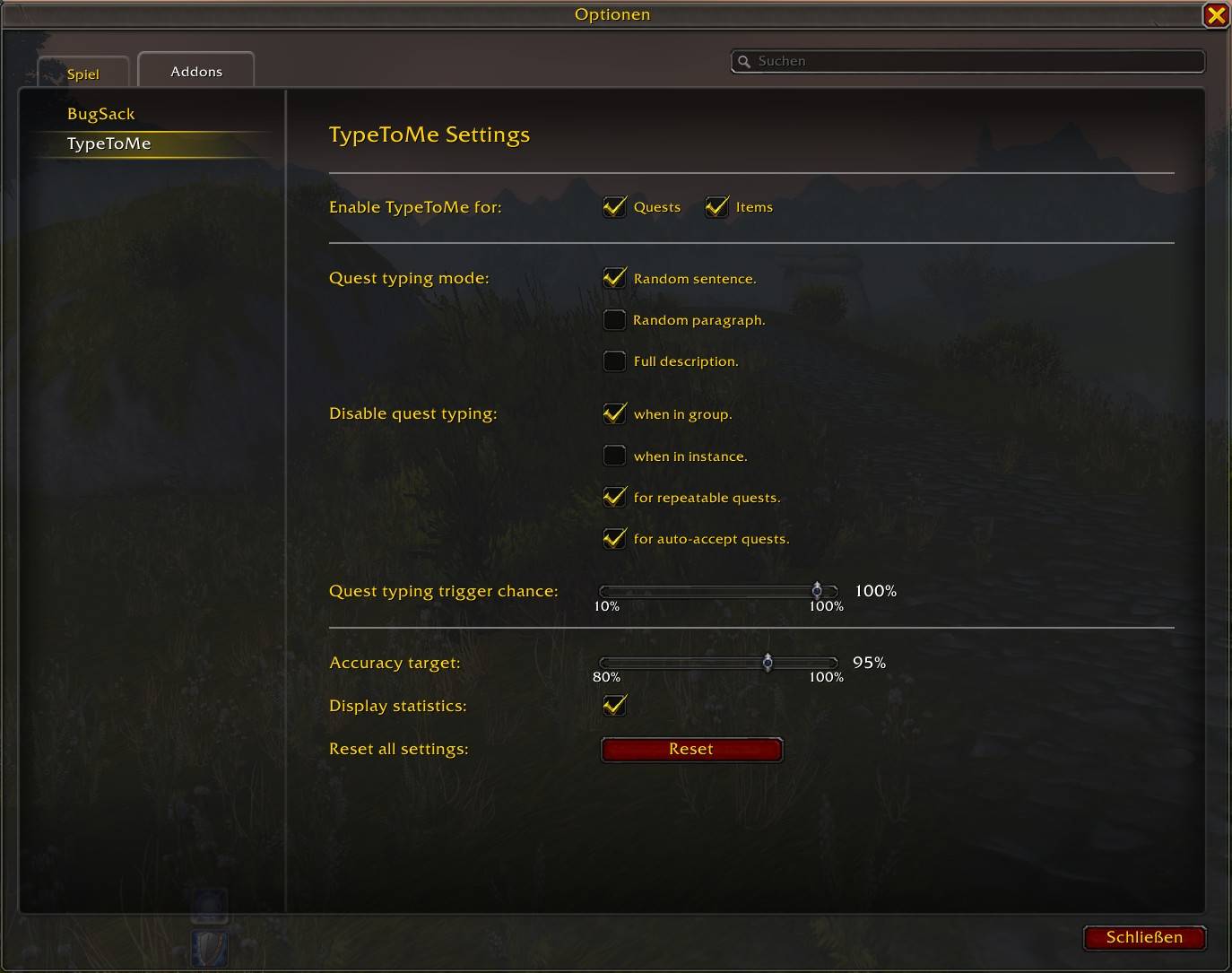
- Adjust target accuracy, quest typing frequency and more.
- No timers, leaderboards, logs or pressure - just relaxed typing practice.
Compatibility / Installation
World of Warcraft: Retail
Install through CurseForge, or place the addon files in a folder named TypeToMe inside:
World of Warcraft/_retail_/Interface/AddOns/
The addon is enabled automatically after installation. When quest descriptions or readable text are available, the required text is highlighted in gray. As you type, entered characters turn black or red.
Adjust preferences in the settings menu.
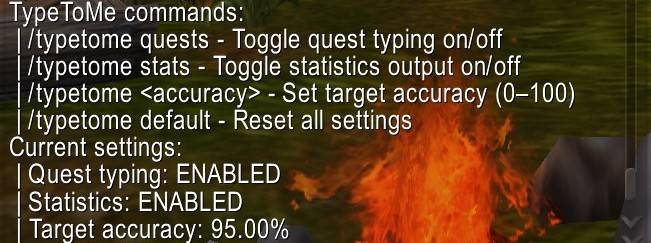
Slash Commands:
/typetome settings
- Opens settings menu.
/typetome quests
- Toggles quests typing on/off. Default: On.
- Tip: Adding this twice to a macro lets you skip typing and directly accept/complete the currently opened quest. Useful for when you are in a spawn location or just can't be bothered to type that moment.
/typetome items
- Toggles item typing on/off. Default: On.
/typetome <accuracy>
- Example:
/typetome 89 - Sets the required typing accuracy for quest text (80 - 100%). Default: 95%.
- Accuracy is calculated as the percentage of correctly typed characters.
/typetome default
- Resets all settings.
/typetome
- View all slash commands and some current settings.
Additional Info
All settings are account-wide.
Partially typed text should only reset when opening a frame with a different questID so if you get interrupted or the quest giver wanders off you don't have to start over as long as you open the same quest (and don't reload the UI).
In general this was intended to be a very low pressure typing exercise (I'm pretty new to touch typing and wanted to finally finish at least one of my projects.)
Feedback welcome. Thank you for trying and happy typing.
Known issues
- Normalizing text sometimes creates extra new lines in readable item texts.
- Skipping daily / weekly quests not yet implemented
- Creating random sentences is a bit prone to errors … because periods are not always at the end of them.
TypeToMe Team