Twinmap Forever
- By
Description

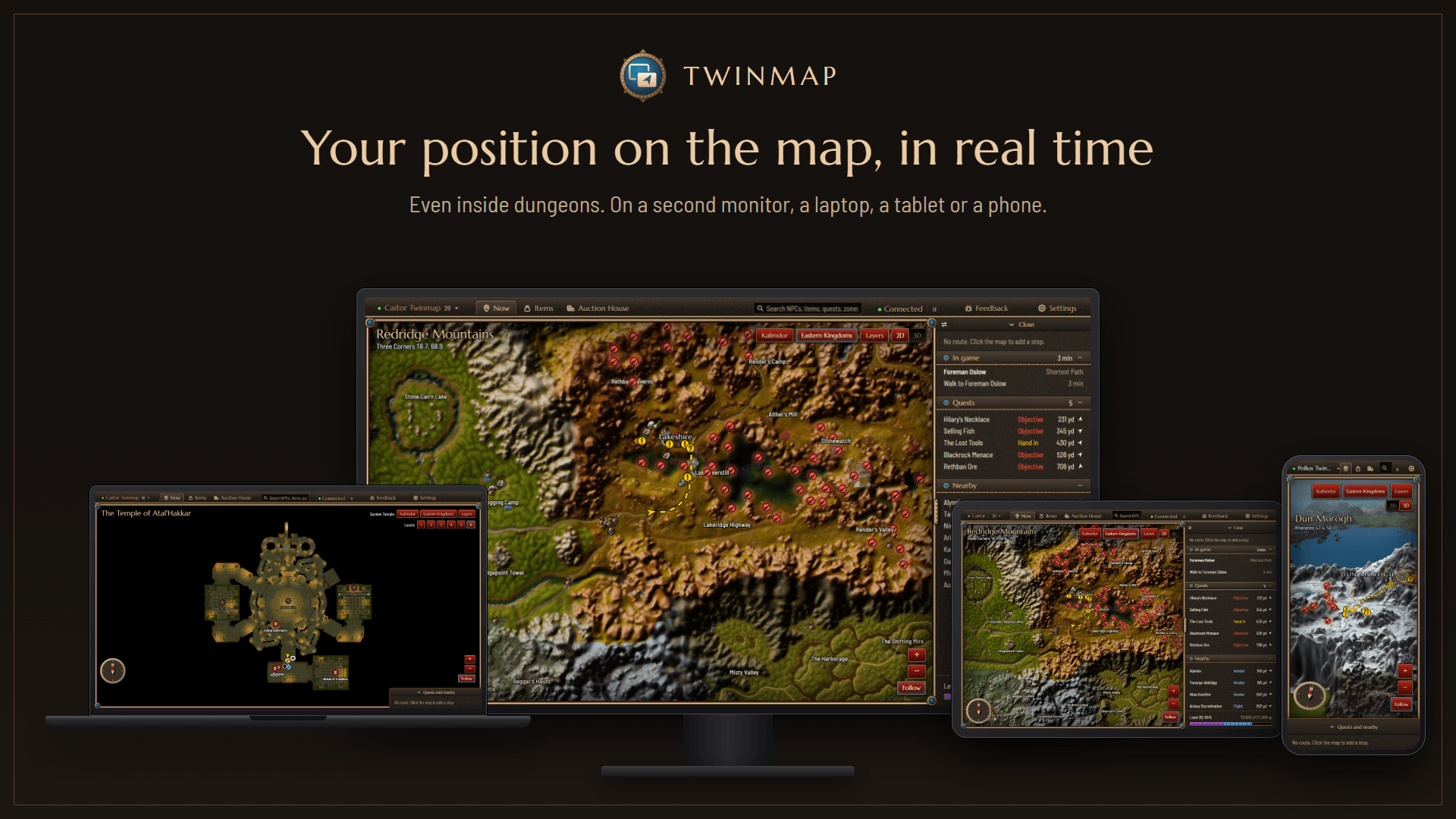
Your position on the map, in real time. Even inside dungeons.
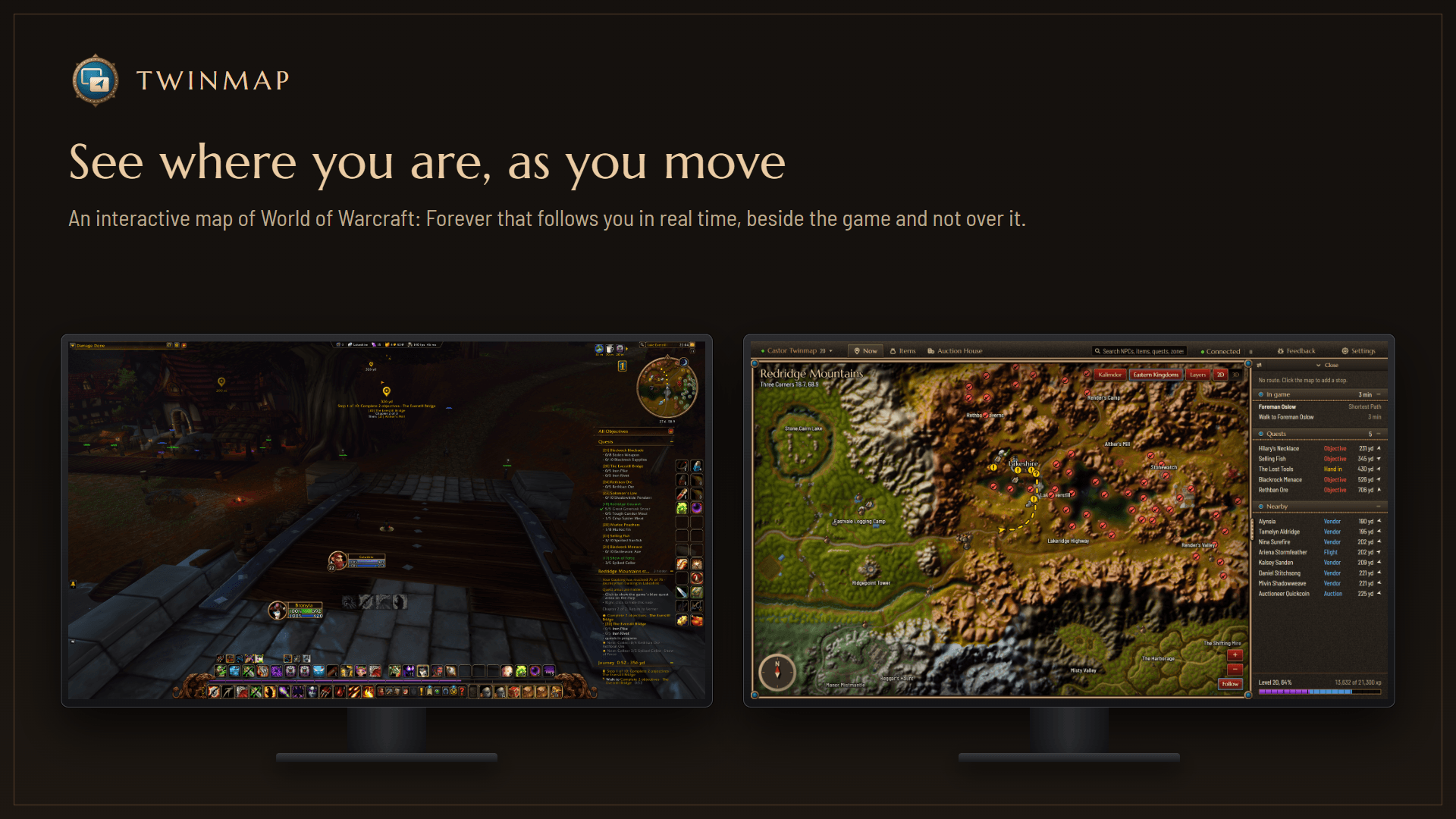
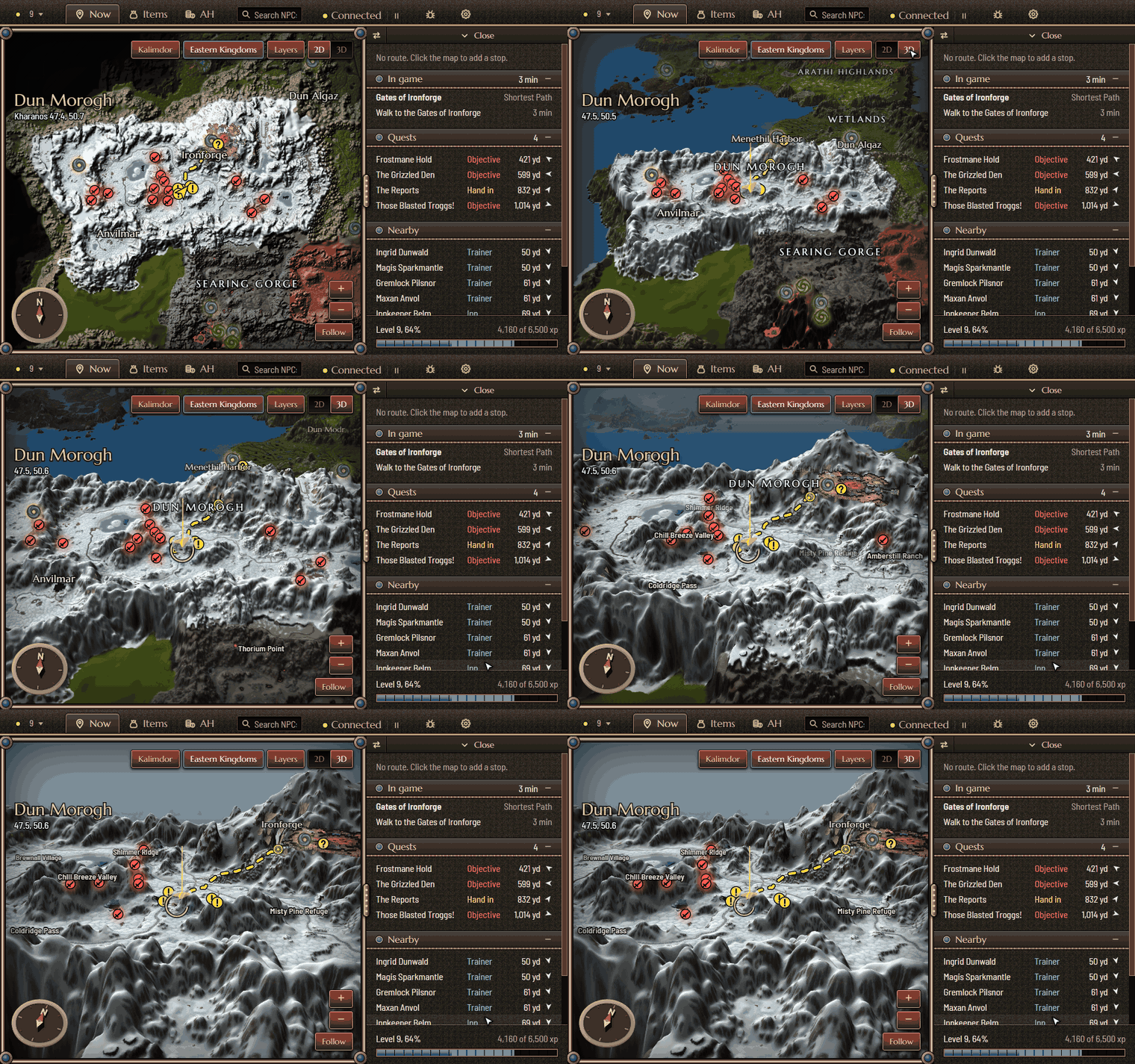
Twinmap is an interactive map of World of Warcraft: Forever for your second screen. It follows your character as you move and shows your quests, services and resources around you, on a second monitor, a laptop, a tablet or a phone. One switch takes the map from 2D to 3D and back.
This addon is one half of Twinmap. The other half is a free app for Windows that shows the map:




What you get
The map
- Real-time position. Your arrow moves on the map as you move in the game.
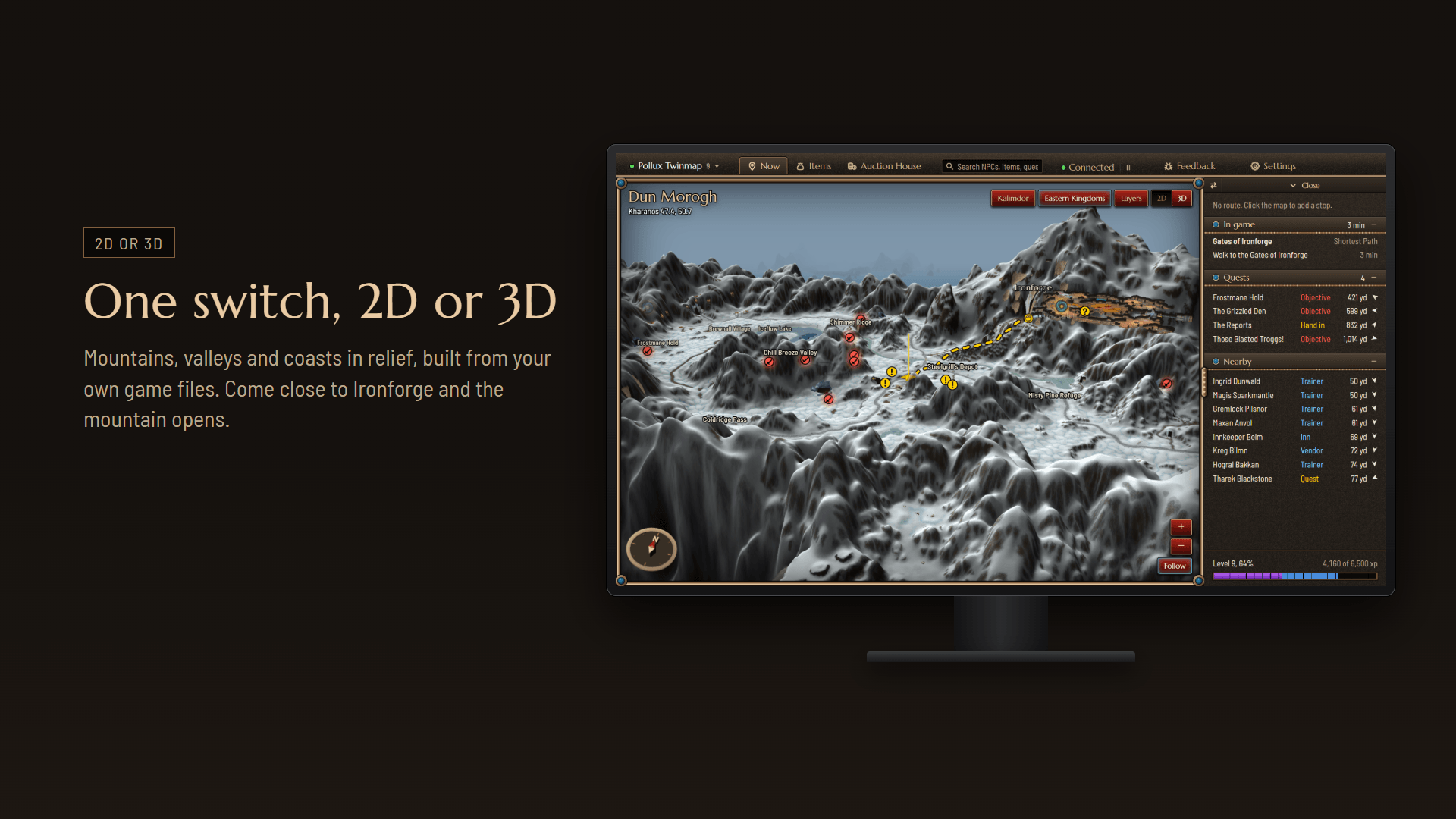
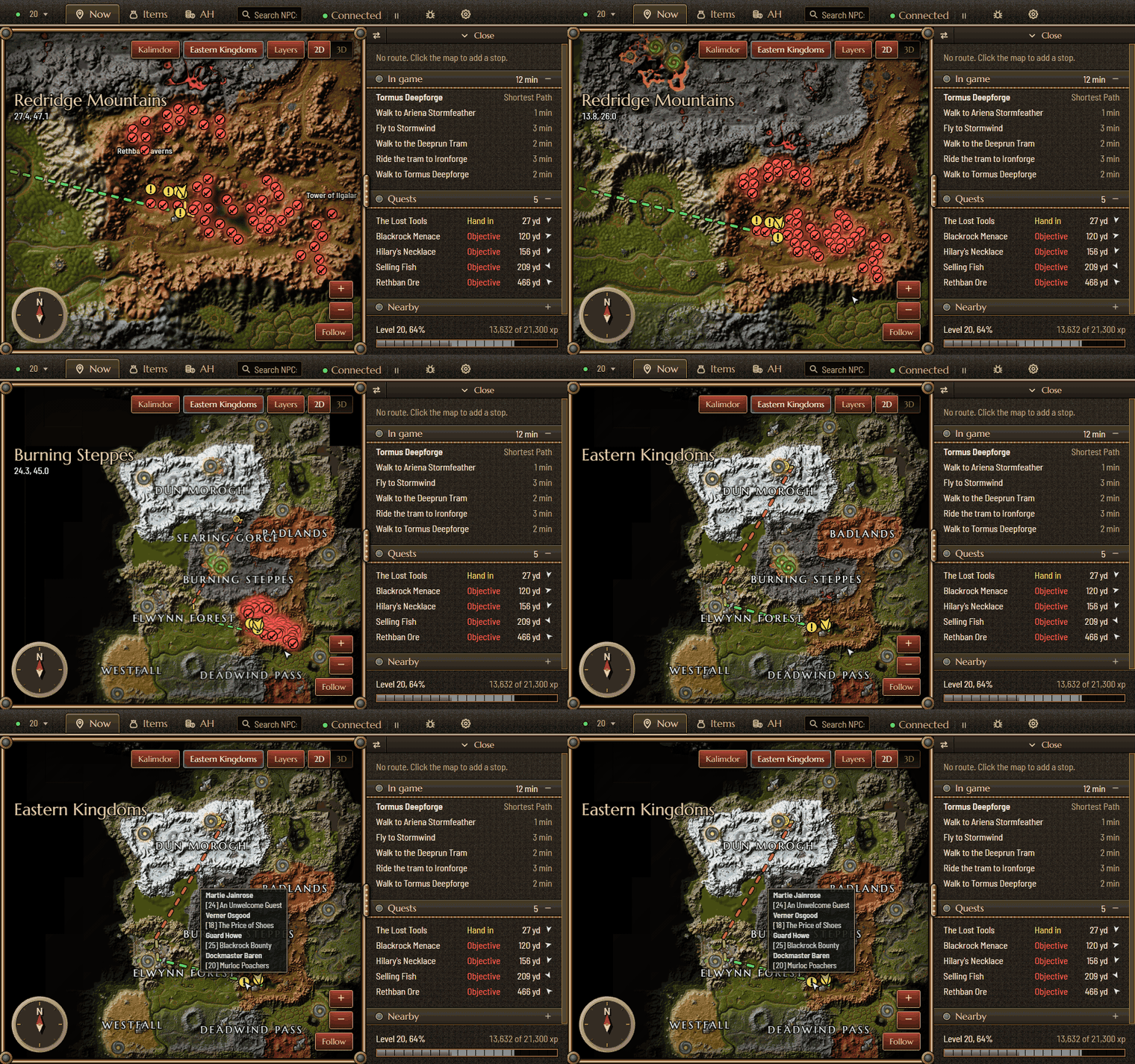
- 2D or 3D, one switch. Turn the flat map into the land itself: mountains, valleys, coasts and rivers in relief, to turn, tilt and zoom, with your arrow, your quests and your route standing on the ground. One click, or the 3 key, and you are back in 2D at the same place.
- The map turns with you. In 2D and in 3D the map can turn so that your character faces up, as Rotate Minimap does in the game, or keep north up.
- Look inside the mountains. In 3D the ground opens over caves, mines and Ironforge as you come near, and you see the rooms where they really are.
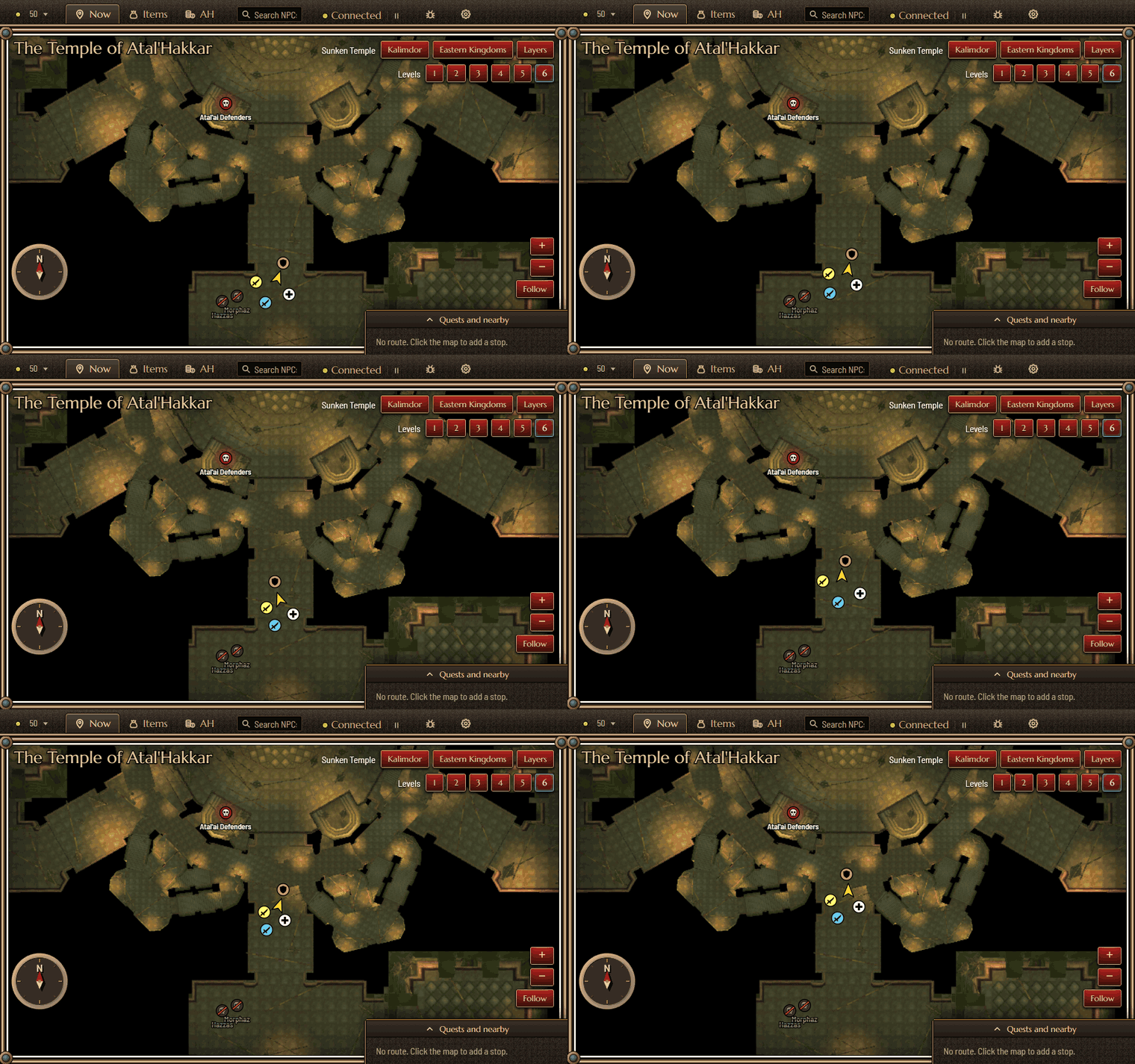
- Caves and mines. Zoom in on a zone and the galleries of its caves and mines show through the ground, before you go in.
- Your quests. Where to hand in what is done and where to find what is left, for every quest of your log. With Questie installed, the same quests Questie shows, the ones to take as well.
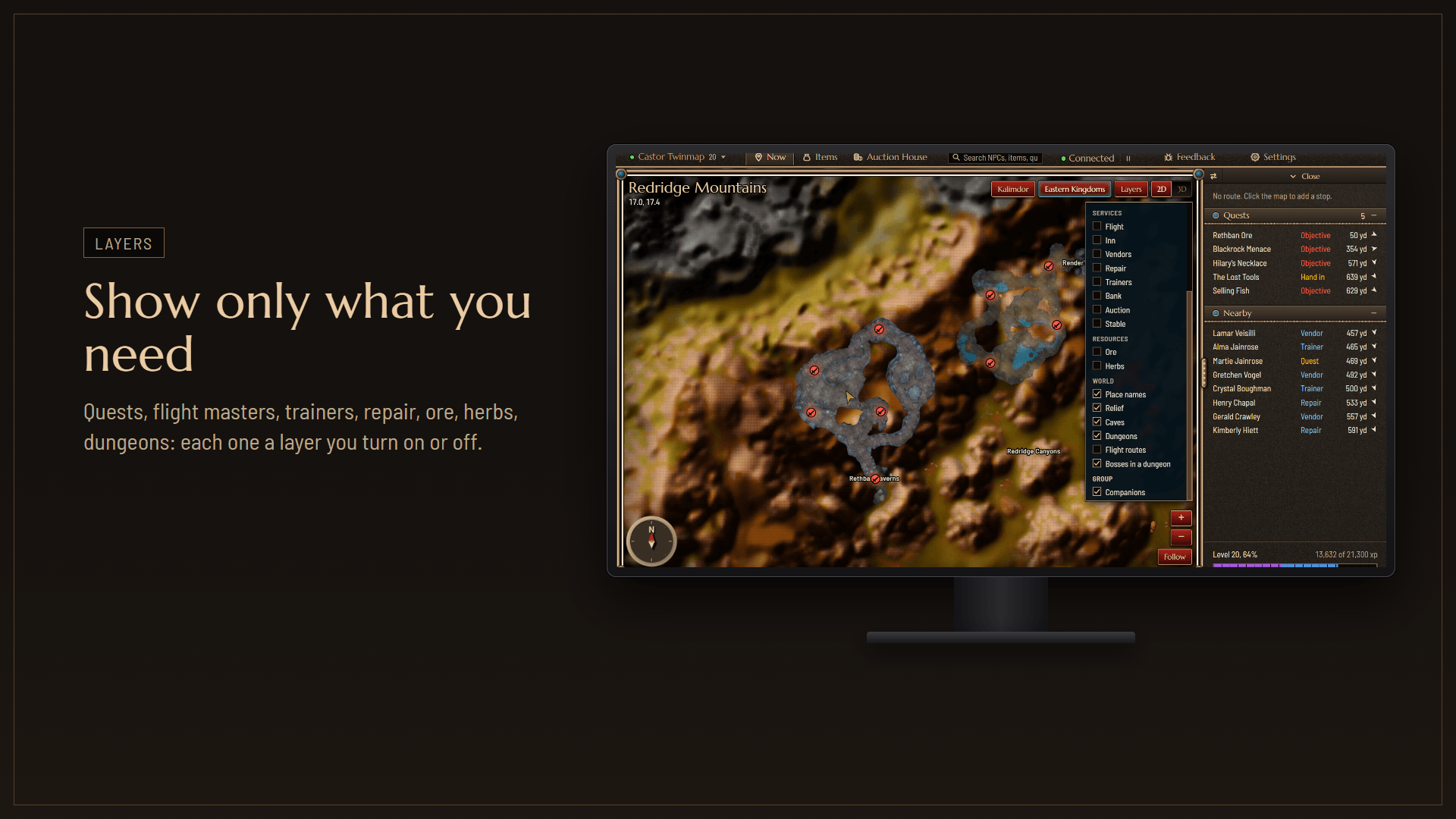
- Services and resources. Flight masters, inns, vendors, repair, trainers, banks, ore and herbs, each one a layer you turn on or off.
- When you die. The map marks your corpse, the graveyard and the way back on foot, or the door of the dungeon you died in.
- From the map to the game. Mark a point or build a route on Twinmap, and it appears in the game with an arrow to follow.
- My pins. Save the places you want to come back to: Twinmap lists them, the nearest first, and the search finds them by the names you gave them. A pin set with Alt and a click on the game's world map goes away once you get there, unless you save it.
- Your layout. Make the panel beside the map wider or narrower, put the map on its left or its right, and set the size of all the text from 80% to 200%.
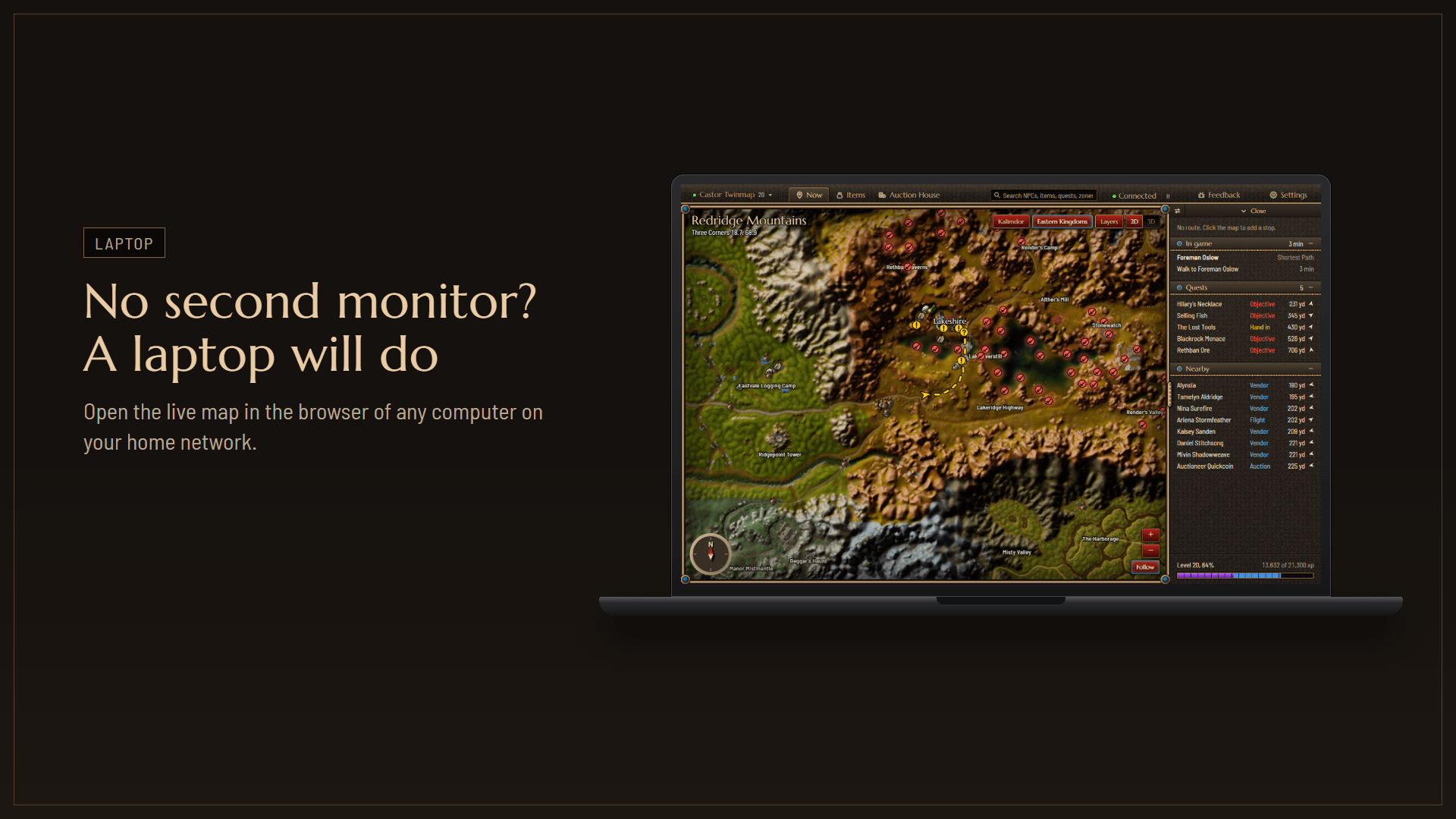
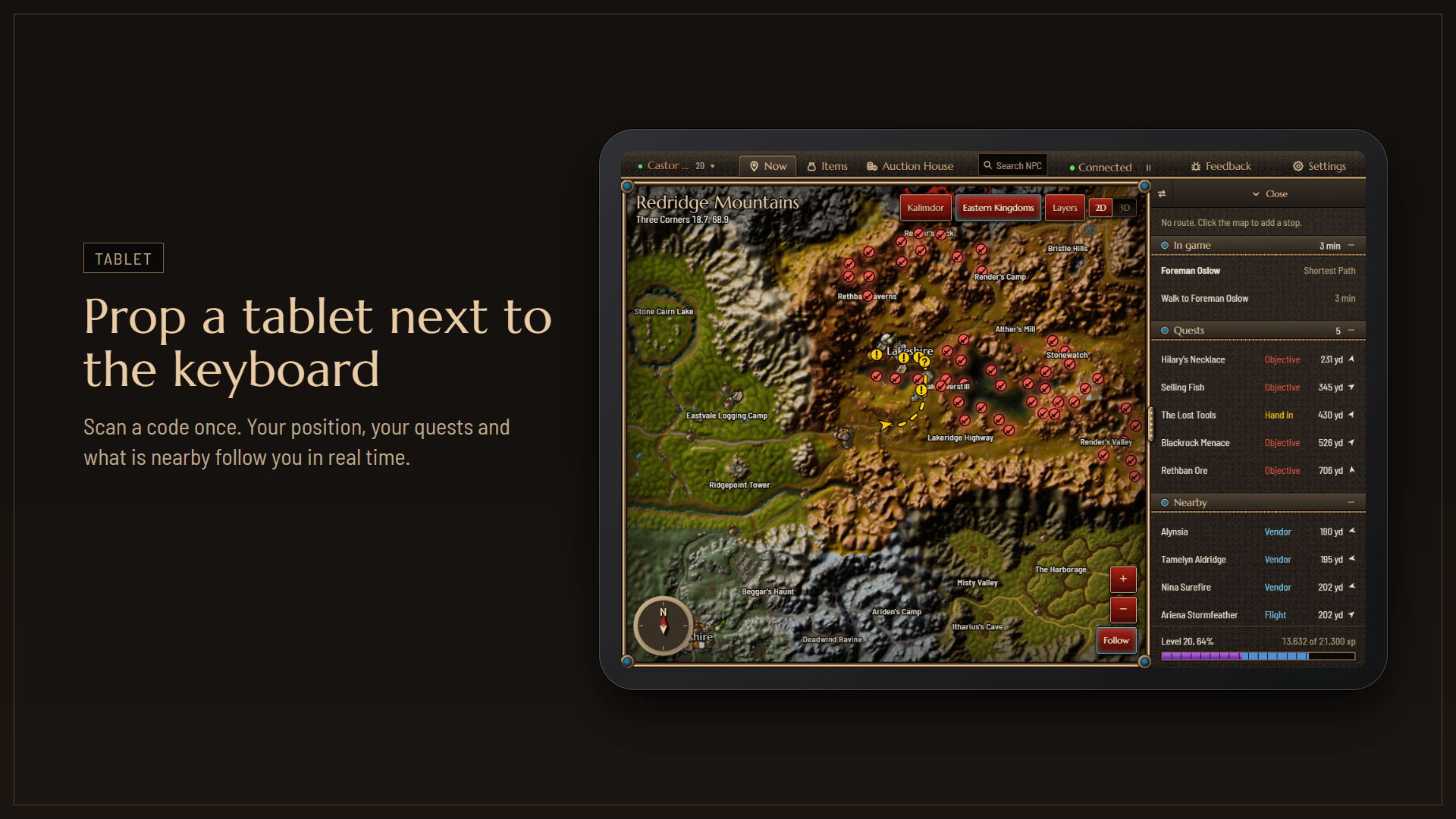
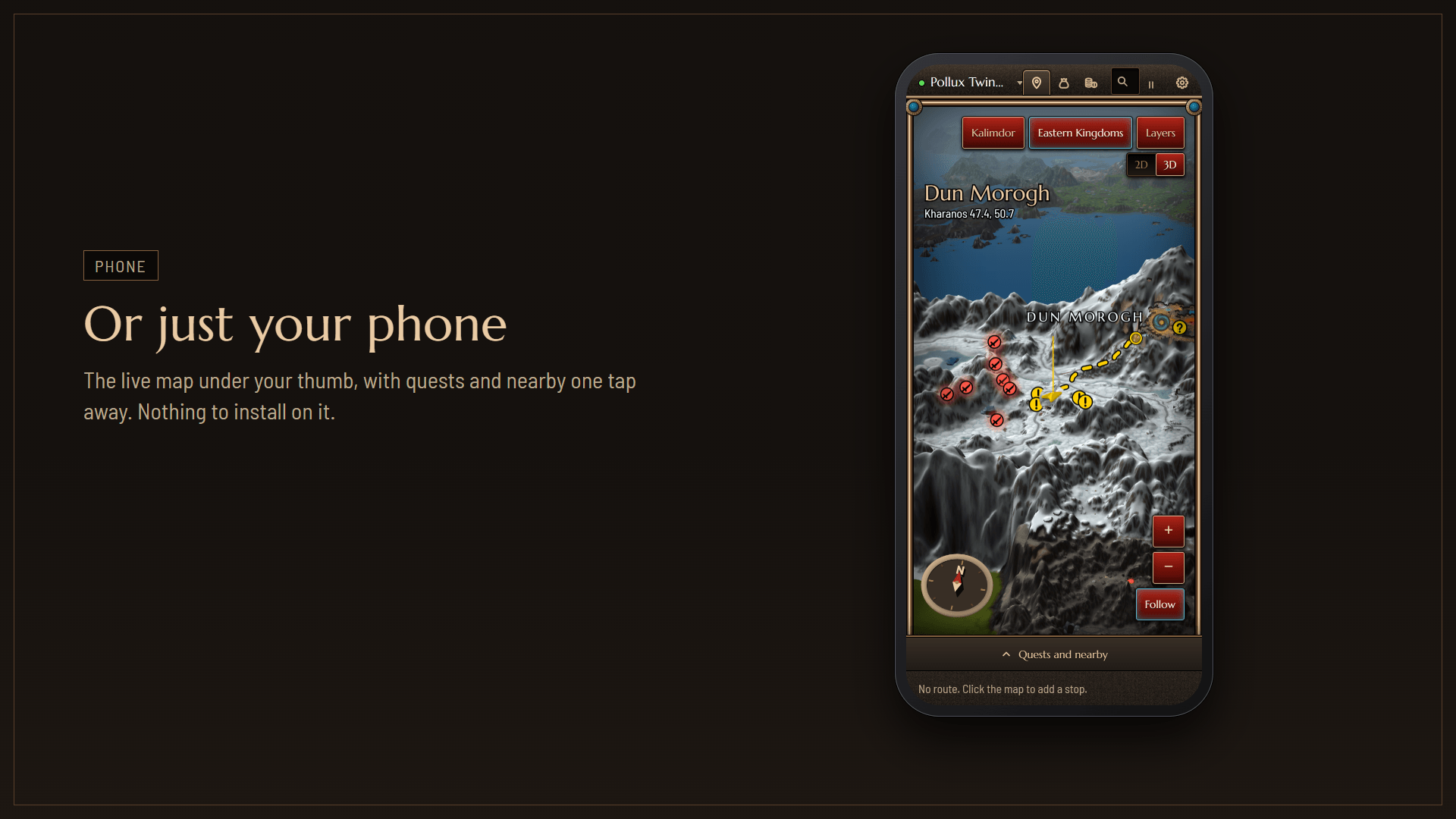
- Phone and tablet. No second monitor? Open the same map in the browser of a phone, a tablet or a laptop on your home network, in 2D or in 3D.
Dungeons and your group
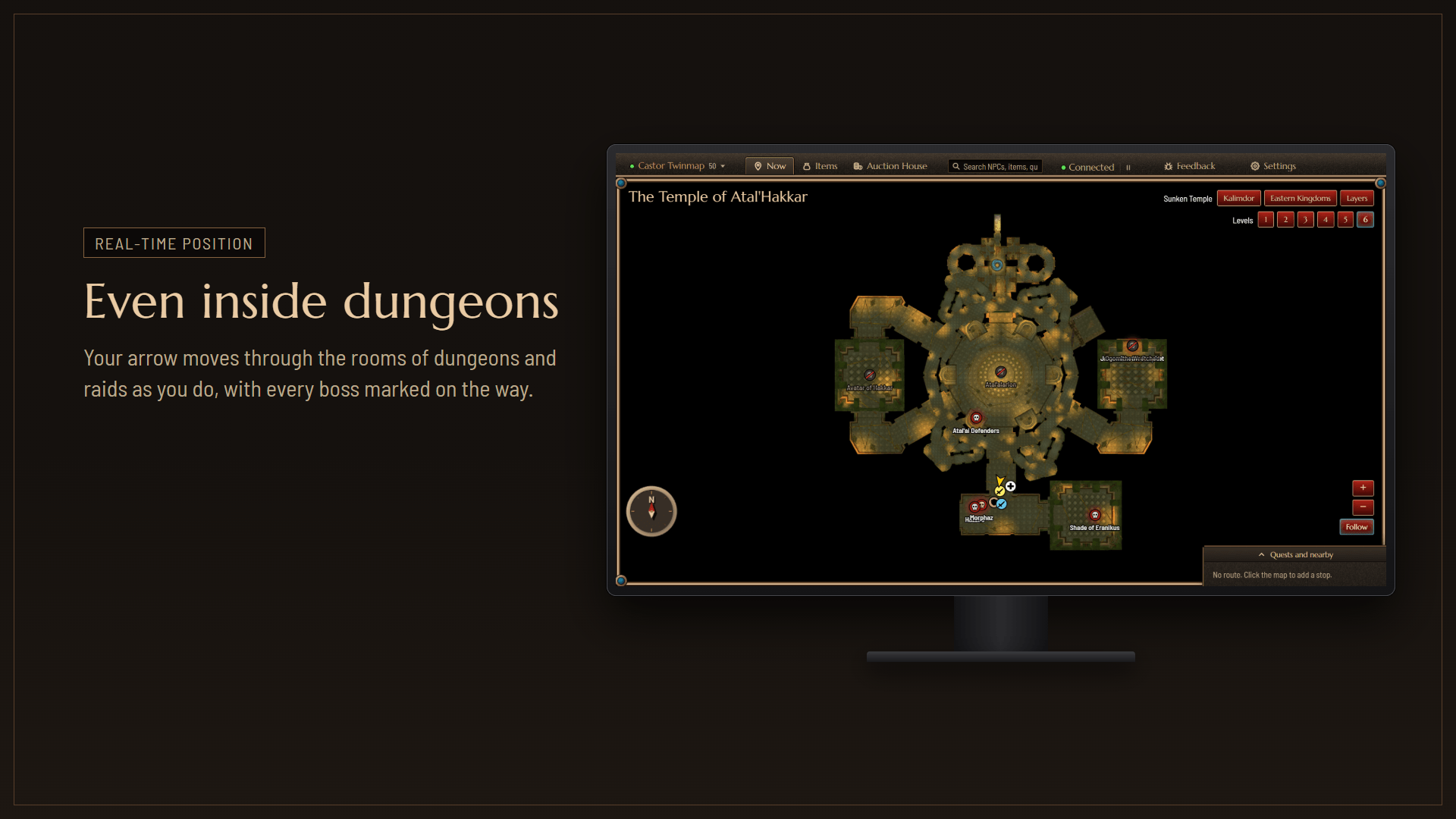
- Even inside dungeons. In dungeons and raids the arrow moves through the rooms, with the bosses marked. Open a dungeon's map from its door, before you go in.
- Your group. The companions of your party are on the map with you, each in the colour of their class, with their role on the disc. Inside dungeons and raids too, when they have Twinmap.
Search, vendors and trainers
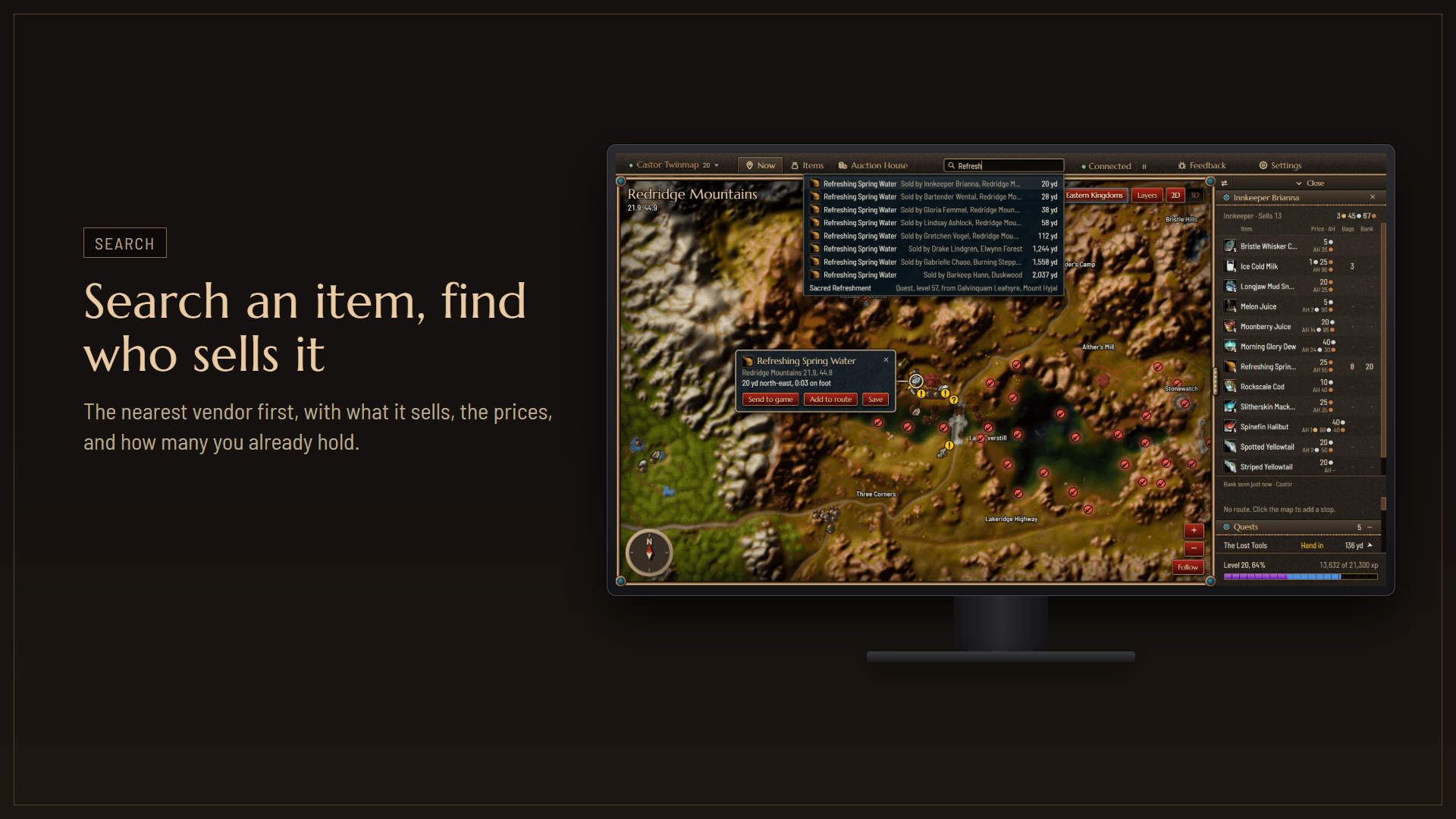
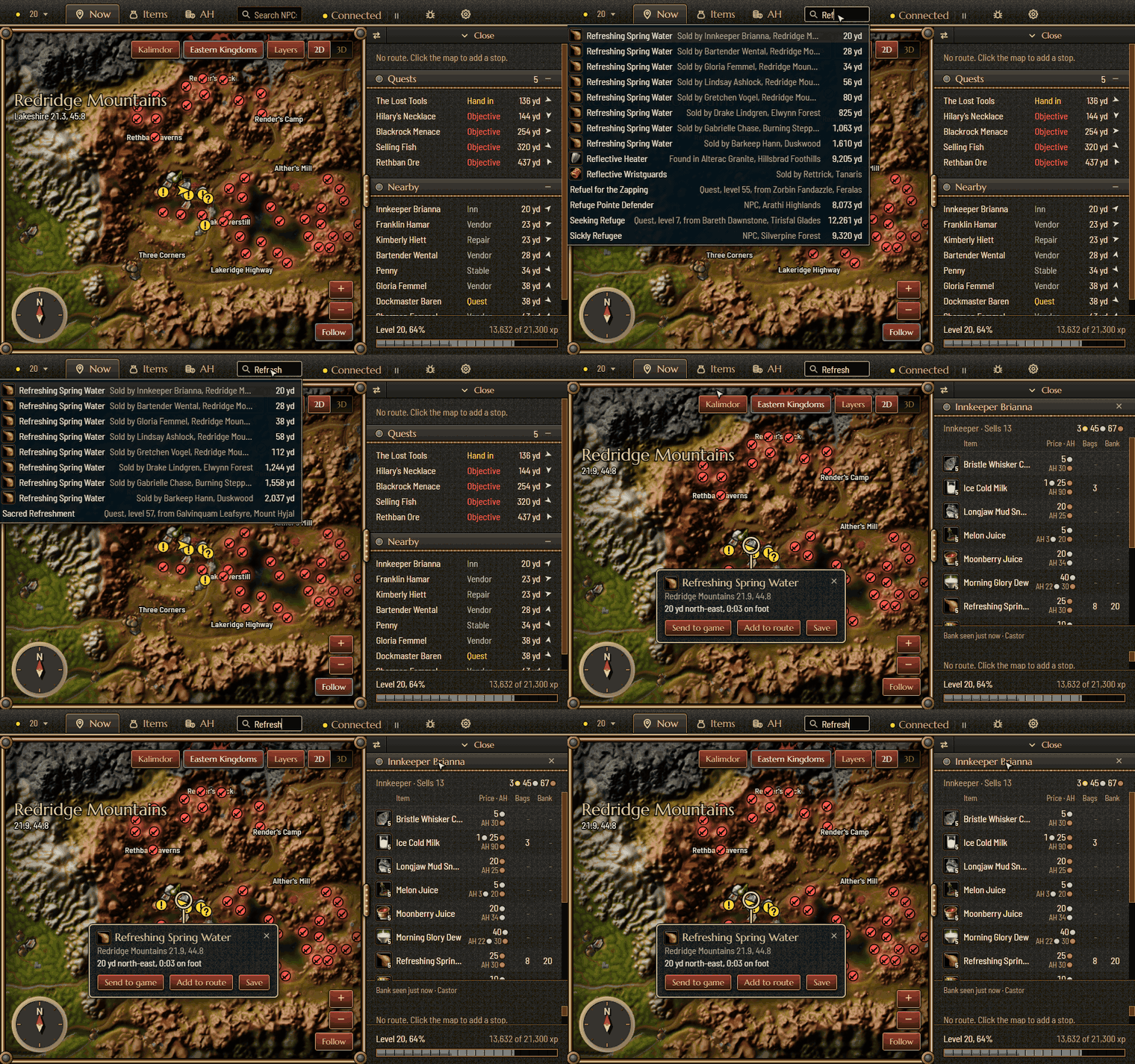
- Search. NPCs, items, quests, zones, dungeons and your own pins, with the distance on foot. An item is listed once for each vendor who sells it, the nearest first.
- Vendors and trainers. What a vendor sells and at what price, what a trainer teaches, what you can learn now and what it costs.
Your characters and the Auction House
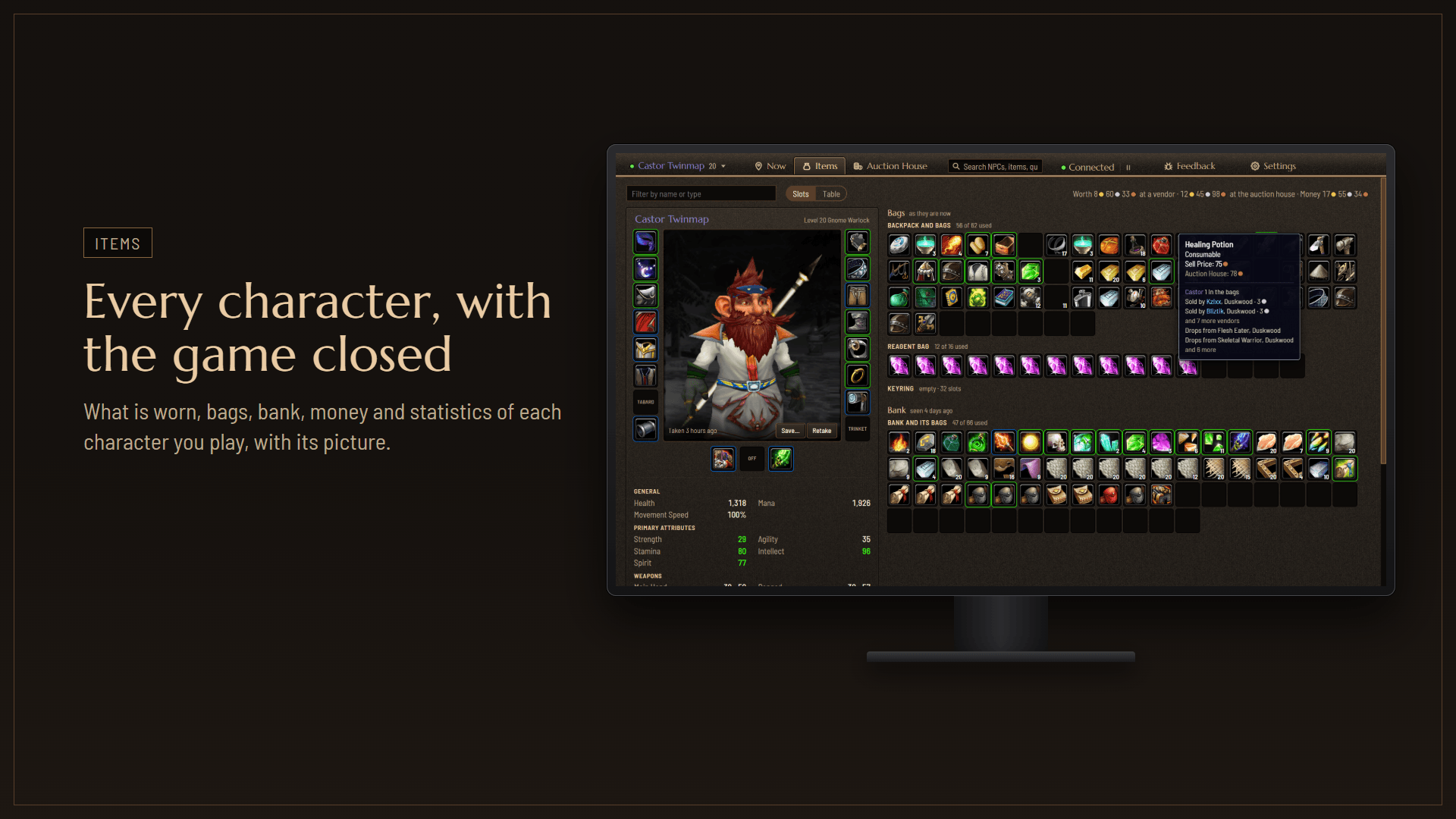
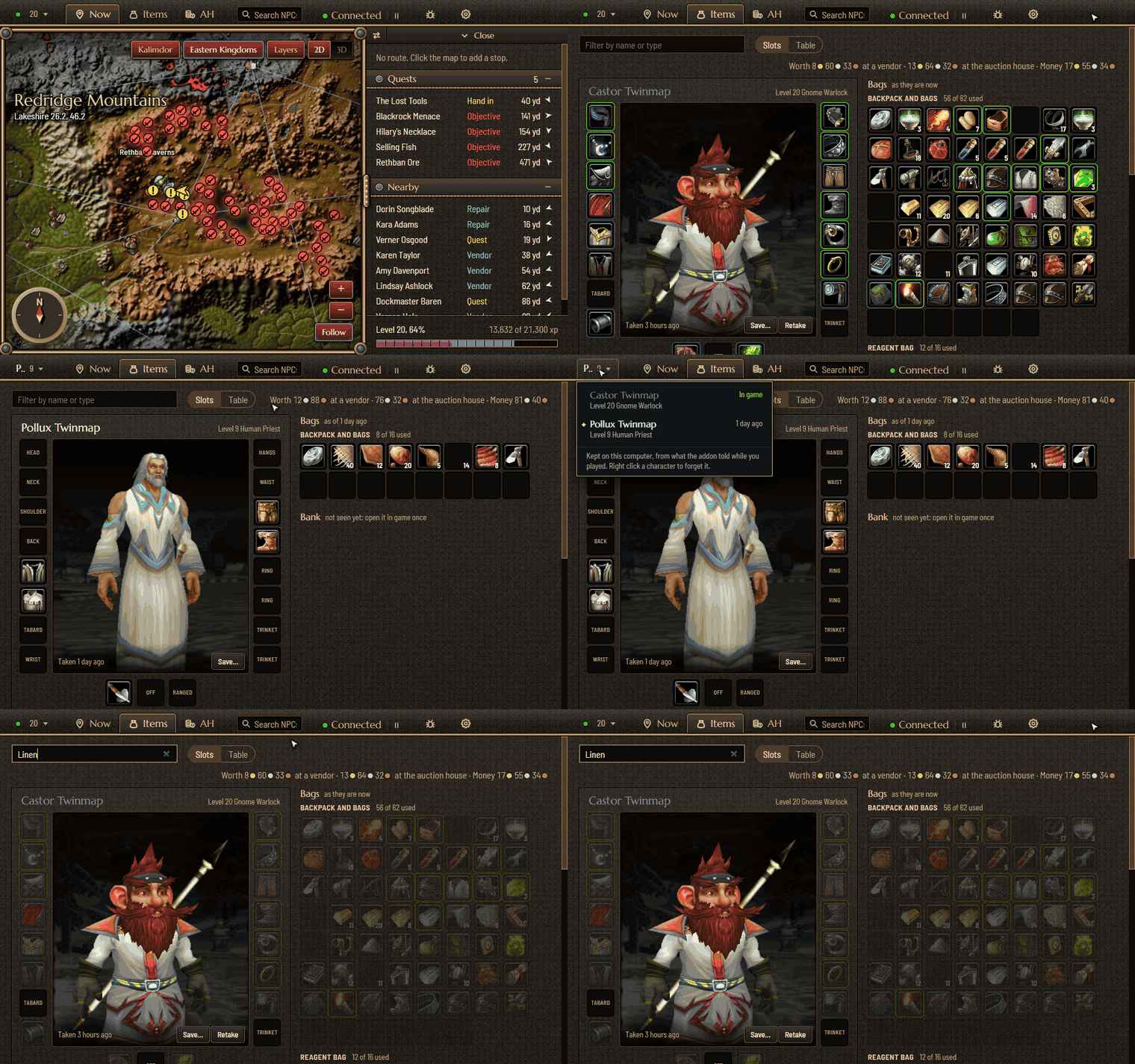
- Your characters. Bags, bank, gear and statistics of every character you play, with a picture of each. Readable with the game closed.
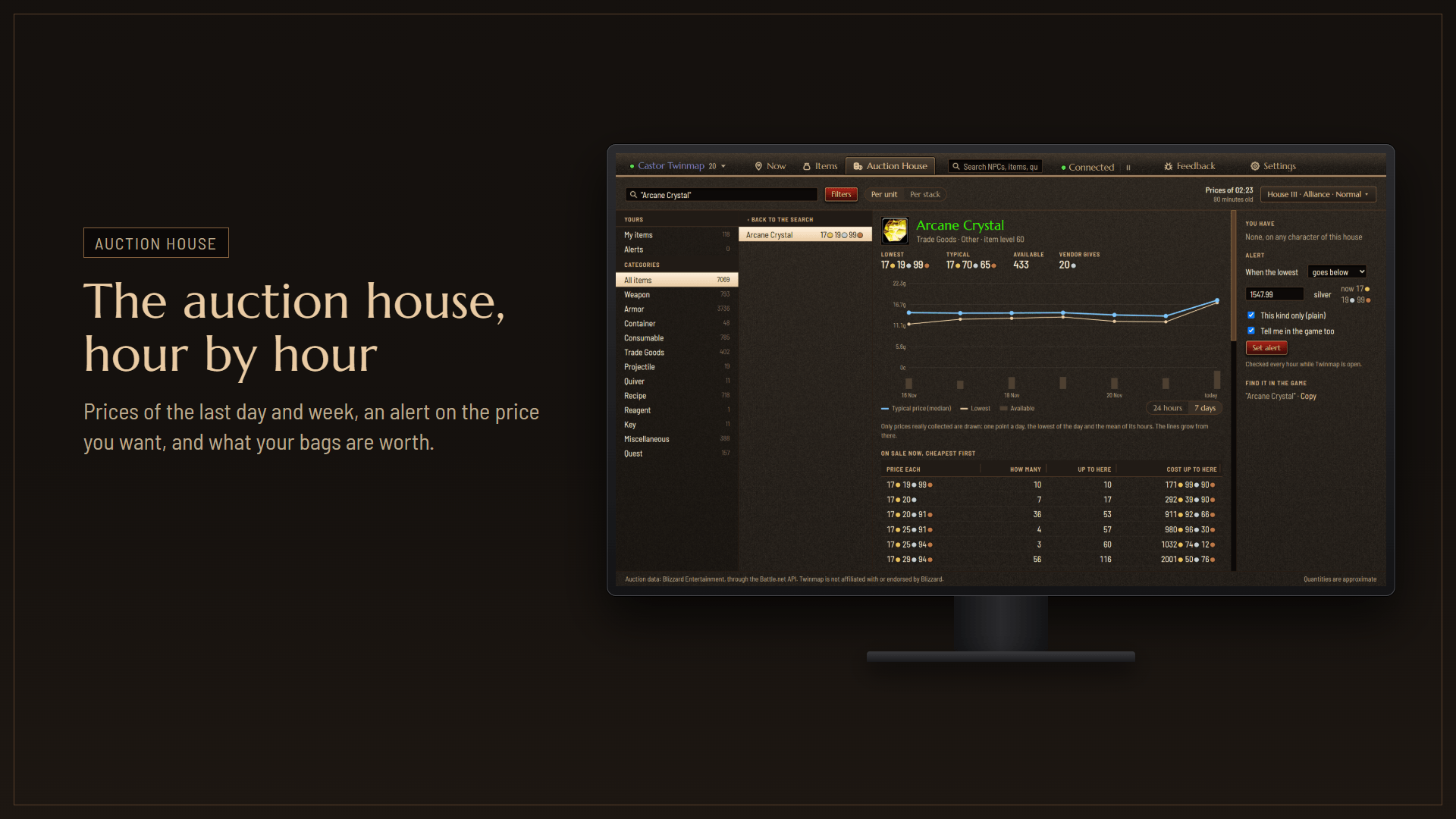
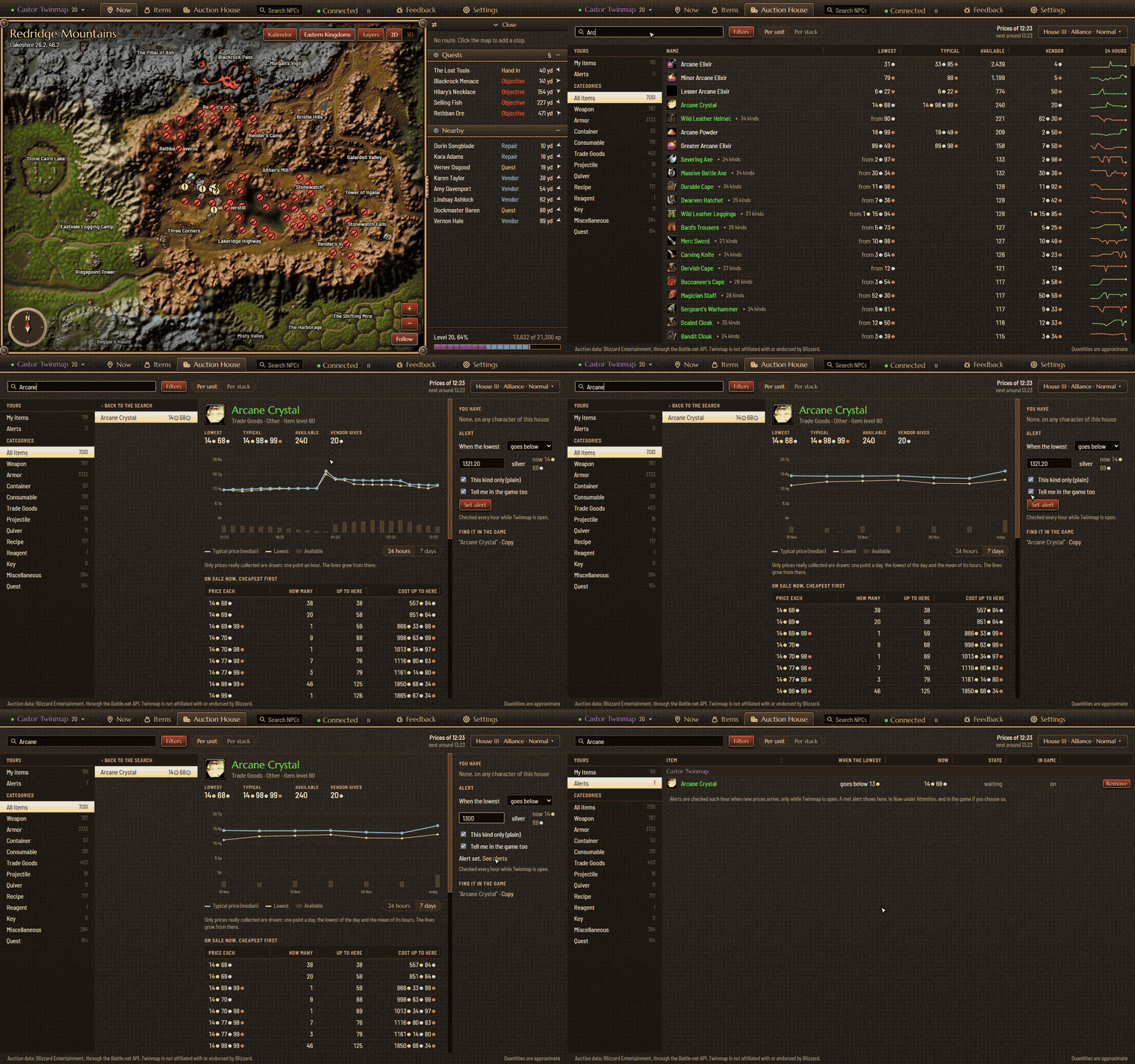
- Auction House. The prices of your character's auction house, every hour: what your bags, bank and gear are worth, how a price moved over a day or a week, and an alert when it crosses your line, told in the game too.
Twinmap is free and open source. No Overwolf, no ads, no account, no paid features. Nothing leaves your computer unless you send it, or turn on Help improve Twinmap in the app, which is off until you do.
How to start
- Install this addon and restart the game. The CurseForge app installs QuestieDB with it: the data about NPCs, items and quests that the map reads.
- Download the Twinmap app for Windows and open the file. More about it at twinmap.app.
- Open the app and just play. Your arrow appears on its own.
What this addon does in the game
It reads your position, your zone, your quests and what your character carries, wears and knows, and draws them as a line one pixel tall at the edge of the game window, which the app reads from the screen. It also shows the points and routes you send from the map, draws your pins as flags on the game's world map, and Alt and a click on that map sets a new one, which the app shows too. In a group, it tells the other Twinmap addons where you are, through the game. In chat it says when a price alert you set in the app is met, and when a newer version of the addon is on CurseForge. Inside dungeons a line under the minimap reminds you to keep it clear, not rotated and zoomed all the way out, since the app finds your place there from the minimap.
If you turn on Help improve Twinmap in the app, the addon also notes the doors of dungeons, what trainers teach, the creatures, objects and quest steps that Questie has no place for, and what the game shows of the NPCs Questie does not know or places somewhere else, for the app to send. All of it is numbers, except a creature's name as the game gives it. Until then it notes nothing.
It reads and draws. It never clicks, casts, moves or talks for you.
Photosensitivity warning. The addon sends data by changing the colors of a one pixel line at the edge of the game window, many times per second. Its settings in the game (Options, AddOns, Twinmap Forever) can keep it steady, so that it looks still, or pause it, and the pause button at the top of the app pauses it too.
Optional addons
None of these is needed. When one is installed, Twinmap shows more.
- Questie: the map shows the same quests Questie shows in the game, with the ones you can take. Without it, the map shows the quests of your log.
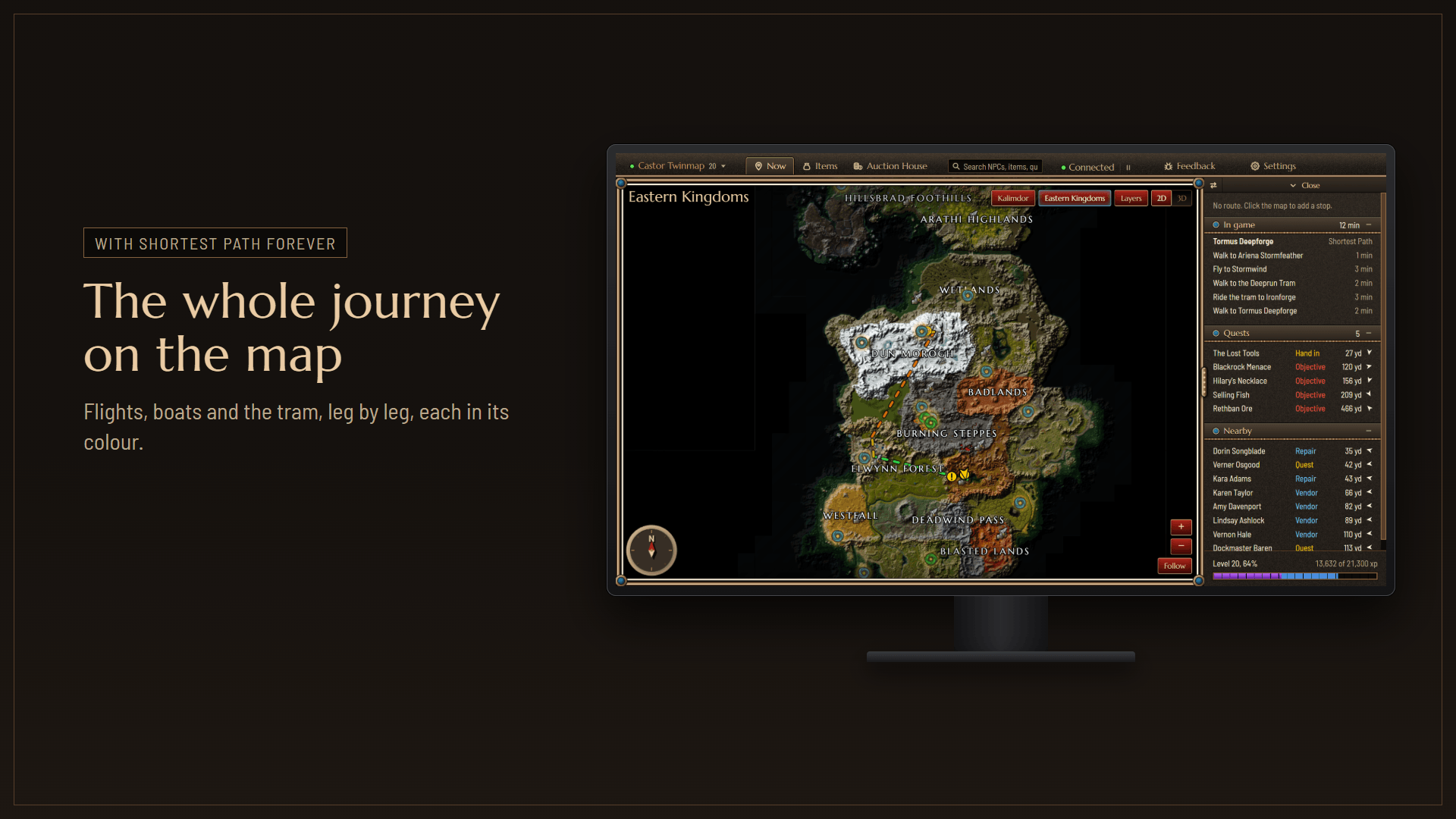
- Shortest Path Forever: the map shows the whole journey it plans, flights, boats and the tram included, on the floor the game guides you on, and what you send to the game is reached along the roads.
In active development
Twinmap is young and it is being worked on all the time. New versions come out often.
Here is what is planned, in no particular order. These are plans, not promises: what you ask for can change them.
- Group: quests you share, pins everyone sees
- Travel: time to arrive, flight paths, boats and zeppelins, your hearthstone
- More on the map: zones colored by level, the places you have explored, rares and treasures
- Quests: your whole quest log, chains, rewards, and a plan for the session
- Character: experience per hour, professions, reputations, a reminder when your trainer has something new
- Alerts: full bags, broken gear, a disconnected game, and why you died
- Items: a shopping list
- Tools: a macro builder, your action bars, a talent calculator, a screenshot gallery
- Guides: leveling guides that turn into routes on the map
- Global shortcuts and a signed installer
Free and open source
All of Twinmap's code is public on GitHub, under the GNU General Public License, version 3. It is free to use, with no ads and no paid features, and it will stay that way.
Anyone can contribute: report a bug, propose an idea, or send a pull request with code.
Support the project
Twinmap is made in spare time and costs nothing. If it is useful to you and you feel like it, you can buy me a coffee on Ko-fi. It is never needed, and it unlocks nothing.

Feedback
Bugs and ideas: the Feedback entry in the app, GitHub, or dev@twinmap.app.
Good to know
Twinmap is a fan project. It is not affiliated with or endorsed by Blizzard Entertainment, and Blizzard has not authorized it: you use it at your own risk.
Twinmap Forever Team