TweaksUI
- By
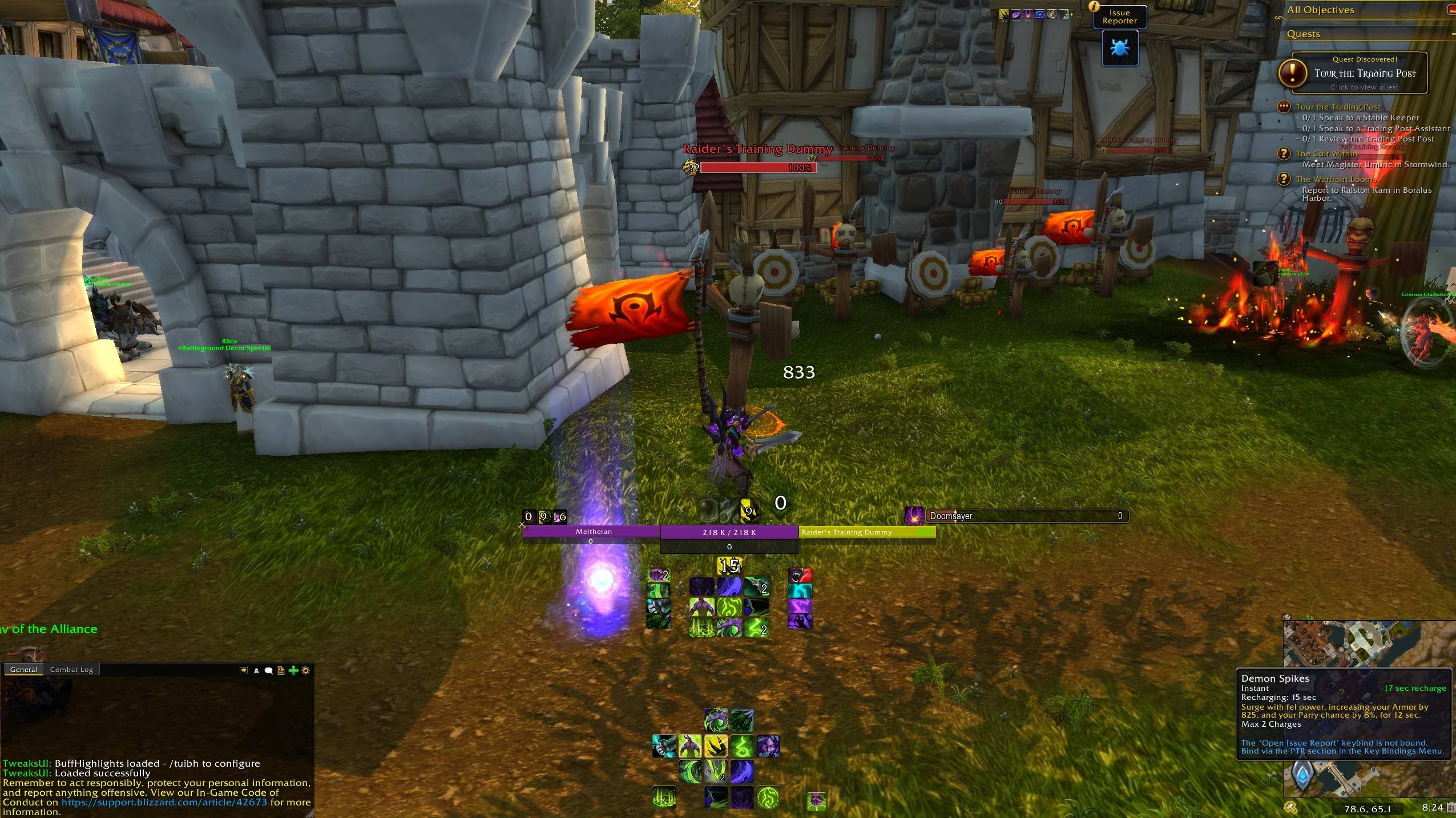
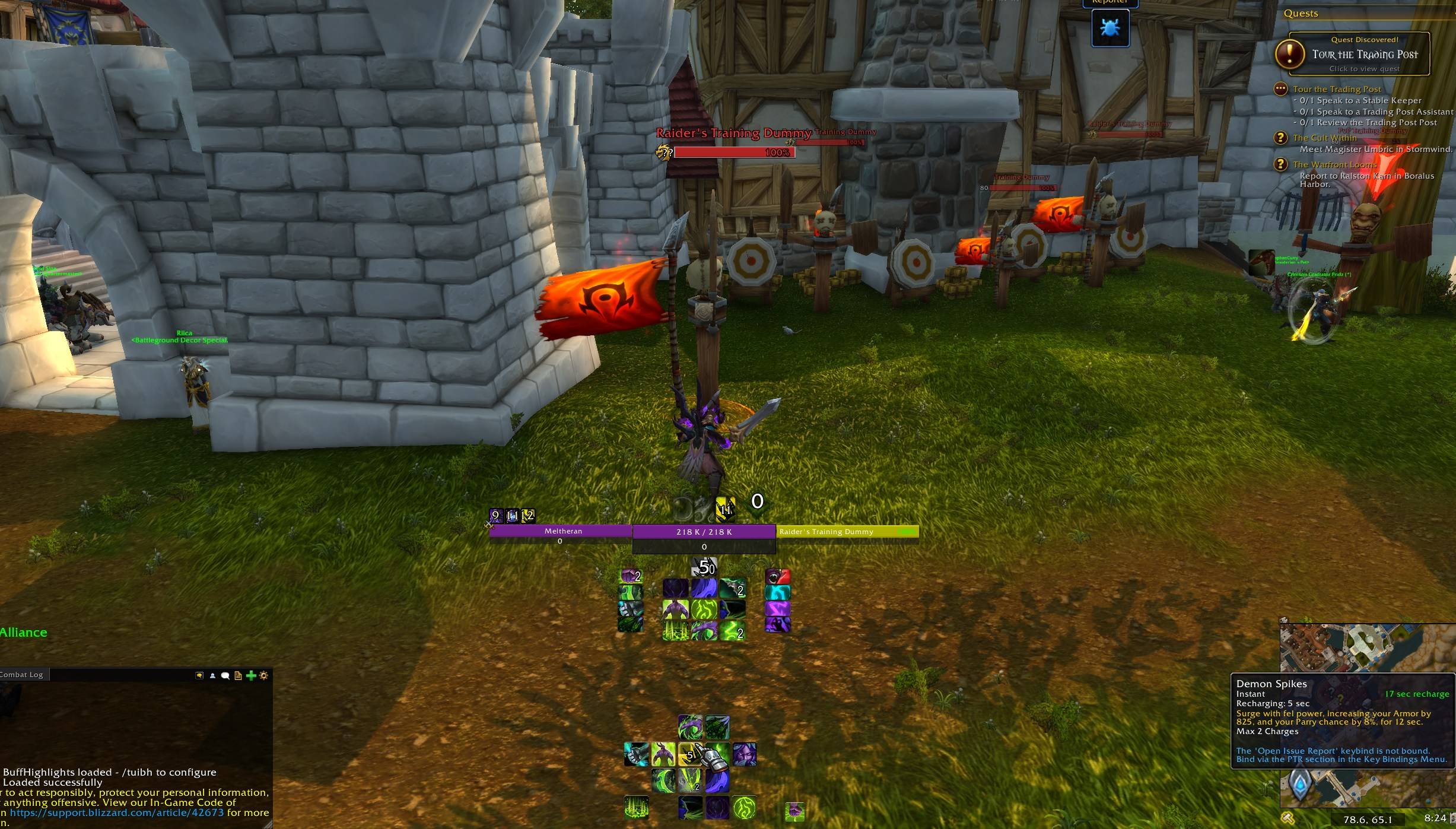
TweaksUI is a UI Suite that improves the look and feel of WoW's built-in interface—Built specifically for Midnight.
7unp6h0ZhX.jpg
WowT_hzczp6736N.png
WowT_iDHk1VrogV.png
WowT_j3HzWnrBQW.jpg
WowT_rDB9Zo8BWT.png
Description
TweaksUI
TweaksUI is a modular addon that makes adjustments to Blizzard’s default UI. It’s intended for players who mostly like the stock interface but want more control over layout, visuals, and information without replacing the entire UI or depending on one large all-in-one addon.
You can enable only the parts you actually want to use and leave everything else alone.
Why This Addon Exists
TweaksUI started as a personal project in preparation for the upcoming Midnight API changes. At the time, several larger UI addons had announced that they would not be continuing development into Midnight, and I didn’t want to rebuild my UI around tools that might not be maintained long-term.
Rather than wait or scramble later, I decided to build something modular that covered the parts of the UI I actually interact with day to day, while staying close to Blizzard’s default frames and APIs.
Some of those larger addons have since decided to continue into Midnight, which is a good thing. TweaksUI isn’t meant to replace or compete with them. It exists because it fits my own setup and preferences, and I’ve continued developing it because other players found it useful as well.
Features
Masque Support
TweaksUI supports Masque for icon skinning. Cooldown Trackers (Essential, Utility, Buffs, and Custom) and Action Bars 1–8 each have their own Masque group. Modules can be skinned individually or controlled globally through the Media settings.
Character Panel Enhancements
Adds additional item level information to the character panel, including decimal item level, per-slot item level, and visual indicators for missing enchants or empty gem sockets. Each option can be enabled or disabled independently.
Icon Edge Styles
Control how icons are displayed across cooldown trackers and action bars. Choose between sharp (zoomed), rounded corners, or square edges. Settings can be applied per tracker or bar, or overridden globally.
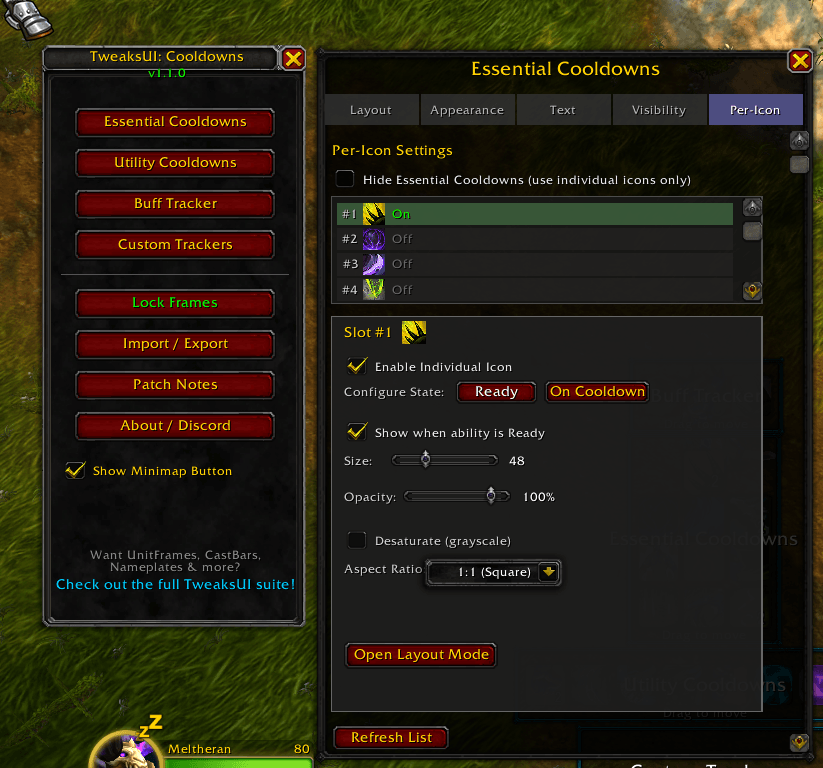
Per-Icon Cooldown Highlights
Individual cooldowns can be broken out of traditional grids and placed anywhere on the screen. Each icon can be positioned and styled independently, with control over size, opacity, saturation, aspect ratio, and behavior when ready versus on cooldown.
Includes cooldown sweep, countdown text, charge counts, and proc glow effects.
Profile System
Full profile management with save, load, copy, and delete options. Profiles store all settings, including layout positions. Profiles can be exported and imported as compressed text strings for sharing or transferring between characters.
Spec Auto-Switch
Automatically load different profiles when switching specs. This is especially useful for hybrid classes that use different UI layouts for tanking, healing, or DPS.
Module Presets
Built-in presets are available for modules such as Cooldowns, Cast Bars, Chat, Nameplates, and Resource Bars. Presets include role-based layouts (Tank, Healer, Melee DPS, Ranged DPS) and style-based options (Modern, Minimal, Large, Streamer). Custom presets can also be saved.
Layout Mode
A unified layout system for all TweaksUI elements. Use /tui layout to enter Layout Mode, where frames can be dragged, snapped together, and adjusted with a coordinate panel for pixel-level positioning using arrow key nudging. Layout positions are saved per character.
Cooldown Trackers
Customize Blizzard’s cooldown viewer with control over size, spacing, and visibility. Custom spell and item trackers can be added for abilities Blizzard doesn’t track by default. Individual cooldowns can be broken out using Per-Icon Highlights.
If you’re coming from Cooldown Manager Tweaks, TweaksUI includes a migration tool to import existing settings.
Unit Frames
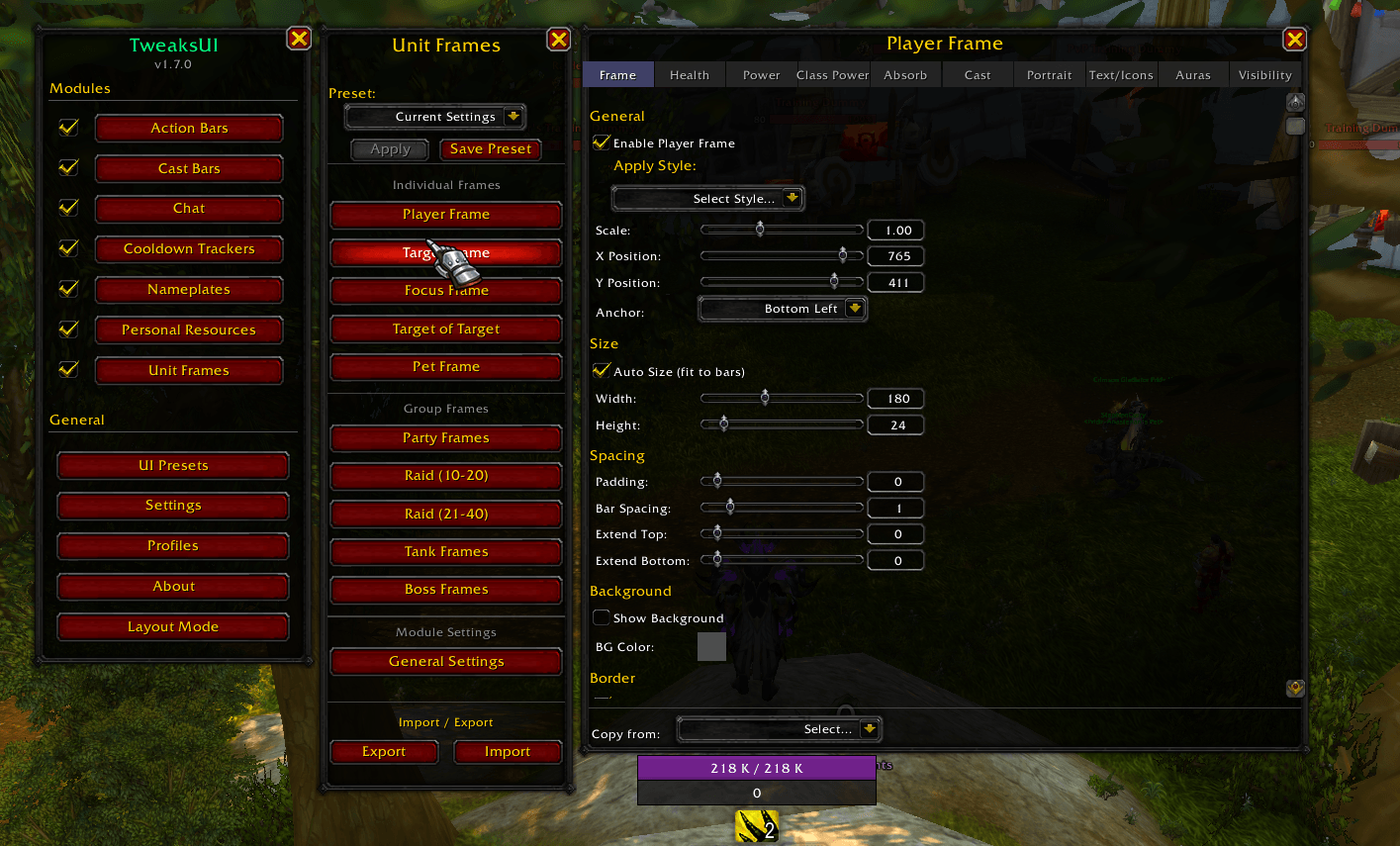
Adjust the scale, position, and styling of Player, Target, Focus, and Pet frames. Customize health and power bars, text formats, and portraits.
Party and Raid frames include heal prediction overlays, threat indicators, dispel highlighting, defensive cooldown icons, range fading, aura display, sorting options, and a test mode for previewing layouts without a live group.
Action Bars
Visual adjustments for action bars, including padding, spacing, background visibility, and range indicators. Icon edge styles apply here as well. System bars (Stance, Pet, Possess, Micro Menu, Bags) can be repositioned using Layout Mode.
Cast Bars
Resize and reposition player, target, and focus cast bars. Customize colors, text, and icon display.
Chat
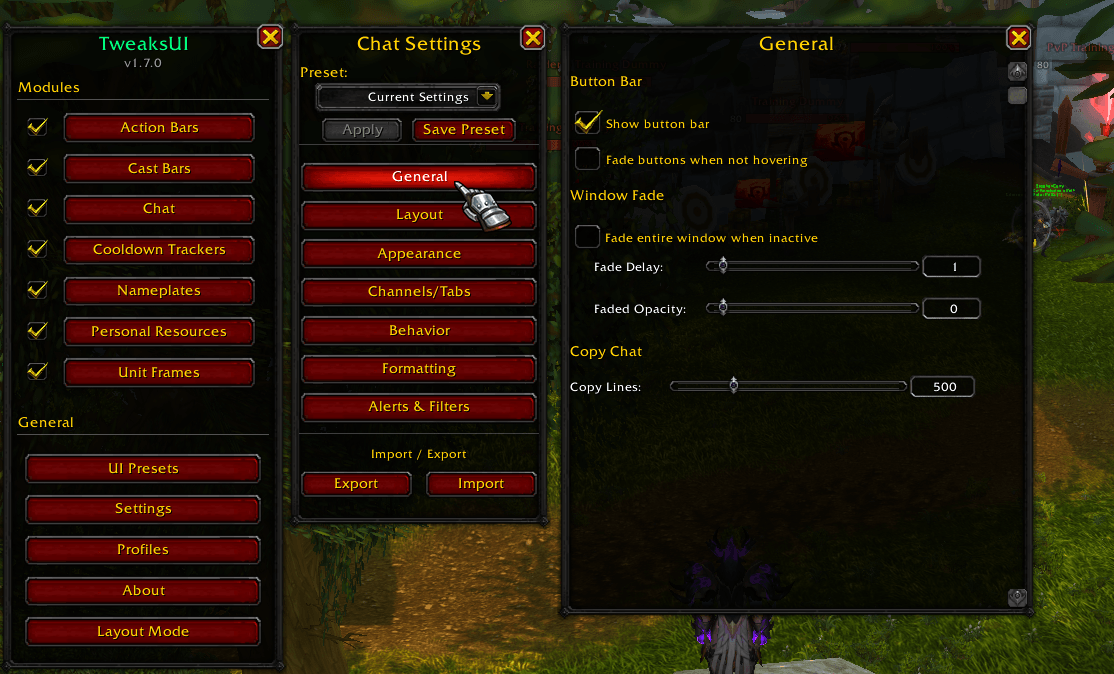
A customizable chat frame with tabs, fading options, button bar visibility, and edit box positioning. The edit box can be hidden until you start typing.
Resource Bars
Dedicated bars for health, primary power, and secondary resources such as combo points, runes, soul shards, holy power, and chi. Resource Bars can also be used as a compact unit frame with full health bar support.
Nameplates
A fully customizable nameplate system. Configure health bars with multiple color modes, absorb overlays, and cast bars with interrupt indicators and spell icons. Includes customizable name and health text, target and mouseover highlights, role-aware threat coloring, raid markers, elite and rare indicators, range-based fading, and per-unit visibility options.
Minimap
Reparent and reposition the minimap independently from Blizzard’s default cluster. Includes a square minimap option, custom border colors, coordinate display, and control over attached elements such as the clock, tracking, and mail icon.
General Options
Toggle visibility for various Blizzard UI elements such as the talking head, zone text, and durability display. Includes an AFK mode that hides the UI when idle, and support for moving the Objective Tracker using Layout Mode.
Getting Started
- Type
/tuito open the settings - Enable the modules you want to use
- Configure each module from its settings panel
- Use
/tui layoutto position TweaksUI elements - Use the Profiles panel to save layouts and configure spec switching
Note: Most modules require a UI reload when first enabled.
Commands
| Command | Action |
|---|---|
/tui |
Open settings |
/tui layout |
Enter Layout Mode |
/tui profiles |
Open Profiles panel |
/tui patchnotes |
Show patch notes |
/tui welcome |
Show welcome screen |
/cdm |
Open Cooldowns settings |
Profiles & Sharing
- Create and manage multiple profiles per character
- Automatically switch profiles based on spec
- Apply built-in or custom presets to individual modules
- Export and import full profiles as text strings
- Export individual module settings for targeted sharing
Feedback & Support
If you run into issues or want to suggest improvements, you can report them through the comments tab or join the Discord.
Community-created presets are welcome. If you’ve built a setup you’re happy with, feel free to share it.
Join our Discord
Created by Meltheran
TweaksUI Team


Owner