Tutti
- By
Every group loot roll in one window: who picked Need, Greed or Pass, the rolls and the winner. In the EllesmereUI look, on every game version.
02-picks.png
04-you-won.png

Description
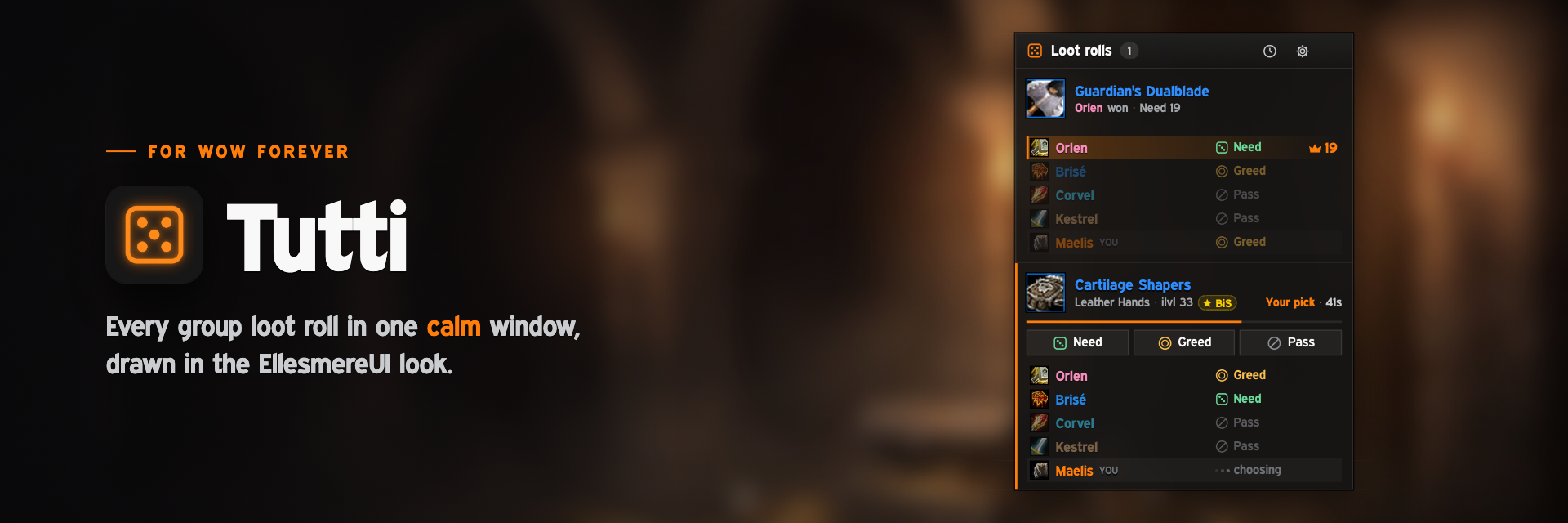
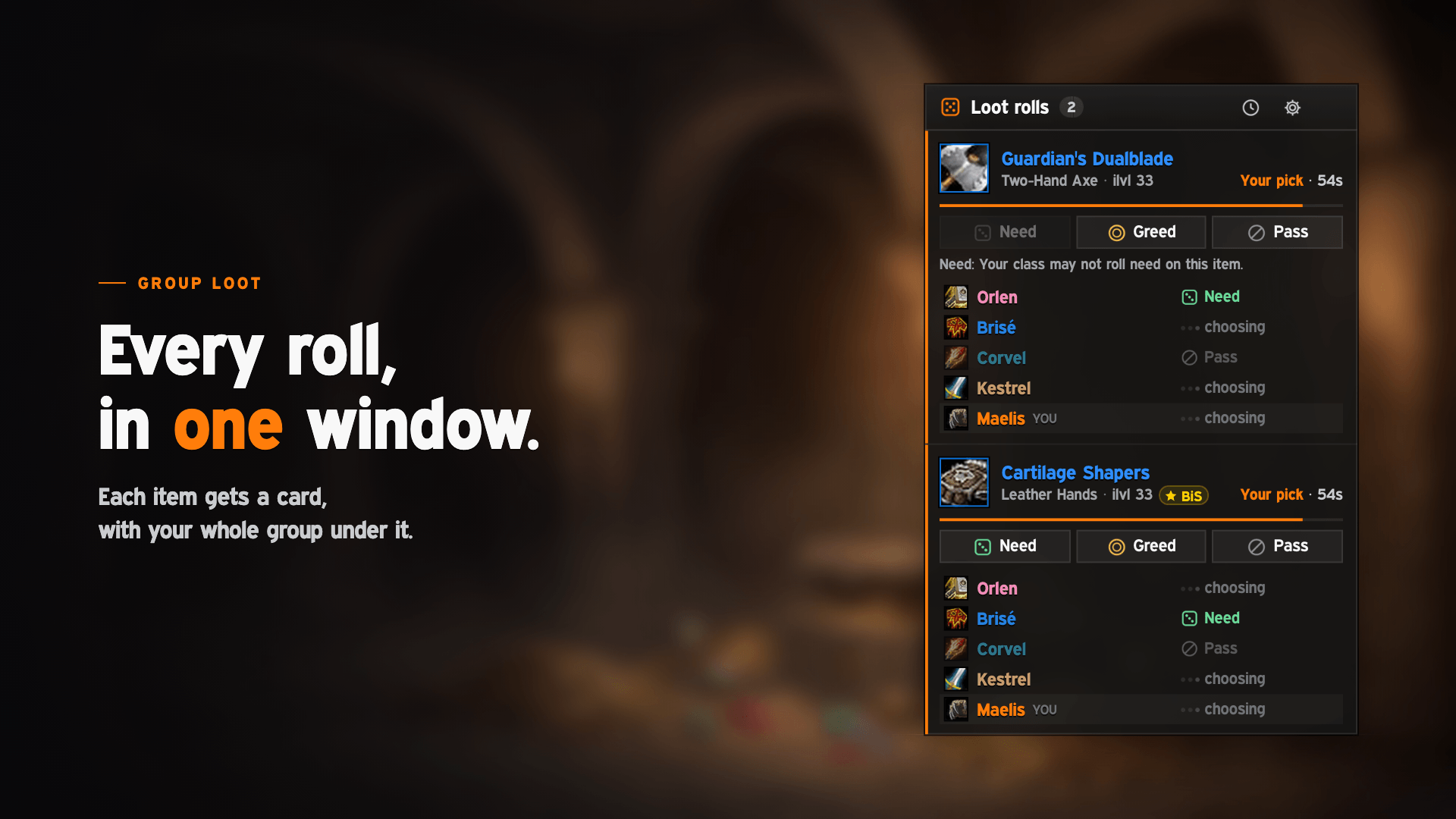
Every group loot roll in one calm window, drawn in the EllesmereUI look. When an item drops in your group, Tutti opens by itself and shows who picked Need, Greed or Pass, everyone's roll and who won. You roll right there too. On every game version.

Features
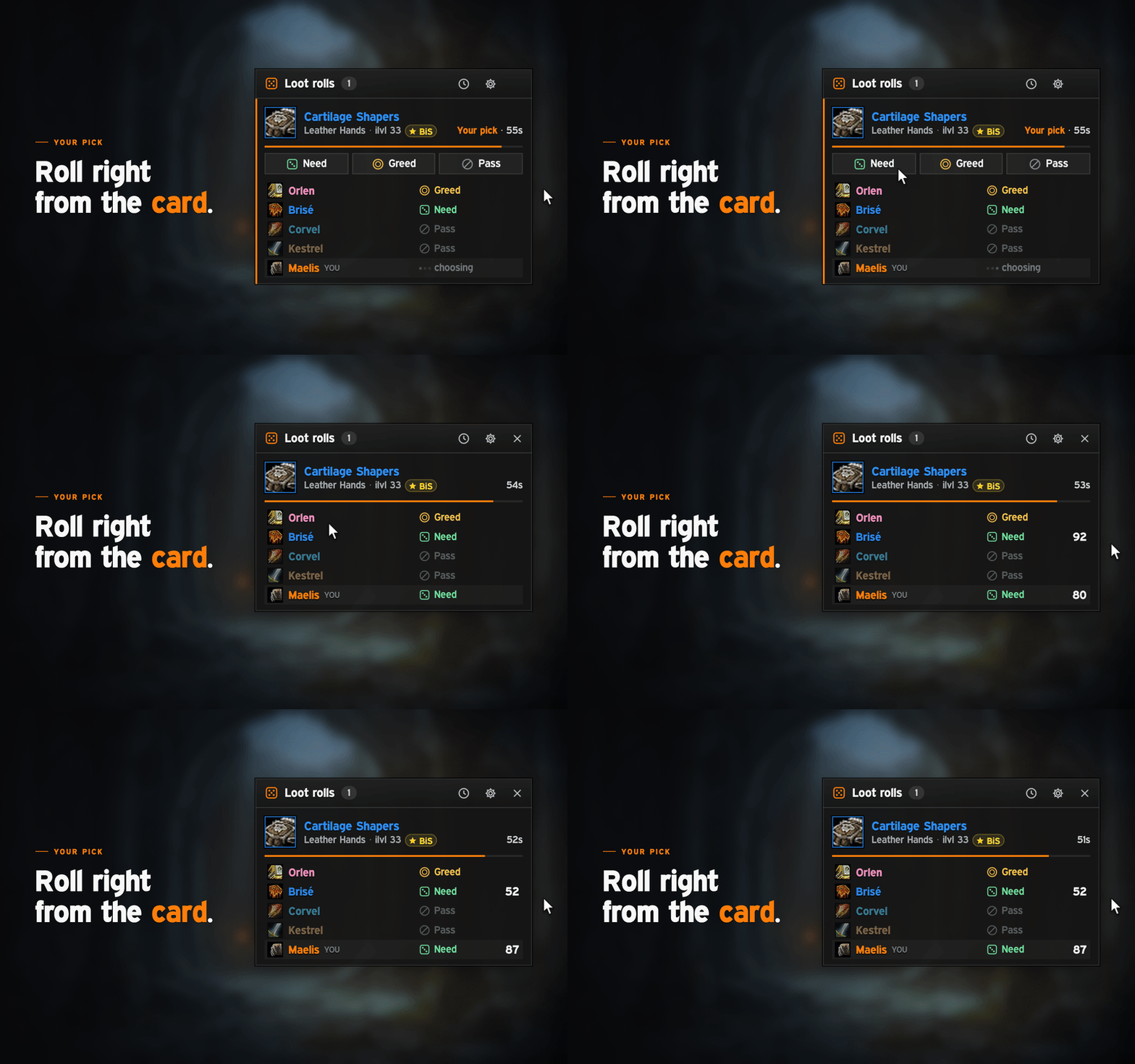
- Opens by itself. When a group roll starts, every item gets a card: icon, name, item type and level, and the seconds left. Your whole group is listed under it, in party order.
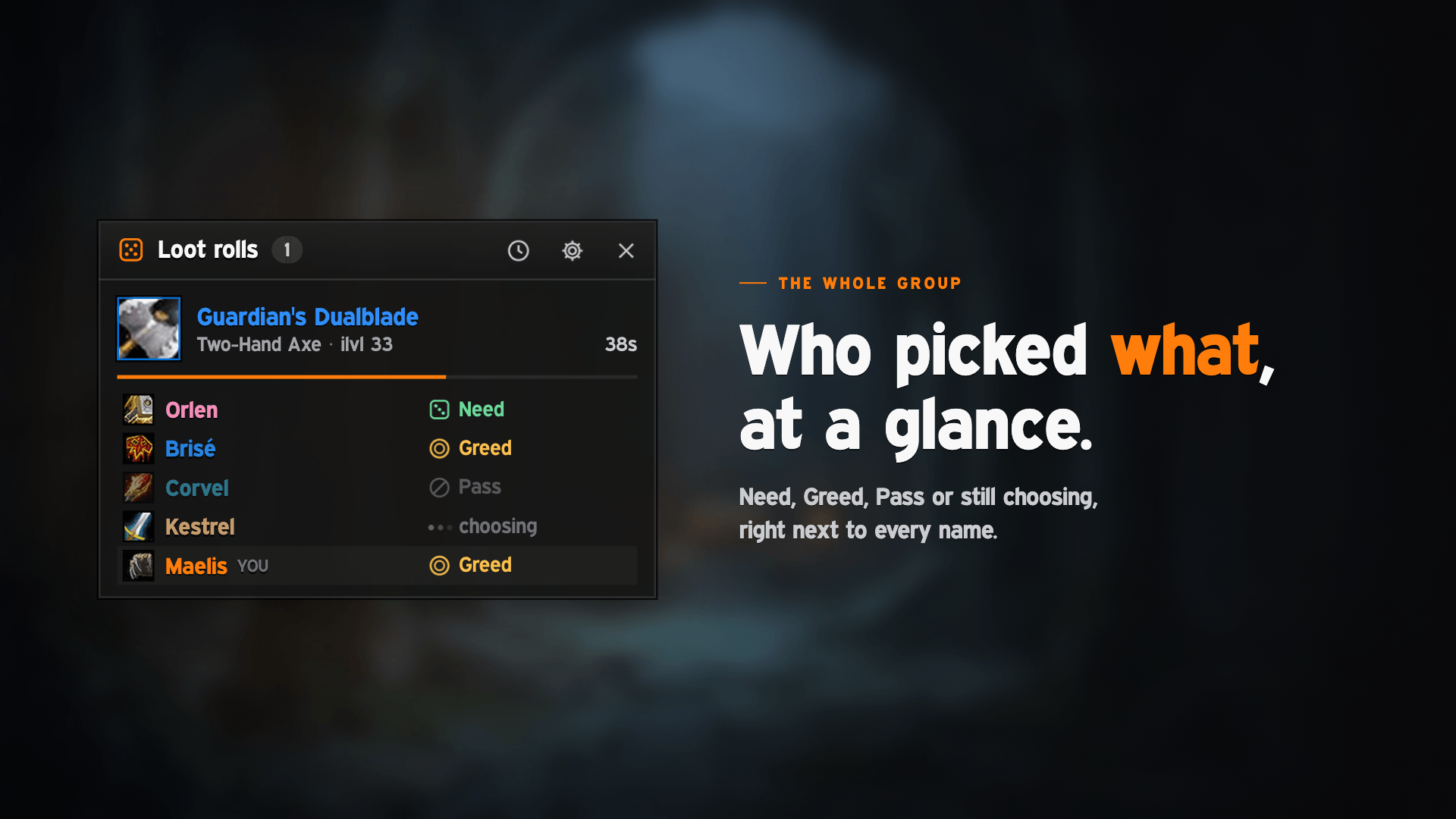
- Everyone's pick. Need, Greed, Transmog or Pass, each with an icon and a word, or three dots while someone is still choosing. Roll numbers spin in as they arrive.
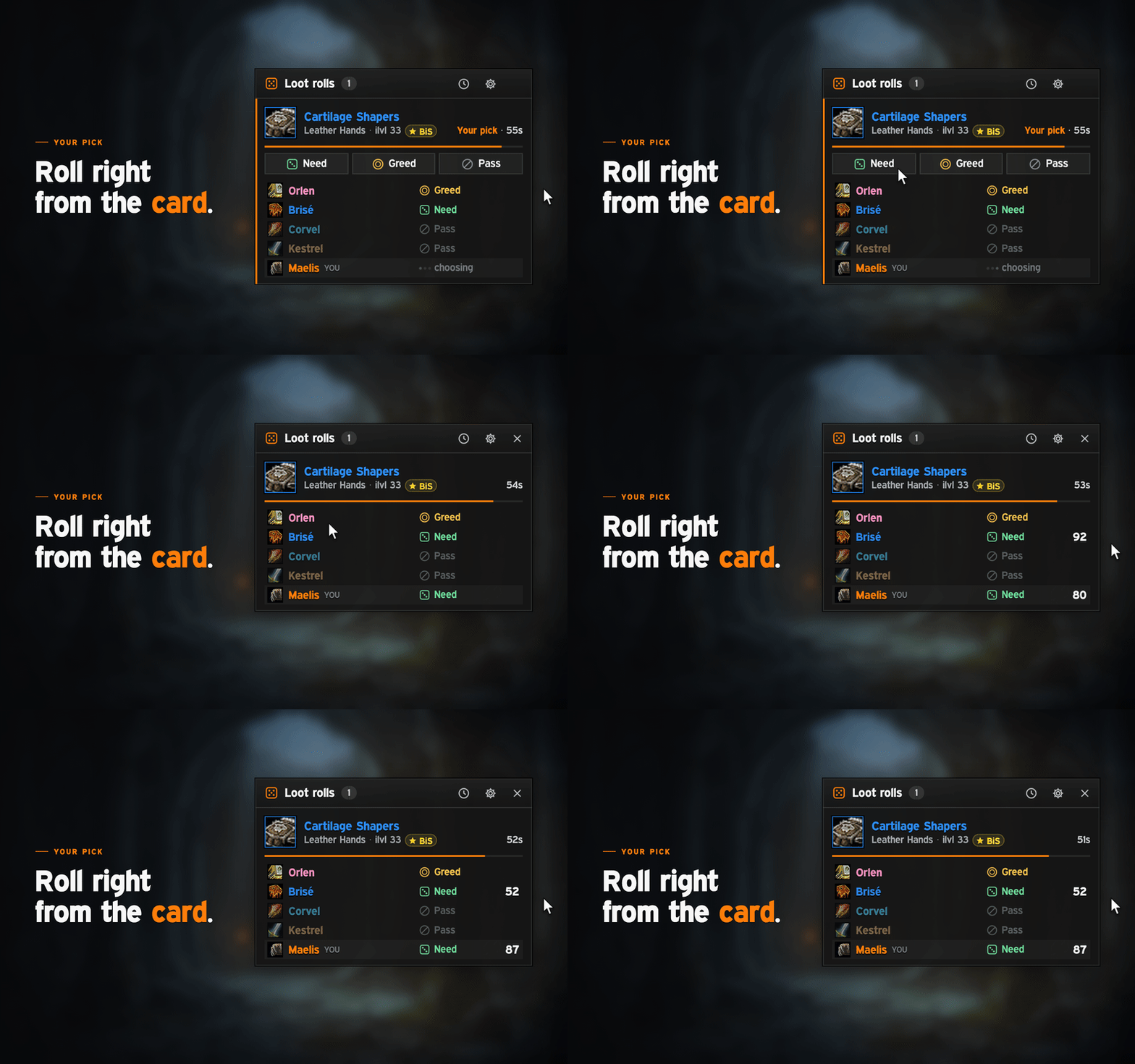
- Roll right there. Cards that wait on you have Need, Greed and Pass buttons (Transmog in place of Greed when the game offers it), and Blizzard's roll popups stay hidden. If you can't Need an item, the button is greyed out with the game's reason. Until you pick, the card stays in sight and the window stays open.
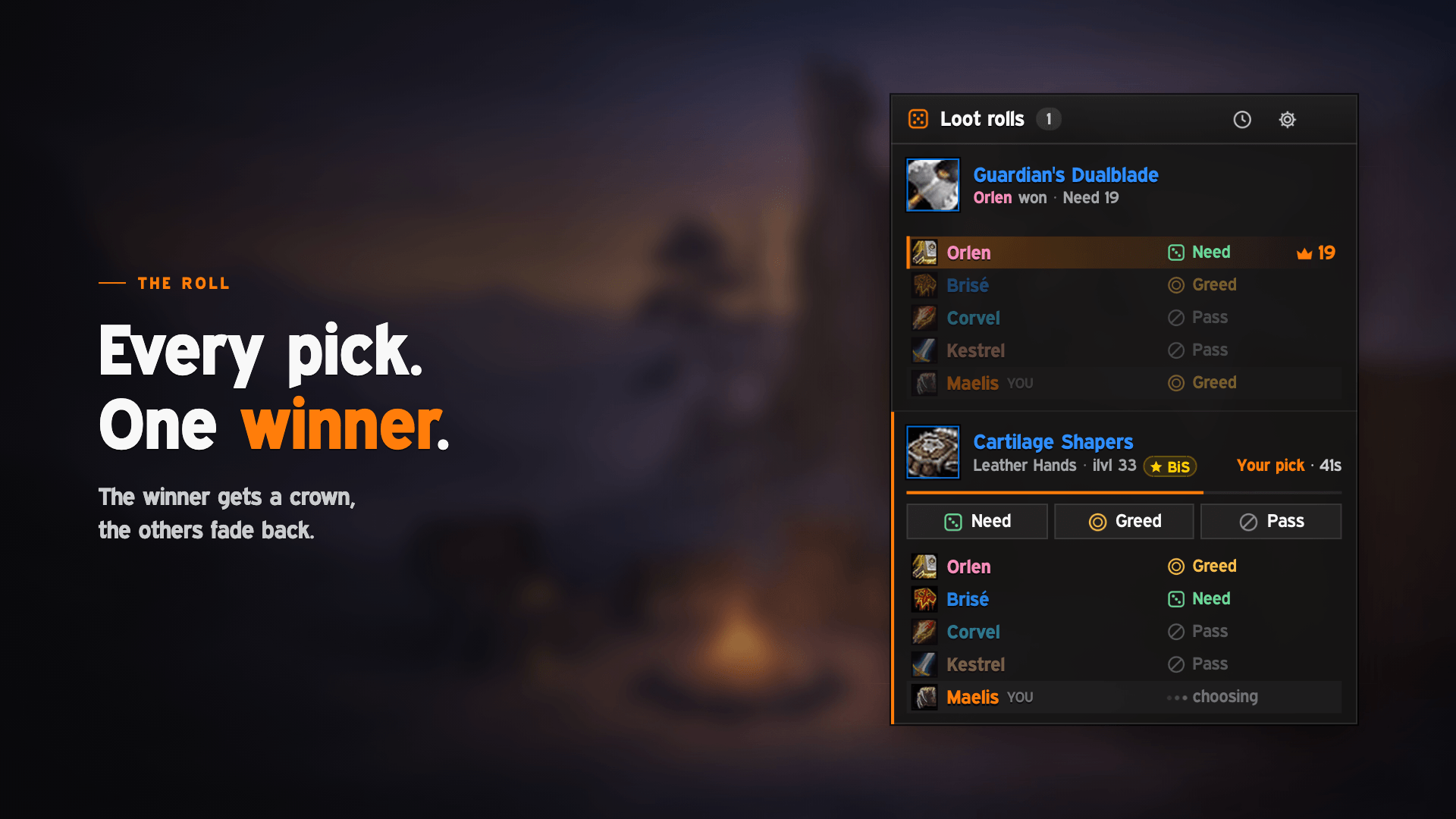
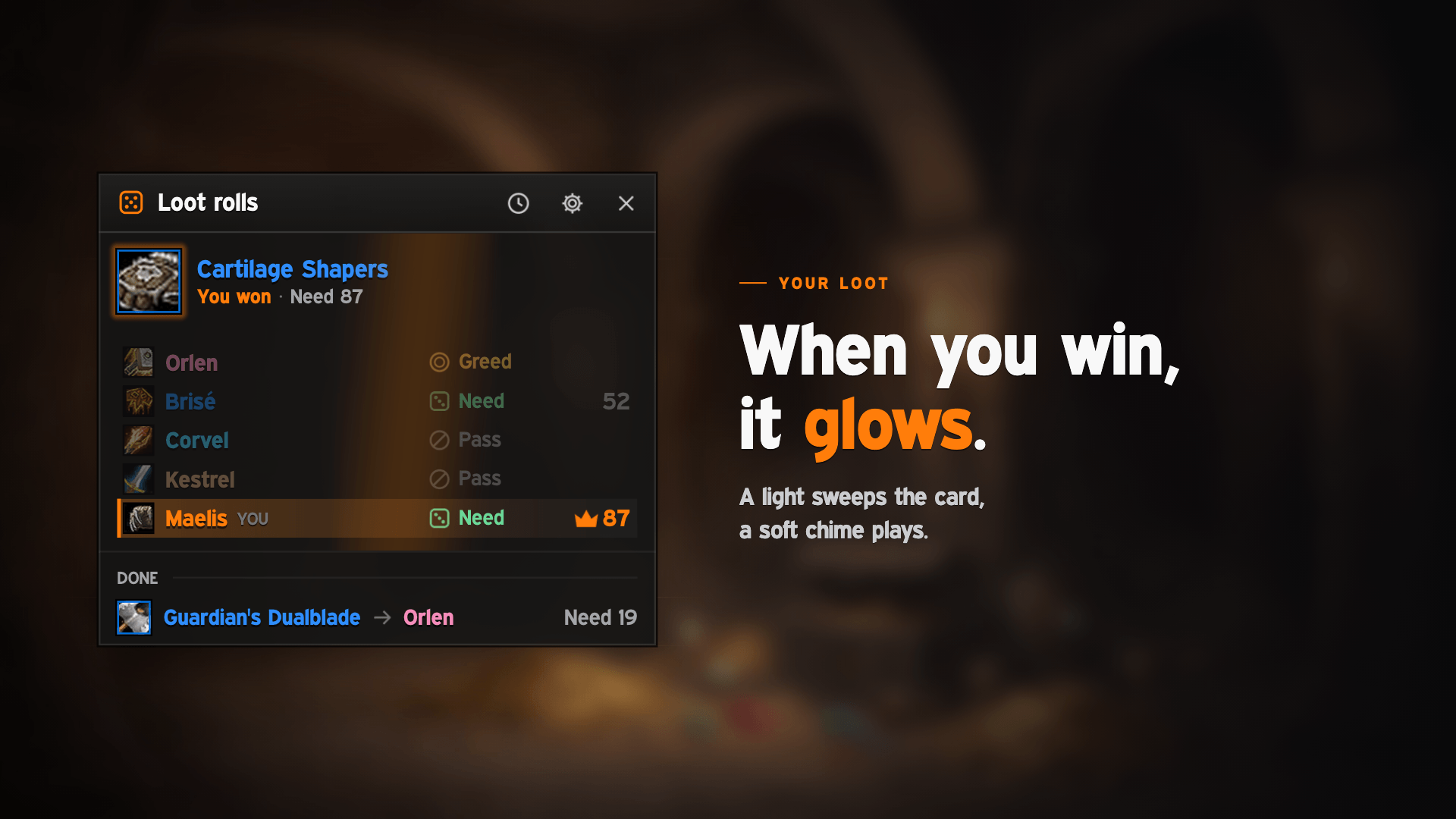
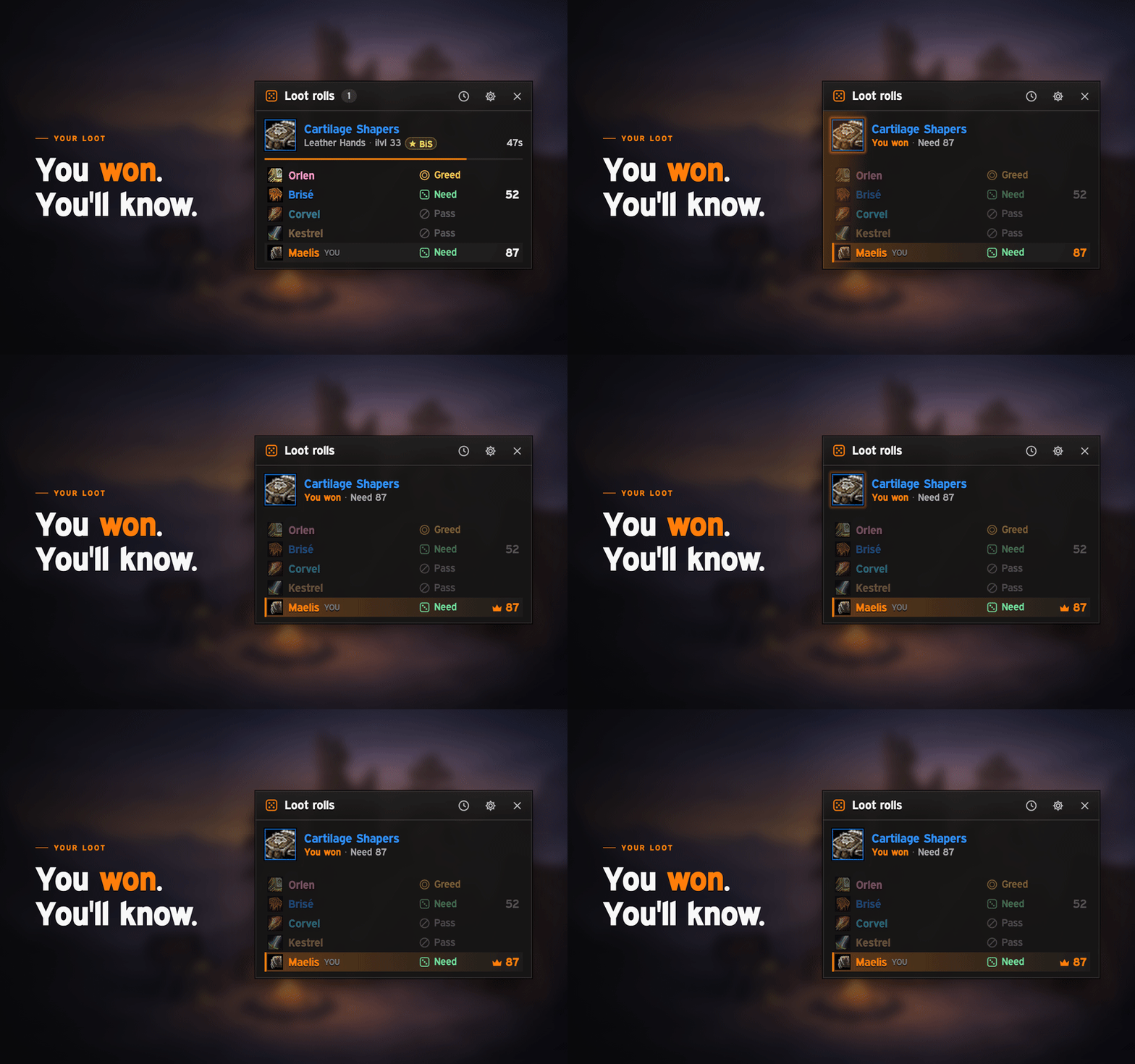
- A clear winner. The winner's row lights up and gets a crown; the other rows fade back. When you win, the item icon glows, a light sweeps the card and a soft chime plays.
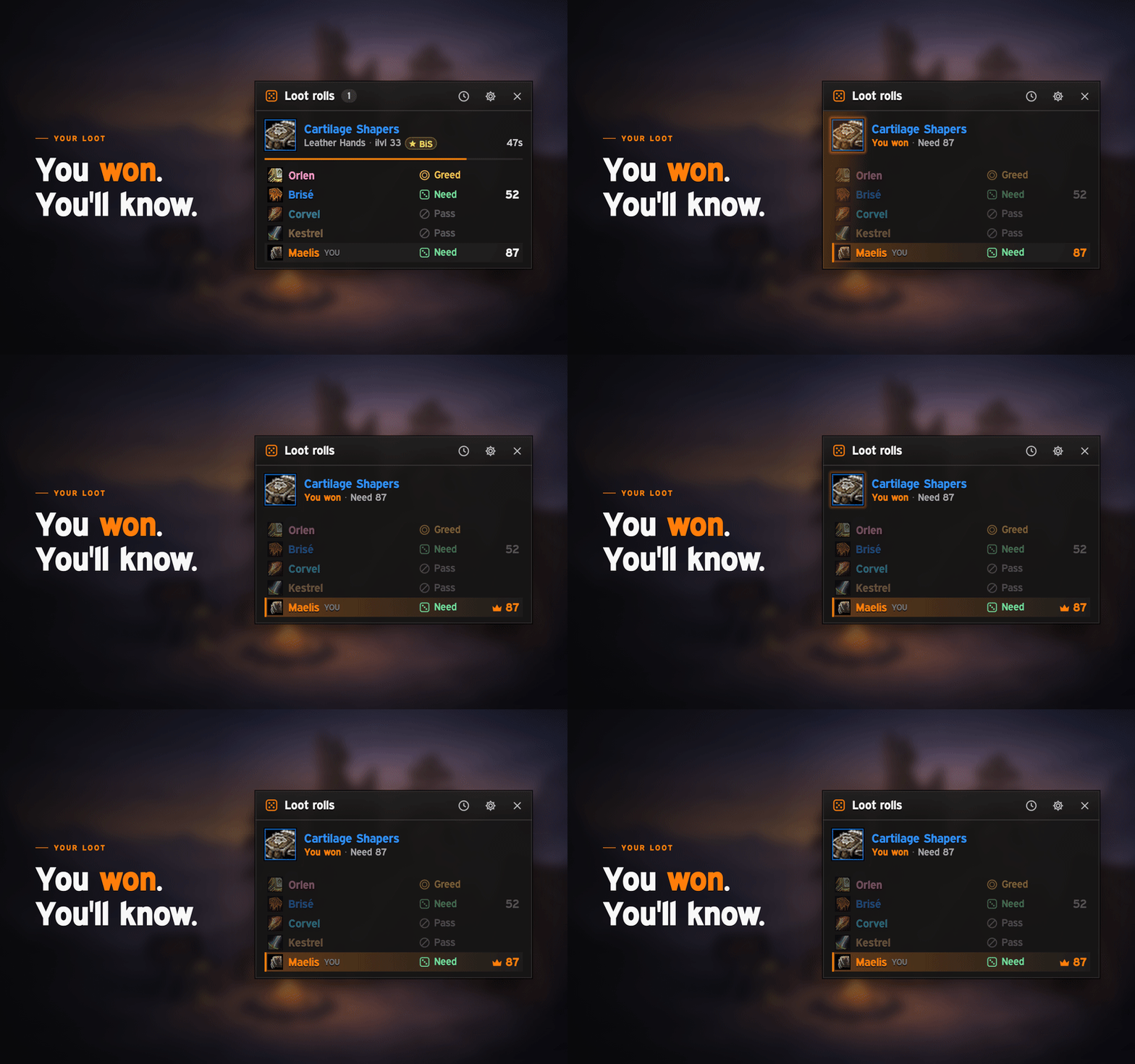
- Tidies itself up. A decided item folds into one line while others are still open, and the window closes itself after the last roll (10 seconds by default). With the mouse over it, it waits.
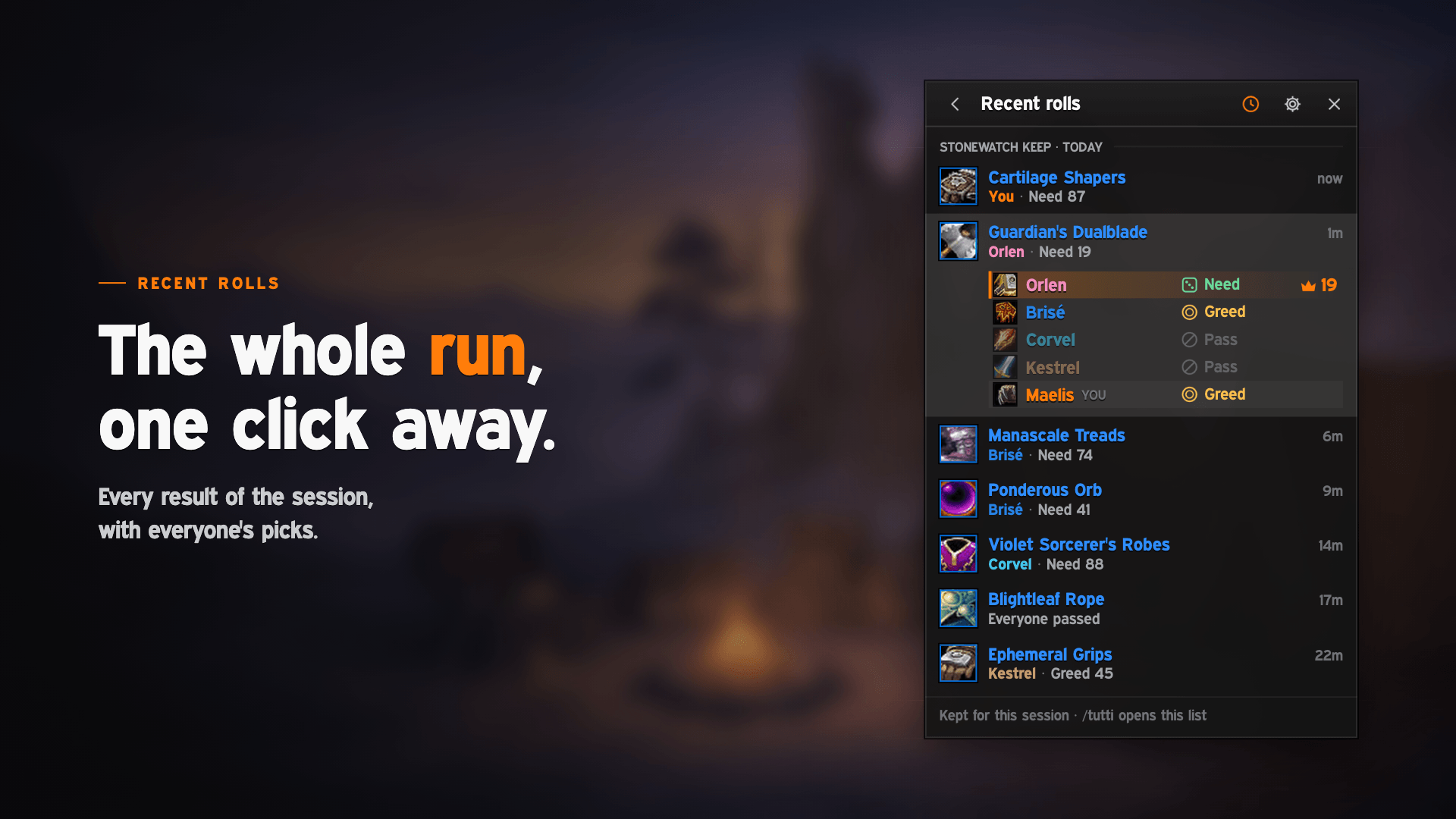
- Recent rolls. The session's results, grouped by place and day, one click away. Click a line to see everyone's pick. Kept through /reload, cleared at login.
- Raids too. In a raid a card lists only who picked Need, Greed or Transmog, plus you. Everyone else folds into one line you can open.
- Items as usual. Hover for the tooltip, shift-click to link, ctrl-click for the dressing room.
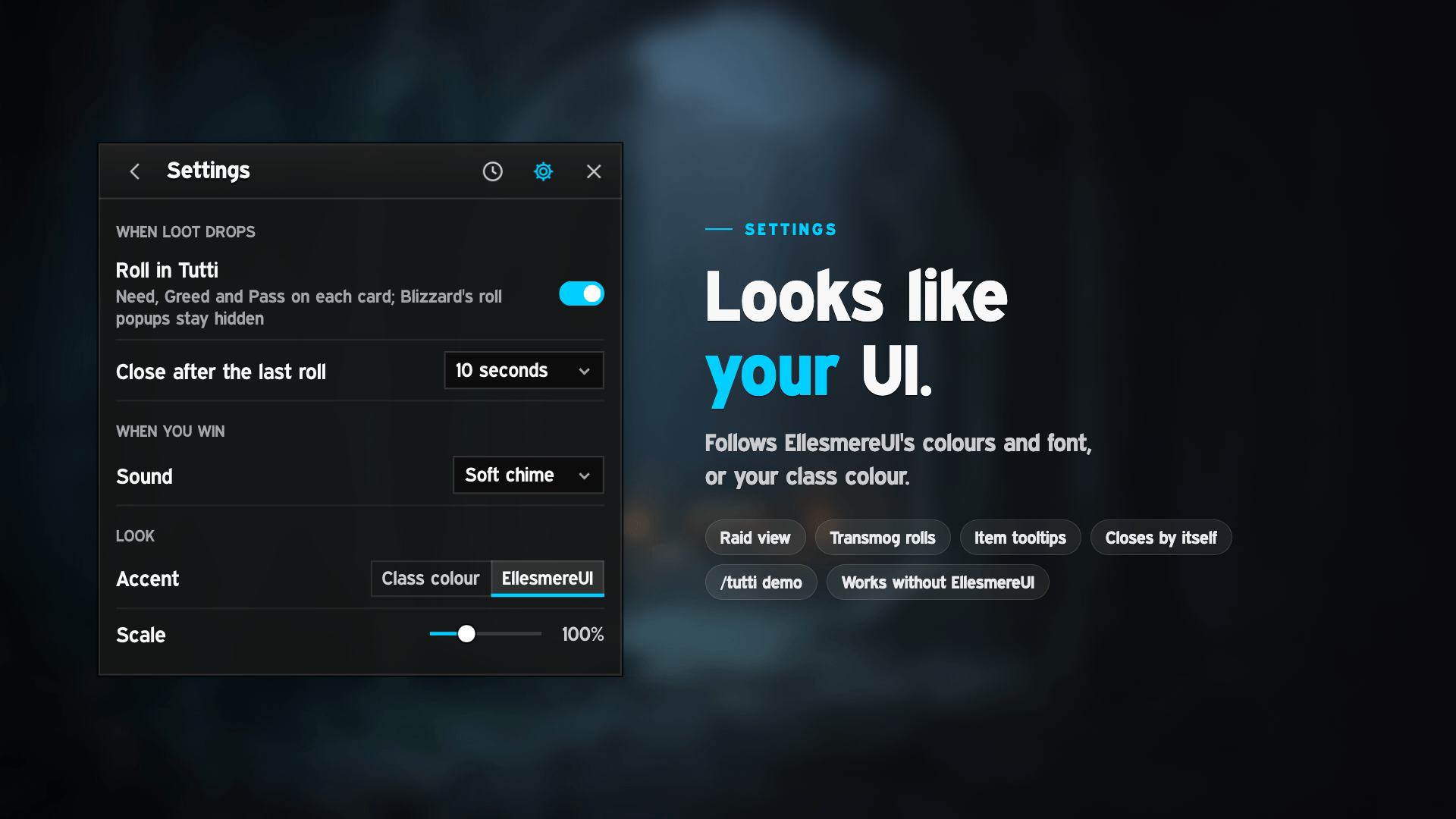
- Matches your UI. With EllesmereUI it follows your panel colour and font live; the accent is your class colour or EllesmereUI's. Works without EllesmereUI too.
- BiS badges. With NaowhForever_BiS, its BiS badge shows on the cards of items it ranks for you.
Settings
The gear in the window's header: Roll in Tutti · close after the last roll (5, 10, 20 or 30 seconds, or never) · sound when you win (soft chime or none) · accent (class colour or EllesmereUI's, with EllesmereUI) · scale (50 to 200 %). Changes apply at once.
Commands
/tuttiopen or close Recent rolls/tutti settingssettings/tutti demoplay a boss drop to see the window at work, without real rolls (with your group's names when you're in one)
The clock in the window's header and the addon compartment (the addon menu on the minimap) open Recent rolls too. Drag the header to move the window.
Good to know
- Every game version. Retail, Classic Era, TBC Anniversary, Wrath (and Titan-Reforged), Cataclysm and Mists of Pandaria Classic, and WoW Forever. The Classic clients offer Need, Greed and Pass.
- Blizzard's roll popups are replaced while "Roll in Tutti" is on. Turning it off brings them back after a /reload; the setting offers a Reload button.
- Gamepad interface: with it on, Tutti steps aside and Blizzard's own gamepad roll frame takes the rolls.
- Soulbound items still ask Blizzard's own confirmation. Tutti never confirms for you.
- Group loot only: with free-for-all, master or personal loot, nothing opens.
Tutti Team