TruePlayed
- By
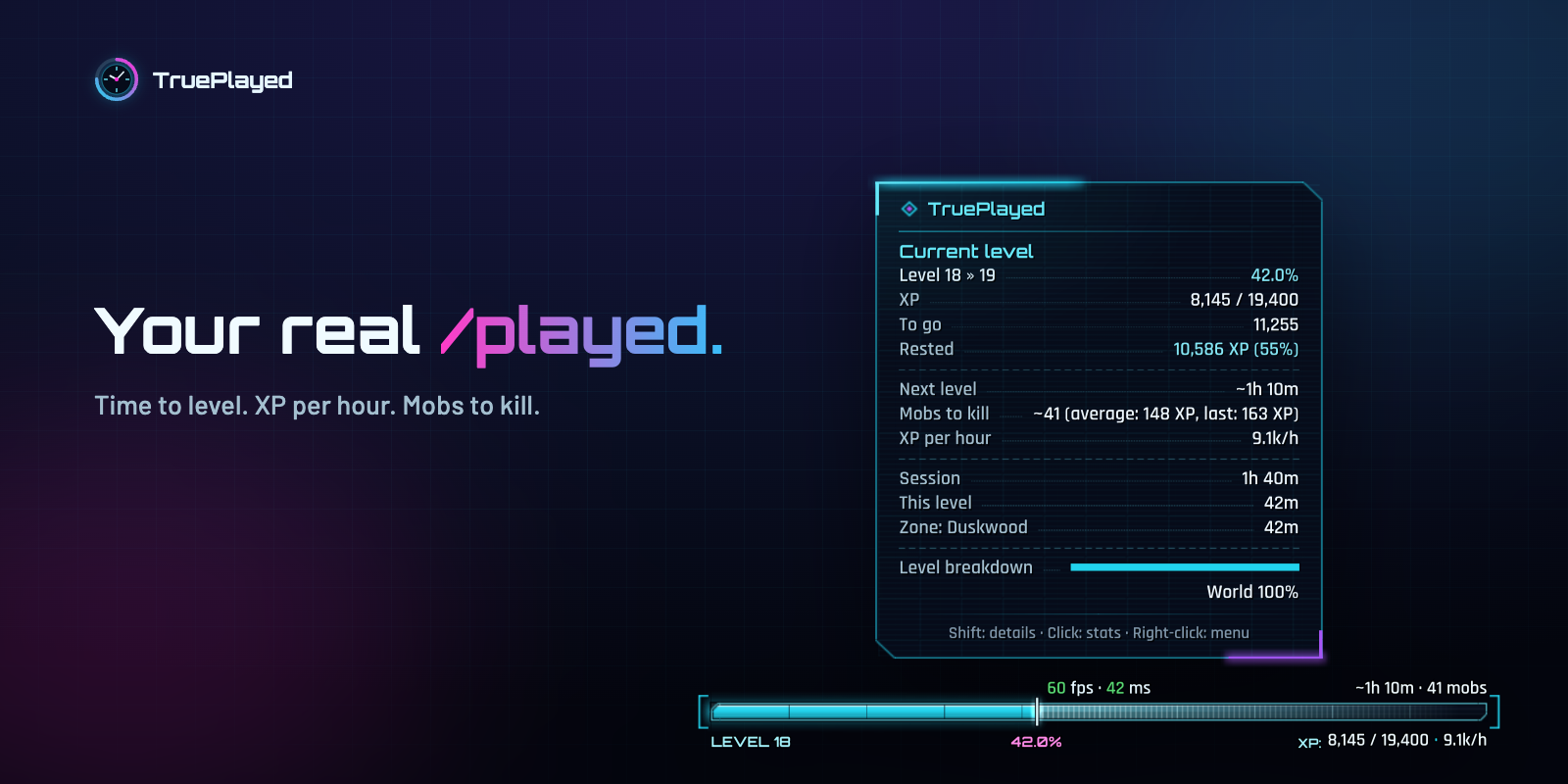
Every second you play, counted and sorted: open world, dungeons, raids, PvP, AFK, inns, cities, flights, professions, even the time spent dead. Leave the AFK out with one click. Or don't.
Know when you'll level.
XP per hour. Time to level. Mobs to kill. Rested XP included.
Know where your time went.
Per level. Per zone. Per instance. Per character, or your whole account.
Max level? Keep going.
Reputation per hour. Honor per hour. Rank points per hour. Time to your next standing and to your next PvP rank.
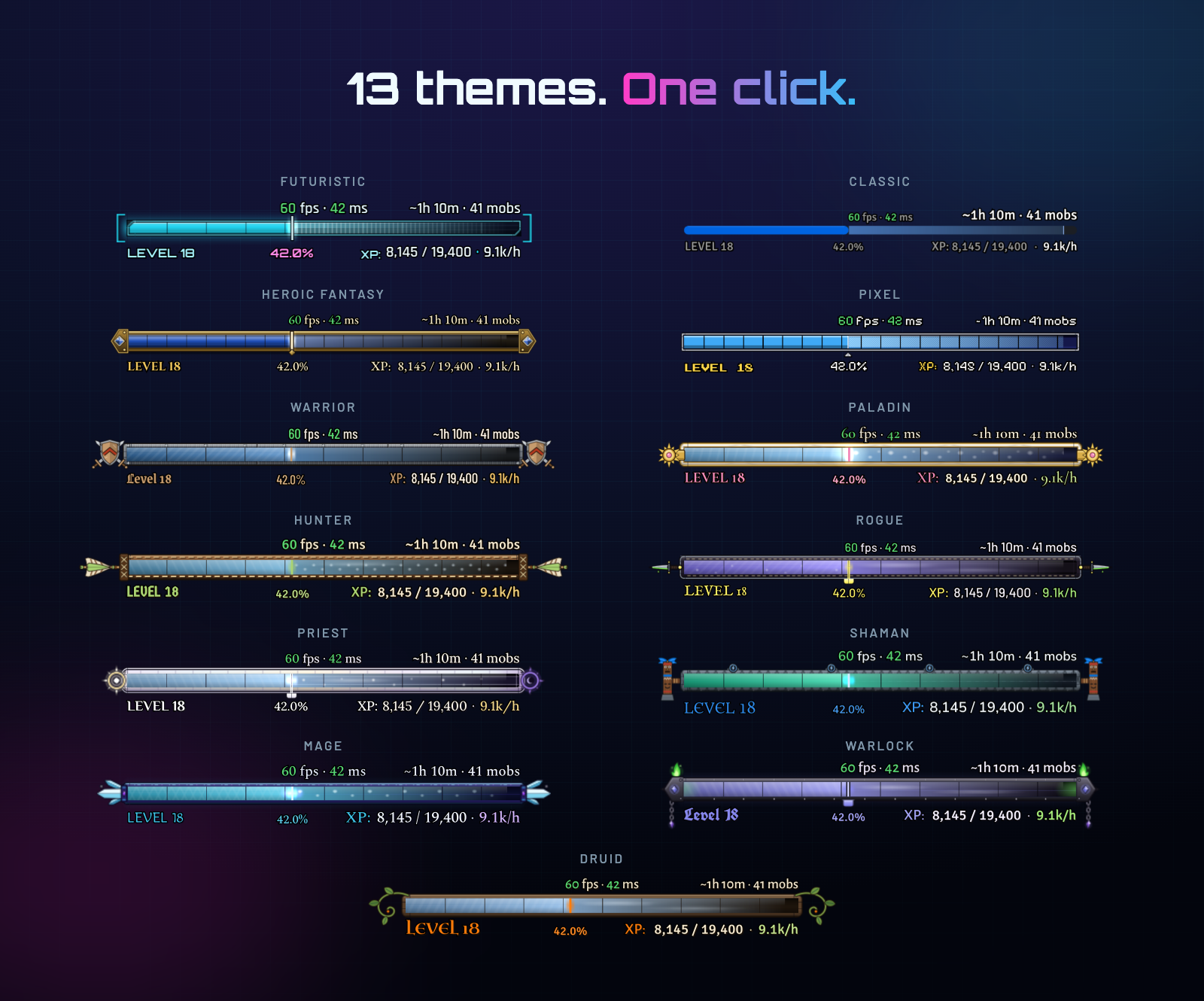
Futuristic, Heroic, Pixel, Classic, and one for every class. The bar, the tooltip and the statistics window change together.
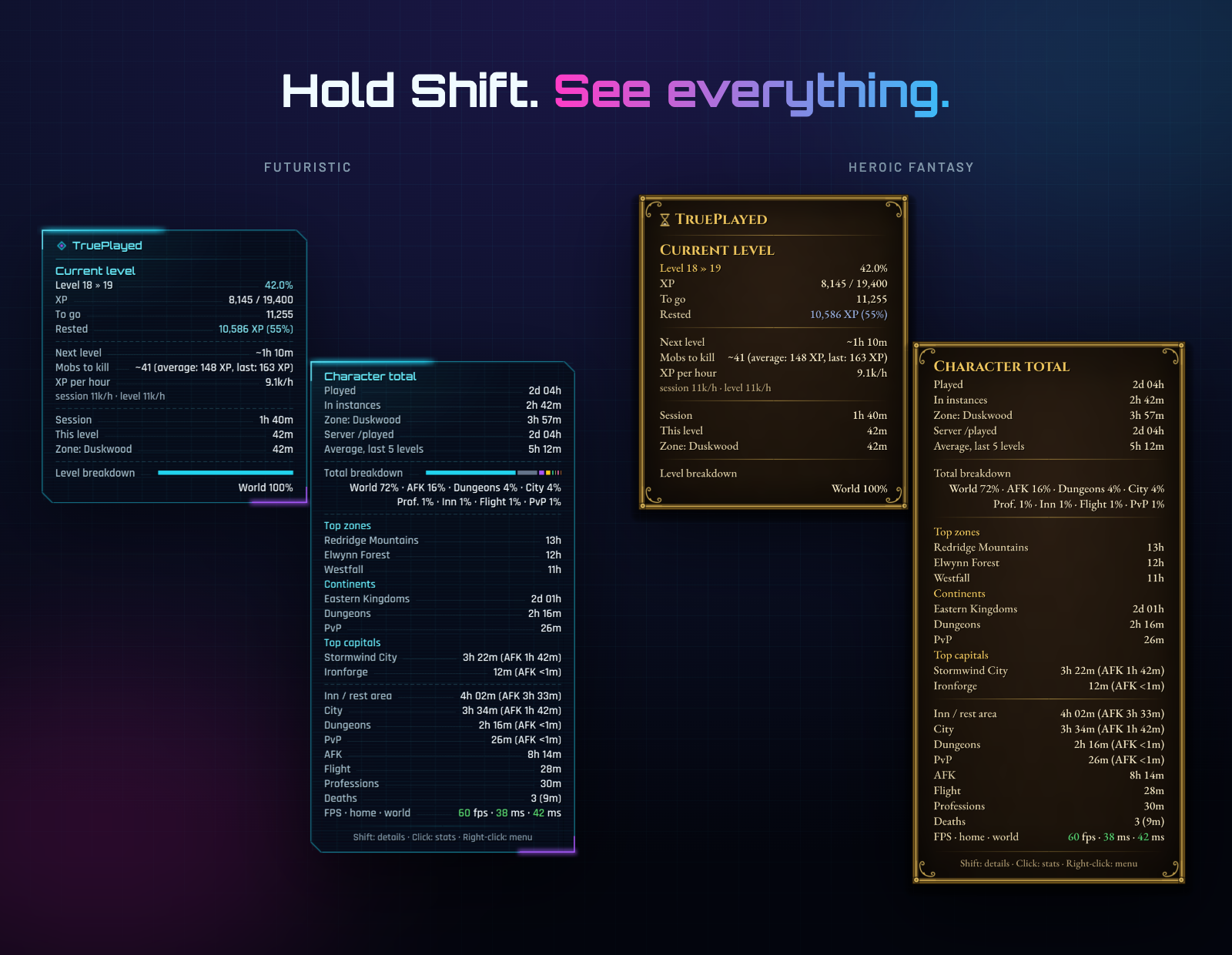
Hover for the level you are on. Hold Shift and a second tooltip opens beside it for your whole character, the two breakdowns face to face: your pace, your top zones, your time per continent, in dungeons and in PvP, your deaths and your professions.
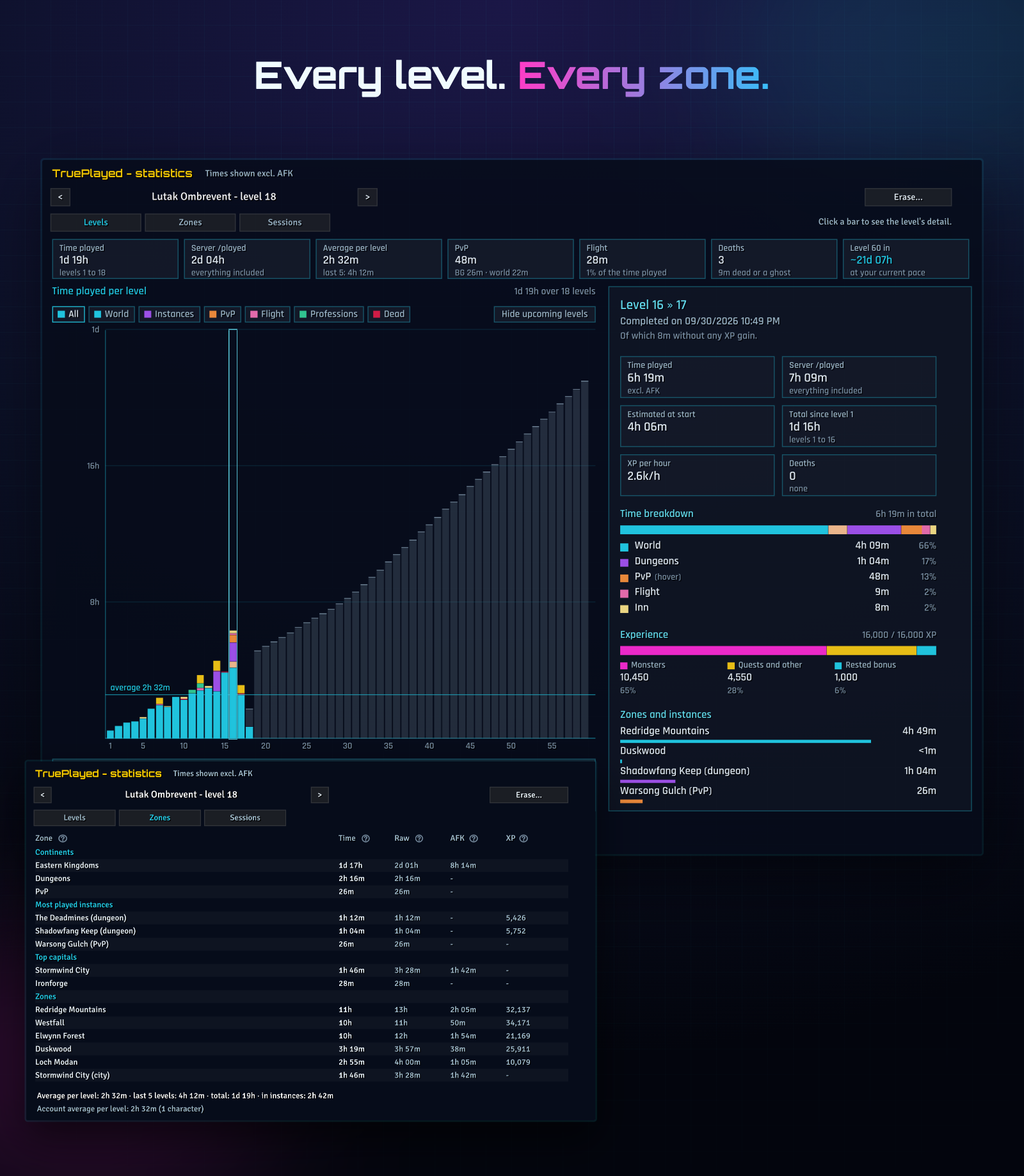
Your whole journey in one window, /tpl stats: a bar for every level, split by what you did there (open world, dungeons, battlegrounds and world PvP, flights, professions, deaths, cities and inns), the levels still ahead, and when you will reach 60 at your pace. Click a level for everything about it: its estimate when it began, its PvP, its XP, its zones. Every zone and every session in the next tabs.
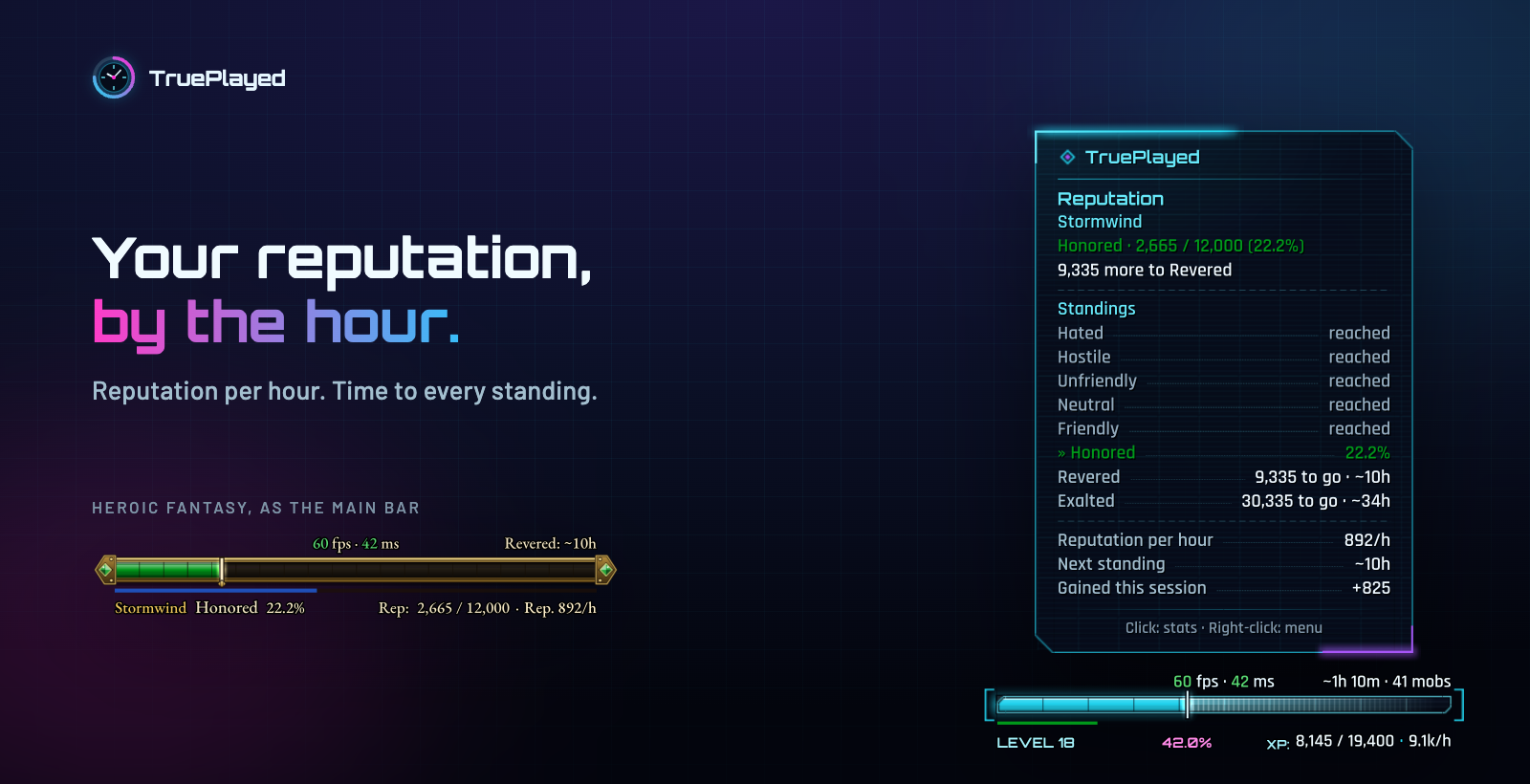
Follow the faction of your choice: a thin strip under your XP bar, or the whole bar. Hover it for every standing ahead, your reputation per hour and the time to the next one. At max level too.
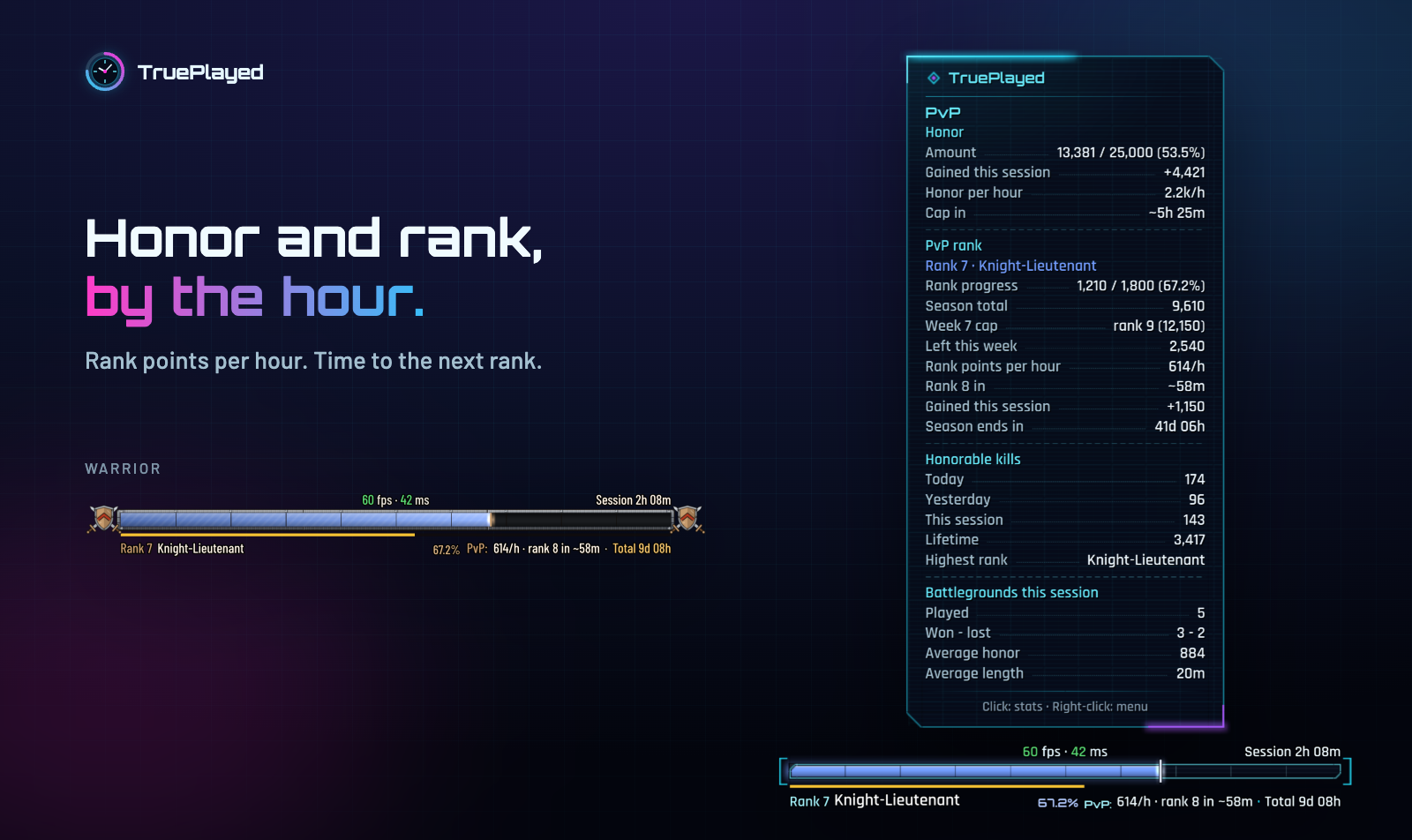
Your honor toward its cap, your PvP rank and the week's cap: honor and rank points per hour, time to the next rank, battlegrounds won and lost. On a strip, or on the whole bar, by itself in battlegrounds if you like. And an alert when your honor is capped.
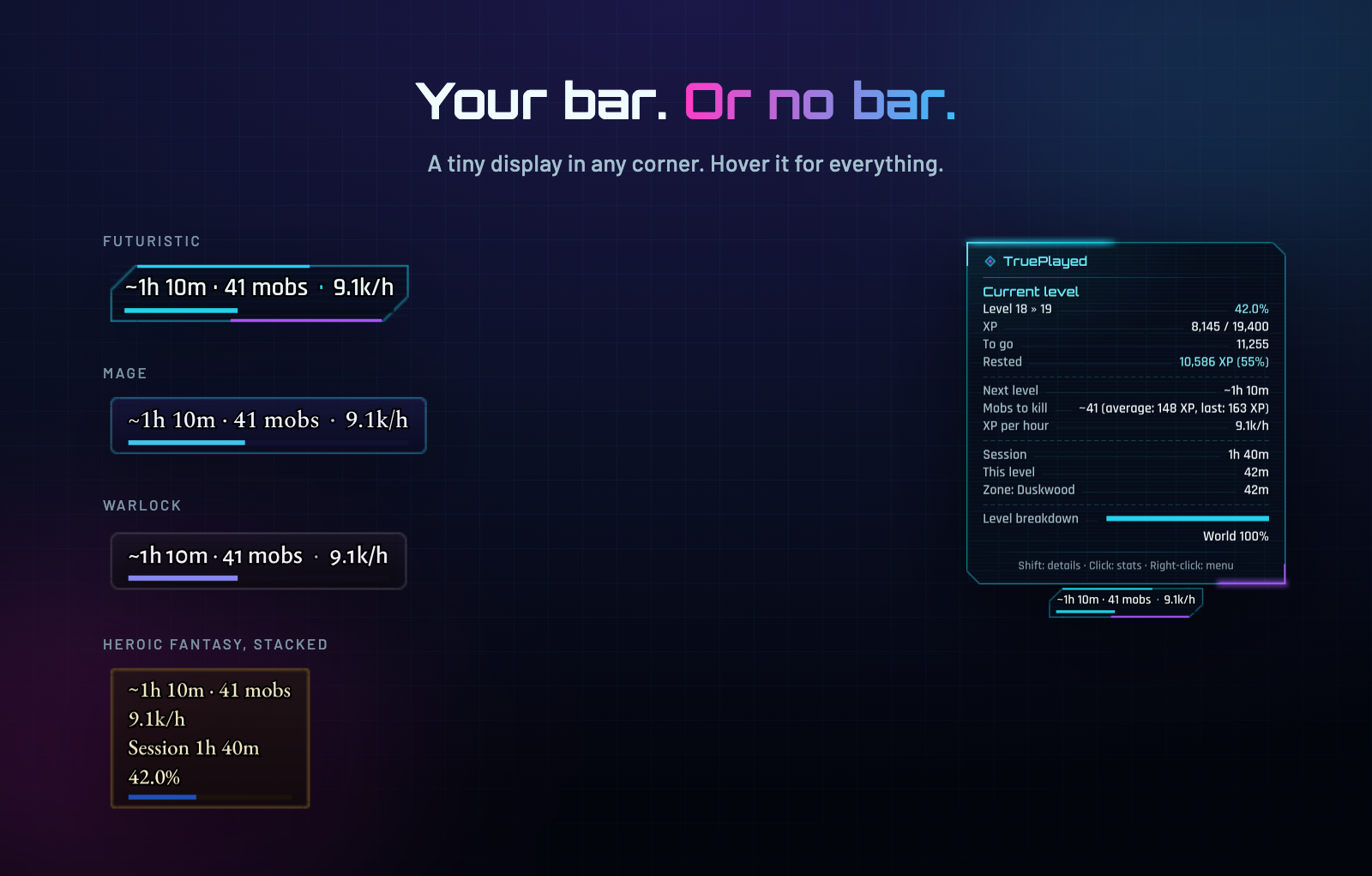
Keep your own XP bar: use the minimap button, or a tiny display in a corner of the screen that shows only what you pick.
Light. Safe.
No per-frame code, one timer per second. A crash loses nothing: the missing time comes back from the server at the next login.
In your language.
English, Français, Deutsch, Español, Italiano, Português, Русский, 한국어, 简体中文, 繁體中文.
Get started
- Install, then restart the game (new files load only at start).
- Hover the bar, the minimap button or the mini display.
- Right-click for the menu.
/tplfor every option.
| Command | |
|---|---|
/tpl | Options |
/tpl stats | Statistics |
/tpl theme | Themes |
/tpl minimap | Minimap button on / off |
/tpl mini | Mini display on / off |
/tpl afk inn city | Leave that time out, or count it again |
/tpl help | Every command |
FAQ
Why is it different from /played? It isn't, until you leave something out. Then it is /played minus that time. Nothing is ever deleted: switch it back on and the numbers come back.
What does ~ mean? An estimate: a time still to come (to the next level, standing or rank, to the honor cap, to the max level), the mobs to kill and, for the first ten minutes after install, a pace taken from your server /played.
Textures or fonts missing? Quit the game and launch it again: /reload is not enough after installing or updating.
Reputation? PvP? The reputation strip follows the faction you tick "Show as Experience Bar" for in the game's Reputation panel, or the one you pick in Options > TruePlayed > Reputation. Honor and rank show once you pick a strip or the whole bar in Options > TruePlayed > PvP.
WTFix? Open /wtfix and untick TruePlayed. RXPGuides? Works with it.
Feedback
Report a bug · Suggest an idea · Source code
Translations were made without native speakers: corrections are very welcome.
TruePlayed was developed with the help of Claude (Anthropic), who also drew the logo.
TruePlayed Team