


TreenAH
- By
treenah_Screenshot_Tooltip.png
treenah_Screenshot_2.png

treenah_Screenshot_autoReply.png
treenah_Screenshot_1.jpg
treenah_Screenshot_BrowseColumn.png
Description
🌳 TreenAH – Real Auction House Pricing for TBC Anniversary
TreenAH brings back real Auctioneer-style pricing to TBC — using historical data instead of misleading last-seen prices.
Support: If this addon helps your auction-house workflow, donations are optional and support continued maintenance, packaging, testing, and documentation.

Built specifically for TBC Anniversary players who miss Auctioneer, TreenAH tracks pricing over time to give you a more accurate view of item value.
New to TreenAH?
Scroll down to Quick Start and Tips for Best Results to get up and running in under 2 minutes.
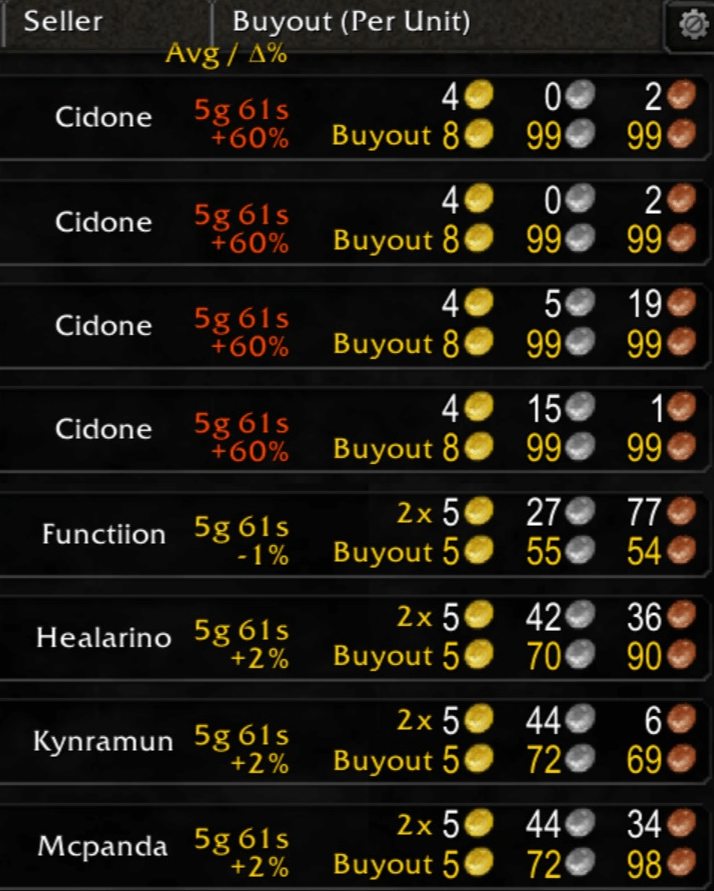
Why TreenAH?
Most AH addons show:
- ❌ last seen price (often unreliable)
TreenAH shows:
- ✅ historical average price
- ✅ most recent price
- ✅ % difference (see if prices are rising or falling)
This helps you:
- spot deals instantly
- avoid overpaying
- understand market trends
TreenAH is also simple, intuitive, and easy to understand.
It's designed to give players clear, reliable pricing without unnecessary complexity.
Quick Start
Getting started with TreenAH is straightforward:
1. Run a scan at the Auction House
- Open the AH and run a scan to collect pricing data
- Fast scan is quick (30–60 sec) and ideal for everyday use
- Slow scan is more complete, but takes longer
2. Scan when you visit the AH
- No need to spam scans — just scan when you’re there
- Your data stays fresh naturally as you play
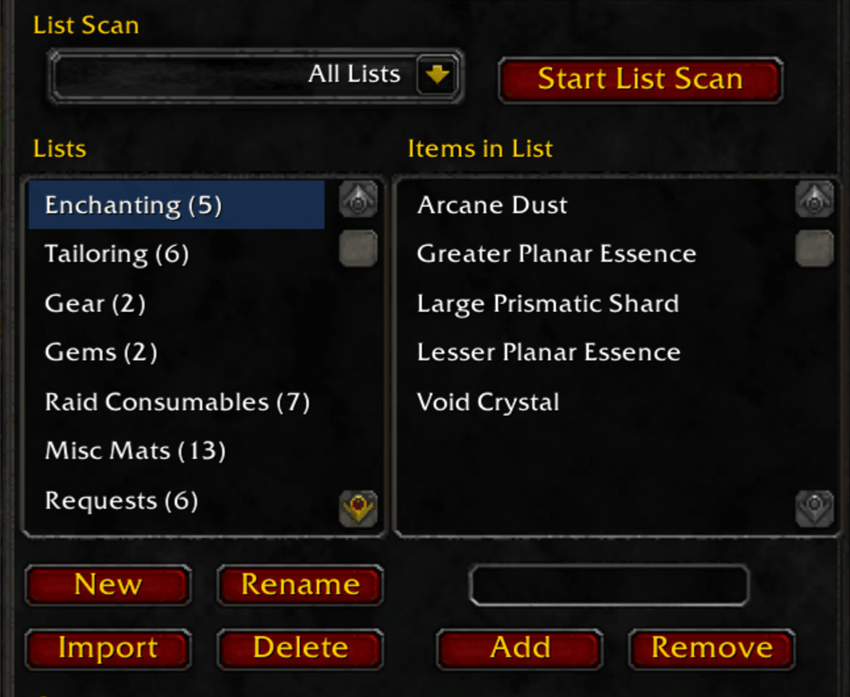
3. Track the items you care about
- Create lists in the Lists panel (shift-click items to add them quickly)
- Scan these lists to keep high-priority items highly accurate
- Great for materials, consumables, and flipping targets
4. Let the data build over time
- Pricing is based on historical lows, not a single snapshot
- Accuracy improves automatically as more data is collected
Good to know:
- Fast scans are limited by WoW and don’t capture the full AH
- Your pricing database is shared across characters on the same realm/faction
- Tracked lists can be imported between characters
Core Features
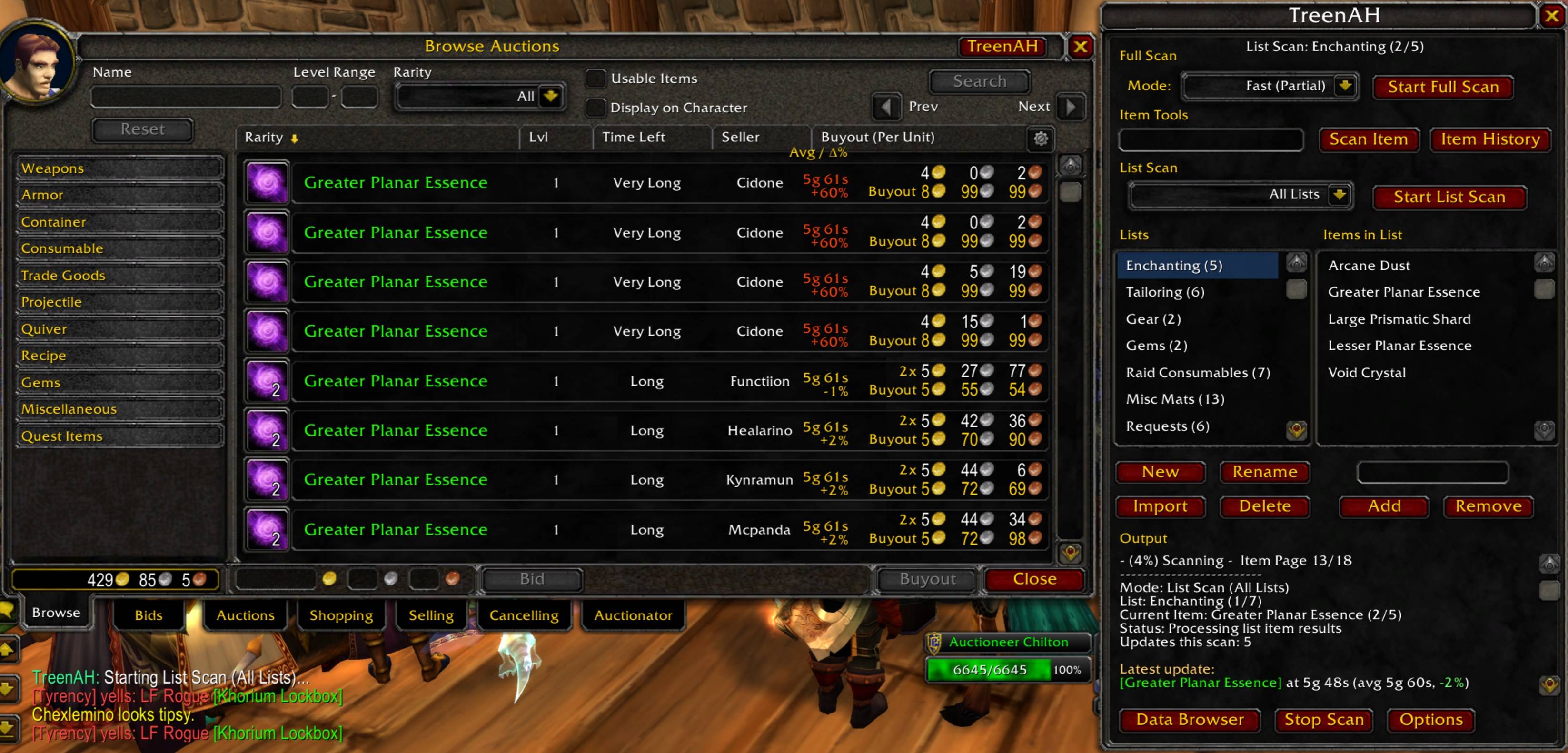
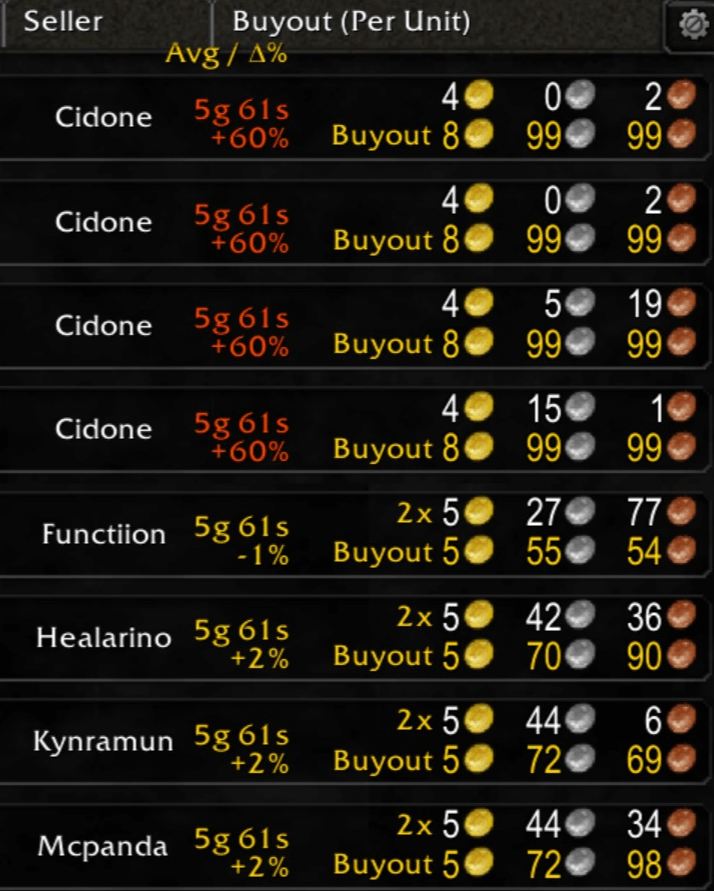
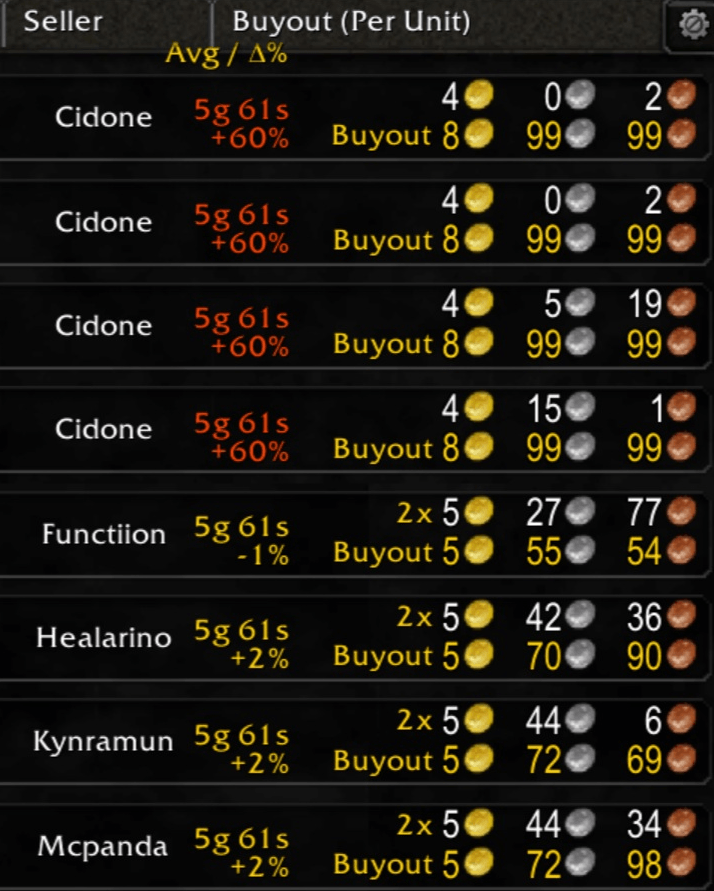
Auction House Browse Column
- Displays Avg / Δ% directly in the AH
- Compare current listings vs historical value at a glance
- Color-coded differences (rising / falling prices)
Chat-Based Price Checks
Send price checks to specific targets:
/pc <target> <itemName>
Supports:
- playerName (whisper)
- party / raid / guild / say
- bn:BattleTag
Example:/pc guild Fel Iron Ore
Auto-Reply System
Automatically responds to incoming price check requests. (Responds to: 'pc itemName' in incoming messages; pictured below)

Smart Request Tracking
Items players ask about are saved to your Requests list
Useful for:
- discovering demand
- building scan lists
- tracking popular items
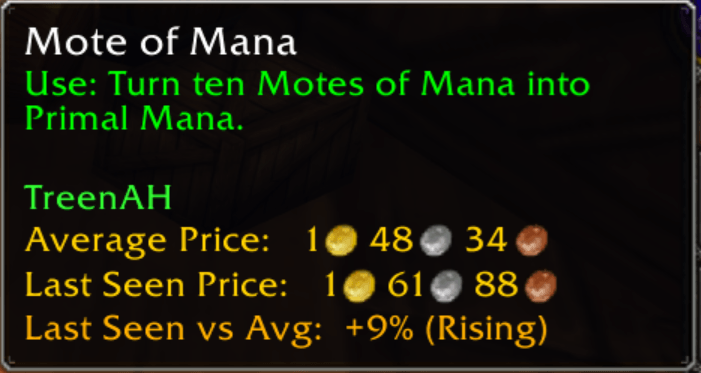
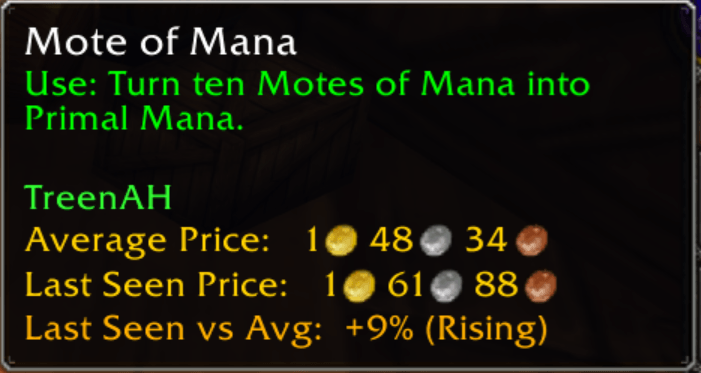
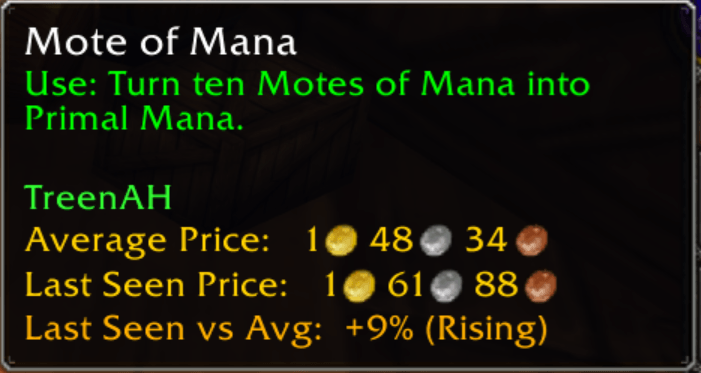
Tooltip Price Info
- See pricing data directly in item tooltips
- No need to open the Auction House
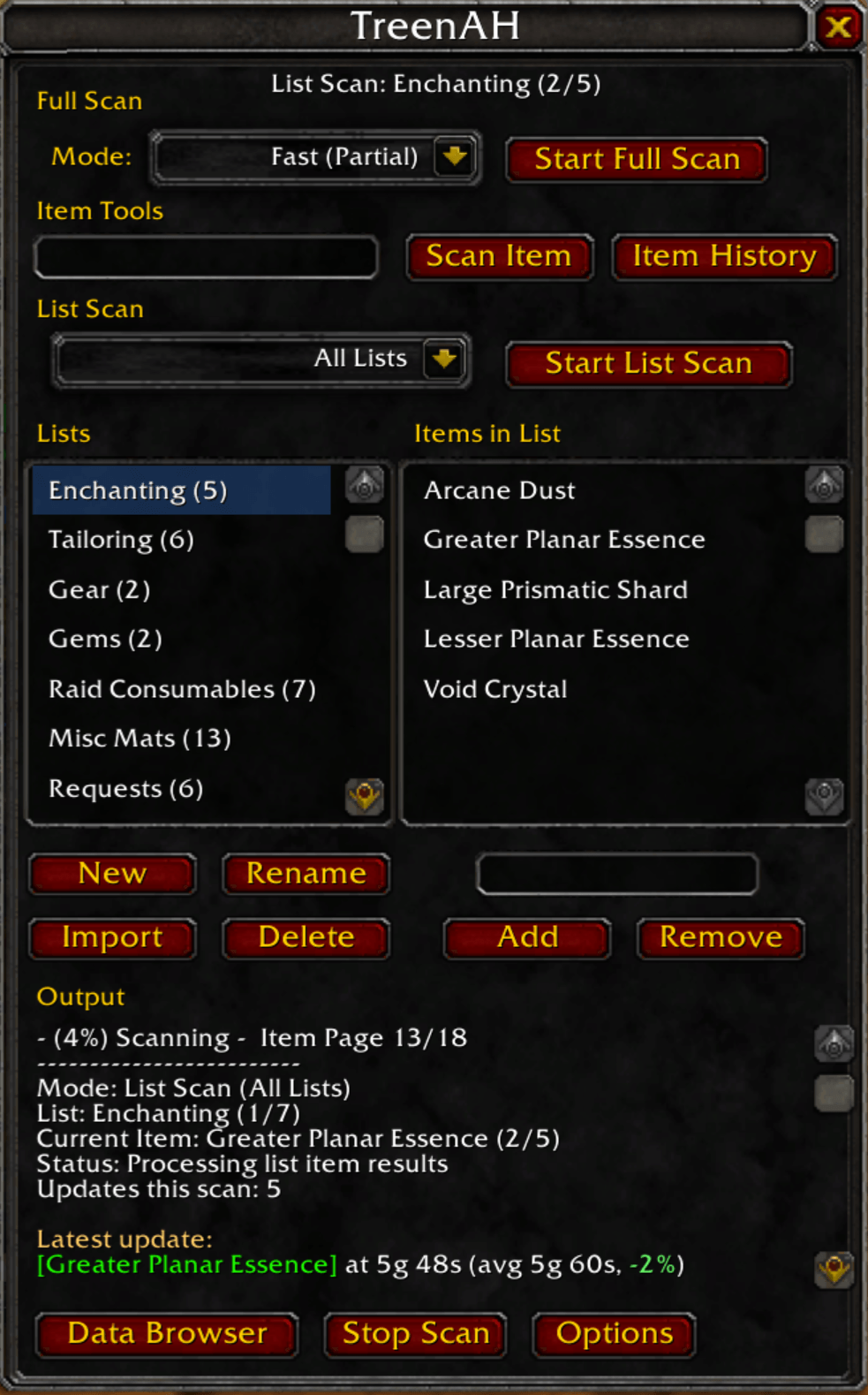
Scan Saved Item Lists
- Create and scan entire custom lists for:
- flipping
- farming
- market tracking
Lists can be shared across characters via import.
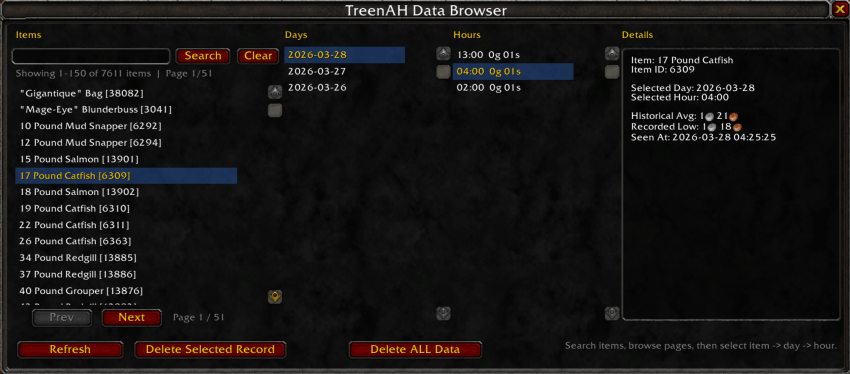
Data Browser
- View price history by:
- day
- hour
Analyze trends over time and understand market movement.
How TreenAH Keeps Data Useful
TreenAH is designed to avoid obviously wild or misleading prices from distorting your history.
The Outlier Threshold setting filters out extreme prices that fall far outside an item’s normal recorded range. For example, if an item usually sells for 1g, a listing at 100g may be ignored depending on your threshold. By default, this is set to 5. If you want stricter filtering, lower it. Raise it if you want TreenAH to allow more unusual prices into your recorded history.
TreenAH does not try to use every old price forever by default.
TreenAH uses a Recent Average Window to keep displayed averages relevant to the current market. By default, TreenAH only uses the previous 14 calendar days when calculating the displayed historical average. This helps keep old stale prices from dragging the average away from what the market looks like now. For most players, the default 14-day window works well and does not need to be changed. If you want a broader average, increase the Recent Average Window Days setting in Options.
Tips for Best Results
- Scan when you visit the Auction House — that’s enough for strong data
- Use fast scans for convenience and regular updates
- Use slow scans when you want a more complete snapshot
- Keep important items in tracked lists for the most accurate pricing
- TreenAH becomes more powerful over time as your dataset grows
Who This Is For
TreenAH is designed for players who:
- miss Auctioneer’s average pricing
- want better data, not just faster scans
- care about market trends and accuracy
Status
TreenAH is actively being developed and improving rapidly.
Your feedback directly helps shape where it goes next.
💬 Feedback & Donations
If you try it out, I’d love to hear what you think or what you'd like to see added.
mr.pooley92@gmail.com
If you like TreenAH, please consider donating to help me continue living as an independent developer.

The TreenAH Team
