TradFR – Multilingual Chat Translator
- By
0_banniere.png
2_accueil.png
3_historique.png
4_reglages.png
1_chat_traduit.png
Description
TradFR — Multilingual Chat Translator
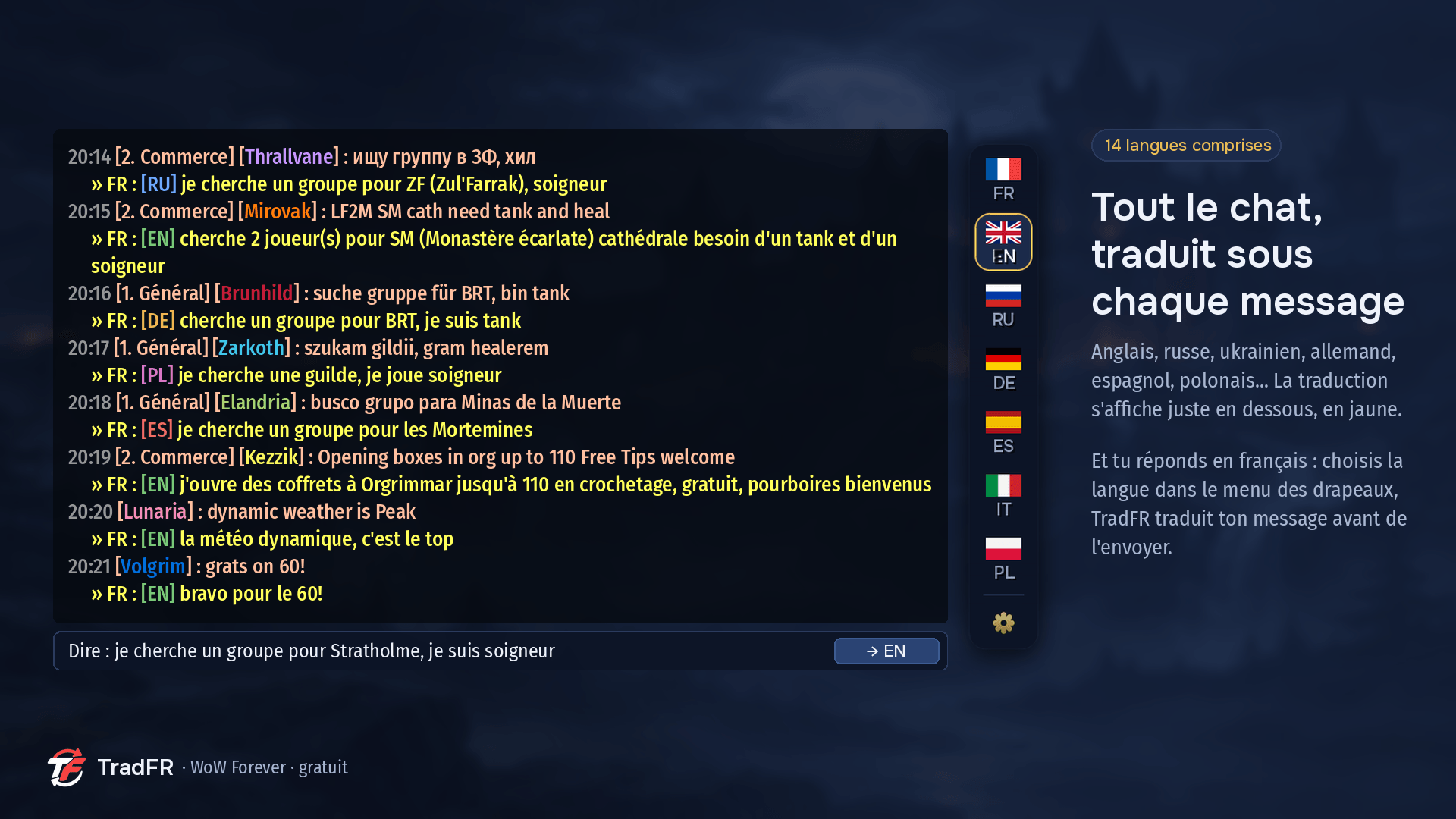
Can't read half of the chat? TradFR translates every foreign message right under it — into English or into French, your choice. And when you reply in your own language, TradFR sends your message in the other player's language.
[Trade] [Ivan Petrov]: Ищу пати в ВЦ, нужен хил
   » EN : [RU] LFG Wailing Caverns, need a healer

[Trade] [Zordiak]: recherche groupe pour rage feu je suis tank
   » EN : [FR] LFG Ragefire, I'm a tank
Made for WoW Forever players of every language. Works offline: no website, no account, no external program.
English or French interface: TradFR starts in English on an English game client and in French on a French client. Switch at any time with /tfr english or /tfr french — menus and translations change instantly, no reload.
⭐ Main features
1. The whole chat, in your language
- 14 languages understood, detected automatically: English, French, Russian, German, Spanish, Italian, Polish, Dutch, Danish, Norwegian, Swedish, Czech, Hungarian, Finnish and Romanian.
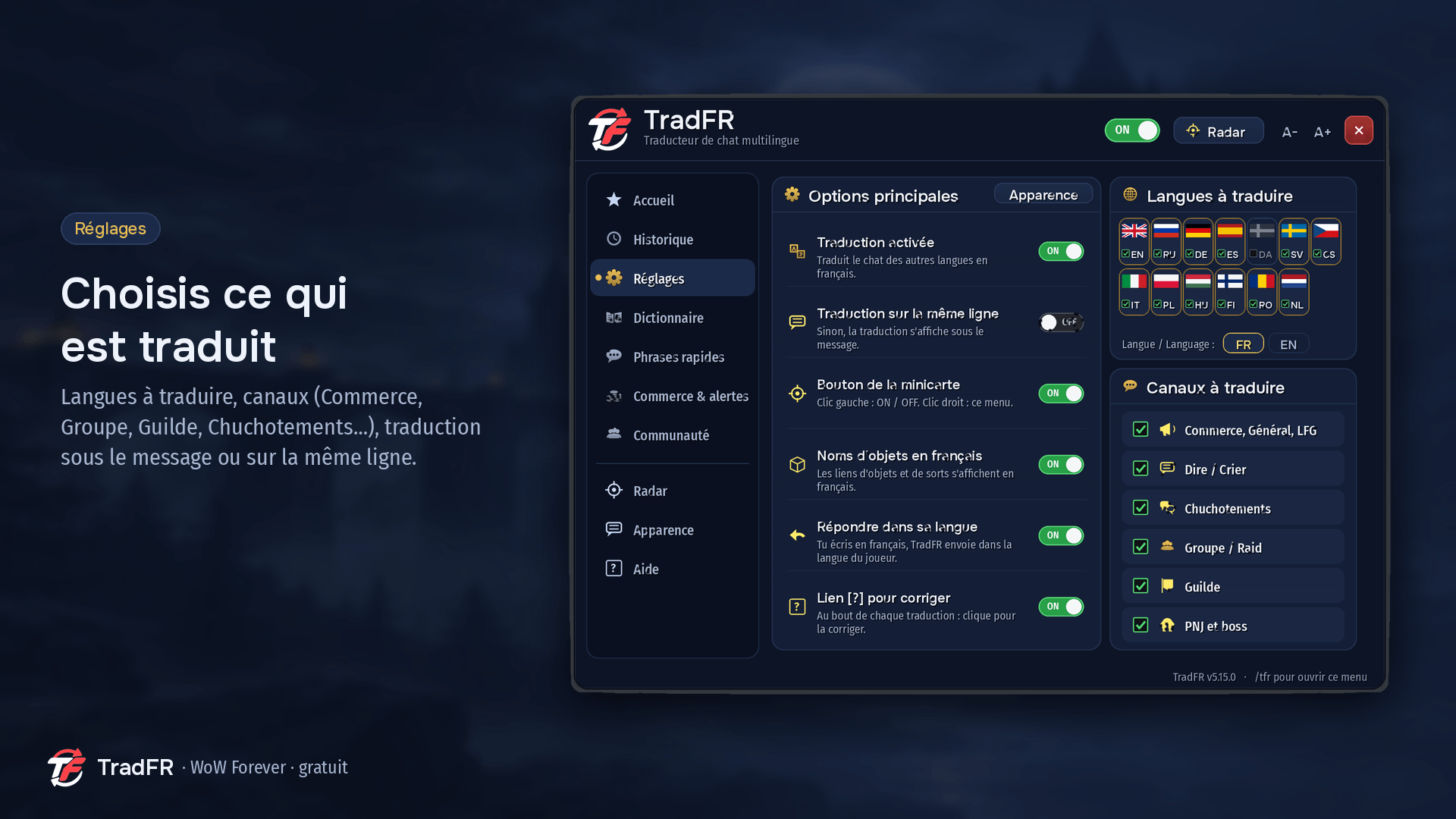
- The translation appears under the original message (or on the same line, your choice).
- A grammar engine conjugates verbs and places pronouns — real sentences, not word-by-word.
- WoW slang understood: LFM, WTS, WTB, pst, oom, 5g, 1.5k, RFC, WC, BRD, MC… with dungeon names in your language.
- Russian gamer slang (тп, кд, го, пж…) and Russian typed in Latin letters (« privet », « kto v rfk »).
- Words typed without accents are understood (« hledam », « saljer », « gluckwunsch »…) and common typos are fixed.
- Names are never translated: players (even with special letters like « Allœw »), guilds, your group, friends and target.
2. Reply in THEIR language
Type in your language in the normal chat box: TradFR sends it in English, French, Russian, German, Spanish, Italian or Polish. A live preview shows exactly what will be sent.
- One click on the small language button while typing opens a menu with the flags. Right-click = send without translation.
- Shortcut: start a message with
!en,!fr,!ru,!deor!esto send just that message in that language. - Automatic: in whispers, the other player's language; in party and raid, the language most spoken by the group.
3. Group & Trade Radar
- Groups: every LFG / LFM ad in one window, with the dungeon name, roles needed (Tank / Healer / DPS) and a "dungeons for my level" filter. The "Apply" button prepares a whisper in the other player's language — just press Enter.
- Trade: who sells, who buys, item links and prices, with the usual price of each item ("good price" in green, "expensive" in red). "How much?" and "I have it" buttons in the seller's or buyer's language.
- Trade alerts: a sound and a message when someone sells an item you're looking for.
- Crafters: profession icon and an "Ask" button in their language.
4. Fix and improve translations
- Click the small [?] after a translation to fix it in 5 seconds.
- Add your own words and fill in the unknown words list in one click.
- Community network: your words are shared with TradFR users in your guild and group (anti-spam protection, player blocking).
5. Comfort
- Colour and transparency of the translation, with a live preview ("Appearance" button or
/tfr couleur). - Anti-spam: repeated ads and gold sellers hidden from the chat (they stay in the Radar).
- Alerts on your name or keywords.
- Whisper reply window with ready-made answers in the other player's language.
- Usual price in item tooltips.
6. Raid-safe
TradFR never replaces the game's chat or link functions, so it doesn't block your guild invites or spells. During boss fights the game locks addon chat: TradFR tells you once and resumes right after.
⚙️ Interface & compatibility
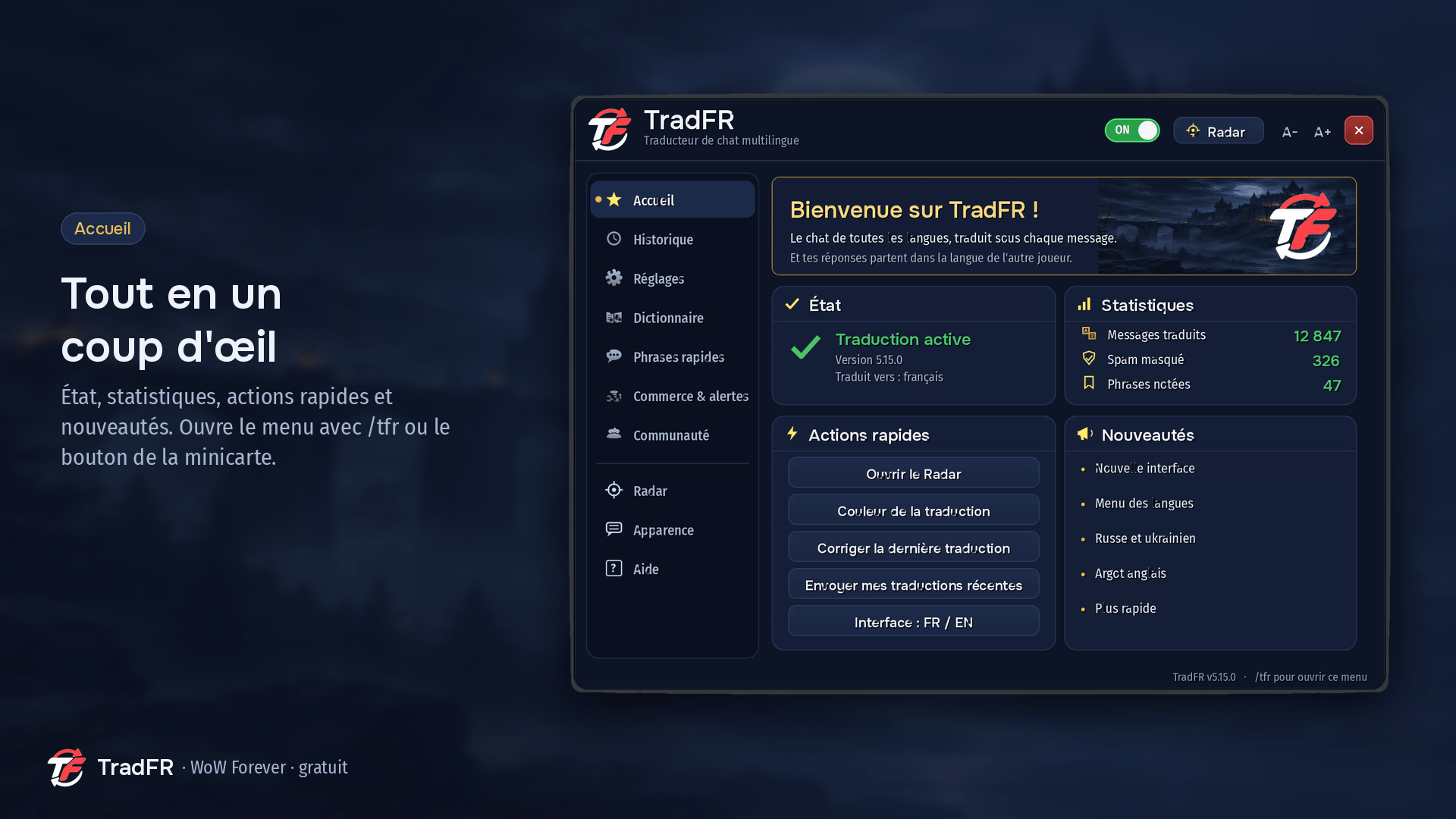
- Modern menu with 5 tabs: Settings, Dictionary, Quick phrases, Trade & alerts, Community.
- Minimap button (left-click on/off, right-click menu, Shift + click Radar, draggable).
- ElvUI and EllesmereUI compatible (tested in game), works with minimap button collectors.
- Light: about 0.1 ms per message.
- Tested on thousands of messages: every version is checked on more than 40,000 chat lines in all languages.
💬 Commands
| Command | Effect |
|---|---|
/tfr |
Open / close the menu |
/tfr radar |
Group & Trade Radar |
/tfr on · /tfr off |
Turn translation on / off |
/tfr english · /tfr french |
English / French interface and translations |
/tfr couleur |
Colour and transparency of the translation |
/tfr test <text> |
Try a translation |
/tfr corriger |
Fix the last translation |
/tfr inconnus |
Unknown words |
/tfr spam |
Anti-spam on / off |
/tfr export |
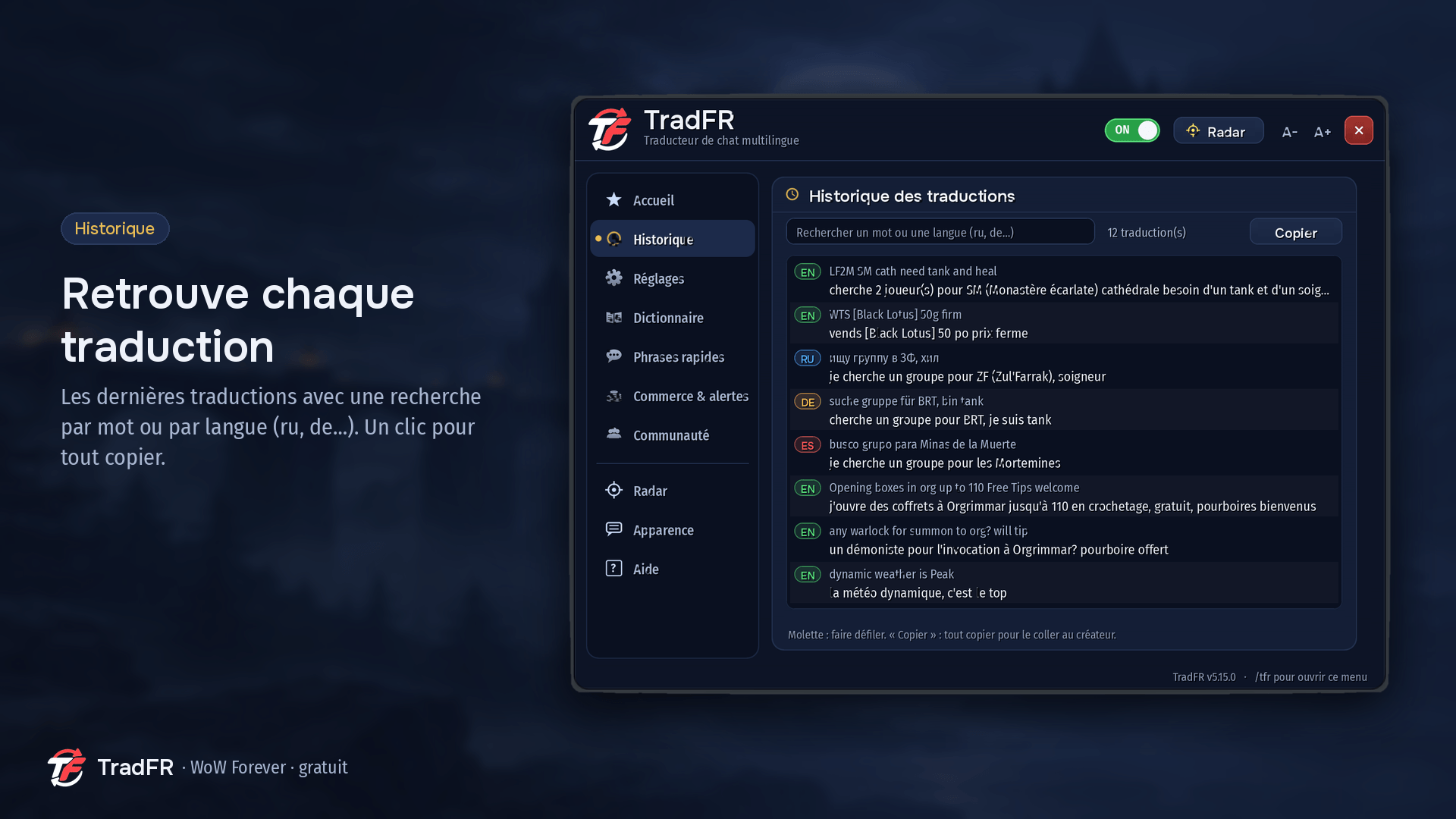
Copy your recent translations to report a mistake (no screenshot needed) |
/tfr envoi |
Check that your replies are translated (for bug reports) |
/tfr aide |
All commands |
ℹ️ Good to know
Addons can't access the internet, so TradFR uses built-in dictionaries and grammar rules. Translations are made to understand fast; they are not perfect, especially on long or unusual sentences. Every word you add makes TradFR better for you and your guild.
Wrong translation? Type /tfr export, press Ctrl+C and paste it in the comments (or post a screenshot) — it will be fixed in the next version.
🇫🇷 Français
TradFR — Traducteur de chat multilingue
Tu ne comprends pas la moitié du chat ? TradFR traduit chaque message étranger juste en dessous — en français ou en anglais, au choix. Et quand tu réponds dans ta langue, TradFR envoie ton message dans la langue de l'autre joueur.
Fait pour les joueurs de WoW Forever, quelle que soit leur langue. Fonctionne hors ligne : pas de site, pas de compte, pas de programme à côté.
Interface en français ou en anglais : TradFR démarre en français sur un jeu en français et en anglais sur un jeu en anglais. /tfr french ou /tfr english pour changer à tout moment, sans recharger.
⭐ Principales fonctionnalités
1. Tout le chat dans ta langue
- 14 langues comprises, détectées automatiquement : anglais, français, russe, allemand, espagnol, italien, polonais, néerlandais, danois, norvégien, suédois, tchèque, hongrois, finnois et roumain.
- La traduction s'affiche sous le message d'origine (ou sur la même ligne).
- Un moteur de grammaire conjugue les verbes et place les pronoms : de vraies phrases, pas du mot à mot.
- Jargon WoW compris : LFM, WTS, WTB, pst, oom, 5g, 1.5k, RFC, WC, BRD, MC… avec le nom des donjons dans ta langue.
- Argot des joueurs russes (тп, кд, го, пж…) et russe en lettres latines (« privet », « kto v rfk »).
- Mots tapés sans accents compris (« hledam », « saljer », « gluckwunsch »…) et fautes courantes corrigées.
- Les noms ne sont jamais traduits : joueurs, guildes, ton groupe, tes amis, ta cible.
2. Réponds dans SA langue
Écris dans ta langue dans la barre de chat normale : TradFR envoie en anglais, français, russe, allemand, espagnol, italien ou polonais. Un aperçu montre exactement ce qui va partir.
- Un clic sur le petit bouton de langue pendant que tu écris ouvre un menu avec les drapeaux. Clic droit = envoi sans traduction.
- Raccourci : commence ton message par
!en,!fr,!ru,!deou!espour envoyer ce message-là dans cette langue. - Automatique : en chuchotement, la langue du joueur ; en groupe et en raid, la langue la plus parlée par le groupe.
3. Le Radar Groupes & Commerce
- Groupes : toutes les annonces LFG / LFM, avec le donjon, les rôles recherchés (Tank / Soigneur / DPS) et un filtre « donjons de mon niveau ». Le bouton « Postuler » prépare un message dans la langue du joueur : tu appuies juste sur Entrée.
- Commerce : qui vend, qui achète, liens d'objets et prix, avec le prix habituel de chaque objet (« bon prix » en vert, « cher » en rouge). Boutons « Combien ? » et « J'en ai » dans la langue du vendeur ou de l'acheteur.
- Alerte commerce : un son et un message quand quelqu'un vend un objet que tu cherches.
- Artisans : icône du métier et bouton « Demander » dans leur langue.
4. Corriger et enrichir les traductions
- Clique sur le petit [?] au bout d'une traduction pour la corriger en 5 secondes.
- Ajoute tes propres mots, complète la liste des mots inconnus en 1 clic.
- Réseau communautaire : tes mots sont partagés avec les joueurs TradFR de ta guilde et de ton groupe.
5. Confort
- Couleur et transparence de la traduction, avec aperçu (bouton « Apparence » ou
/tfr couleur). - Anti-spam : annonces répétées et vendeurs d'or masqués (ils restent dans le Radar).
- Alertes sur ton nom ou tes mots-clés.
- Fenêtre de réponse aux chuchotements avec des réponses toutes prêtes.
- **Prix habituel
TradFR – Multilingual Chat Translator Team