TradeScanner
- By
Tracks all your Auction House purchases and sales automatically, showing a real-time profit overview, item detail history, live price ticker, price alerts, and a 14-day bar chart — directly inside the AH window.
Trade3.png
Trade1.png
Trade2.png
Description
TradeScanner - Auction House Profit Tracker
TradeScanner automatically tracks every purchase and sale you make at the Auction House and gives you a clear, real-time profit overview — right inside the AH window.
Features
- Automatic Tracking — Every AH buy and sale is recorded automatically. No manual input needed.
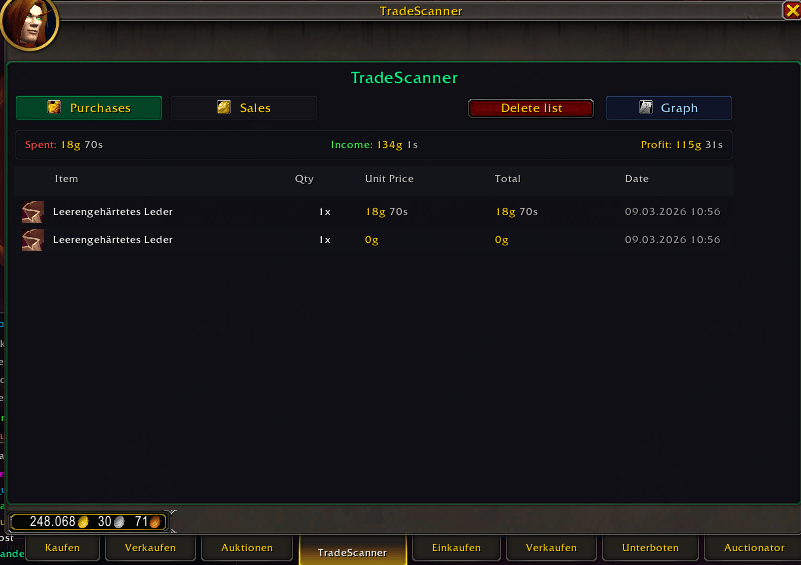
- Profit Overview — See your total spending, income, and profit/loss at a glance in a summary bar.
- Purchases & Sales Tabs — Switch between your buy and sell history with item icons, quantities, unit prices, totals, and timestamps.
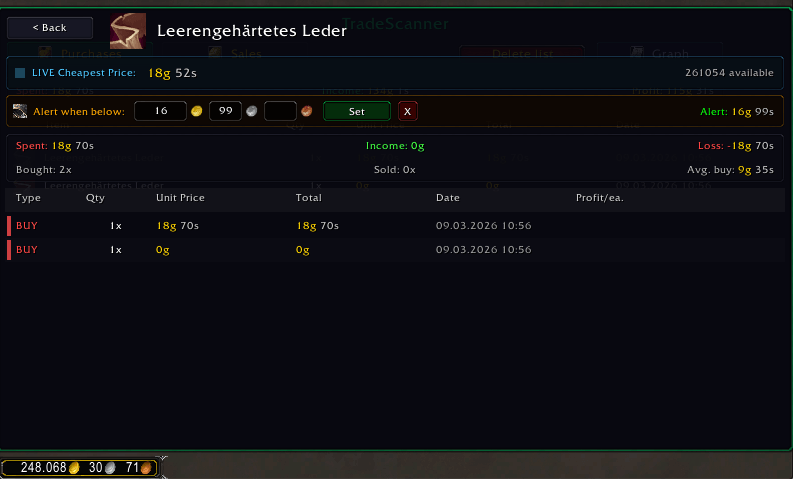
- Item Detail View — Click any item to see its full transaction history, broken down into individual buys and sells with per-unit profit calculation.
- Live Price Ticker — The detail view shows the current cheapest AH price for the selected item, updating every 1.5 seconds.
- Price Alerts — Set a target price (Gold/Silver/Copper) for any item. When the live price drops below your threshold, you'll get a sound alert + on-screen notification.
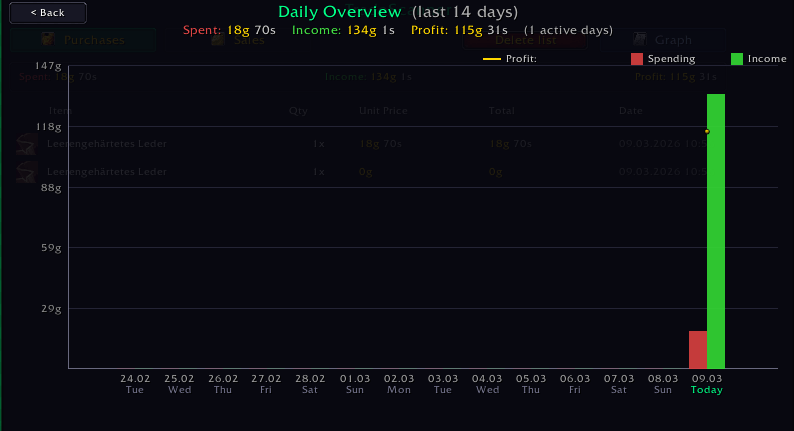
- 14-Day Bar Chart — Visual daily overview of your income and spending with a profit trend line, hover tooltips, and weekday labels.
- Localization — Fully translated in English (default) and German. Switch languages in Settings > AddOns > TradeScanner.
- Welcome Window — A brief feature overview on first login, dismissable until the next update.
Usage
- Open the Auction House — look for the TradeScanner tab.
- Type
/tsor/tradescannerfor slash commands. - Configure settings in Settings > AddOns > TradeScanner.
Slash Commands
| Command | Description |
|---|---|
/ts |
Show available commands |
/ts status |
Print profit overview to chat |
/ts reset |
Delete all tracked data |
/ts debugalarm |
Trigger a test price alert |
Optional Dependencies
- Auctionator (not required, works standalone)
The TradeScanner Team