


TradeCraft
- By
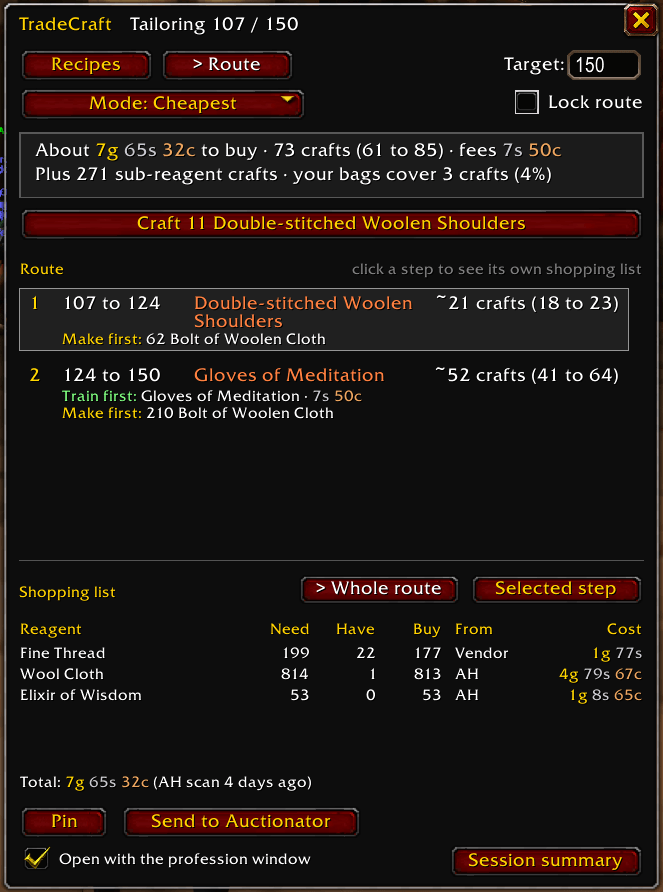
Step-by-step plan from your skill to your target, with crafts per step, what to train and make first, and a shopping list for the whole route. Pick Cheapest, Fewest crafts, Use what I have or No auction house.
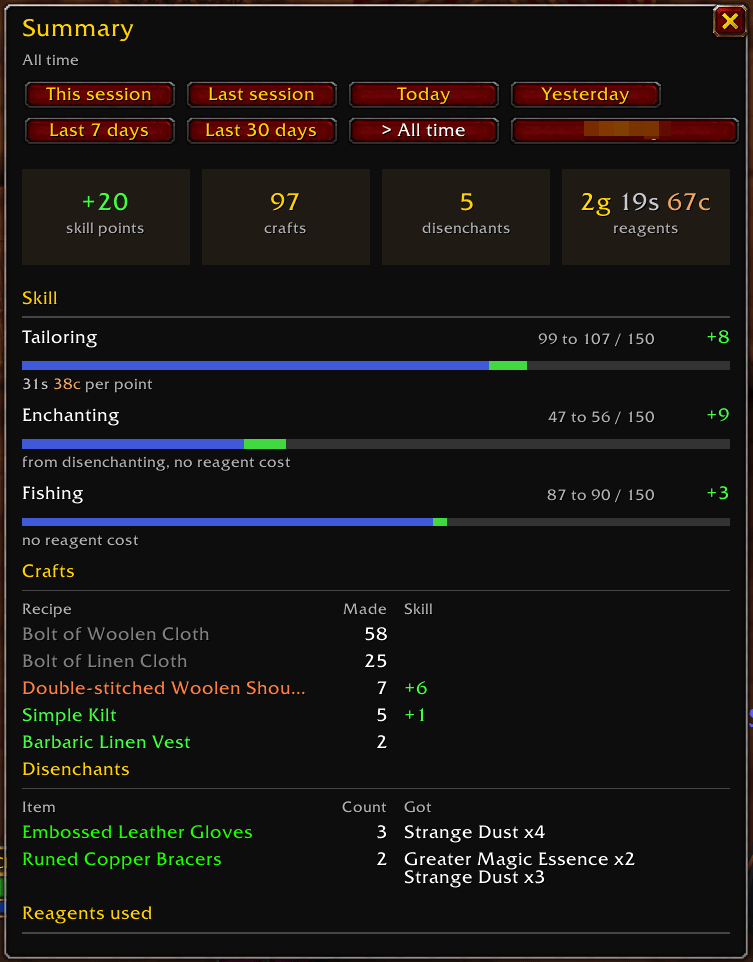
Skill gained, crafts, disenchants and reagent cost by session, day or all time, with gold per skill point.
Description
TradeCraft
Profession leveling for World of Warcraft: Forever, built on what actually happens when you craft.
TradeCraft plans the cheapest or fastest way to level a profession, tells you what to buy and what to train, and gets more accurate the more you play, because it measures your real skill-up chances instead of only assuming them.
Public beta. TradeCraft is in active development during the Forever beta. Expect rough edges and please report anything odd (see Reporting bugs below).
Features
Leveling view
A TradeCraft tab in the Professions window opens a panel docked beside it.
- Recipes mode: every recipe with its skill-up chance, cost to your target and the skill where it turns grey. Sort by cost, chance or grey point.
- Route mode: a step-by-step plan from your current skill to your target, with crafts per step, what to train first and which intermediates to make first.
- Four route modes:
- Cheapest: lowest total gold
- Fewest crafts: least time at the anvil
- Use what I have: reagents in your bags and bank first
- No auction house: vendor items, farming and your own crafts only
- Lock route keeps your plan steady while you work through it.
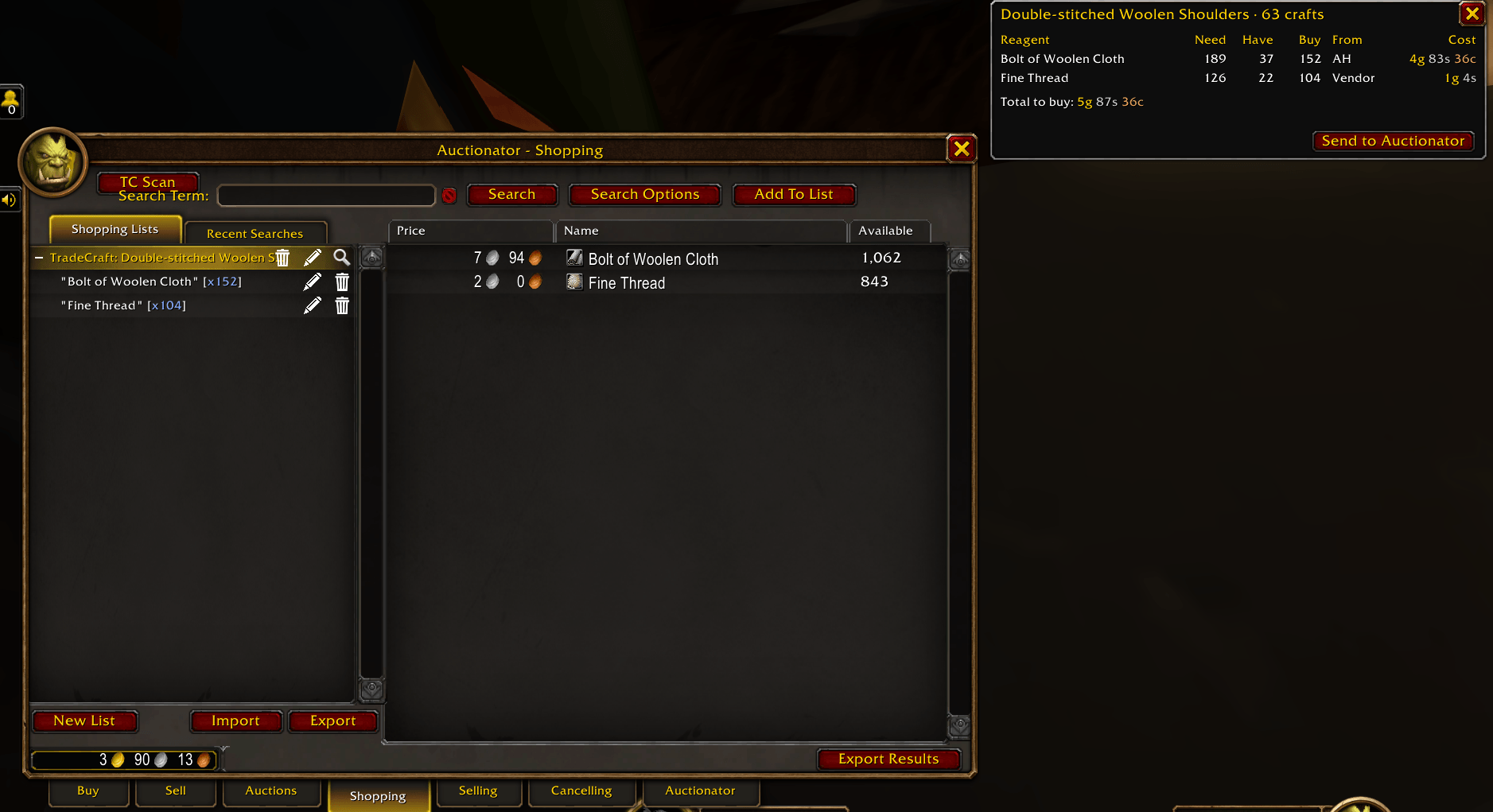
- Shopping list for the whole route or one step: need, have, buy, source and cost.
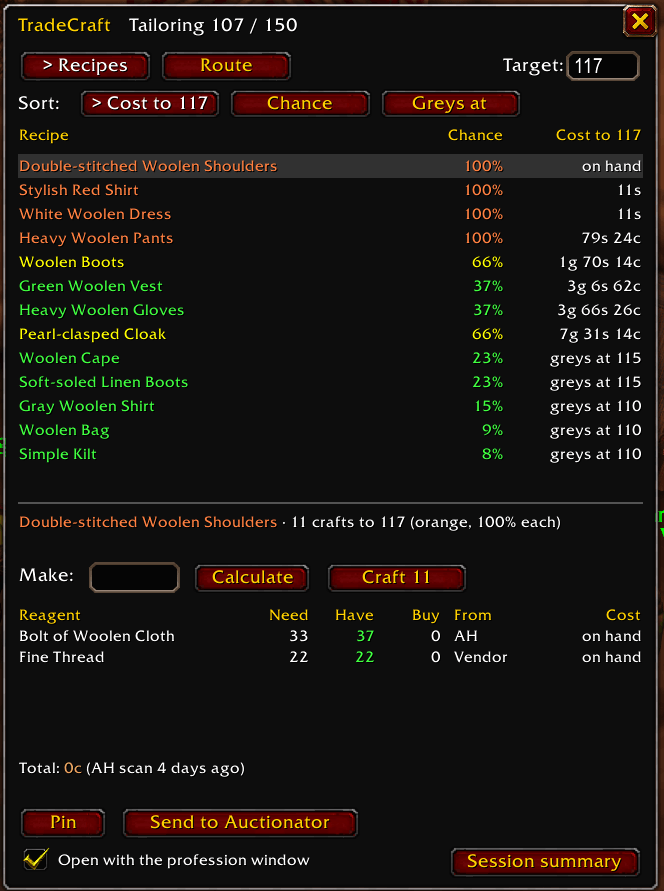
Acting on the plan
- Craft next button crafts the next step of your route, one click per batch.
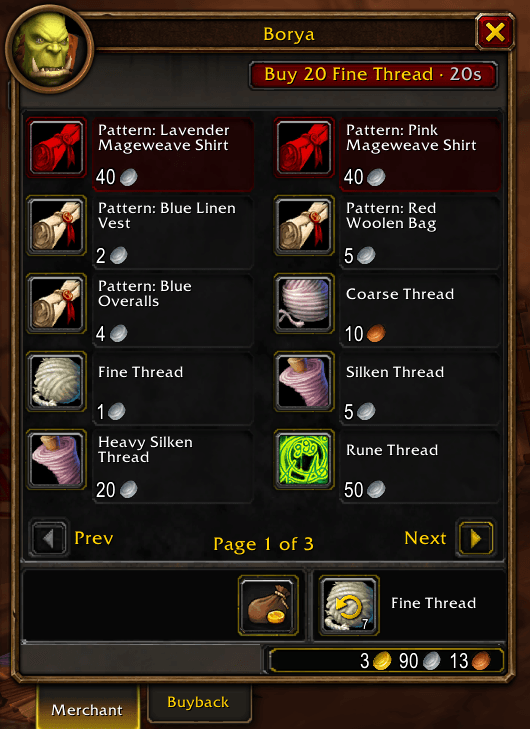
- Buy button at vendors buys the vendor items on your shopping list.
- Pin the shopping list to keep it on screen while you shop.
- Send to Auctionator turns the list into an Auctionator shopping list (optional, needs Auctionator).
At the trainer
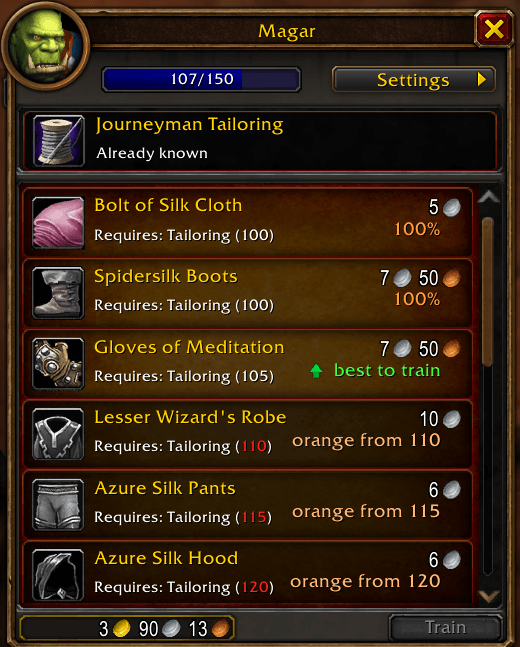
- Notes on each recipe: skill-up chance and when it turns orange.
- A best to train arrow on the recipe worth buying, following your route when the leveling view is open.
- A clear note when nothing at this trainer beats what you already know.
Tooltips
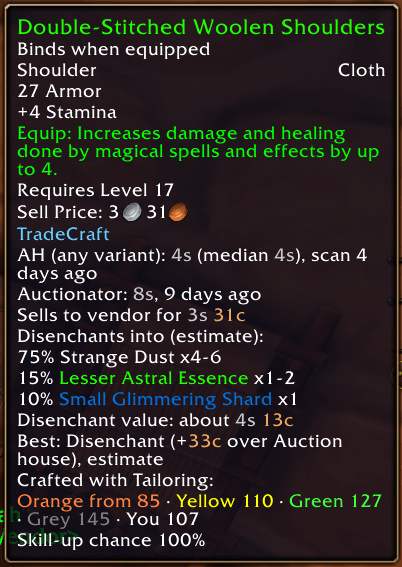
- Skill-up threshold bar on crafted items and recipes
- Which of your recipes use a reagent
- Price lines, with Auctionator prices when it is installed
- Disenchant odds and value, and whether to sell or disenchant
Session summary
See what you crafted, the skill you gained and what it cost, per session or over time.
Getting started
- Open your profession window and click the TradeCraft tab.
- Set your Target skill.
- Switch to Route and pick a mode.
- Buy what the shopping list shows (Pin it, or send it to Auctionator).
- Click Craft next and work down the route. Visit your trainer when a step says Train first.
Settings are under Options > AddOns > TradeCraft, or type /tc settings.
Commands
| Command | What it does |
|---|---|
/tc |
List all commands |
/tc view |
Open or close the leveling view (profession window open) |
/tc settings |
Open the settings panel |
/tc summary |
Skill points, crafts and reagent cost for this play session |
/tc save |
Reload the UI, which writes TradeCraft's data to disk |
/tc debug |
Debug window with recent events, counts and errors |
/tc selfcheck |
Load count, module health and environment |
/tc probe |
Capability report to paste into bug reports |
/tc audit |
Compare TradeCraft's colors and grey points with the game's |
/tc reset |
Delete all TradeCraft data on this account (asks first) |
/tc reset char |
Clear TradeCraft data for this character only |
Planned
- Better routes past your current rank as trainer data fills in, so long routes no longer need a visit to a higher trainer first.
- More measured data: skill-up chances, disenchant results and sale odds refined from your own play.
- Selling tools: net value after auction house fees and which items actually sell, from your own auction history.
- Gathering: mining, herbalism and skinning results logged alongside your crafting.
Suggestions are welcome in the comments.
Privacy
Addons can't use the internet. Everything TradeCraft records stays in its SavedVariables file on your computer.
Reporting bugs
Please include:
- The error text from BugSack (or with
/console scriptErrors 1enabled) - The output of
/tc debugor/tc probe - What you were doing when it happened
Post it in the comments on this page.
License
Free to use. All rights reserved. The code is readable but not licensed for reuse or redistribution. © 2026 CodeWyrm
TradeCraft Team
