


Touchdown
- By
flightmap-estimate.png
flightmap-logged.png
options-flightlog.png
overlay-direct.png
overlay-multistop.png
Description
Touchdown
A minimal flight path addon for World of Warcraft: Forever. It shows where you're flying, how far it is and when you'll land, and adds the flight time to the flight master map.
Know your flight time before you've ever flown the route
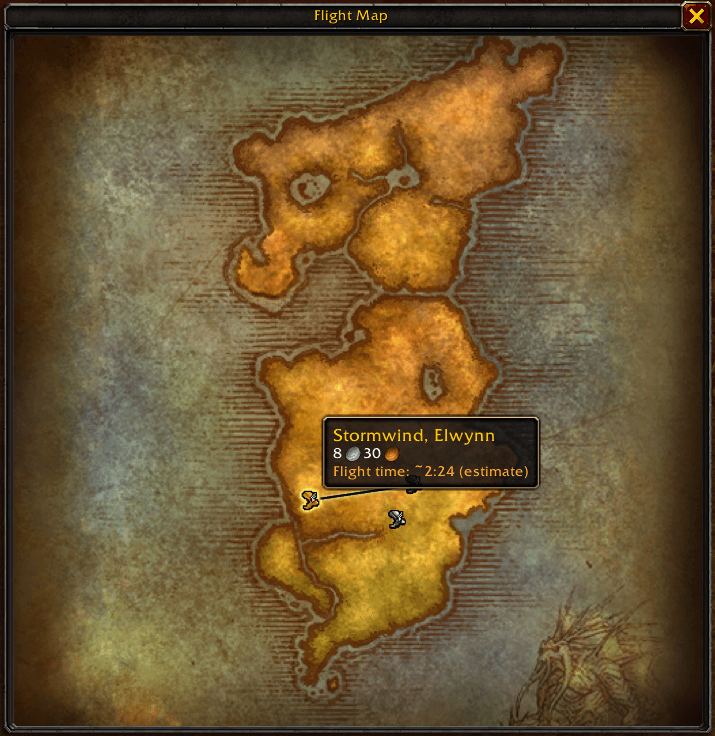
Touchdown doesn't need a pre-made database of flight times. It estimates the time of any flight from the start, including routes nobody has recorded yet:
- It measures the real distance of the route in yards, adding up every stop on multi-stop flights.
- It turns that distance into a time using your flight speed.
- Every flight you complete is timed, and the addon recalculates your speed from those real flights, so estimates get more accurate as you fly.
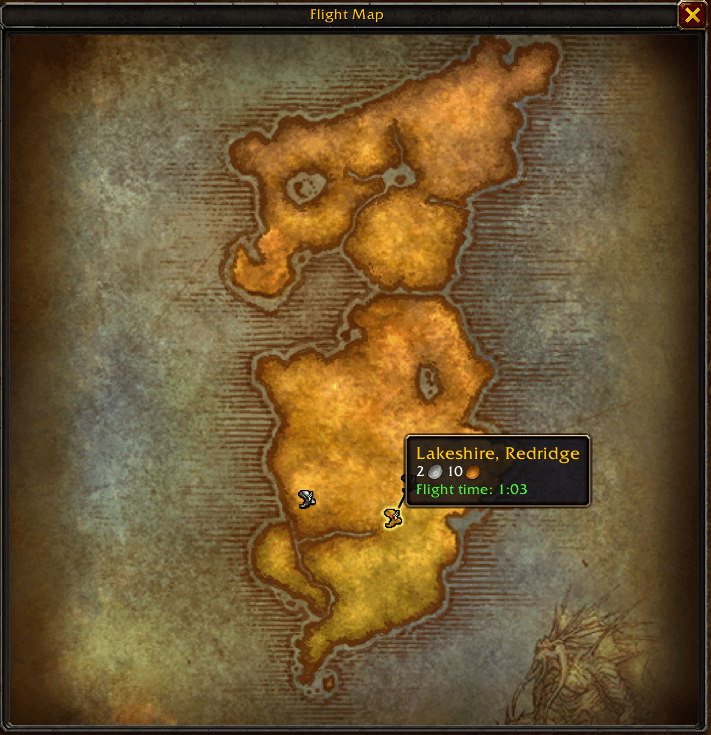
Once you've flown a route, the estimate is replaced by the exact time you logged.
| Not flown yet: estimate | Already flown: exact time |
|---|---|
|
|
Features
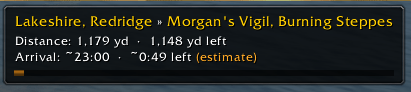
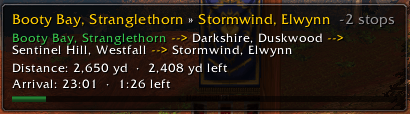
Flight overlay. While you're on a flight, a small window shows:
- your route (
Stormwind, Elwynn » Lakeshire, Redridge) - the total distance and the distance left
- your arrival time and a countdown
- an optional progress bar
Multi-stop flights. The overlay shows +2 stops next to the route. Click it to expand the full path (Booty Bay --> Darkshire --> Sentinel Hill --> Stormwind). Stops you've already passed turn green.
Flight time on the flight master map. Hover a destination and the flight time appears below the cost:
- green: the exact time, logged the last time you flew this route
- orange with
~: an estimate for a route you haven't flown yet
Exact times are logged automatically. Every completed flight is timed from takeoff to landing and saved for all your characters. Flights that land early aren't logged.
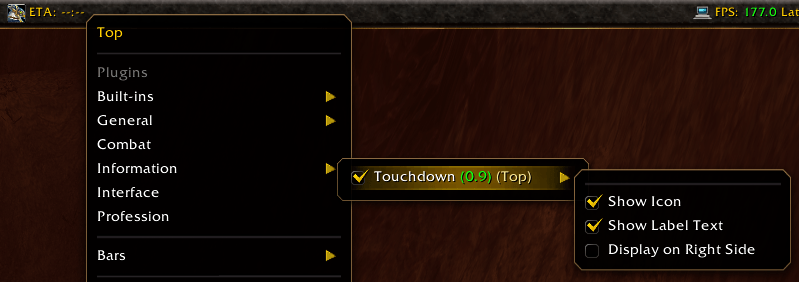
Titan Panel support (optional). If Titan Panel is installed, a plugin shows ETA: 1:23 on the bar. Left-click it to open the options.

To turn it on, right-click Titan Panel and choose Information → Touchdown:
Options
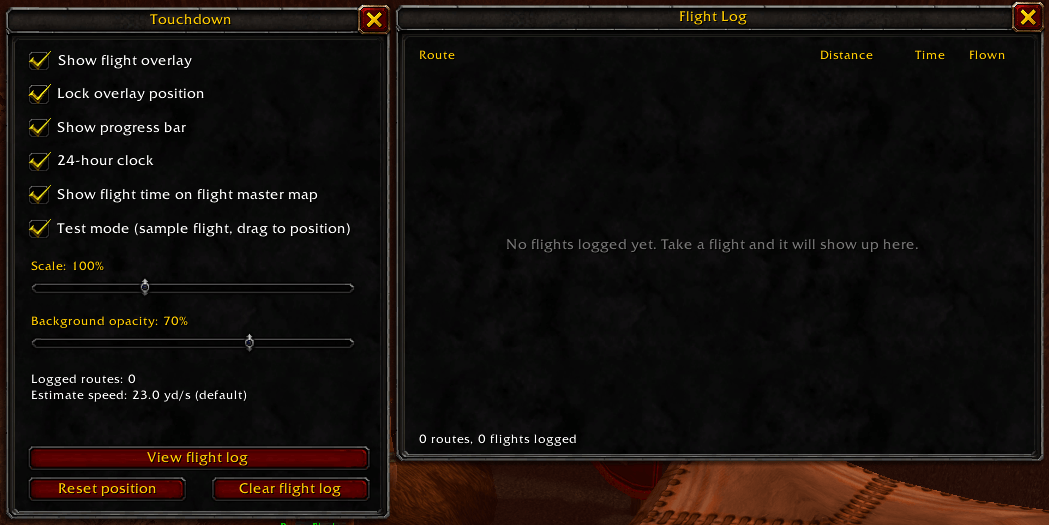
Type /td (or /touchdown) to open the options window:
- show or hide the overlay
- test mode: shows a sample flight so you can drag the overlay into place without flying
- lock the overlay position
- progress bar on or off
- 24-hour or 12-hour clock
- flight time on the flight master map on or off
- scale and background opacity
- view the flight log (every logged route with distance, time and how often you've flown it)
- reset the overlay position, or clear the flight log
Other commands:
/td log: open the flight log/td test: toggle test mode/td list: print all logged flight times/td reset: reset the overlay position
Installation
Extract the Touchdown folder into your WoW Forever Interface\AddOns\ folder, or install it with the CurseForge app.
License
MIT License.
Touchdown Team
