

![[Top] KeyTracker logo](https://media.forgecdn.net/avatars/thumbnails/1833/166/64/64/639156501190288131.png)
[Top] KeyTracker
- By
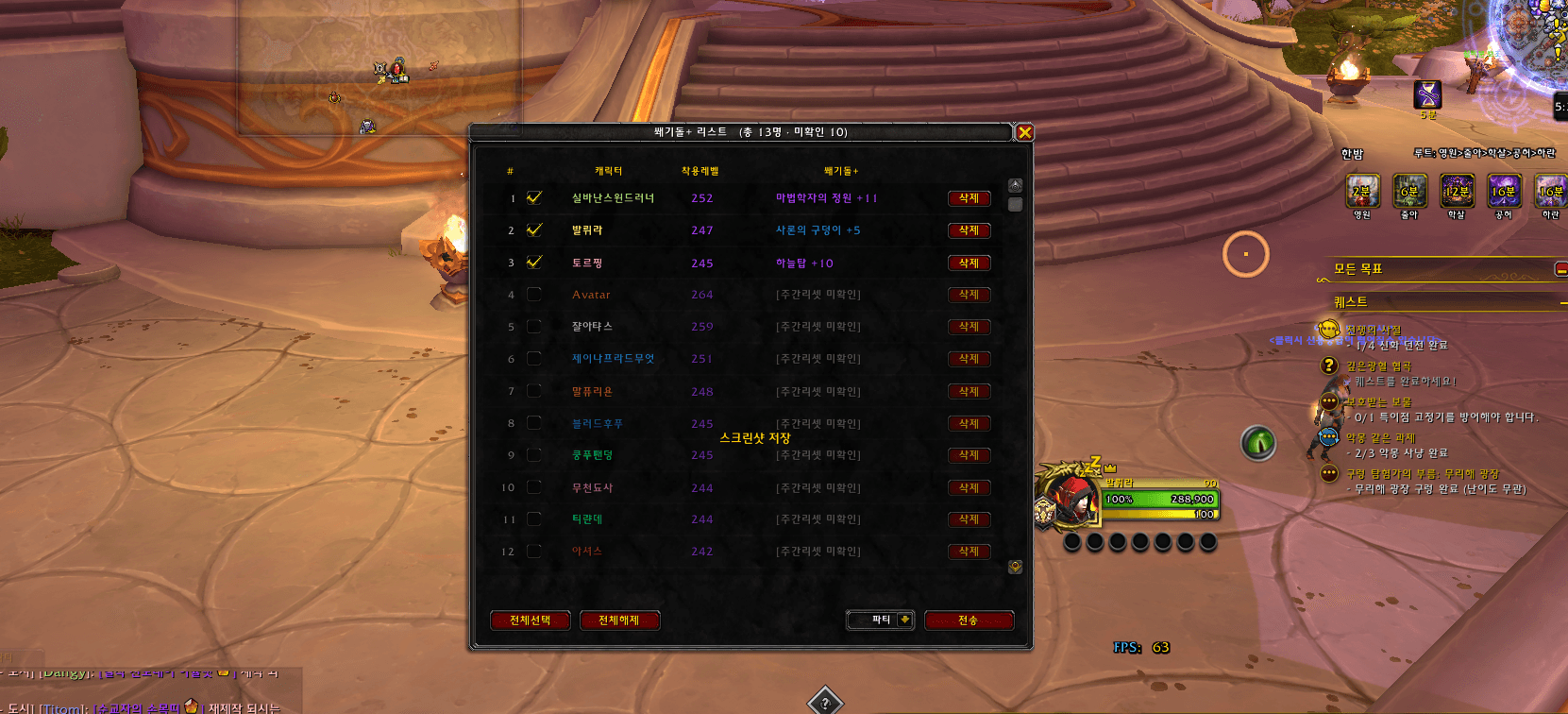
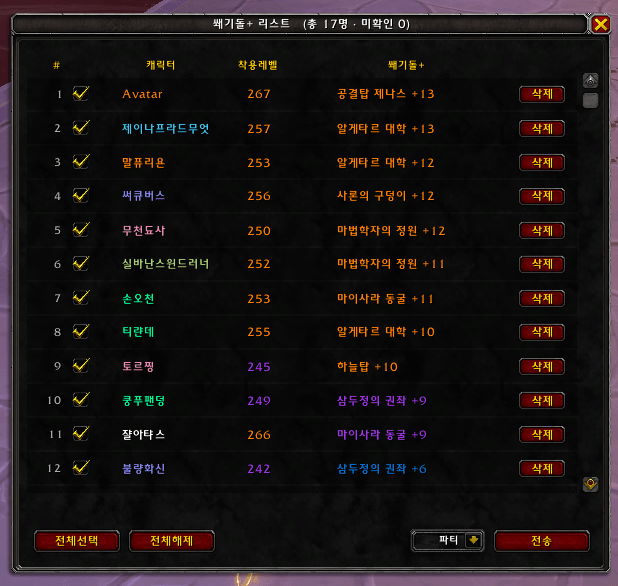
Track Mythic+ keystones across all your alts on one account and share them to party/raid/guild chat in one click.
KakaoTalk_20260528_173743461.png
ì¤í¬ë¦°ì· 2026-06-02 090129.png
Description
[Top] KeyTracker
Track the Mythic+ keystones of every alt on your account in one list, and share them to Party / Raid / Guild / Say with one click.
How to use
- Log in to each character once. The keystone and equipped item level are saved automatically — no button needed.
- Type
/keyor/돌to open the list. - Check the characters to share, pick a channel, and press Send.
Features
- Reads the keystone straight from the keystone item in your bags, so it is saved even when the game sends Mythic+ data late after login.
- Updates automatically whenever your keystone changes — opening the Great Vault after the weekly reset, upgrading or depleting it after a run, or a re-roll.
- Equipped item level (not the best-in-bags value).
- Class-colored names; sort by item level or keystone level (click the column headers).
- Three states, shown in the title: keystone, No keystone · check the Vault (logged in this week but has no key yet), and [Unconfirmed this week] (not logged in since the weekly reset).
- No-keystone and unconfirmed characters are greyed out, sorted to the bottom, and never sent — stale data is never shared.
- Uses the server's own weekly reset clock, so it works on every region.
[Top] KeyTracker — 계정 돌 확인
계정의 모든 캐릭터 쐐기돌을 한 목록으로 보고, 파티·공격대·길드·일반 채팅에 한 번에 공유합니다.
사용법
- 각 캐릭터로 한 번씩 접속합니다. 쐐기돌과 착용레벨은 자동으로 저장됩니다(누를 것 없음).
/돌또는/key로 목록을 엽니다.- 공유할 캐릭터를 체크하고 채널을 고른 뒤 전송을 누릅니다.
기능
- 가방 속 쐐기돌 아이템에서 직접 읽어, 접속 직후 쐐기 정보가 늦게 와도 저장됩니다.
- 쐐기돌이 바뀌면 자동으로 다시 저장합니다 — 주간 리셋 뒤 금고를 열 때, 쐐기를 돌고 단수가 오르거나 내려갈 때, 돌을 바꿀 때.
- 착용레벨은 실제 착용 장비 기준입니다(가방 포함 최고치가 아님).
- 직업 색 이름, 착용레벨·쐐기 단수 정렬(열 제목 클릭).
- 세 가지 상태를 제목에 함께 표시: 쐐기돌, 돌 없음 · 금고 확인(이번 주 접속했지만 아직 돌이 없음), [주간리셋 미확인](리셋 뒤 아직 접속 안 함).
- 돌 없음·미확인 캐릭터는 흐리게 맨 아래에 두고 전송하지 않습니다 — 지난 정보는 공유되지 않습니다.
- 서버의 주간 리셋 시각을 그대로 써서 모든 지역에서 맞습니다.
Changes / 변경점
- 11.1.1 — New "No keystone · check the Vault" state for characters logged in after the reset without a key; such characters are never sent. / 리셋 뒤 금고를 열기 전처럼 돌이 없는 캐릭터는 「돌 없음 · 금고 확인」으로 표시하고 전송하지 않음.
- 11.1.0 — Fixed keystones not being saved at login (left as "unconfirmed"); read from the bag item and refreshed on bag / equipment / run changes; equipped item level. / 접속 직후 쐐기돌이 저장되지 않고 「미확인」으로 남던 문제 수정, 가방·장비·쐐기 완료 때마다 갱신, 착용레벨 기준 표시.
- 11.0.1 — Updated for WoW 12.1.5. / 12.1.5 대응.
[Top] KeyTracker Team

![[Top] TeleBook project image](https://media.forgecdn.net/avatars/thumbnails/1882/739/256/256/639178648513275329.png)
![[TOP] Heading Line project image](https://media.forgecdn.net/avatars/thumbnails/2081/316/256/256/639263620668092805.png)
![[TOP] Item Level project image](https://media.forgecdn.net/avatars/thumbnails/2089/251/256/256/639266434390858048.png)
![[Top] SupplyTracker project image](https://media.forgecdn.net/avatars/thumbnails/1745/953/256/256/639110944390842486.png)