Together : Share your progression
- By
Together
Share your progress with the people you play with.
Find friends on the same quest, see how your guildmates are doing, and find someone who can craft what you need.
Open in game with /tog or /together.
Two ways to use Together
Switch layouts any time with the interface button at the bottom of the window.
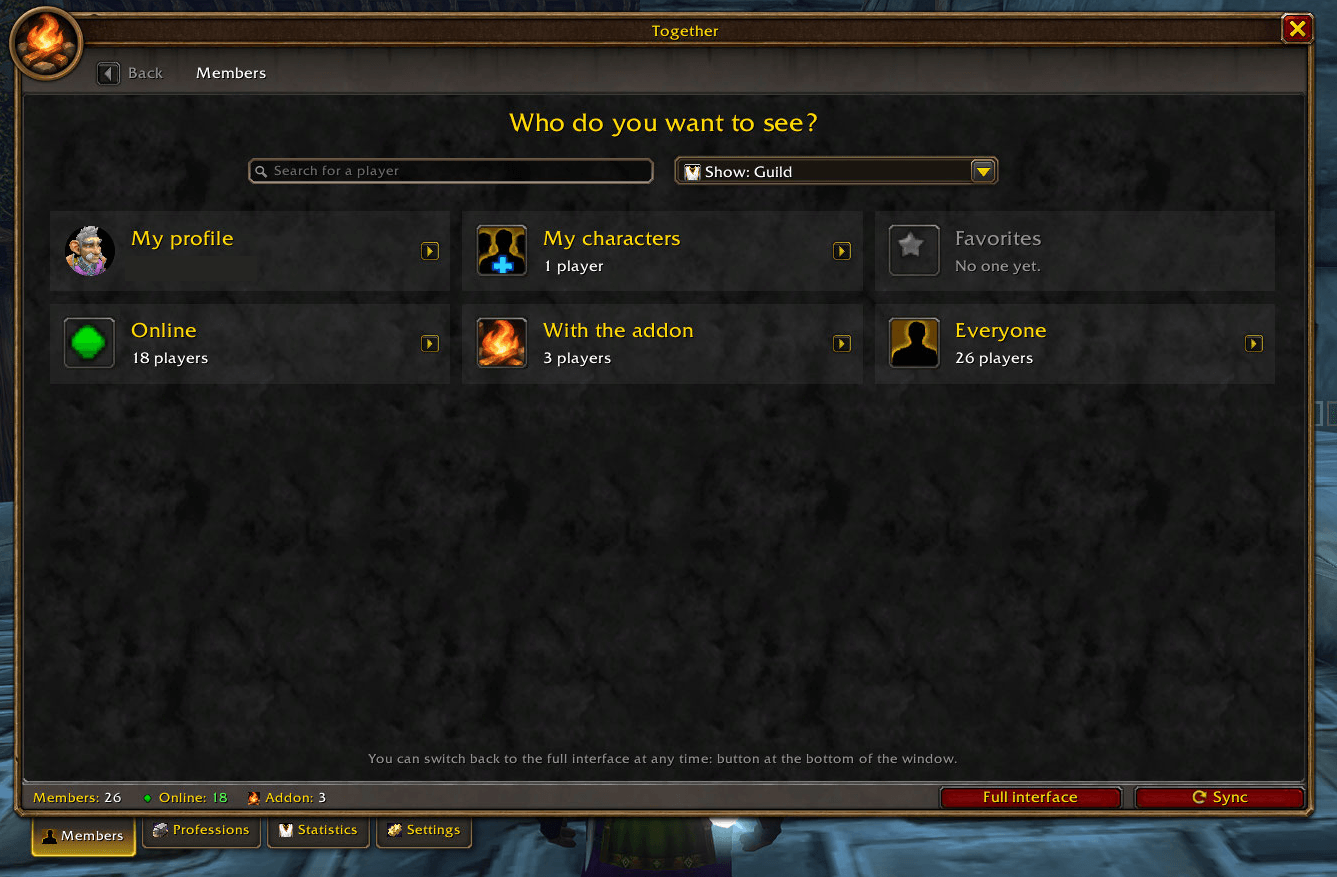
Simple interface
Pick a player or category, then open one view at a time.
Full interface
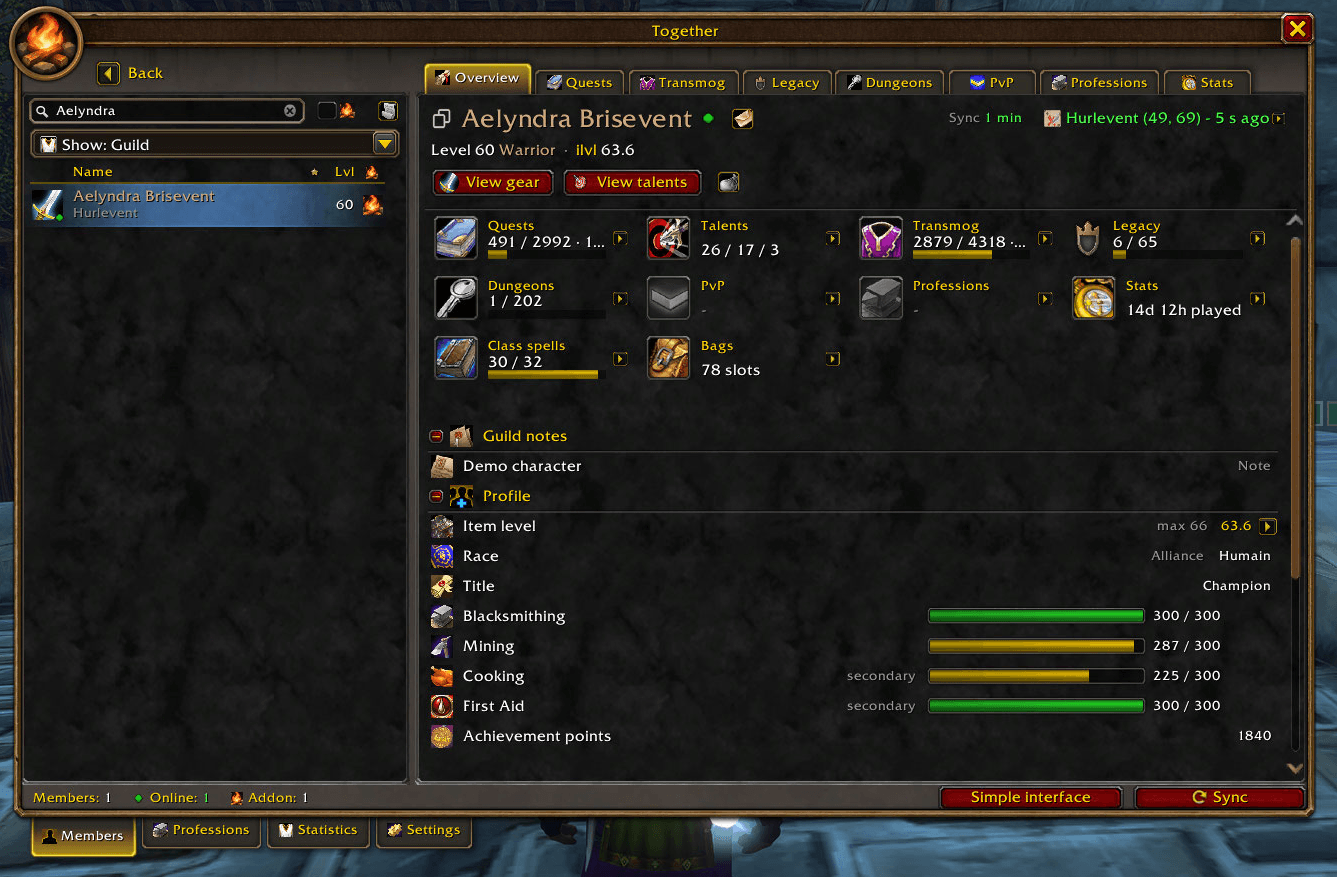
Keep the roster, tabs and character profile side by side.
Find someone to quest with
See which friends and guildmates are on the same quest from your quest log or tracker. Right-click the quest to whisper or invite them. Open a friend's profile to see what they have finished and what is still in progress.
See quest progress in the simple interface.
See what your friends are working on
Browse shared profiles for gear, talents, dungeon and raid progress, transmog, PvP and Legacy. Use the compact view to focus on one thing at a time, or switch to the full view to keep the roster and profile side by side. You can also compare a profile with your own.
Find the right crafter
Search by recipe to see which guildmates can make it and check their profession skill. See what your guild already knows and look up where to learn missing recipes when source information is available.
Control what you share
Choose what your guild, friends, group, selected communities, or specific players can see. Group and public sharing start with gear and talents. Character name, class and level are used for discovery. Bag and bank contents and links between your main and alts are opt-in. Together syncs through in-game addon messages and stores its cache locally.
Getting started
- Install Together for your WoW client and type
/togin game. - Pick the simple or full layout. You can switch later in Settings.
- Have your friends install Together for detailed sharing. Your guild roster can still show the basic information available in game.
Compatibility. Built for WoW Forever. The project also targets Retail, Classic Era, Burning Crusade, Wrath, Cataclysm and Mists of Pandaria Classic. Check the game versions listed on each download. Features and optional integrations vary by client.
Optional integrations. Questie, QuestieDB, ForeverDungeonJournal, OpenMap and Guild Profession Roster, where supported.
Questions or bug reports? Join MiniBox Studio on Discord.
Together : Share your progression Team