
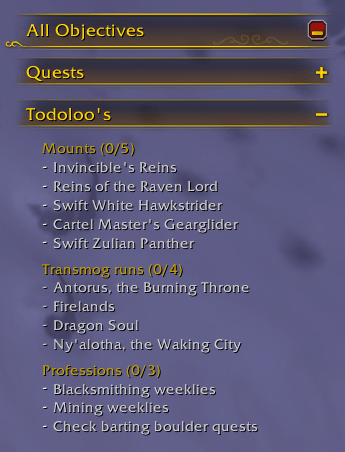
Task tracker - Attached.png
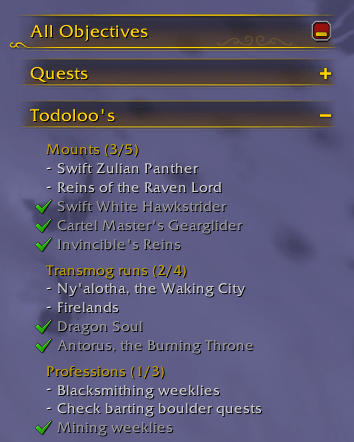
Task tracker - Attached_checked.png
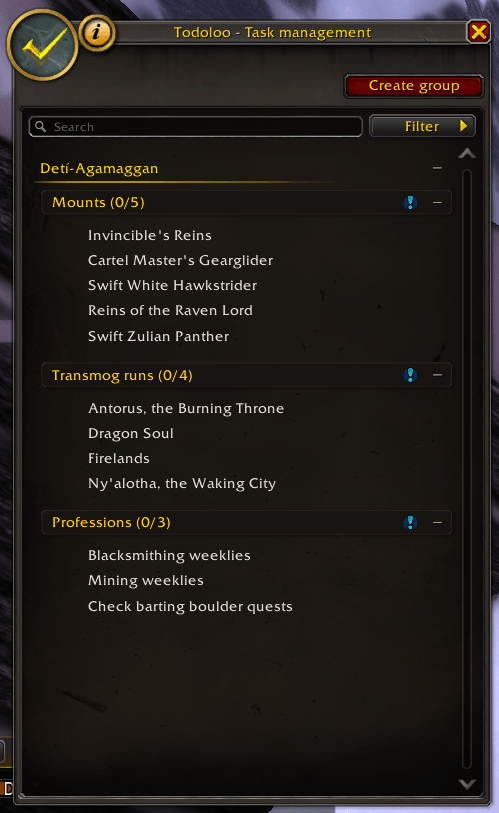
Task manager.png
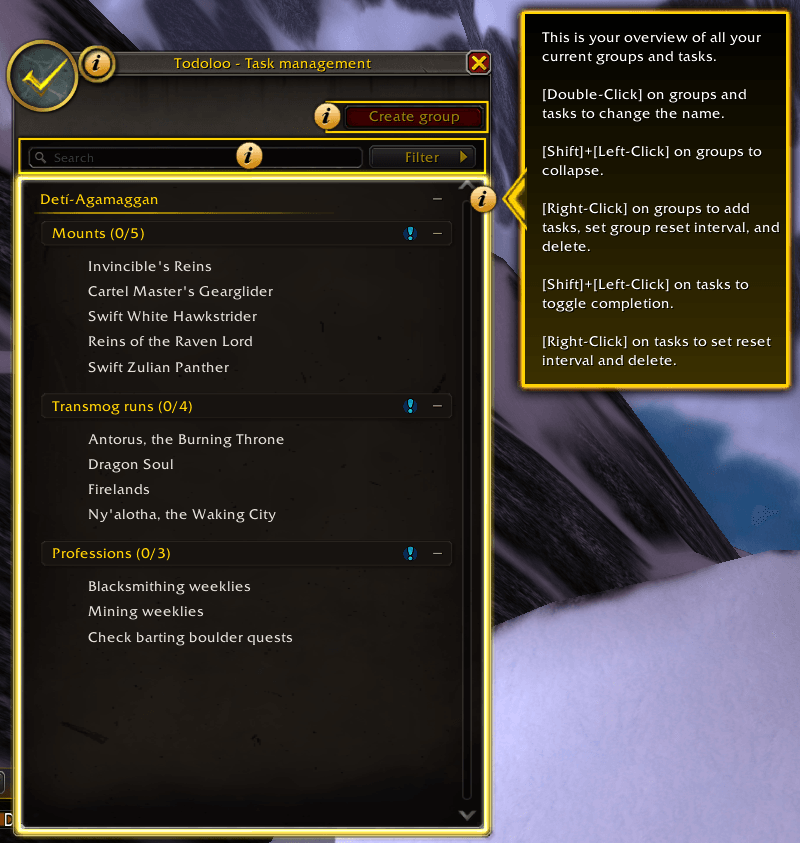
Task manager - Help system.png
Task manager - Filters.png
Description
Todoloo
Todoloo is your friendly in-game task management assistant, making sure you've never forget your mount runs, transmog runs, profession tasks, and so much more.
✨ Key features
- Create character specific tasks that automatically reset daily, weekly, or manually
- Organize your tasks in custom made groups
- Blizzard styled task manager to create, update, delete and reorganize groups and tasks
- Blizzard styled floating task tracker or task tracker attached to the overall objective tracker, to visualize your tasks
- Hide completed tasks and groups from the task tracker
❓ Getting started
Task Tracker
Shift+Left-Clickon tasks in the task tracker to toggle completion- Toggle between floating task tracker and task trakcer attached to the objective tracker
- Click and drag the floating task tracker around, to place the it as you see fit
- Toggle whether the floating task tracker should automatically hide in combat and show out of combat
- Toggle whether you want to see completed tasks and/or completed groups, in Todoloo settings (
Right-Clickon the minimap icon, or via the options)
Task Manager
- Use the in-game help guide by clicking on the info icon in the task manager
- Manage your tasks account-wide using the task manager, by
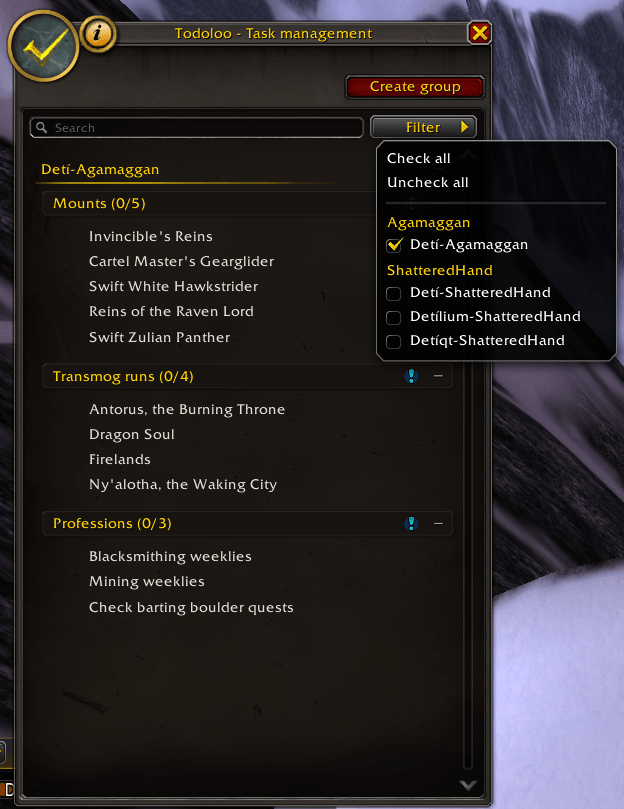
Left-Clickon the minimap icon - Toggle characters by using the "Filter" button
Characters
Right-Clickon the characters to add new groupsShift+Left-Clickon characters to minimize all character groups and tasks
Groups
- Drag and drop groups to reorder as you see fit
Right-Clickon groups to set group reset interval, add new tasks, or delete the group
Tasks
- Drag and drop tasks to reorder within the same group, or move between groups
Shift+Left-Clickon tasks to toggle task completionRight-Clickon tasks to set reset interval or to delete the task
📧 Commands
Commands should either start with /tdl or /todoloo. The following commands are available:
tm,task-manager: Open the task managertt,task-tracker: Toggle the floating task trackers,settings: Open Todoloo settings
📣 Feedback
Bug
Bugs can be reported in the issues page.
Feature requests
Features can be requested by adding a new issue on the issues page.
Todoloo Team
