


Toban's Tracker
- By
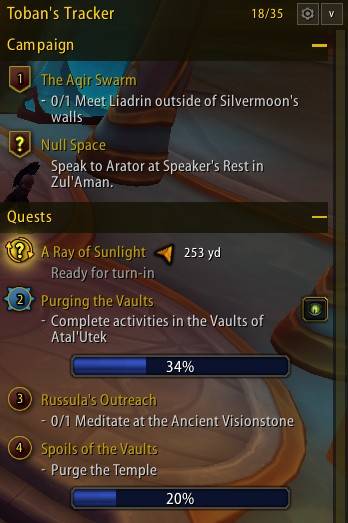
A clean, scrollable objective tracker which replaces Blizzard's Quest Objectives.
Screenshot 2026-11-05 185914.jpg
Screenshot 2026-11-05 193853.jpg
Screenshot 2026-11-05 193749.jpg
Screenshot 2026-11-05 193819.jpg
Screenshot 2026-11-05 193920.jpg
Description
Fully supports WoW Retail and WoW Forever
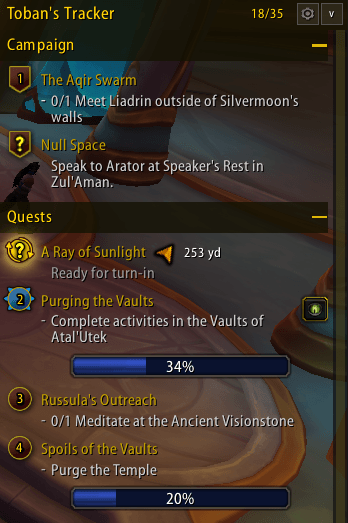
Toban's Tracker puts a restyled, scrollable frame around the standard objective tracker - and adds significantly more features on top. Blizzard still draws your quests and handles their clicks, so you keep everything you're used to, with a much tidier look and much more control.
Scrolling & Layout
- The tracker grows with its content up to a height you choose, then scrolls.
- Collapse the whole tracker from its header bar.
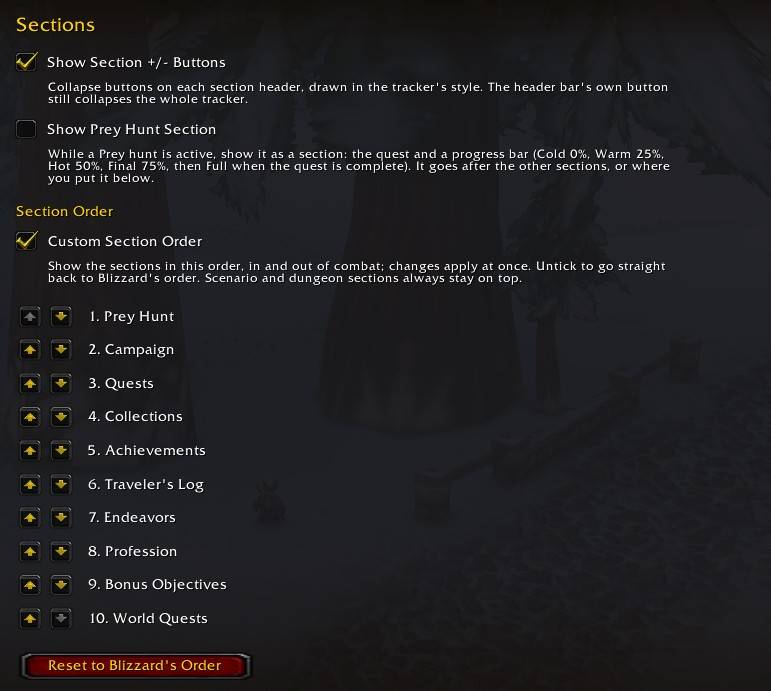
- Reorder its sections, in or out of combat.
Make It Yours
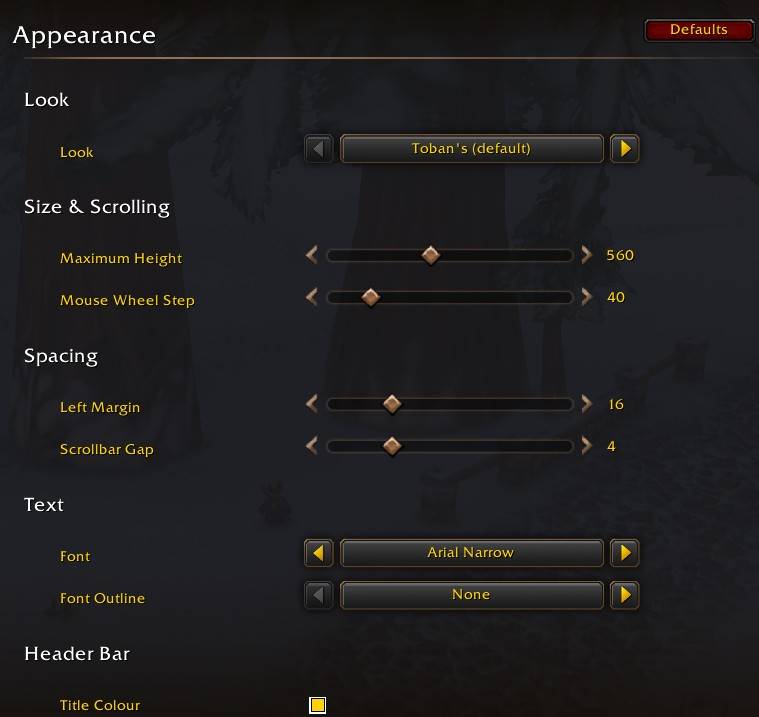
- Choose fonts, outlines, colours, textures and opacity.
- Adjust the size and spacing of the header, section bars and scrollbar.
- Prefer the original style? Switch to the Blizzard look and keep just the header bar and scrollbar.
Quest Helpers
- See your quest count against the cap in the header bar; it turns red when your log is full.
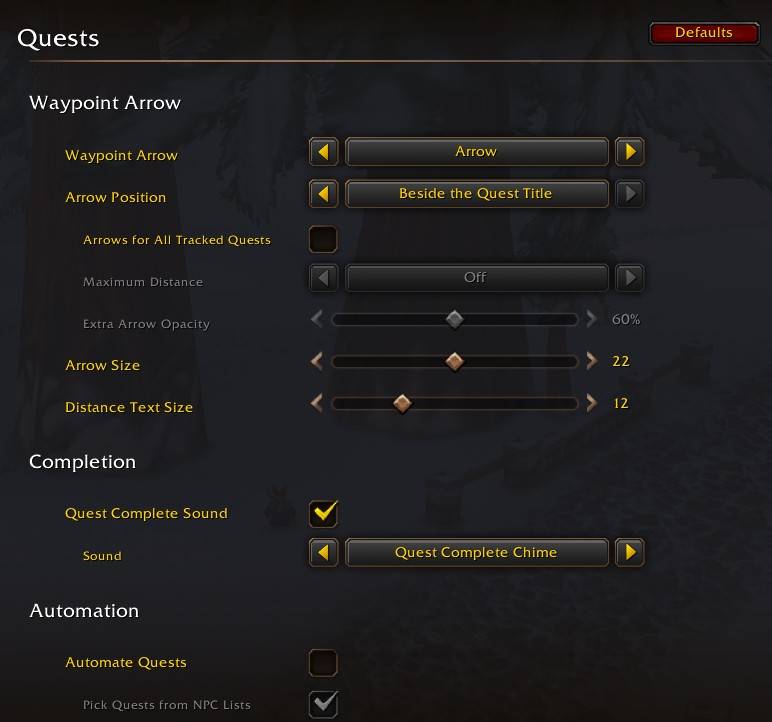
- Play a sound of your choice when a tracked quest is ready to turn in.
- Optional quest automation picks, accepts and turns in quests, with full configuration settings for one-time, daily, weekly and repeatable quests and their quest givers.
- Automation never chooses between rewards or spends gold or currency for you.
Find Your Way
- A waypoint arrow with the distance in yards follows whatever quest you select.
- Show it in the header bar or beside the quest's title.
- Optionally add arrows beside every tracked quest on screen, with a distance limit.
- Prefer TomTom? Hand the target to its arrow instead.
Show Only What You Need
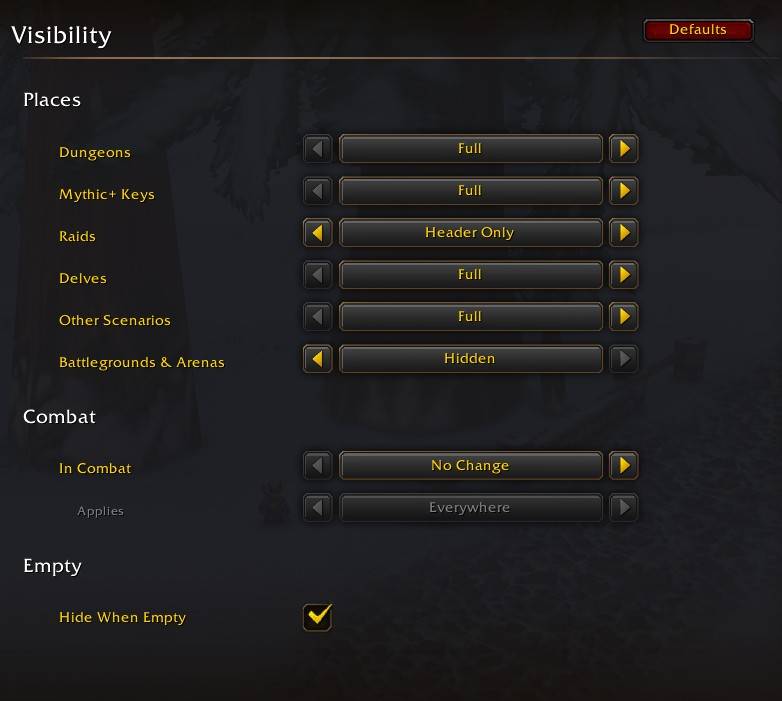
- Set separate rules for dungeons, Mythic+, raids, delves, other scenarios and PvP: show the full tracker, just the header, or nothing.
- Shrink or hide it in combat.
- Hide it when nothing is tracked.
Getting Started
- Move the Objective Tracker once in Edit Mode (Esc > Edit Mode). Scrolling can't start until you do.
- Set the tracker's Height in Edit Mode to its maximum (1000) so Blizzard draws everything.
- Type /ttr to open the options.
- No libraries needed. TomTom is optional.
Author: Toban (EarthenRing EU) / Toban Fizzlebolt (Roleplay EU)
Toban's Tracker Team
