TitanOS
- By
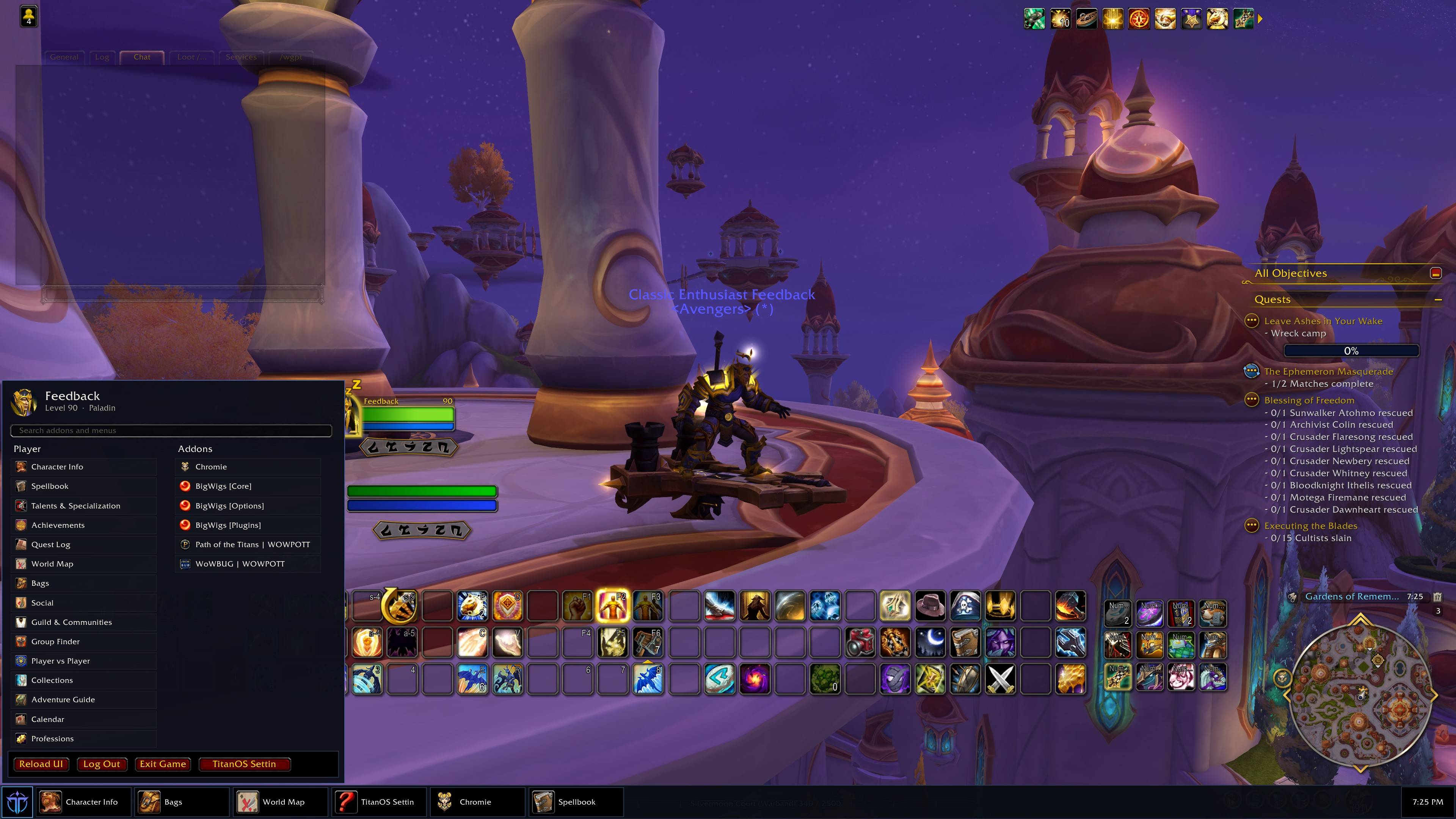
TitanOS docks a Windows-style taskbar to the bottom, top, left, or right of the WoW viewport. The Start menu lists player and game-menu actions plus enabled addons, with search, pinning, a clock, and optional auto-hide.
TitanOS screenshot 1.jpg
Description
TitanOS is a desktop-style taskbar for World of Warcraft. It docks to the bottom, top, left, or right edge of the viewport. The Start button opens a Windows-like menu of player and game-menu actions plus your enabled addons.
Features
- Dock the bar to any viewport edge (bottom is the default)
- Start menu with search, Player and Addons columns, and a power row
- Player actions that exist on the current flavor: character, spellbook, talents, map, bags, social, guild, settings, macros, and Game Menu buttons
- Launch enabled addons from the Start menu
- Pin favorites to the taskbar; right-click a row or task button to pin or unpin
- Clock with 12/24-hour toggle
- Optional auto-hide until the cursor is over the bar
- Works alone. Optional companions: WoWGPT, WoWSuite, Chromie
How to use
- Left-click Start — open or close the start menu
- Right-click Start — TitanOS settings
- Right-click empty bar space — move the bar to another edge
- Click the clock — switch 12/24-hour time
- Right-click a menu row or task button — pin or unpin
A bottom bar sits on top of the default action bars. Move it to the top or a side if that gets in the way.
Commands
| Command | Effect |
|---|---|
/titanos |
Toggle the start menu
|
/titanos show / hide |
Show or hide the taskbar
|
/titanos edge bottom|top|left|right |
Dock the bar
|
/titanos autohide |
Toggle auto-hide
|
/titanos settings |
Open TitanOS settings
|
/titanos status |
Print the current edge and size
|
Aliases: /tos, /taskbar
TitanOS Team