TibbettsSquareMap
- By
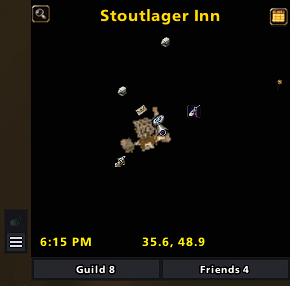
A modern, square minimap replacement for World of Warcraft with a resizable window, a sidebar, an addon-button pocket, guild and friends online lists, freely placeable icons and text, and profiles.
TSM-001.png
TSM-002.png
TSM-003.png
TSM-004.png
TSM-005.png
Description
# Tibbetts Square Map
A modern, square minimap replacement for World of Warcraft with a resizable window, a sidebar, an addon-button pocket, guild and friends online lists, freely placeable icons and text, and profiles.
One addon folder covers Retail, WoW Forever, Classic Era, TBC, Wrath, Cataclysm, Mists and 3.3.5a private servers.
## Features
**Map**
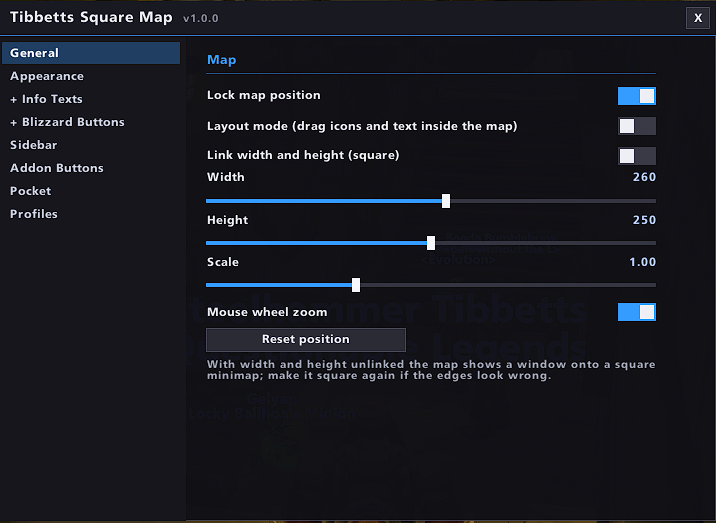
- Square minimap with adjustable width and height, or linked to stay square
- Scale slider and mouse wheel zoom
- Drag it anywhere, then lock it in place
- Clamped to the screen, border included, so it can never leave the display
**Layout mode**
- Drag every element anywhere inside the map border: mail, calendar, tracking, queue status, expansion button, addon compartment, zoom buttons and more
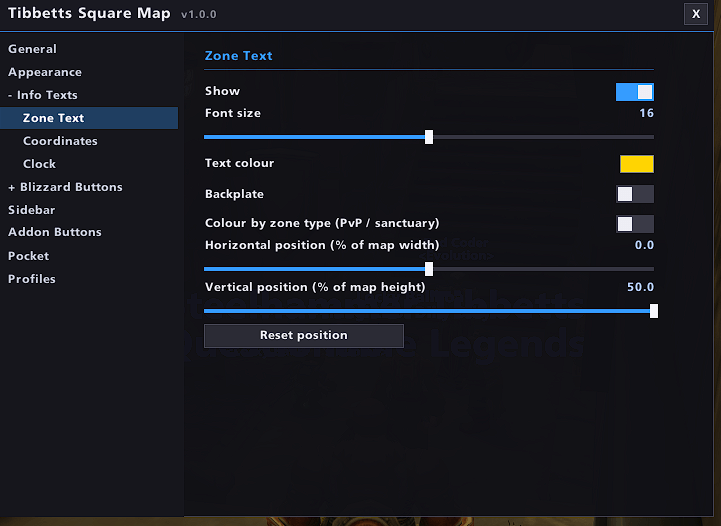
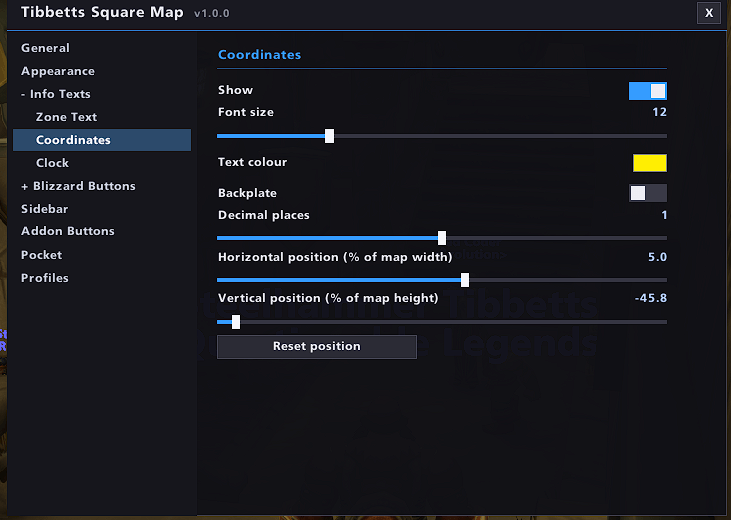
- Zone text (default top center), coordinates (default bottom center) and an optional clock are placed the same way
- Positions are stored relative to the map size, so they survive resizing
- Each element has its own show toggle, scale and X/Y sliders
**Sidebar**
- Attach to the left, right, top or bottom of the map
- Choose the growth direction of the icons
- Holds the pocket button and any addon icons you assign to it
**Guild and friends**
- Online counts on the sidebar, or on a bar attached to the top or bottom of the map
- Click either one for a dropdown of who is online, with level, zone and class colors
- Click a name to whisper them; includes Battle.net friends (optional)
**Addon pocket**
- Addon minimap buttons can be moved to the pocket, the sidebar, left on the minimap, or hidden, one by one
- The pocket opens as its own window with a title bar, draggable anywhere or attached to a side of the map
- The pocket button opens a menu with the pocket window, lock and layout toggles, and shortcuts to every settings page
- Optional restyling so mixed icons look consistent; buttons can also be added by frame name
**Options**
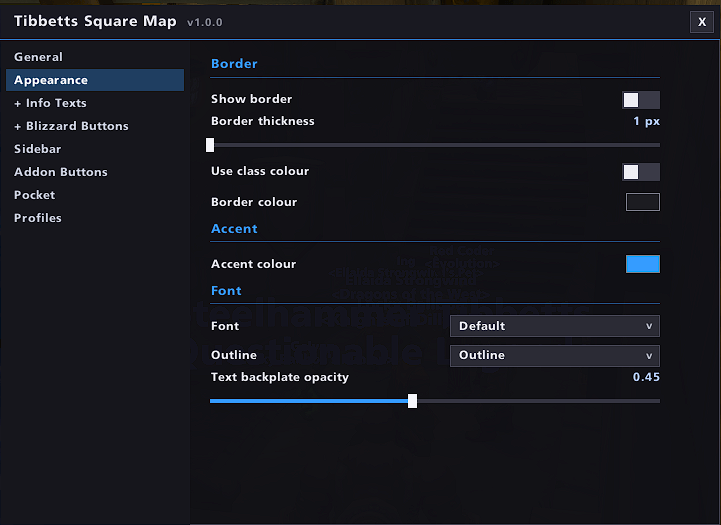
- Collapsible tree menu with toggles, sliders, font picker (LibSharedMedia supported), colors and an accent color
- Scroll bars wherever a page or list needs one
- Listed in the game's AddOns settings and in the addon compartment
**Profiles**
- Create, copy, reset and delete
- Per-character assignment and a default profile for new characters
- Import and export as a text string
## Installation
1. Download the latest release.
2. Extract the `TibbettsSquareMap` folder into your `Interface/AddOns` directory (for WoW Forever, the `_forever_` client folder).
3. Start the game, or `/reload` if it is already running.
On first launch the map is unlocked. Drag it into place and type `/tsm lock`.
## Commands
| Command | What it does |
| --- | --- |
| `/tsm` | Open the options |
| `/tsm lock` / `/tsm unlock` | Lock or unlock the map position |
| `/tsm layout` | Toggle layout mode (drag icons and text inside the map) |
| `/tsm pocket` | Open or close the pocket window |
| `/tsm reset` | Reset the map position |
| `/tsm findcoords` | List duplicate coordinate text from other minimap UI |
| `/tsm debug` | Print icon, button and layout diagnostics |
| `/tsm focus` | Hover something, wait four seconds, and see which frame is on top of it |
| `/tsm clicks` | Print a line whenever a sidebar button is activated |
## Compatibility
| Client | Interface |
| --- | --- |
| Retail | 110107, 120000 |
| WoW Forever | 16001 |
| Classic Era | 11507 |
| TBC | 20504 |
| Wrath | 30403 |
| Cataclysm | 40402 |
| Mists | 50400 |
| 3.3.5a private servers | 30300 |
Optional libraries: LibDBIcon-1.0 (addon button detection) and LibSharedMedia-3.0 (extra fonts).
## Known limitations
- Retail and WoW Forever were the primary development targets. The older clients use the same code with API fallbacks and have had less testing.
- A non-square map relies on clipping the minimap view. Clients that cannot clip (3.3.5a) always keep the map square.
- Addon minimap buttons are detected by name (LibDBIcon buttons, or frames with "minimap" in the name). Anything missed can be added by frame name on the Addon Buttons page. Map pins such as Questie quest icons are deliberately ignored.
- The queue status button and expansion button are managed by Blizzard code and are best-effort.
- Restyled addon icons need a `/reload` to revert.
## Reporting problems
Please include your client (Retail, Forever, Classic Era, etc.), the Lua error text if there is one, and the output of `/tsm debug`.
## License
All rights reserved unless a license file is added to this repository.
TibbettsSquareMap Team