ThugUI
- By
A modular UI suite for Retail and WoW Forever: cursor cooldown grids, orbs, action bars, nameplates, controller play. Turn on only what you use.
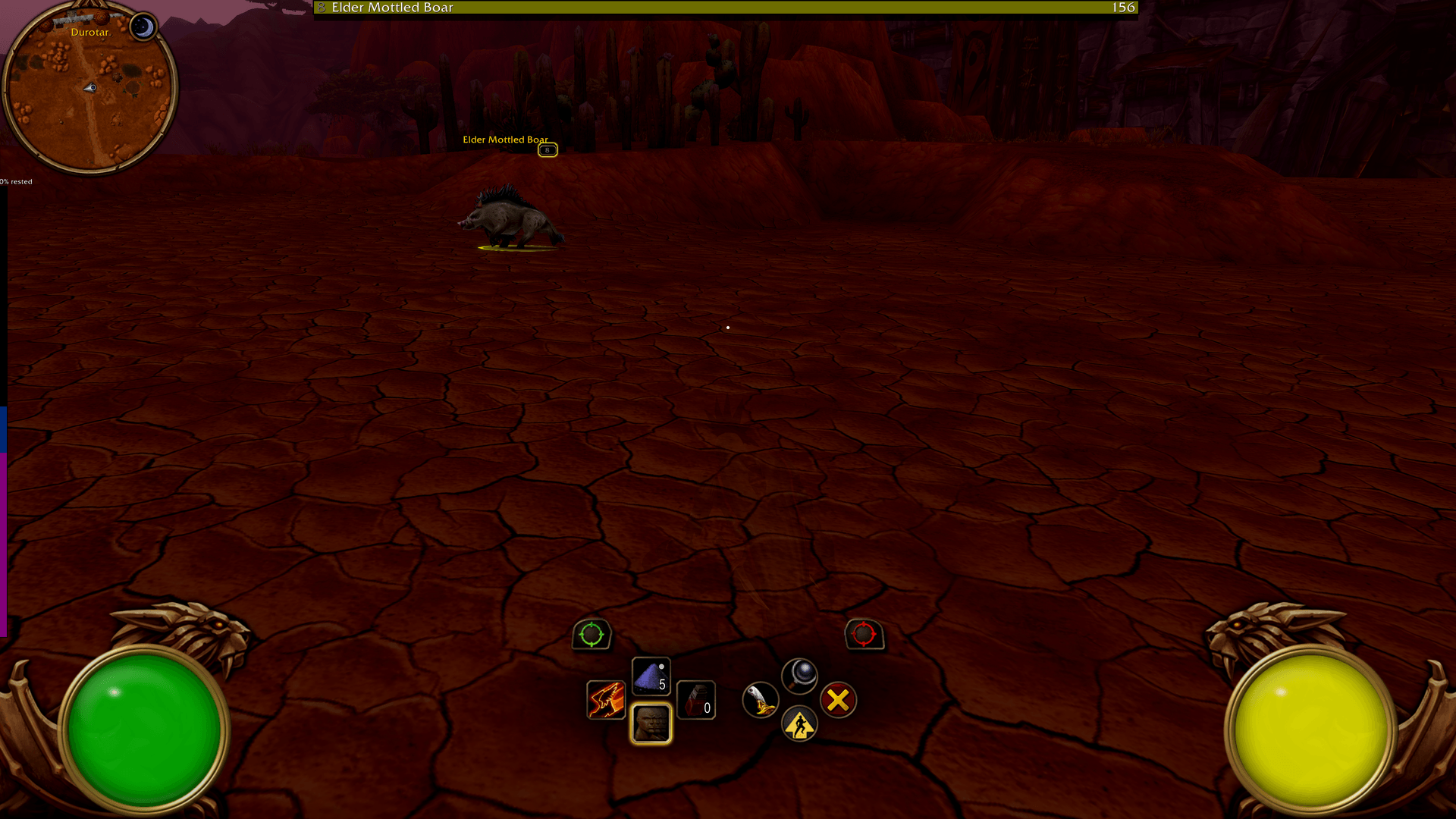
Faction specific background art for the orbs. Radial pips around resource bar for combo points. Large target frame across top of screen similar to Elden Ring. Movable minimap if enabled.
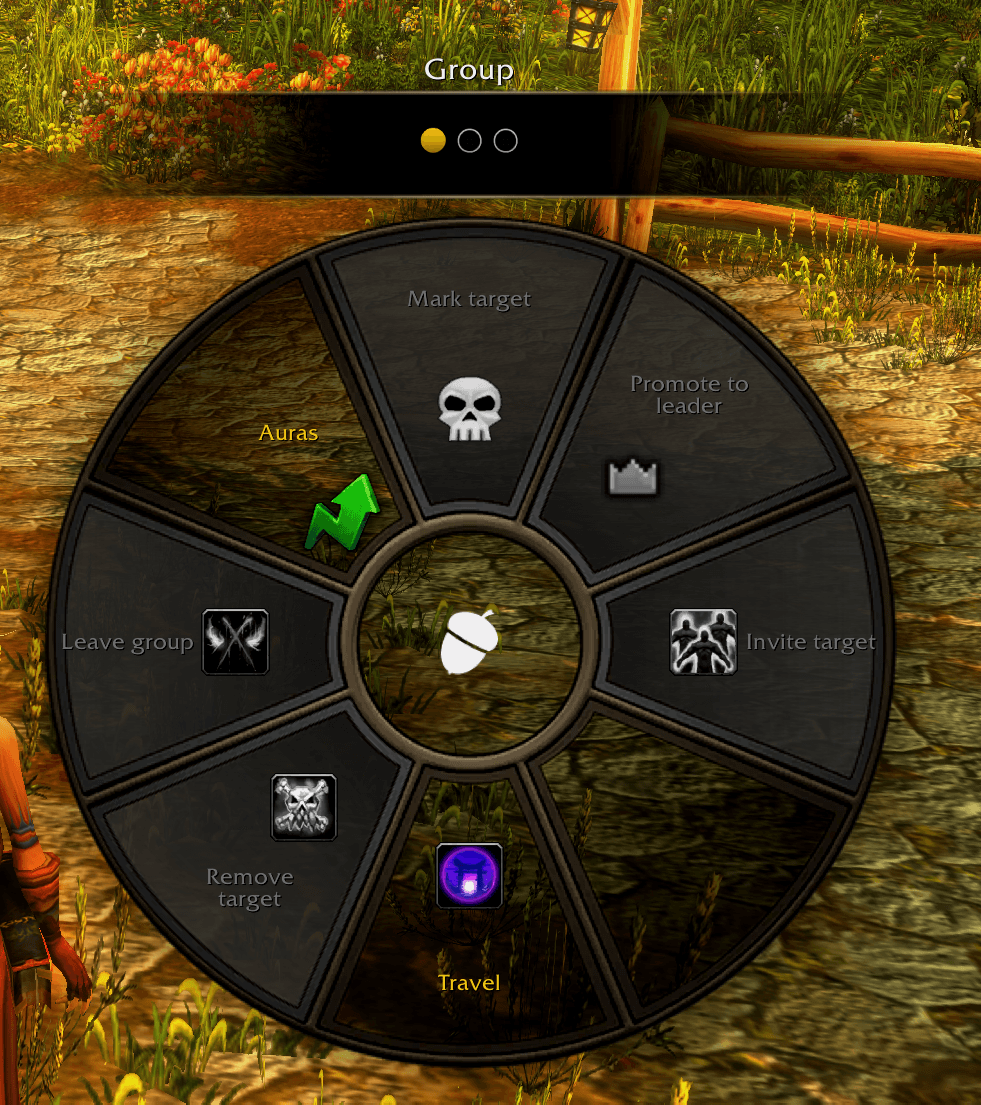
Radial menu activated with double press of start button in controller mode. Several pages of utilities.
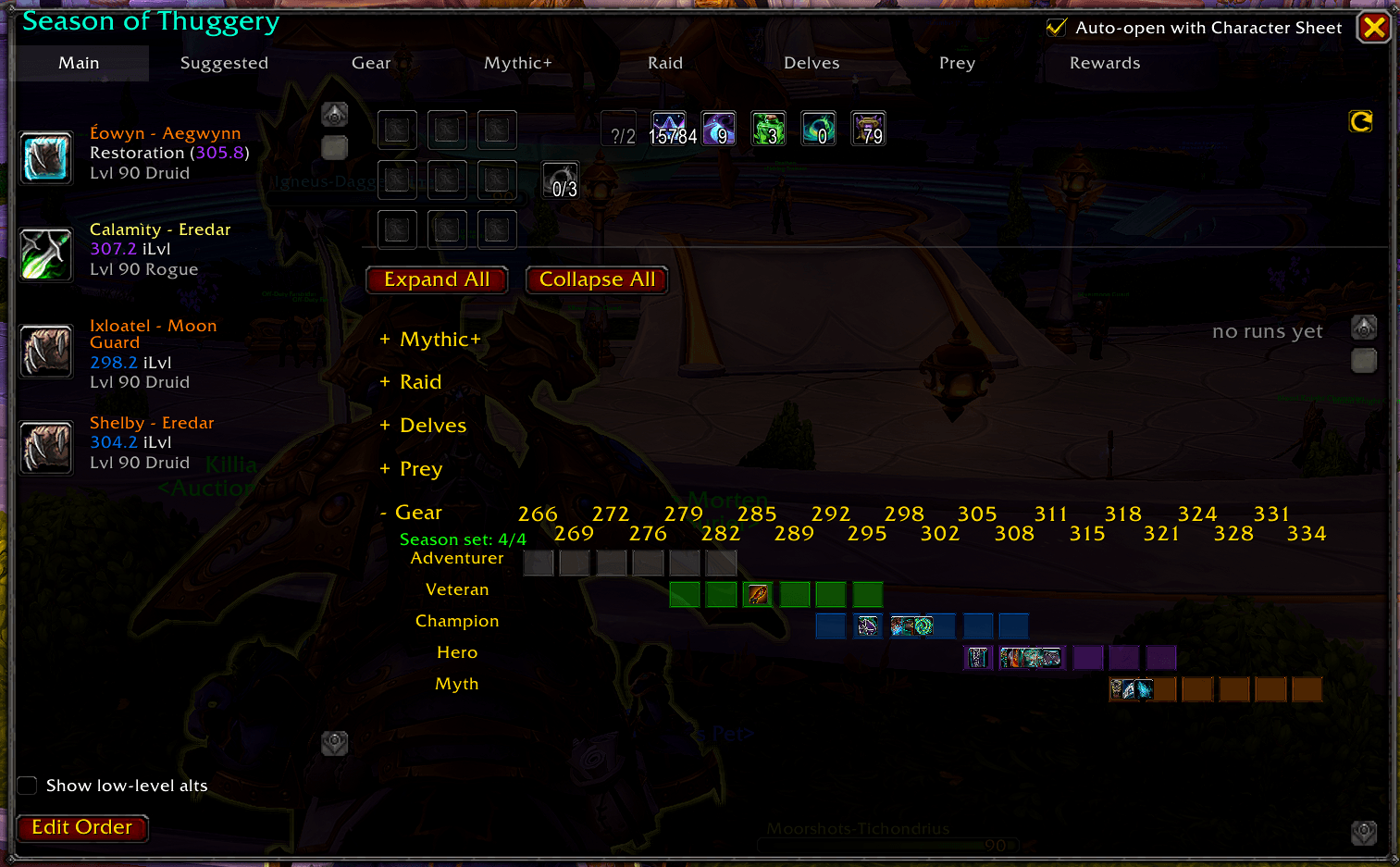
This optional panel can be enabled to show/hide along with your character window. The main tab at a glance can show you how many vault slots are filled, if you've earned a voidcore that week and dynamically show only currency relevant to progression.
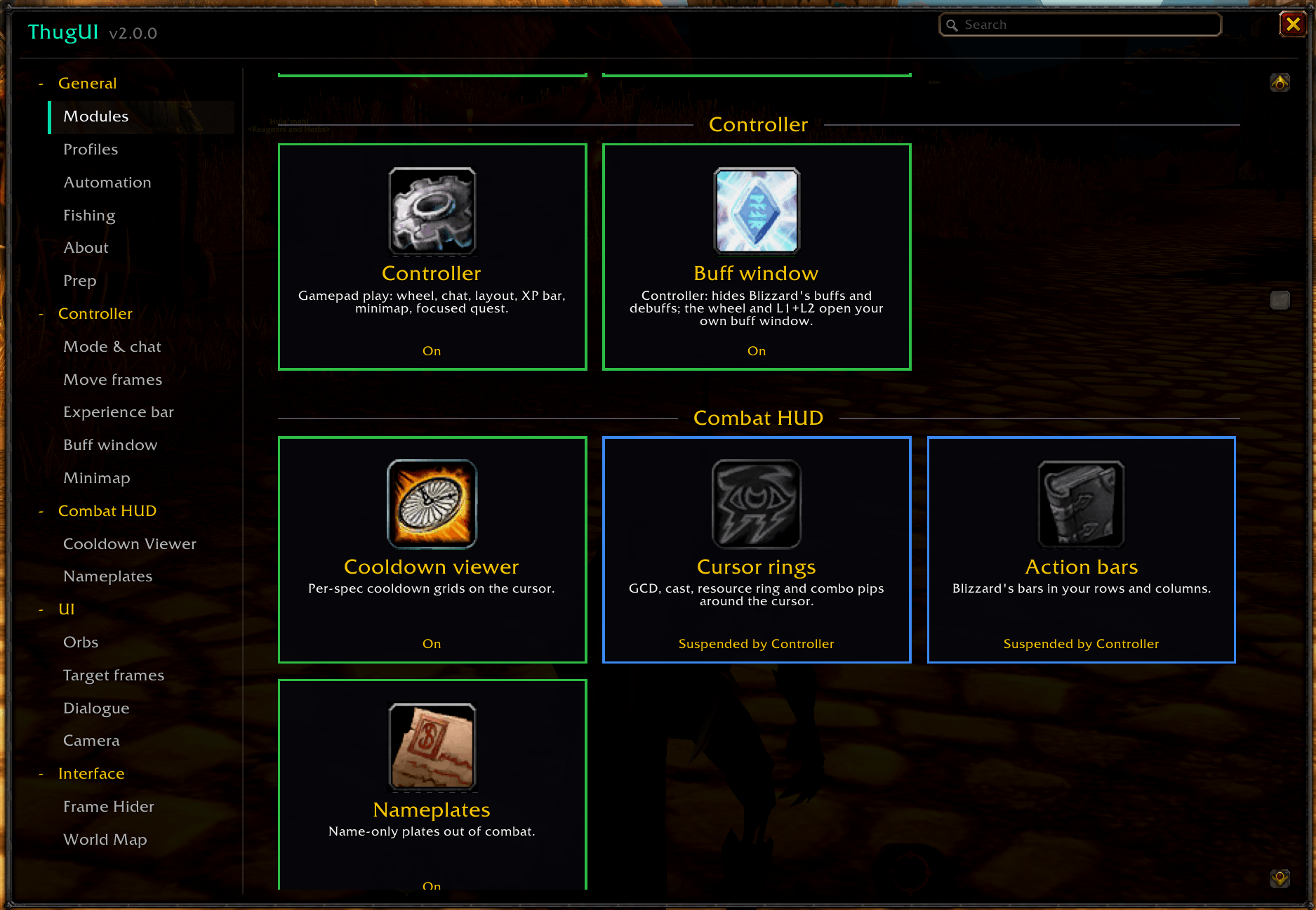
Easily and quickly enable or disable features across the addon. When disabled the modules do not run at all, saving on performance and memory. Settings are also hidden for disabled features till enabled again.
Description
ThugUI
Blizzard's interface, made to work harder.
ThugUI doesn't throw out the default UI and rebuild it from scratch. Wherever it can, it uses Blizzard's own frames: action bars come from Blizzard's buttons, cooldown grids from the Cooldown Manager, and the minimap is Blizzard's map in a better holder. ThugUI moves those pieces closer to where you're already looking and hides the ones you never look at. Every feature is a tile you can switch on or off, so you only run what you want.
One install covers both Retail and WoW Forever. Features built for only one game stay off on the other, so nothing breaks when you switch.
Around the screen
- Orbs: Diablo-style health and resource orbs, with cast and global cooldown rings and your class resource as pips.
- Target frames: target and target-of-target frames that match the orbs.
- Party frames: bars, squares or circles, with shields and incoming heals, and a different look per role if you want one. Right-click any unit frame for its options.
- Action bars: Blizzard's buttons set out in the rows and columns you choose, at any size, with the option to lock a bar to one page.
- Nameplates: name-only plates out of combat, class-coloured names for allies, red names for enemies, and Blizzard's nameplate settings on one page.
- Chat stream: chat as a borderless stream of text you can place anywhere. A minimap button switches between Blizzard's chat, the stream, or no chat.
- Minimap: Blizzard's map in a holder you can move, with every minimap button gathered into one popup.
- World map: level ranges and territory colour on the name of the zone under your cursor.
- Frame hider: switch off the Blizzard frames you don't need, and choose when the objective tracker shows.
On a controller (WoW Forever)
- The wheel: a radial menu drawn in Blizzard's art, with pages for travel, group actions, tracking and consumables.
- Controller chat: a chat window built for a gamepad, with one General tab and one Trade tab however many zones you pass through.
- Layout: move and resize the gamepad button cluster, cast bar, tooltip, buffs and debuffs.
- Focused quest: one quest at a time, in place of the full objective tracker.
- Experience bar: horizontal or vertical, and you can put it anywhere.
Between pulls
- Seasonal (Retail): your Great Vault, Mythic+ bests, raid lockouts, gear upgrade tracks and what's worth doing this week, for every character you've logged into, in one window (
/thugseason). - Gear flags (Retail): equipped items missing an enchant or a gem get a red mark, and set pieces are labelled.
- Automation: sells junk and repairs your gear at vendors.
- Dialogue: quest and gossip text shown one paragraph at a time, not as one wall of text.
- Camera: Action Cam and camera settings for different situations, without typing console commands.
- Fishing: the ThugFish one-button macro, and a fishing sound mode that turns down everything except sound effects, so you hear the bobber splash.
Coming soon: animated orb effects and a borderless travel map. They appear on the Modules page marked Soon.
Getting started
Type /thugui (or /tui), or click the acorn on your minimap. The Modules page shows every feature as a tile. Some start switched off so ThugUI doesn't change more than you ask it to. Click a tile to turn it on, and its settings appear in the sidebar. Profiles stores your setup so you can carry it between characters or share it as a string. On WoW Forever, mouse and controller play keep separate settings.
| Command | What it does |
|---|---|
/thugui |
Open the settings window. /thugui <page> opens a specific page. |
/thugseason |
Open the Seasonal window (Retail). |
/thugchat |
Chat stream: switch chat mode, lock, unlock or reset its position. |
/thugcv |
Cooldown grid tools: rebuild, status, import. |
/thugwheel |
Open the controller wheel. |
/thugchat (controller) |
Open the controller chat window. |
/thugfish |
Create the ThugFish macro and put it on your cursor. |
The About page inside the addon lists every command.
What ThugUI leaves alone
ThugUI doesn't replace raid frames, and it isn't trying to be a full UI overhaul. If you already use an addon for something ThugUI also does, keep that addon running and leave ThugUI's version of that feature switched off.
Feedback
ThugUI is made and tested by one player, so your reports make a real difference. The best place to find me is the ThugUI section of the Last Attempt Discord. Bring bug reports, ideas, screenshots of your setup, or questions. If you'd rather file a formal bug report, GitHub issues work too. If you can, include the error text from BugSack or BugGrabber.
Credits
Developed by Squirrelthug. All rights reserved: ThugUI may not be copied, redistributed or sold, and its code may not be reused without written permission. Acorn artwork (the minimap buttons) is CC0, from Wikimedia Commons.
ThugUI is made alongside Last Attempt, a weekly World of Warcraft guildcast: Warcraft discussed by people who play it. lastattempt.net · YouTube · Spotify · Twitch
ThugUI Team