Through the Bible
- By
Retail, Forever, MoP Classic, and Era Classic downloads of the King James Version of the Bible, with navigation. Whenever you get experience or open a loot window, you will see the next verse from your last read point. Not just for Christians.
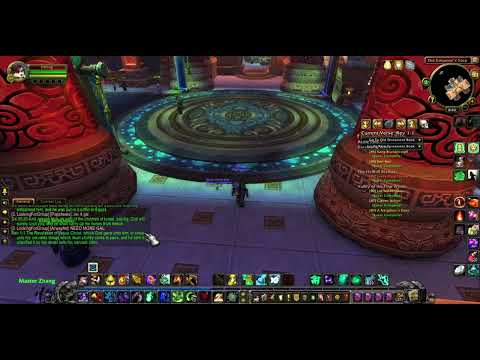
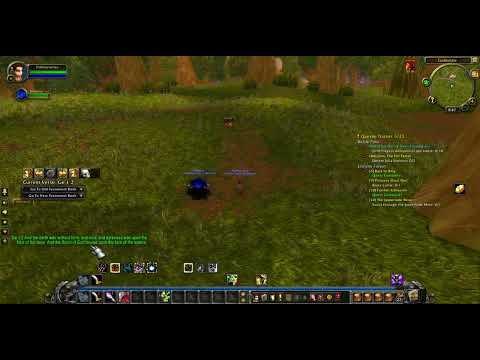
Description
This addon is a full-text King James Version of the Bible, broken down by verse.
Why the King James Version? It's open-source, and I don't want to run into any copyright issues.
**Every time you gain experience or open your loot window, the next verse will be displayed.
**Added GUI navigation on 8/26/2025. Click and drag the right side of the navigation tool to drag to desired location. If you accidentally close it, don't fret. Click the Bible button next to Action Bar 1, or type in /ttbopen to re-open. You can also click the Bible button to close it.
**Now saves your reading position per character. Also saved navigation toolbar location per character.
Here is a great Christian Gaming Discord group that I am part of:
discord://discord.com/channels/SERVER_ID/HUHPCfwj
Bible Display Commands
1. Some of these are available on the navigation tool. You can also make macros for these.
2. Type these into the chat window:
/ttbhelp
Returns a list of all the commands (listed below)
"Through The Bible help"
/gnv
Get and display the next verse
"Get Next Verse"
/gpv
Gets and display the previous verse
"Get Previous Verse"
/gnb
Gets and displays the first verse of the next book
"Get Next Book"
/gpb
Gets and displays the first verse of the previous book.
"Get Previous Book"
/rtg
Resets the position to Genesis 1:1.
"Return To Genesis"
/gvi
Displays the current verse index. This is the
current saved location of your "place" in your
resding.
"Get Verse Index"
/gbi %x
Displays the verse at a specific index.
Example /gbi 26137 will return John 3:16.
"Get By Index"
/grv
Displays a random verse.
"Get Random Verse"
/gtb %x
Displays the first verse of the first book that matches the parameter.
Example /gtb john will show the first verse of John.
"Get The Book" by search string.
/gnc %x
Displays the first verse in the next chapter that matches
the number you specify in the parameter. Example /gnc 12 will
take you directly to the next chapter that is a 12 and displays
the first verse.
"Get Next Chapter" by number.
/ttbclose
Closes the navigation tool. You can also close this by clicking the close button.
"Through The Bible Close"
/ttbopen
Opens the navigation tool. You can also close this by clicking the close button.
"Through The Bible Open"
Enjoy this addon and have a blessed day.
John
Through the Bible Team