Threat Box - Nameplate Threat & Aggro Percent
- By
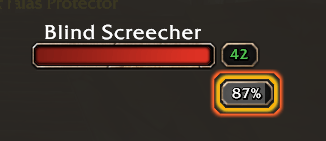
Threat and aggro percent on every enemy nameplate, in a box that matches the level box. Threat colors, tank mode, pull warning, pet threat and who has aggro. For WoW Forever.
Screenshot 2026-11-15 004838.png
Screenshot 2026-11-15 004731.png
Screenshot 2026-11-15 004652.png
Screenshot 2026-11-15 004710.png
Screenshot 2026-11-15 004610.png
Screenshot 2026-11-15 004622.png
Screenshot 2026-11-15 010554.png
Screenshot 2026-11-15 004822.png
Screenshot 2026-11-15 004757.png
Screenshot 2026-11-15 004815.png
Screenshot 2026-11-15 004811.png
Screenshot 2026-11-15 004807.png
Description
Threat Box - Nameplate Threat & Aggro Percent
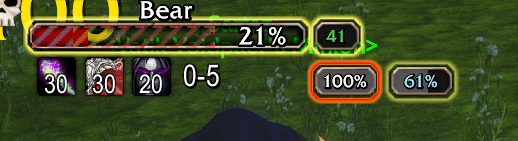
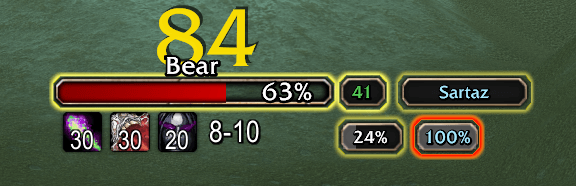
See your threat on every enemy nameplate as a percentage, so you know how close you are to pulling aggro before it happens. The box is drawn with Blizzard's own interface art for the level box, so it looks like part of the default WoW Forever nameplate.
A lightweight nameplate threat addon for damage dealers, healers, tanks and pet classes. No setup, nothing else to install.
Threat at a glance
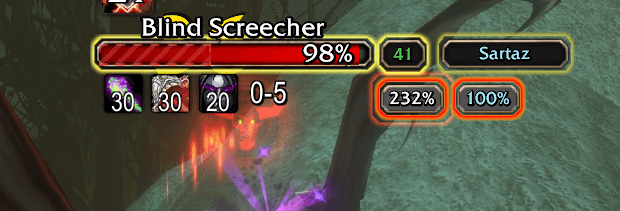
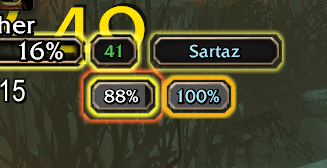
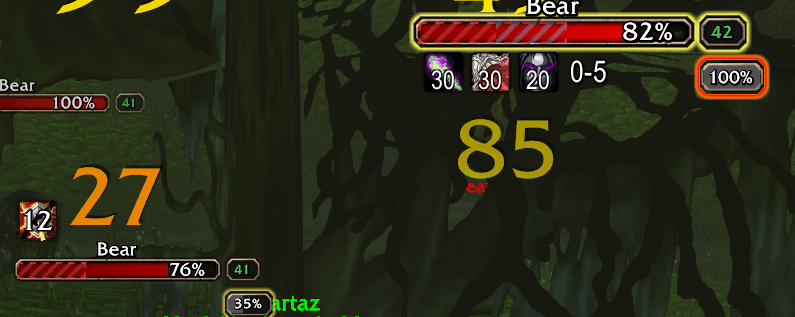
- Threat percent on each enemy nameplate. The box appears once you are on an enemy's threat list.
- 100% means you pull aggro. The game works this out for where you stand, so it is right in melee range (110% of the tank's threat) and from range (130%). The raw number from /console threatShowNumeric 1 is an option.
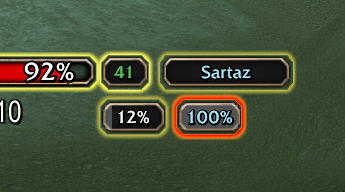
- Threat colors. The border goes grey, yellow, orange, then red as the enemy turns to you.
- Tank mode. Reversed colors for tanks: green while you hold the enemy, red when you have lost aggro.
- Fill meter. The box fills as your threat rises, so you can read it without reading the number.
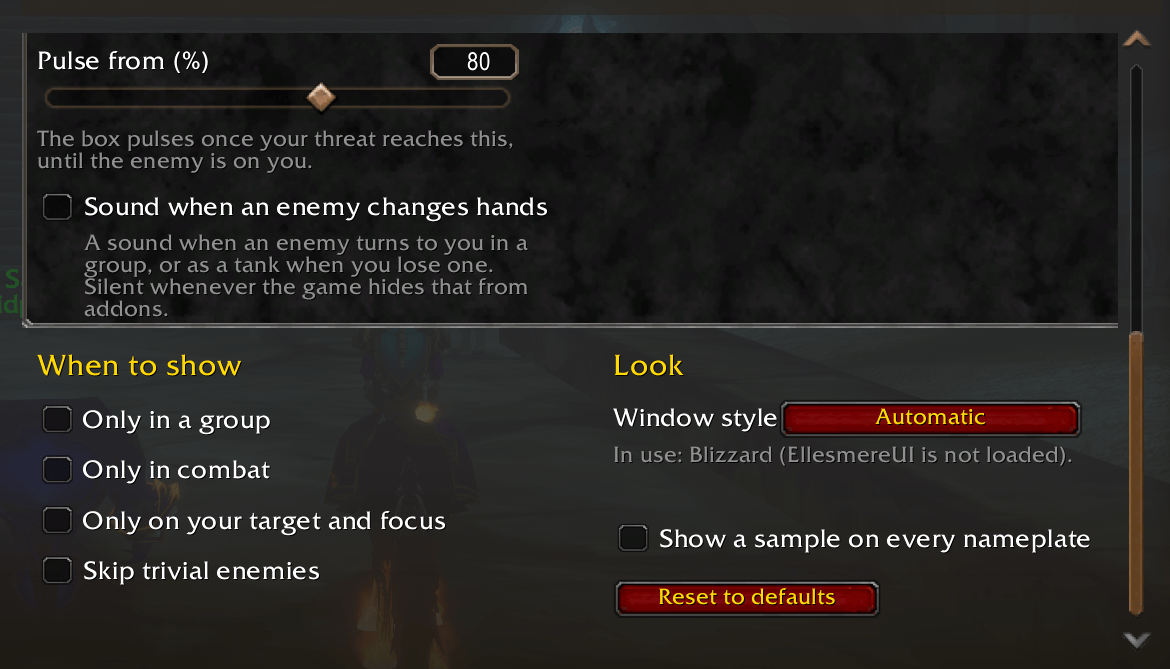
- Pull warning. The box pulses once you pass a threat you choose. For tanks it pulses on every enemy that is not on them.
Optional extras
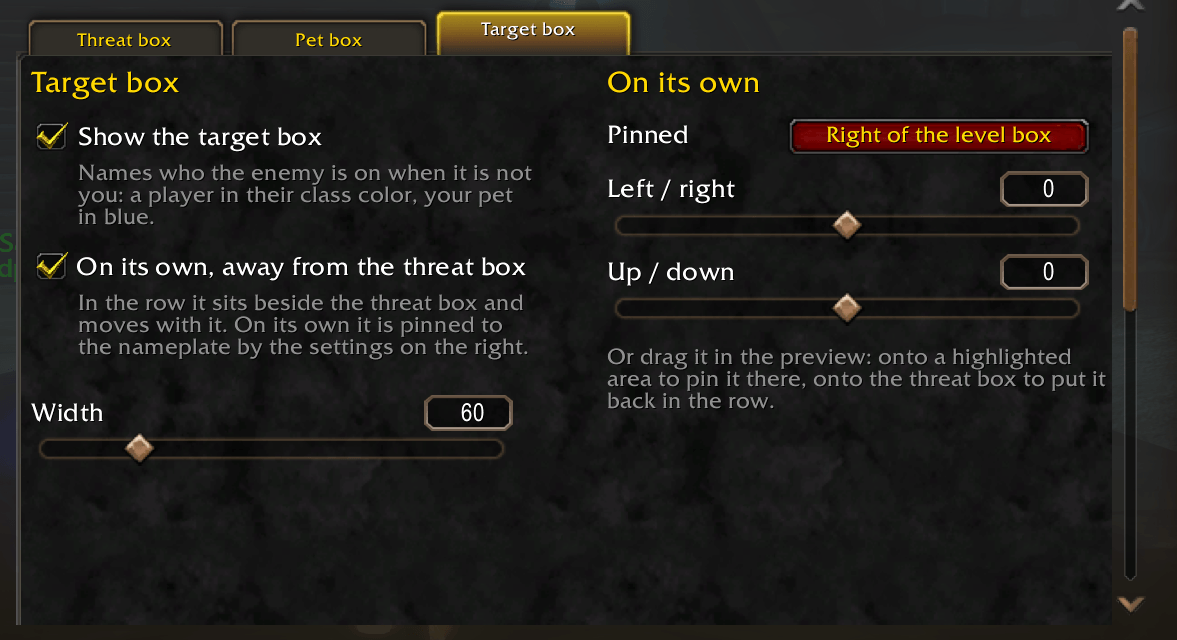
- Who has aggro. A target box names who the enemy is on when it is not you: a player in class color, your pet in blue.
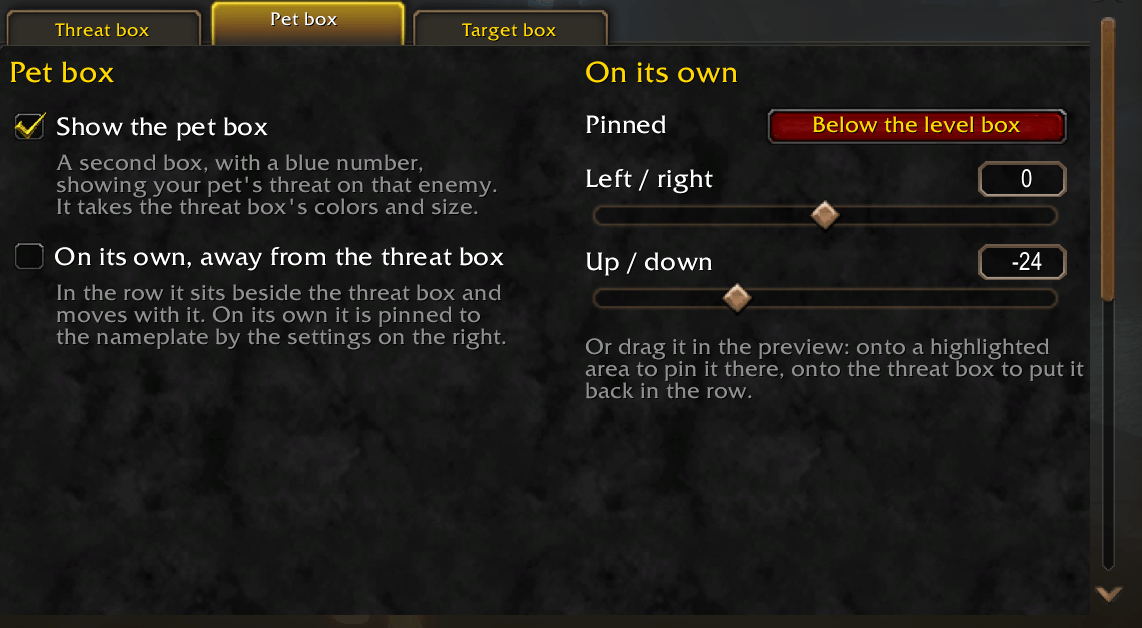
- Pet threat. Your pet's threat on that enemy in its own box, for hunters and warlocks.
- Aggro sound. A sound when an enemy turns to you in a group, or as a tank when you lose one.
- Show rules. Only in a group, only in combat, only on your target and focus, skip trivial enemies.
Place it by mouse
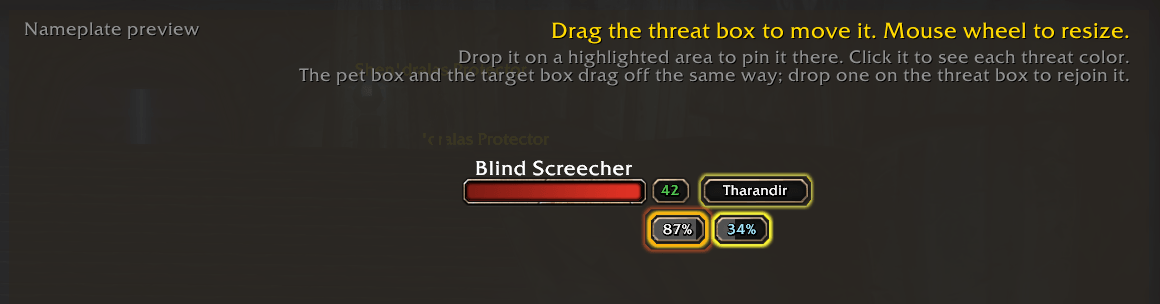
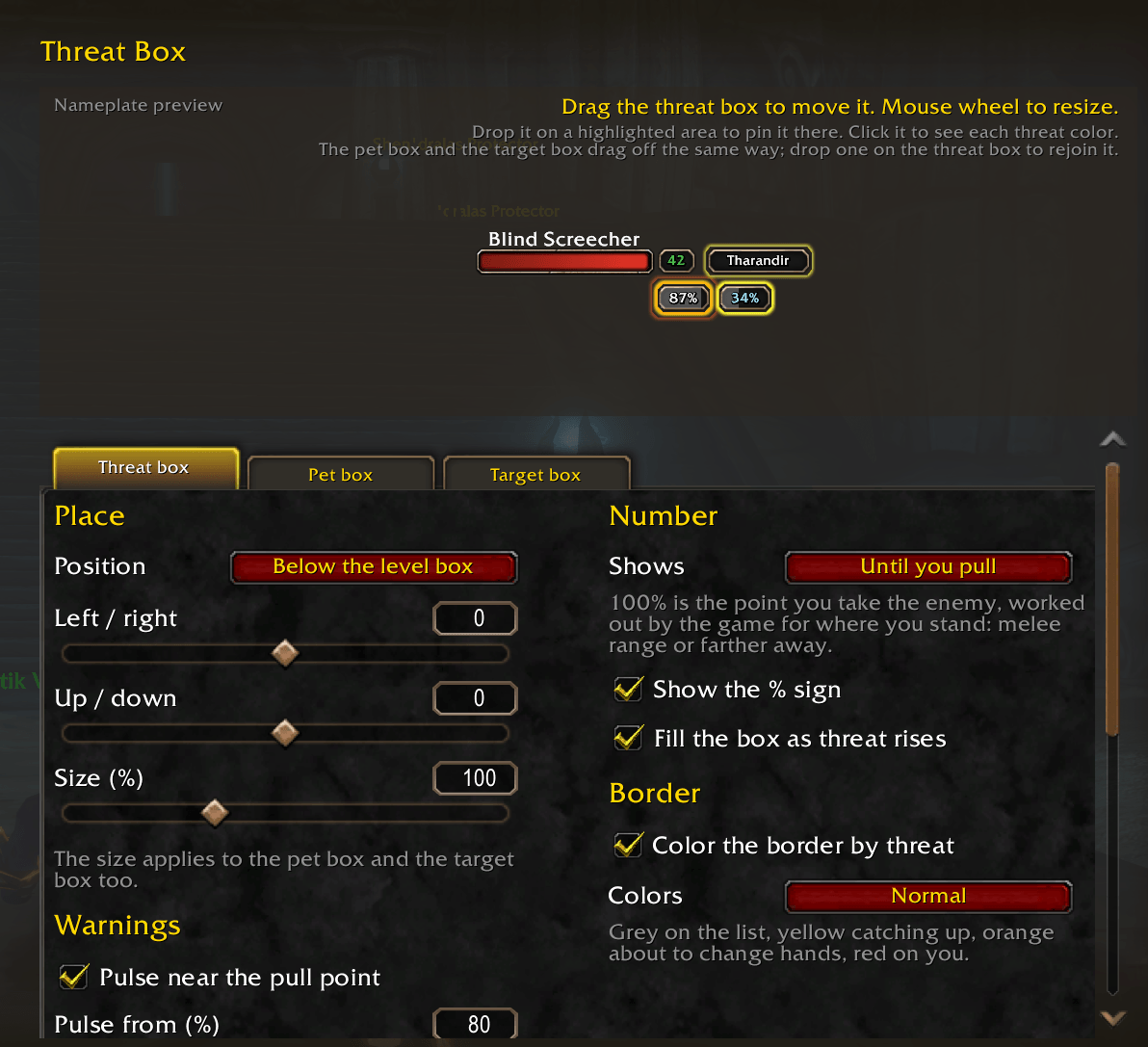
Type /threatbox to open the options. A nameplate preview sits at the top:
- Drag a box to nudge it.
- Drop it on a highlighted area to pin it below, above or beside the level box, or left of the health bar.
- Mouse wheel over a box to resize it. Each box has its own size.
- Drag the pet box or the target box out of the row to place it on its own.
The threat box, the pet box and the target box each have their own tab of settings.
Looks
Blizzard's look by default, EllesmereUI's look when EllesmereUI is running, or a built-in Dark style. Works with the default nameplates and with EllesmereUI nameplates.
Built for WoW Forever
WoW Forever can hide threat numbers from addons during fights. Threat Box hands them to the game to draw, so the threat percent, the colors, the fill meter and the pull warning keep working. The aggro sound stays silent whenever the game hides who an enemy is on.
Other nameplate replacements are not supported yet.
Commands
/threatbox opens the options. /threatbox test shows a sample on every nameplate so you can place the box out of combat.
Discord
Join my Discord for Feedback, Development Updates, Addon Ideas, Feature Requests, and Bug Reports.
Threat Box - Nameplate Threat & Aggro Percent Team