Threadstone
- By
Threadstone lets you pair a Hearthstone toy, mount, and battle pet to each of your transmog outfits, then auto-updates a set of bar macros to summon the right ones whenever your outfit changes.
Screenshot 2026-06-12 154819.png
Screenshot 2026-06-12 154932.png
Screenshot 2026-06-12 154843.png
Screenshot 2026-06-12 154830.png
Description
Threadstone lets you give every transmog outfit its own signature Hearthstone, mount, and battle pet. Set up your pairings once, and a small set of macros will always summon the collectibles that match whatever look you're currently wearing; change your outfit, and your Hearthstone toy, mount, and pet change right along with it. Everything is saved per character, so each of your alts can have its own pairings.
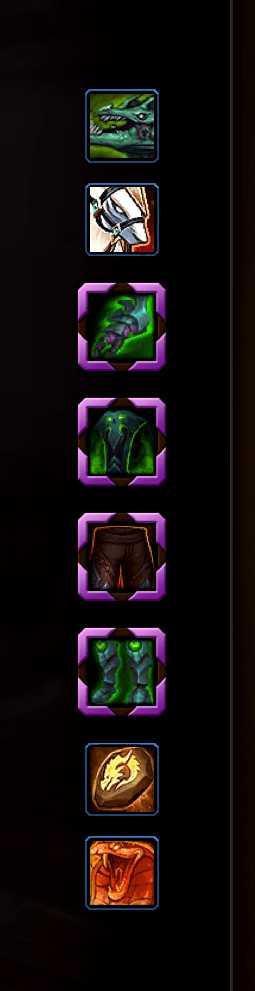
Setting it up. Open the Transmogrifier (visit any transmog vendor, or the Appearances collection) and you'll see four new slots tucked around your character's gear: Flying Mount and Ground Mount sit just above the gloves slot, and Hearthstone and Companion Pet sit just below the boots. First, pick the outfit you want to customize from your outfit list as you normally would; the slots always apply to the outfit you're currently viewing. Then click any of the four slots to open its picker.
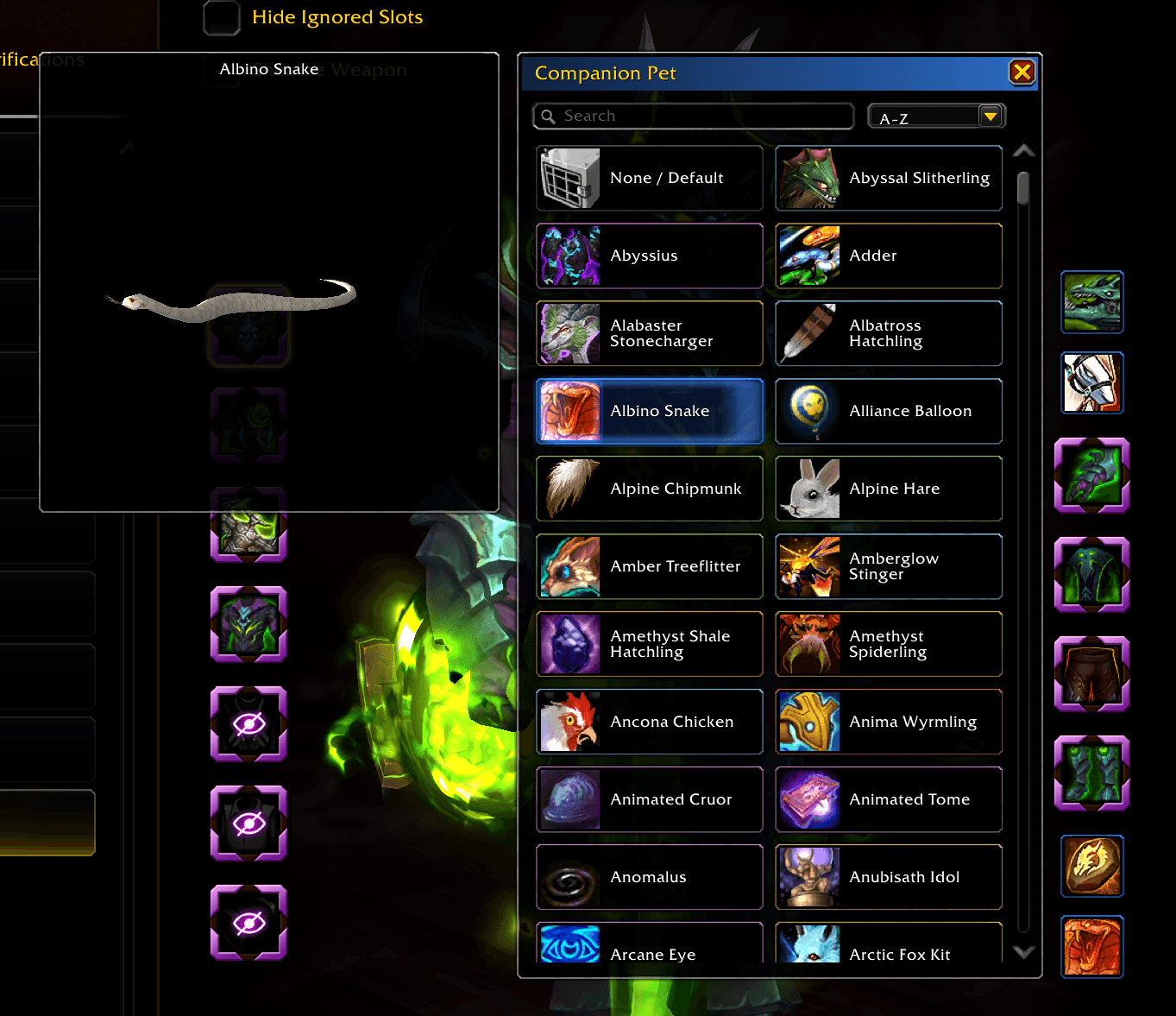
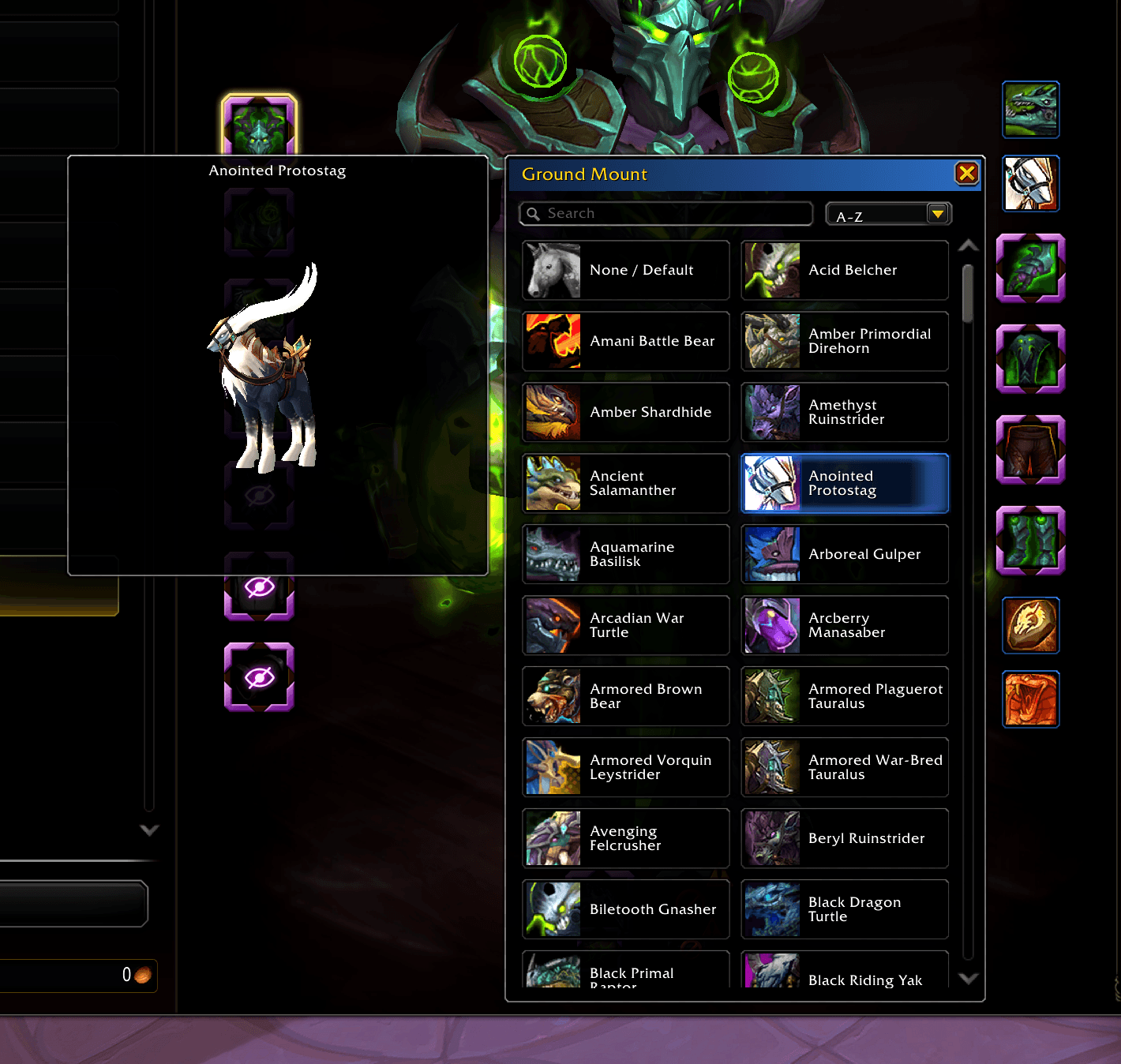
Choosing your collectibles. The picker shows your collected Hearthstone toys, mounts, or pets as a scrollable list, each with its name and icon; hover any entry to see a 3D preview. Use the search box to find something by name, or the Filter dropdown to sort A–Z/Z–A and narrow the list (mounts can be filtered by source and type like Aquatic or Ride Along; pets by family). Click an entry to assign it to the current outfit; the slot lights up to show your pick. Choose None / Default at the top of any list to clear a slot back to its default. Repeat for as many outfits as you like.
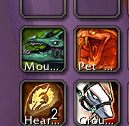
Putting the macros on your bars (one-time step). Threadstone creates four macros in your General macro tab; Hearth - TS, Mount - TS, Ground - TS, and Pet - TS. Drag each one onto your action bars wherever you'd like. You only ever have to do this once: the macros rewrite themselves in place as you change outfits, so the buttons stay put and keep working without any re-dragging. The Mount - TS button is smart; it summons your flying mount out in the world and automatically switches to your ground mount in raids, dungeons, and no-fly zones, with the button icon updating to match. Ground - TS is optional, for anyone who prefers a dedicated button that always summons the ground mount.
Day to day. That's it; just play. Whenever you switch transmog outfits, Threadstone quietly updates the macros so your Hearthstone, mount, and pet buttons reflect the new look. Press them like any normal ability, and you'll always get the collectibles you paired with the outfit you're wearing.
Reach out in the comments or on Reddit or Bluesky with any questions or suggestions!
https://bsky.app/profile/tekwhipley89.bsky.social
https://www.reddit.com/user/tekwhipley89/
The Threadstone Team