


ThornCrafting
- By
Adds recipes to the tooltips so you can see what a reagent is used for.
ThornCraft
Overview
ThornCraft was written to solve a simple problem I had as a returning playing. When examining items in my bag I couldn't tell if a given item was used in any of my crafting recipes.
I've have now solved this with a tooltip addition. You can see an example here:
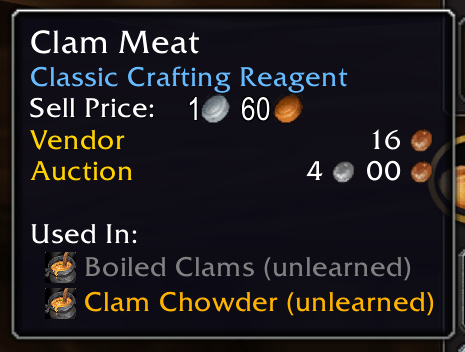
This item is used in two recipes and you can see from the icon that it's a cooking recipe. Also note how the two recipes are color coded.
ThornCraft color codes recipes into four categories
I've have now solved this with a tooltip addition. You can see an example here:
This item is used in two recipes and you can see from the icon that it's a cooking recipe. Also note how the two recipes are color coded.
ThornCraft color codes recipes into four categories
- Recipes that you have learned.
- Recipes that you have not learned
- Recipes that you have learned but will give you no skill gain when crafted.
- Recipes usefull to an alt
You can configure the colors in the General settings for the Addon: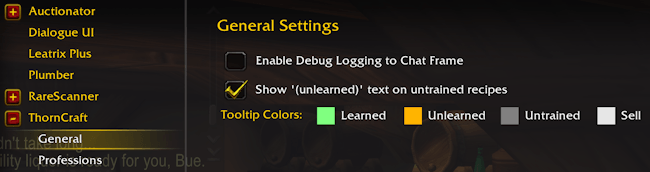
You can also disable the "(unlearned)" text and enable debug output.
What professions are tracked
By default ThornCraft will configure to only show recipes for crafting skills that you have.
You can override this in the addon options.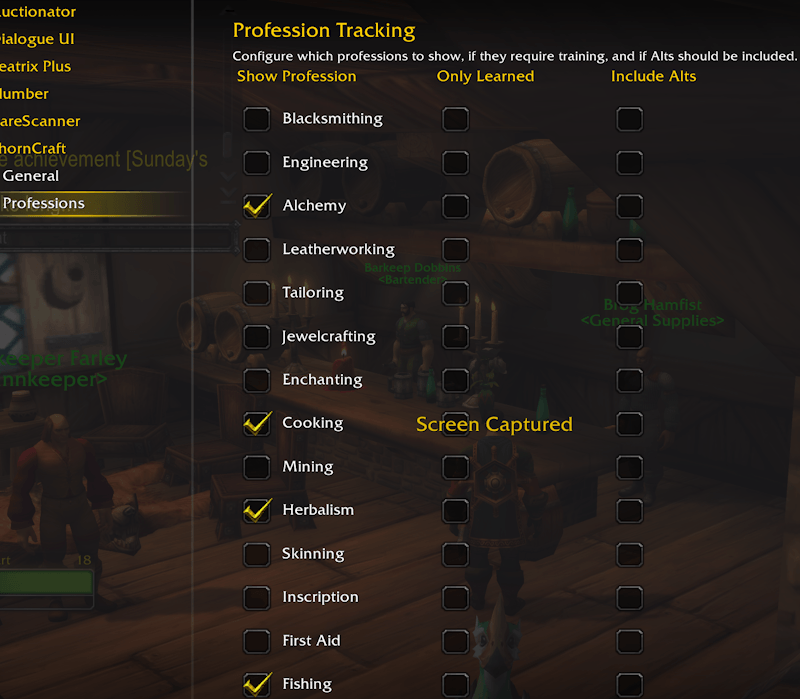
Each profession can be disabled (first column) , only show learned recipes (second column) and display recipes for alts ( last column )
Be warned that alt recipe tracking is still experimental.
Tracking recipes for ALTs
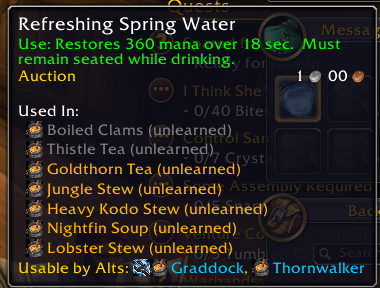
The tooltip will also display recipes that are only useful to your alts. This includes learnt and unlearnt recipes but excludes recipes which will not give skill gains for that alt. For example if an alt has leatherworking Light Leather will show unless that alt is so high skilled in leatherworking that no Light Leather recipes can cause skill gain. By default only three alts can be listed here to save UI space, but you can adjust that in the options.
Alt options
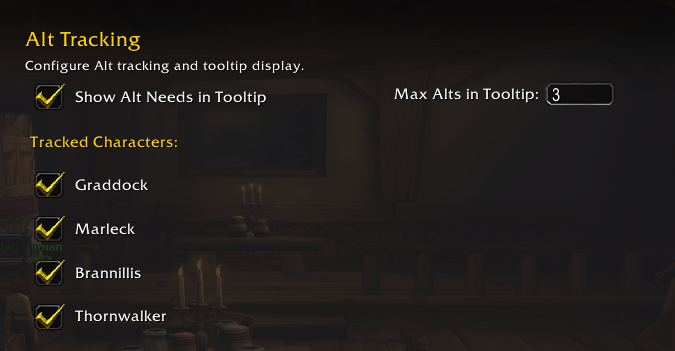
In alt options you can enable and disable displaying alt details in the tooltips altogether. You can also adjust the maximum number of alts listed. You can also enable or disable on an individual basis per alt.
Selling items for recipes that dont skill up
You may have stacks for recipes that while craftable will not increase your skill.
Thorncraft will let you sell these automatically at a vendor.
When you go to a vendor and see this icon
Clicking it will sell all stacks which you have learnt the recipe for but cannot skill up with any recipe that uses that item.
When you go to a vendor and see this icon
Clicking it will sell all stacks which you have learnt the recipe for but cannot skill up with any recipe that uses that item.
If at least one recipe can gain you any skill then the item will not be saved.
The icon will appear greyed out if you have no sellable stacks that match the criteria.
The icon will appear greyed out if you have no sellable stacks that match the criteria.
Version History
- 1.0.0 Initial release.
- 1.0.1 Fixed errors caused by experimental alt tracking
- 1.0.3 Fixed freezing on crafting UI
- 1.0.3 Implemented alt notifications in tooltips.
The ThornCrafting Team
