TenUI
- By
CleanShot 2026-06-13 at 00.01.27.png
CleanShot 2026-06-13 at 00.02.28.png
CleanShot 2026-06-13 at 00.02.15.png
CleanShot 2026-06-13 at 00.00.48.png
Description
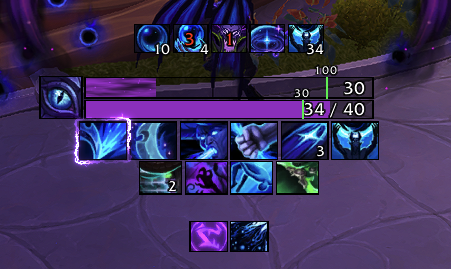
TenUI is a clean, combat-focused HUD: cooldowns, auras, resources, cast bar and trinkets in one configurable package.
Features
Cooldown Bars
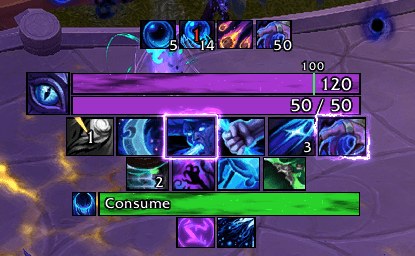
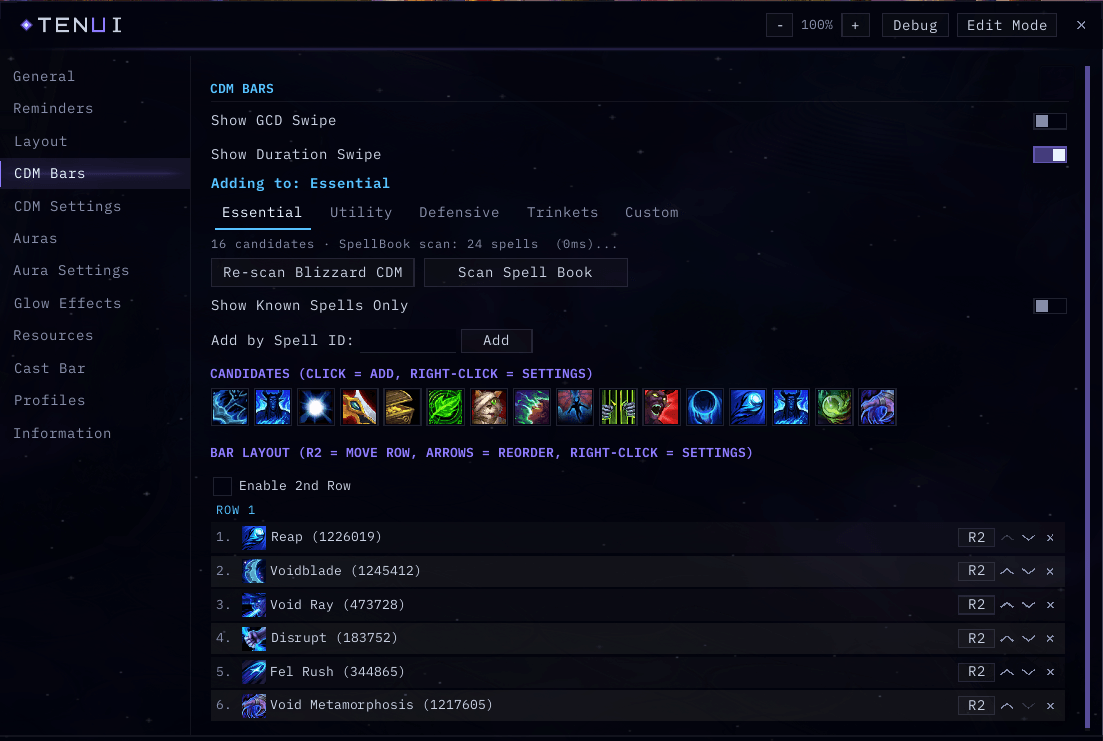
- Rows of square cooldown icons driven by the built-in Cooldown Manager, organized into Essential, Utility, Defensive, Trinkets and Custom groups.
- Per-ability settings: visibility, ordering and display behavior for each tracked spell.
- Built-in scanner keeps tracked abilities in sync with your current spec and talents.
Aura Tracking
- Track buffs and debuffs as icon rows or timer bars, with stack counts and cooldown swipes.
- Low-time coloring so expiring effects stand out.
- Designed around the 12.0.x combat data restrictions so timers and swipes keep working in combat.
Cast Bar
- Replacement player cast bar with support for casts, channels and empowered spells.
- Configurable size, textures, fonts and position.
Resources
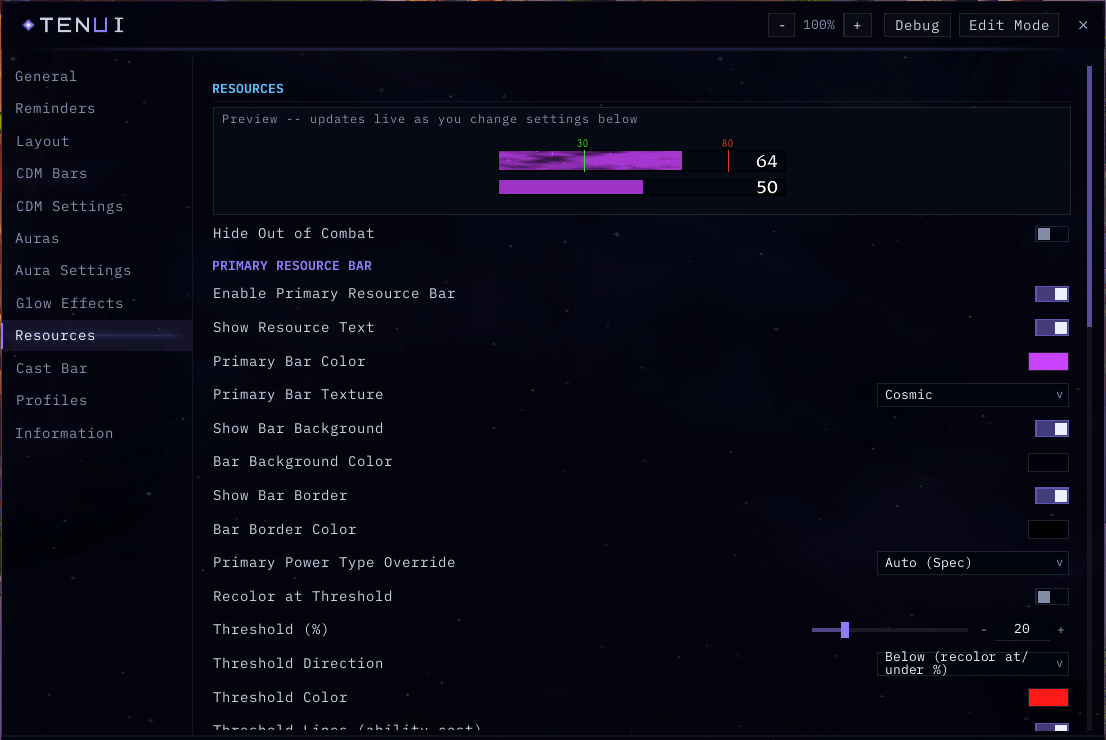
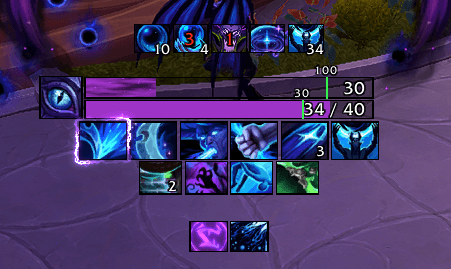
- Primary and secondary resource bars for every class and spec, including discrete pips for combo points, holy power, chi and similar resources.
- Combat-aware visibility options.
Glow Effects
- Animated border glows for procs and ability highlights, with ten distinct flipbook styles and a live preview in the options window.
Quality of Life
- Combat enter/leave text alerts, stealth indicator, class buff and talent build reminders, optional spell and item IDs in tooltips.
Layout and Profiles
- Every element sits on a named anchor: unlock, drag, snap and fine-tune with X/Y, scale and alpha controls.
- Multiple profiles with copy support, automatic per-spec swapping, and text-based export/import for sharing.
Interface
- A unified, styled options window covering every module.
- SharedMedia support for fonts and bar textures, plus bundled bar fill textures.
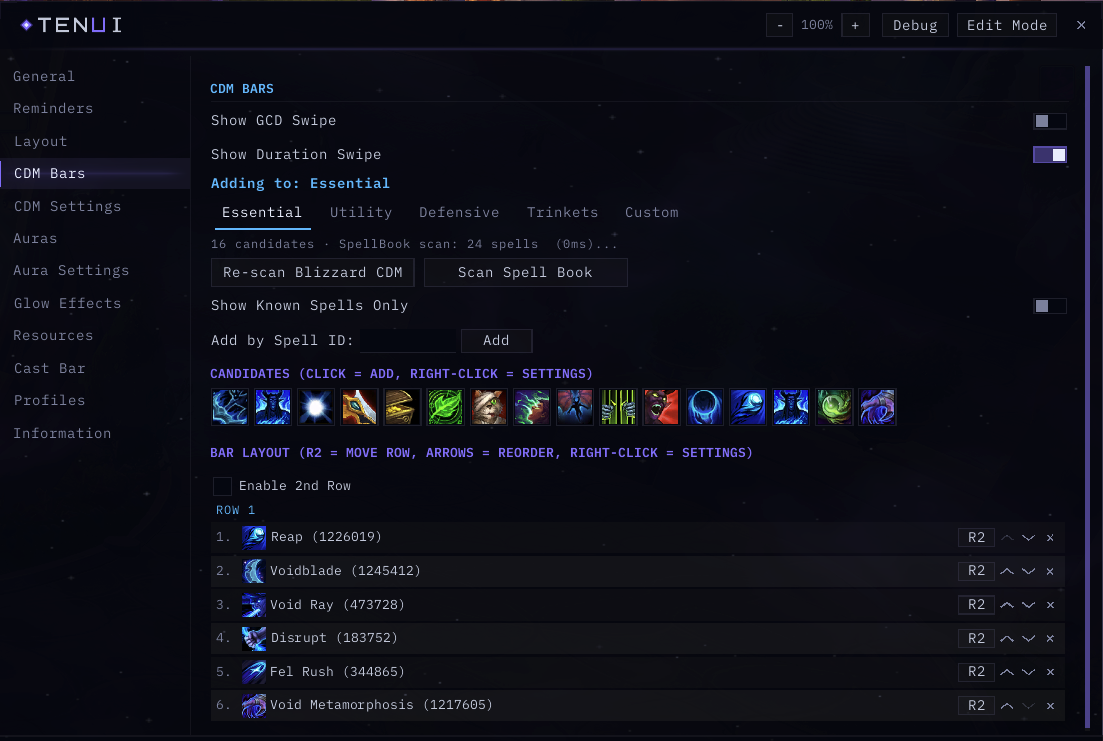
Options window: CDM Bars page with the per-spell list
Getting Started
- Type /tenui to show the version summary and command list, or use the addon compartment button on the minimap.
- Run /tenui unlock to unlock all anchors, drag elements where you want them, then /tenui lock.
- Open the options window to configure modules, abilities and auras.
Commands
- /tenui — show version and command list
- /tenui unlock | /tenui lock — unlock or lock anchors for dragging
- /tenui reset anchors — reset all element positions to defaults
- /tenui reset anchor <name> — reset a single element
- /tenui reset — prompt to wipe all saved settings
FAQ
Some aura timers behave differently in combat. Why?
Since patch 12.0, the game hides certain combat data (exact health, aura durations and similar values) from addons while you are fighting. TenUI uses the supported display mechanisms so swipes, timers and colors keep updating, but a small number of details can only refresh fully once combat ends. This is a game-wide limitation that affects all addons.
Does TenUI replace the built-in Cooldown Manager?
TenUI builds on top of it. The Cooldown Manager remains the source of truth for which abilities are tracked, and TenUI presents them with its own bars, icons and styling.
How do I share my setup with a friend?
Open Profiles in the options window, click Export Active Profile, and copy the text. Your friend pastes it into the Import box on their end. Existing profiles are never overwritten by an import.
Links
- Source code: github.com/Tendoriel/TenUI
- Bug reports and feature requests: GitHub Issues
When reporting a bug, please include your game version, the TenUI version (shown by /tenui), and steps to reproduce.
TenUI is released under the MIT License.
The TenUI Team