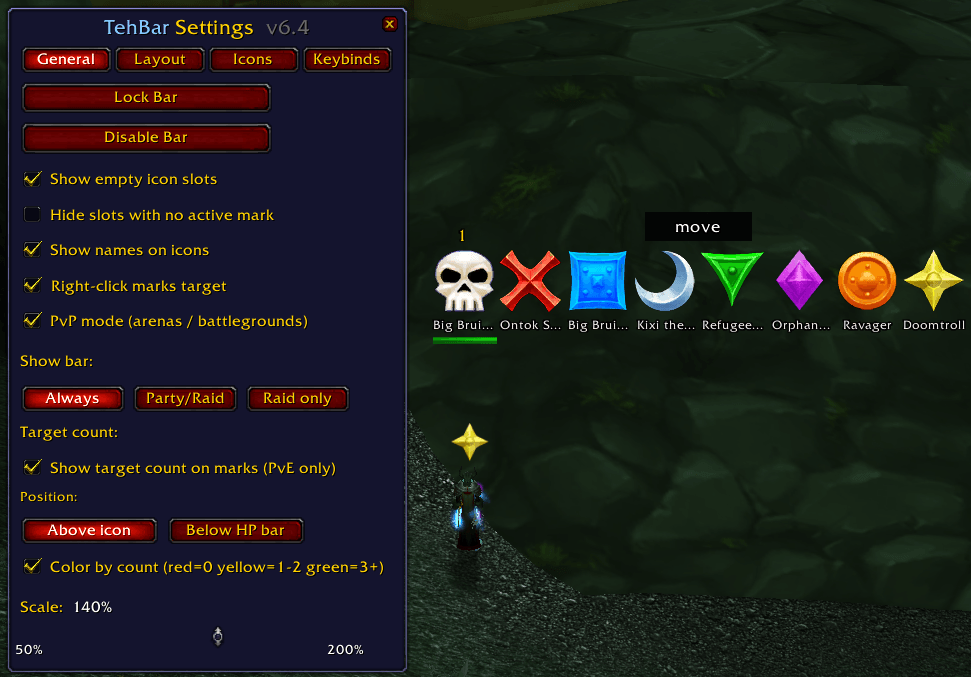
GeneralSettings.png
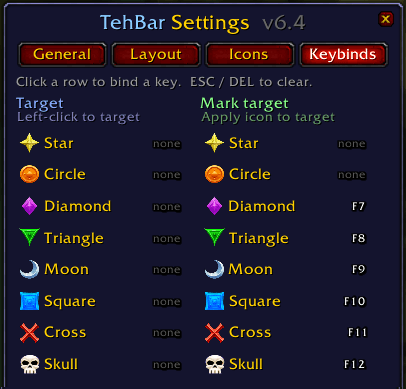
Keybindings.png
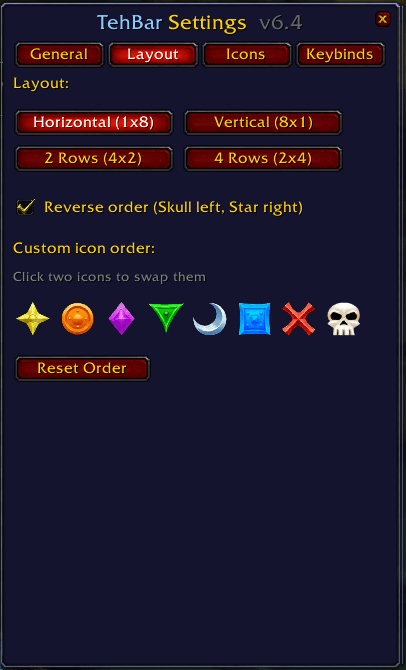
Layout.png
Description
TehBar is a lightweight raid target icon bar for TBC Classic Anniversary. It displays all 8 raid marks as clickable icons, letting you instantly target marked units during combat without fumbling for macros or clicking through unit frames.
Features
- Click any icon to instantly target that marked unit — works in and out of combat
- Name-based targeting fallback so marks still work even when mobs are off your screen or out of nameplate range
- HP bar and dead skull overlay shown when the marked unit is in range
- Right-click to either set a raid mark on your current target, or target the marked unit (configurable)
- Names persist on the bar until the mark is actually removed — not just because nobody is targeting it
- PvP mode — automatically activates in arenas and battlegrounds. Right-click any unit (friendly or enemy) to assign them to a slot, left-click to target them instantly. No raid marks placed on enemies
- Shared PvP assignments — TehBar users in your group see each other's slot assignments via addon messaging
- 4 layout options: horizontal, vertical, 2-row, or 4-row
- Draggable, scalable, lockable bar
- Minimap button to access settings
- Toggle individual icon slots on or off
- Remembers position, scale, and layout between sessions
Usage
- Left-click an icon — target that marked unit
- Right-click an icon — mark your current target (or target the marked unit, toggle in settings). In arenas/BGs: assign any unit to that slot, right-click again to clear
/tehbaror/tb— open settings/tb lock//tb unlock— lock or unlock the bar position/tb scale 75— set scale (50–200)/tb layout 1— switch layout (1–4)/tb empty— toggle empty slot visibility/tb reset— reset all settings
** current known restrictions **
PvE & PvP swapping marks in combat causes that mark on TehBar to be inactive
- solution, mark before pull
The TehBar (Bananabar TBC Anniversary) Team