


TaskTracker
- By
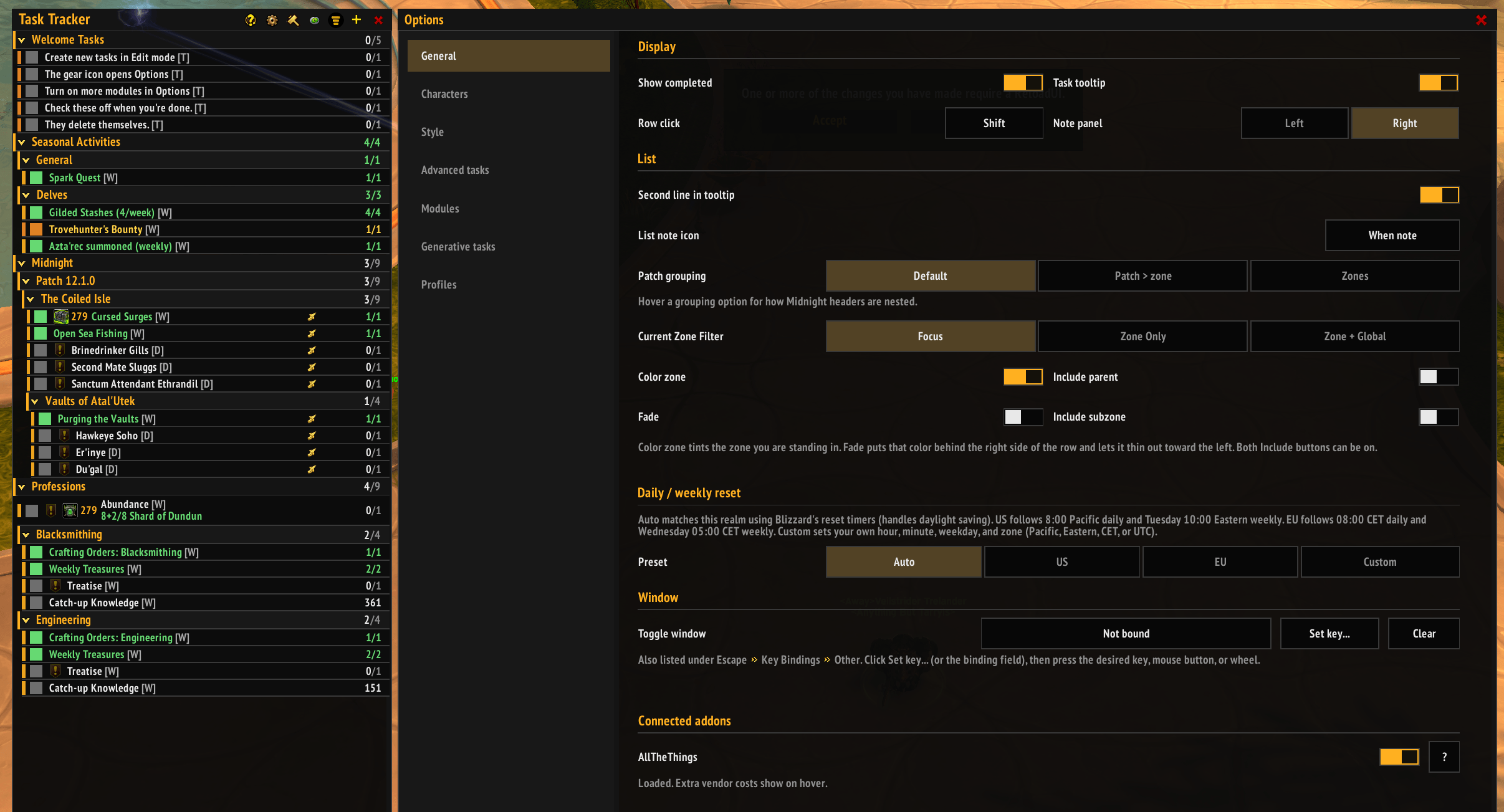
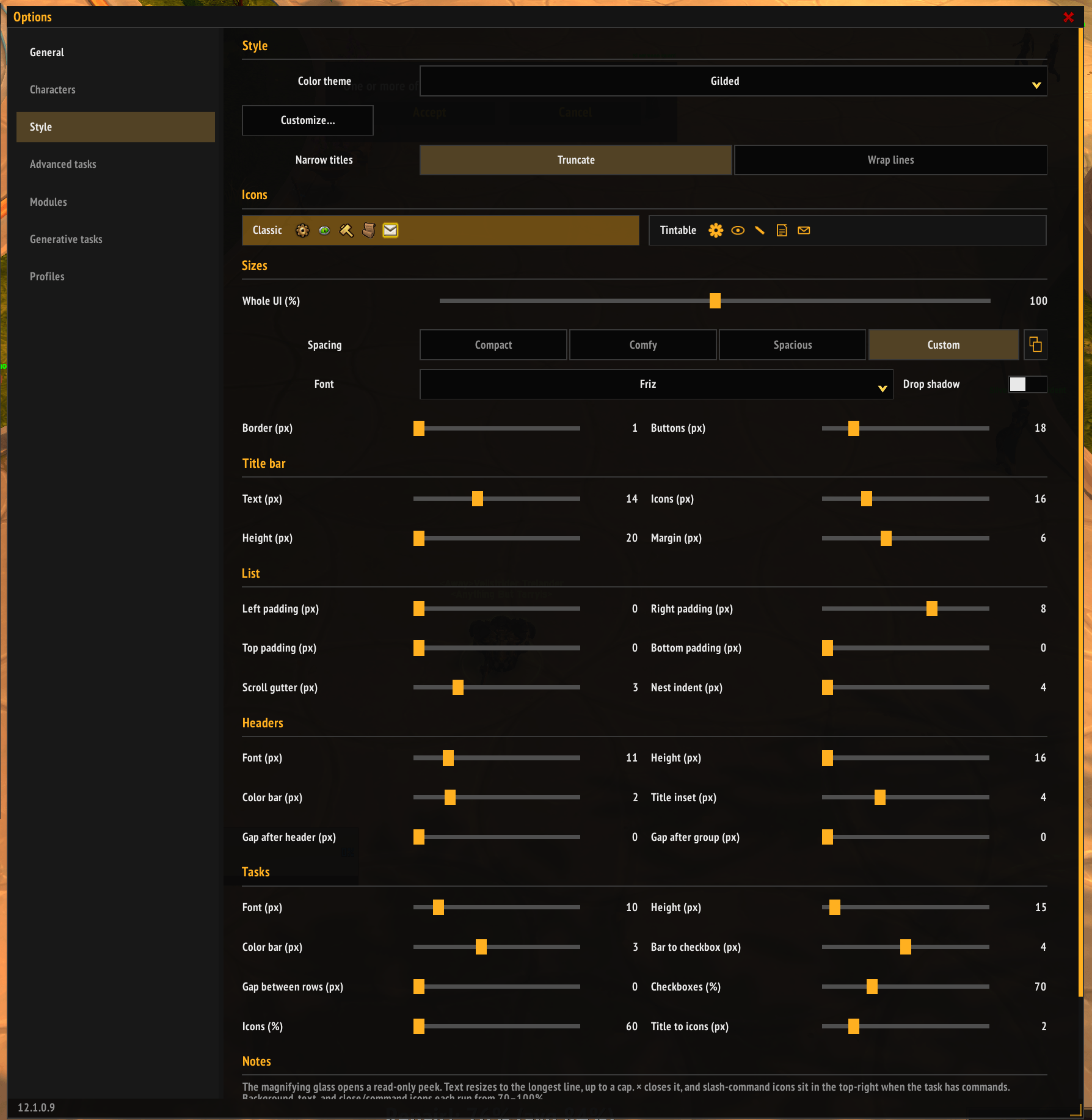
Highly Customizable! Almost everything can be adjusted.
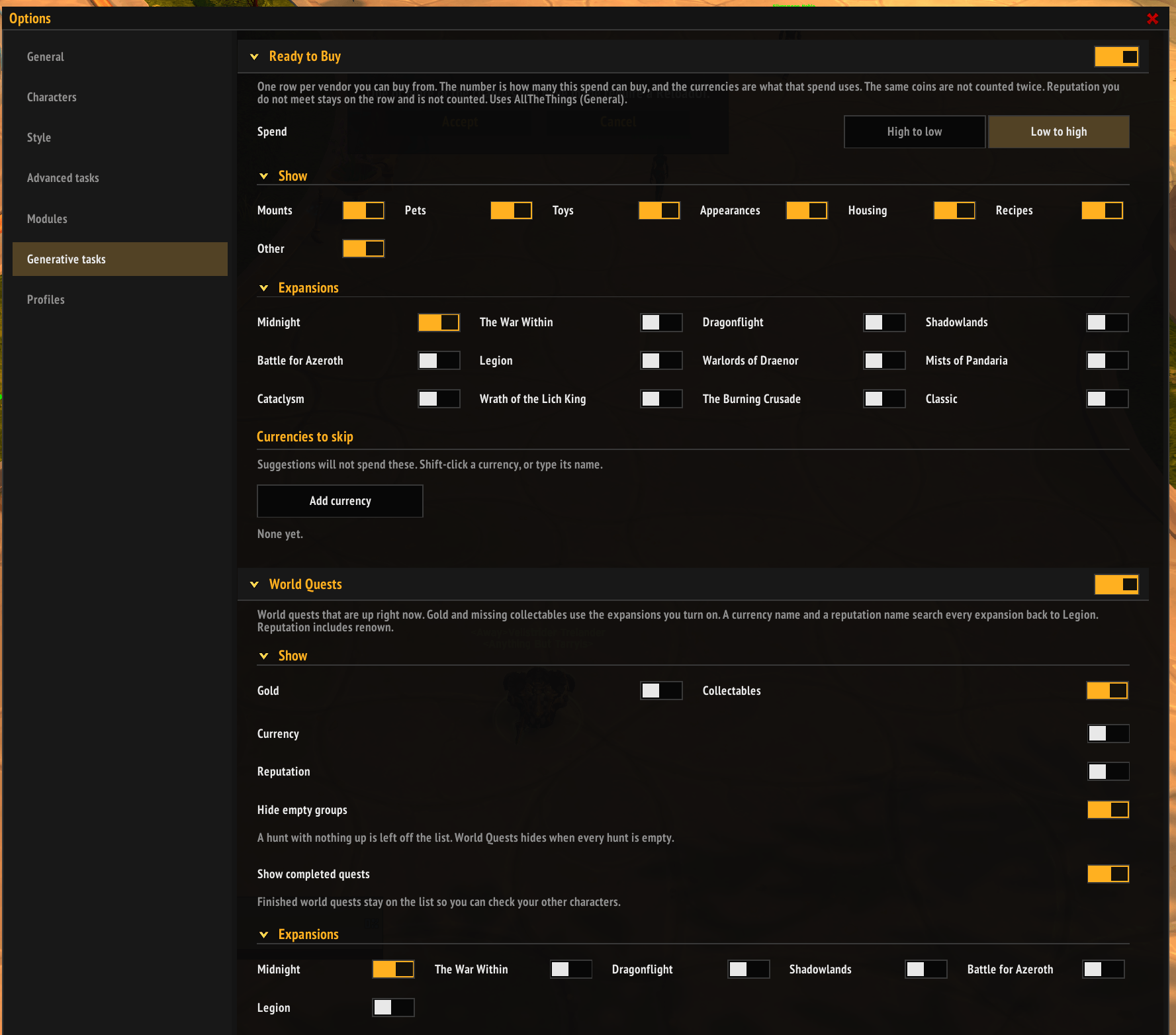
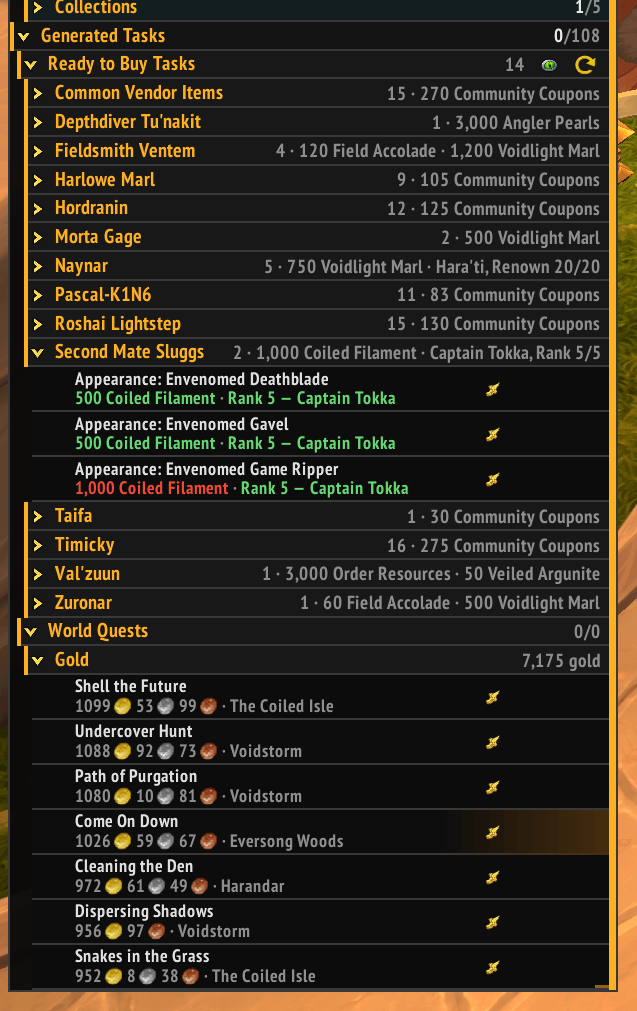
Ready to Buy - Pulls data from ATT let you know what you can buy RIGHT NOW with current unlocks and currencies. World Quests list all the ones that meet your requirements, gold, currency or a specific reputation.
Description
Task Tracker is a to-do list built for collectors. It keeps everything you're still chasing in one place: mounts, pets, toys, reputations, rare farms, and the dailies and weeklies that get you there. Check things off as you go, hide what you already own, and add your own goals next to the built-in ones.
A quick note first
I made this for myself and a few friends. Other task addons were great, but none of them were really built around the grind of collecting, so I made one that was. It's a personal project, and I'm sharing it in case it's useful to you too.
About AI: I have a decent amount of programming experience, but I built this with a lot of help from Cursor and Claude AI. Some people would rather avoid AI-assisted projects, and I want you to know that before you download.
About the art: Everything you see uses Blizzard's own interface assets or things I made myself. There's no AI-generated art.
What it does
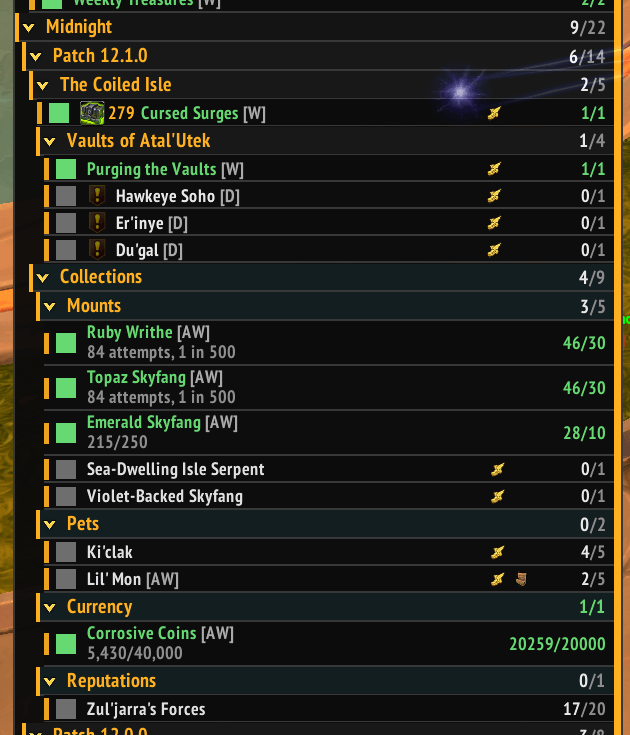
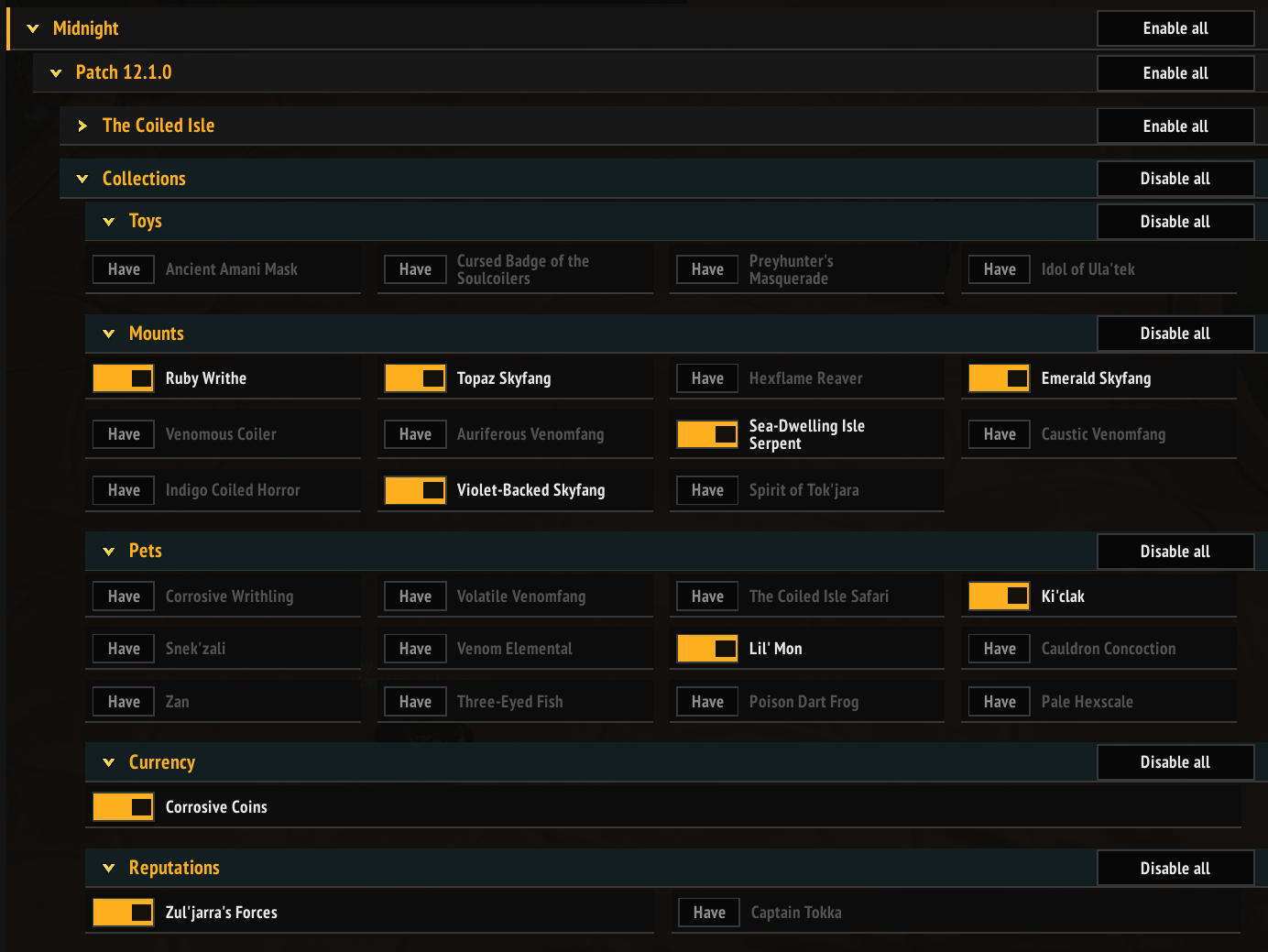
Collections Built-in lists for Midnight toys, mounts, pets, reputations, currencies, and rare farms. An entry is marked done as soon as you own the item or hit the required rank. Weekly farms also count as done once you've learned the drop. You can hide anything you already have, so the list only shows what's left.
Dailies and weeklies Midnight activities are grouped by patch and zone, or just by zone if you'd rather. From the title bar you can jump to the zone you're in, hide everything else, and still keep your own tasks and gear goals visible alongside it.
Ready to Buy Shows vendor collectables you can afford right now, grouped by seller, at the bottom of your list.
- Prices you can pay show in green; anything you can't afford yet, or don't have the reputation for, shows in red.
- Currency isn't double-counted across items.
- Pick which reward types to show (mounts, pets, toys, appearances, housing, recipes, and more) and which expansions to include. Only Midnight is on by default.
- Skip currencies you're saving for something else.
- Click the map pin to set a TomTom waypoint. Right-click a seller to hide them until your next reload.
Requires AllTheThings.
Your own tasks Create your own groups and tasks, nest them inside each other, and rearrange them in Edit mode. You can track quests, kills, items, currency, gold, achievements, and reputation. Tasks can update on their own from the game, or you can check them off yourself. Temporary tasks delete themselves when you're done, which is handy for one-time farms like a specific mount or toy.
Power A short list of weeklies that can still upgrade your weakest gear slot. It doesn't go by your average item level, so if one piece is lagging behind, the rewards for that slot stay on the list.
- Once a reward stops being an upgrade, it drops off the Power list, but the activity stays in its usual spot so you can keep tracking it.
- Some weeklies share a reward cap. Once you've hit it, Power moves on to the next thing.
- Open Details for the full reward table.
Power only gives suggestions. It doesn't change your loot in any way.
Other built-in groups Professions (once you've opened that profession), the Great Vault, Delves, and Mythic+ tips. Each group can be turned on or off per character, so hiding Delves on one alt won't hide them on the rest.
Characters Tasks can belong to one character or your whole account. Under Options → Characters you'll see every alt the addon has seen. You can show their progress on task tooltips, or clear an alt's saved data (it comes back the next time they log in). Warband reputations show the same rank on every character.
Notes, buttons, and sharing
- Add your own notes to any task.
- Turn a note line into a button that sets a waypoint or uses a toy, spell, or item. One button sits right on the row; several appear in a small menu.
- Copy a task or a whole group as text to send to a friend. Only the tasks are shared, not your progress.
Customizing the list Hide finished tasks. Collapse or expand groups one level at a time or all at once. Move and resize the window, choose a theme, or set your own colors. Text size, row height, and spacing can each be adjusted on their own. Daily and weekly resets match your region.
What's kept up to date
The built-in checklists are maintained for Midnight: Season 2 collections, zone dailies and weeklies, and this season's Power rewards. Older expansions don't have their own checklists, but Ready to Buy can still show their vendors if you turn those expansions on.
Slash commands
/tt: open or close the window/tt options: open the settings
TaskTracker Team
