
Description
TargetingIcons
Clear assignments. Better coordination. Less confusion before the pull.
TargetingIcons 4.1.0
Markers can actually mark targets again! Direct target marking, lost in the redesign, is back through the dedicated Mark Targets controls.
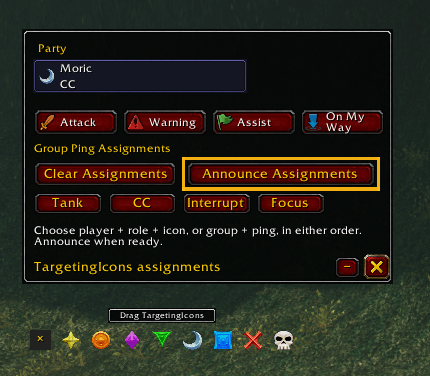
Mark targets, organize party and raid responsibilities, and share your plan before the pull. TargetingIcons combines familiar raid icons, reusable assignment templates and group communication with compact controls and flexible options.
Screenshots show an earlier layout; 4.1.0 includes the improvements described below.
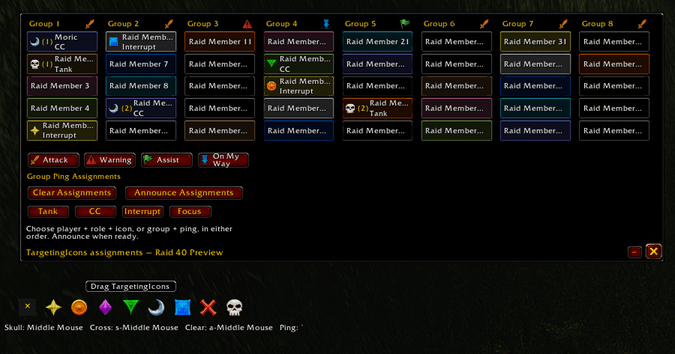
Caption: Preview roles, target icons, and group ping assignments across eight raid groups.
Plan your group’s assignments
- Set up Tank, Crowd Control, Interrupt and Focus responsibilities with raid icons.
- Use role-only or icon-only assignments when that’s all you need.
- Save Standard templates or use Role Check templates based on players’ reported roles and classes.
- Prefill matching players, edit individual assignments, and undo Clear or Prefill changes.
- Try 5-, 10-, 20- or 40-player roster previews without changing your live group’s plan.
Assign and Prefill update your local plan. Press Announce when you’re ready to share it. Use Mark Targets to mark an actual target.
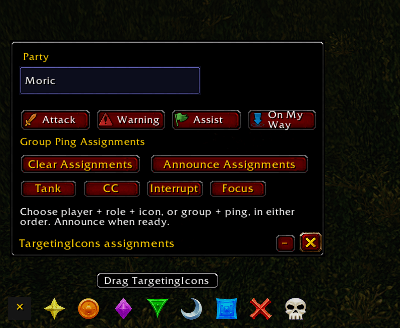
Caption: Manage party assignments and keep marker reminders close.
Actual target marking is back!
The dedicated Mark Targets strip restores direct marking through secure controls:
- Left-click an icon to mark your current target. Click the same icon again to remove it.
- Ctrl-left-click clears the target’s mark.
- Where supported, right-click an icon and then click the ground to place a ground marker. Ctrl-right-click clears that ground marker.
Open and configure the strip before combat. Its secure marking buttons support combat use while visible; configuration and visibility changes may wait until combat ends. WoW’s marking permissions still apply.
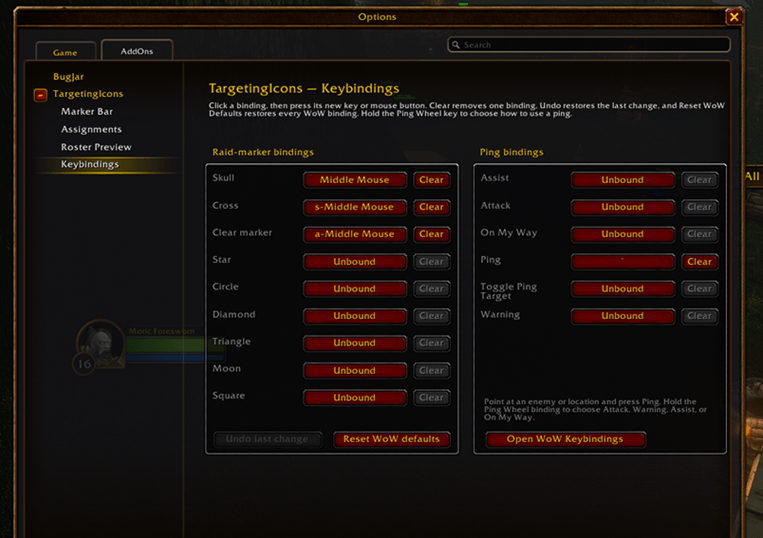
Caption: Manage marker shortcuts and available native Ping bindings in one place.
Share the plan your way
- Choose Party chat, Raid chat and/or Whispers for announcements.
- Include pull notes and synchronize published plans with other TargetingIcons users.
- Continue local planning and chat announcements even with addon synchronization disabled.
- Catch up with the published plan after reloading.
Players without the addon can receive chat announcements and whispers. Keep group members on the same release for consistent synchronization, including partial assignments. Group permissions and client restrictions apply.
Make it fit your screen
Customize visibility, scaling, fonts, row tint, sounds and reminder glows in Options. Use the minimap button for quick access. Assignment visibility, target-symbol glow and synchronization have separate controls.
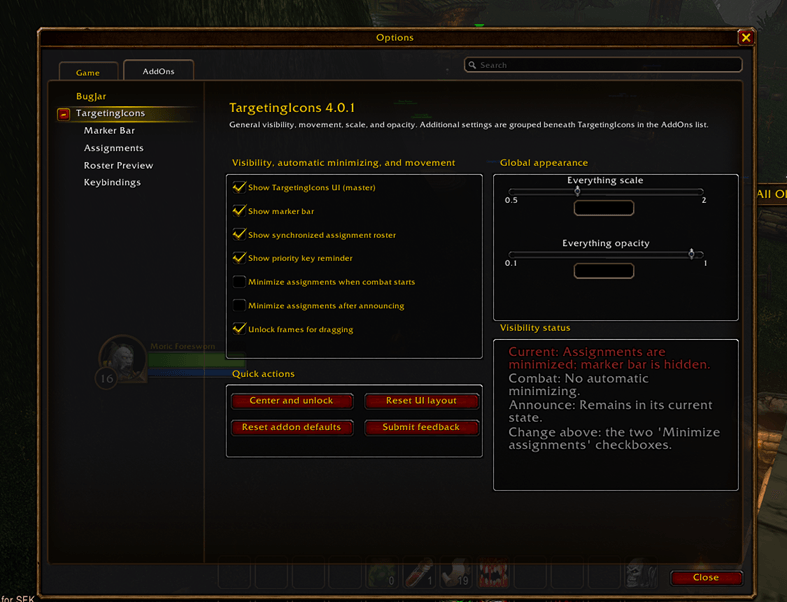
Caption: Customize visibility, automatic minimization, positioning, scale, and opacity.
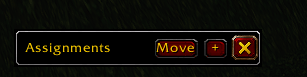
Keep the full roster available when you need it and minimize it when you don’t. New installations default to minimizing after a successful announcement, with combat auto-minimization off. Existing saved choices are preserved.
Getting started
- Install TargetingIcons using your addon manager, or place the TargetingIcons folder in your client’s Interface/AddOns folder.
- Left-click the minimap button or type /ti outside combat to open Options.
- Enable Mark Targets for physical marking, or open Assignments to build your plan.
- Choose your announcement destinations under Sharing & Sounds, then press Announce when ready.
Type /ti help for commands.
Game clients
Designed for Retail, Classic Era / Season of Discovery, Burning Crusade Anniversary, Mists of Pandaria Classic and Warcraft Forever. Available features depend on each client’s APIs.
Feedback and bug reports
Use Submit Feedback in Options to report a problem or suggest an improvement. Include your addon version, client/build, what happened and steps to reproduce it. Screenshots are helpful.
Targeting Icons Team
